
Introduction
This manual provides instructions for the Generic Replacement Remote Control, specifically designed for the W Box KT50BF Satellite Receiver. This remote offers full functionality as a direct replacement for your original remote, ensuring seamless control over your satellite receiver. Its durable plastic casing is designed for long-lasting use.
Setup
Battery Installation
The remote control requires two AAA batteries for operation.
- Locate the battery compartment on the back of the remote control.
- Slide the battery compartment cover downwards to open it.
- Insert two AAA batteries, ensuring correct polarity (+ and -) as indicated inside the compartment.
- Slide the battery compartment cover back into place until it clicks securely.

Image: The back of the remote control with the battery cover removed, revealing the battery slots. Two AAA batteries are shown being inserted, illustrating the correct orientation.
Initial Use
This remote control is designed for immediate use with your W Box KT50BF Satellite Receiver. No programming or setup is required. Simply install the batteries, and it is ready to operate your receiver.
Operating Instructions
The remote control provides access to all essential functions of your W Box KT50BF Satellite Receiver, including changing channels, adjusting volume, and switching inputs. Its comfortable design features large, clearly marked buttons for intuitive navigation.
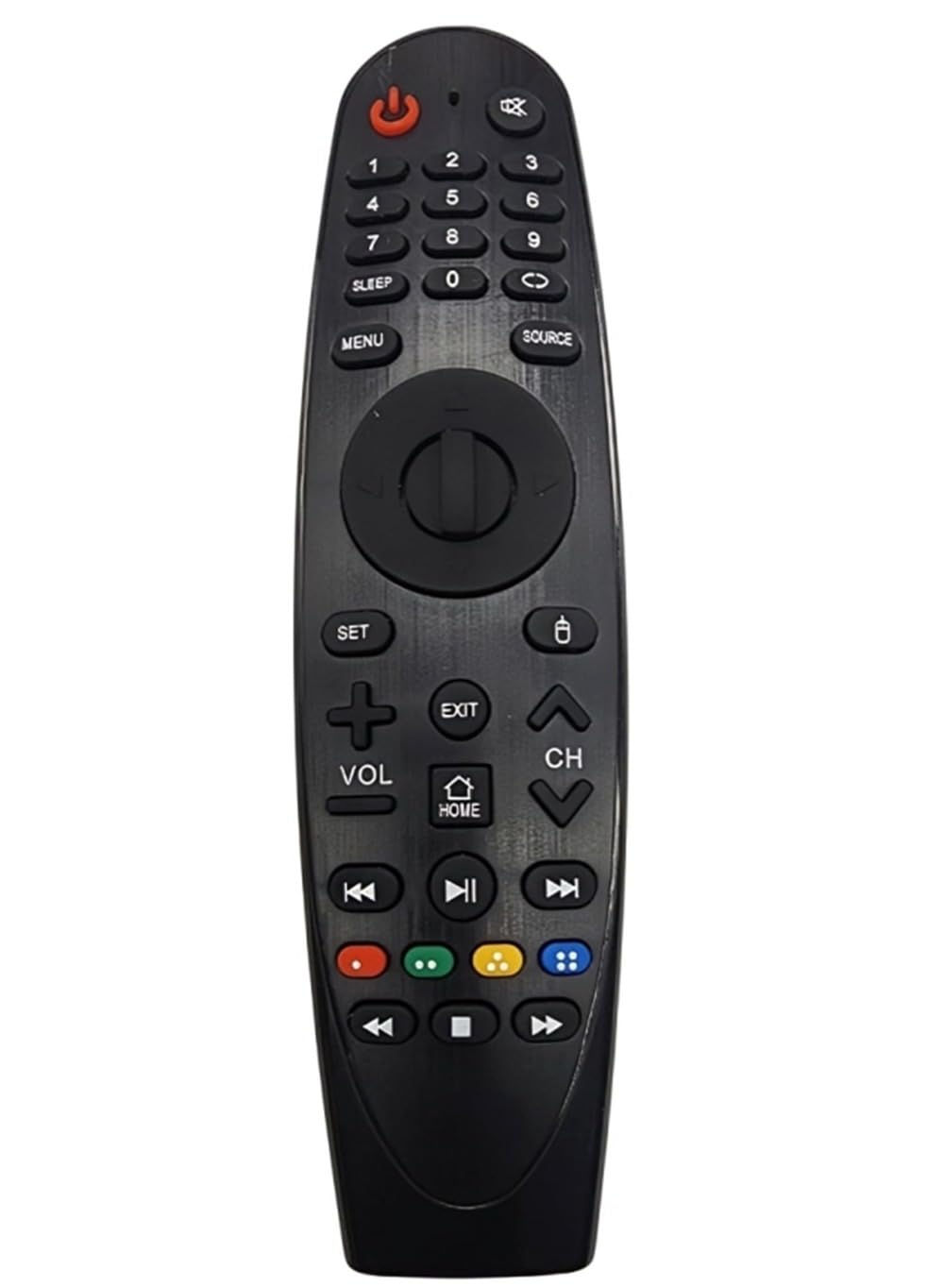
Image: A black remote control with various buttons for power, numbers, volume, channel, menu, and navigation.
Key Functions
- Power Button (Red): Turns the satellite receiver on or off.
- Number Buttons (0-9): Directly select channels.
- VOL +/-: Adjusts the volume level.
- CH +/-: Changes the channel up or down.
- MENU: Accesses the receiver's main menu.
- EXIT: Exits the current menu or function.
- HOME: Returns to the home screen or main interface.
- SOURCE: Switches between input sources.
- Navigation Pad (Up/Down/Left/Right/OK): Navigates through menus and confirms selections.
- Mute Button: Mutes or unmutes the audio.
- Sleep Button: Activates the sleep timer function.
- Color Buttons (Red, Green, Yellow, Blue): Used for specific functions within menus or interactive services, as indicated on-screen by the receiver.
- Playback Controls (Play, Pause, Stop, Rewind, Fast Forward, Previous, Next): Controls media playback if your receiver supports it.
For specific functions related to your W Box KT50BF Satellite Receiver, refer to your receiver's user manual.
Maintenance
Battery Replacement
Replace batteries when the remote's response becomes sluggish or it stops functioning. Typically, AAA batteries provide up to six months of use. Follow the battery installation steps outlined in the Setup section to replace them.
Cleaning
To clean the remote control, gently wipe its surface with a soft, dry cloth. For stubborn dirt, slightly dampen the cloth with water. Avoid using harsh chemicals or abrasive cleaners, as these can damage the remote's finish or internal components.
Troubleshooting
Remote Not Responding
- Check Batteries: Ensure batteries are installed correctly with the right polarity. Replace old batteries with new AAA batteries.
- Line of Sight: Make sure there are no obstructions between the remote control and the satellite receiver. The remote uses infrared (IR) technology, which requires a clear line of sight.
- Distance: Operate the remote within a reasonable distance from the receiver.
- Receiver Power: Confirm that your W Box KT50BF Satellite Receiver is powered on.
Specific Functions Not Working
- Receiver Compatibility: This remote is specifically designed for the W Box KT50BF. Ensure your receiver model matches.
- Receiver Settings: Some functions might be dependent on your receiver's current mode or settings. Consult your receiver's manual for details.
Specifications
| Feature | Detail |
|---|---|
| Brand | Generic |
| Model Compatibility | W Box KT50BF Satellite Receiver |
| Special Feature | No Programming Required |
| Color | Black |
| Max Supported Devices | 1 |
| Connectivity Technology | Infrared (IR) |
| Battery Type | AAA |
| Number of Items | 1 |
| Manufacturer | China |
| ASIN | B0D4Z8MY49 |
Warranty and Support
Satisfaction Guarantee
If for any reason you are not completely satisfied with this product, a no-questions-asked return policy for a refund is offered. Please refer to your purchase documentation for details on how to initiate a return.
Customer Support
For further assistance or inquiries, please contact the retailer or manufacturer through the contact information provided with your purchase.