
KANBIT Small Digital Travel Alarm Clock
KANBIT Digital Travel Alarm Clock User Manual
Model: Small Digital Travel Alarm Clock
Brand: KANBIT
Product Overview
The KANBIT Small Digital Travel Alarm Clock is designed for convenience and portability, featuring a large LCD display that shows time, date, day of the week, and temperature. Its compact design and front-facing buttons make it ideal for travel and easy to operate. Key features include a snooze function, multiple alarm melodies, and an 8-second backlight for visibility in low light conditions.
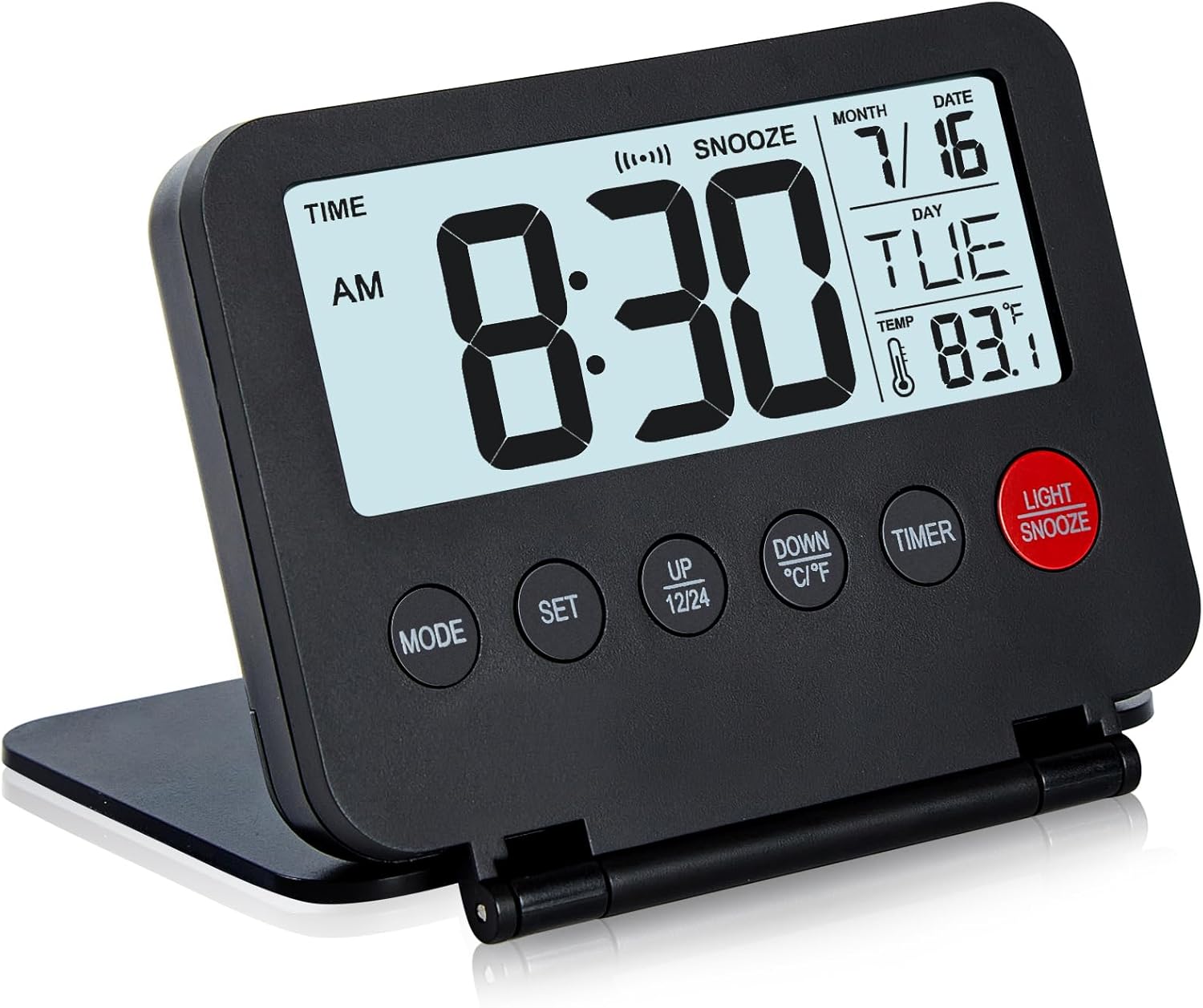
Image: Front view of the KANBIT Digital Travel Alarm Clock, displaying time, date, day, and temperature.

Image: Visual representation of the clock's main features, including time format, temperature unit conversion, backlight duration, and various functions like alarm, snooze, and date display.
Setup
Battery Installation
The clock operates on 2 AAA batteries (not included). To install the batteries:
- Locate the battery compartment on the back of the clock.
- Open the battery compartment cover.
- Insert 2 AAA batteries, ensuring correct polarity (+/-).
- Close the battery compartment cover securely.

Image: The clock with its battery compartment open, showing where to insert AAA batteries. Dimensions are also indicated.
Operating Instructions
Setting Time and Date
To set the current time and date:
- Press the MODE button to enter Time mode.
- Press the SET button to begin setting. The hour digit will flash.
- Use the UP/12/24 and DOWN/°C/°F buttons to adjust the hour.
- Press SET again to move to minutes, then year, month, and date. Adjust each using the UP/DOWN buttons.
- Press SET one more time to confirm and exit setting mode.
Video: A demonstration of how to set the time, date, and year on the KANBIT Digital Travel Alarm Clock.
Setting the Alarm
The clock offers 9 different melodies for the alarm. To set the alarm:
- Press the MODE button twice to enter Alarm mode. The display will show "ALARM".
- Press the SET button. The alarm hour will flash.
- Use the UP/12/24 and DOWN/°C/°F buttons to adjust the alarm hour.
- Press SET again to move to alarm minutes. Adjust using the UP/DOWN buttons.
- Press SET one more time to confirm.
- To activate the alarm and snooze function, press the UP/12/24 button while in Alarm mode. An alarm icon and "SNOOZE" will appear on the display.
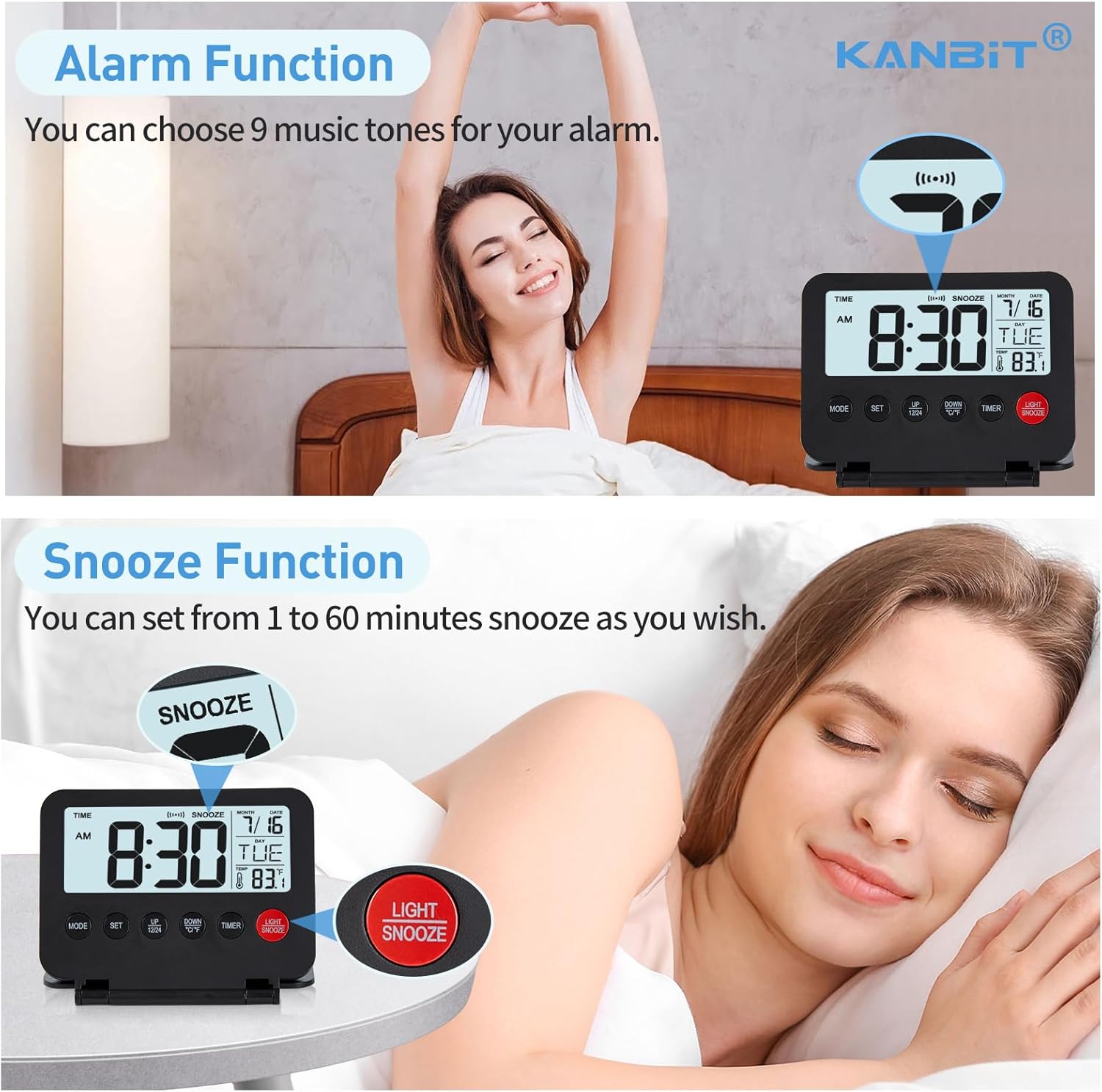
Image: The clock displaying the alarm and snooze settings, with a person stretching in the background, indicating wake-up.
Snooze Function
When the alarm sounds, press the LIGHT/SNOOZE button to activate the snooze function. The alarm will pause and sound again after the set snooze duration (adjustable from 1 to 60 minutes during alarm setting).
Countdown Timer
To use the countdown timer:
- Press the MODE button three times to enter Timer mode. The display will show "TIMER".
- Press the SET button. The hour digit will flash.
- Use the UP/12/24 and DOWN/°C/°F buttons to set the desired countdown hour, minute, and second.
- Press TIMER button to start or pause the countdown.
- When the countdown reaches zero, the alarm will sound.

Image: The clock displaying the countdown timer, with a child studying in the background, illustrating its use for focused tasks.
Backlight Function
Press the LIGHT/SNOOZE button to activate the backlight. The backlight will illuminate the display for 8 seconds, providing clear visibility in dark environments. Note that the backlight does not stay on continuously.

Image: Comparison of the clock's display in normal lighting and with the 8-second backlight activated, demonstrating improved visibility in darkness.
12/24 Hour Format and Temperature Unit Conversion
- To switch between 12-hour and 24-hour time formats, press the UP/12/24 button.
- To switch between Celsius (°C) and Fahrenheit (°F) temperature units, press the DOWN/°C/°F button.

Image: The clock displaying both 12-hour (AM/PM) and 24-hour (military) time formats, illustrating the easy switching feature.
Maintenance
To ensure the longevity and proper functioning of your KANBIT Digital Travel Alarm Clock:
- Clean the clock with a soft, dry cloth. Avoid using abrasive cleaners or solvents.
- Do not expose the clock to extreme temperatures, direct sunlight, or high humidity.
- If the clock will not be used for an extended period, remove the batteries to prevent leakage.
- Handle the clock with care to prevent damage from drops or impacts.
Troubleshooting
| Problem | Possible Cause | Solution |
|---|---|---|
| Display is blank or dim. | Batteries are low or incorrectly installed. | Replace batteries with new AAA batteries, ensuring correct polarity. |
| Alarm does not sound. | Alarm is not activated or set incorrectly. | Ensure alarm is set and activated (alarm icon visible). Check alarm volume if adjustable (this model does not specify volume control, so omit if not applicable). |
| Time/Date is incorrect. | Time/Date was not set correctly. | Follow "Setting Time and Date" instructions carefully, especially setting the correct year. |
| Backlight does not work. | Batteries are low or button not pressed firmly. | Replace batteries. Press the LIGHT/SNOOZE button firmly. |
Specifications
- Brand: KANBIT
- Color: Black
- Display Type: LCD
- Product Dimensions: 3.15"W x 4.1"H
- Power Source: Battery Powered (2 AAA batteries, not included)
- Special Feature: Calendar Display, Snooze, Temperature Display, Backlight, Countdown Timer, Multiple Alarm Melodies
- Material: Plastic
- Item Weight: 3.52 ounces
Warranty and Support
All KANBIT products come with a one-year support period. If you have any questions or require assistance, please email us through the Amazon buyer center. We aim to respond to all inquiries within 24 hours.
For further assistance, please visit the KANBIT Store on Amazon.
Ask a question about this manual
Ask about setup, troubleshooting, compatibility, parts, safety, or missing instructions. Manuals+ will review the question and use this page’s manual context to help answer it.