
Introduction
The SIKUING CT-08 is an advanced 8-channel audio mixer designed for a wide range of audio production needs, from live performances and DJing to studio recording and streaming. This professional mixing console integrates essential features such as 16 DSP effects, 48V phantom power, and versatile connectivity options including USB and Bluetooth, ensuring high-quality sound and flexible operation.

Figure 1: SIKUING CT-08 8-Channel Audio Mixer Overview
This manual provides detailed instructions to help you set up, operate, and troubleshoot your CT-08 audio mixer, ensuring optimal performance and longevity.
Setup
1. Power Connection
Connect the provided power adapter to the 'DC IN' port on the rear panel of the mixer. Ensure the connection is secure. Flip the 'POWER' switch to the ON position. The power indicator lights will illuminate.

Figure 2: Power Adapter and other package contents
2. Connecting Audio Devices
The CT-08 mixer offers 8 input channels, supporting various audio sources.
- Microphones: Use XLR cables to connect microphones to the 'MIC' inputs (Channels 1-8). For condenser microphones, activate the +48V phantom power (see Operating Instructions).
- Line-Level Devices: Connect instruments or other line-level audio sources using 1/4" TRS or TS cables to the 'LINE' inputs (Channels 1-8).
- External Audio Players: Use the RCA inputs for connecting devices like CD players or other stereo sources.

Figure 3: Diagram of compatible devices and connections
3. Output Connections
Connect your main speakers or recording interface to the 'L MAIN OUT R' XLR or 1/4" outputs. Use the 'PHONES' jack for headphone monitoring.
4. USB and Bluetooth Connectivity
- USB Connection: Insert a USB drive into the USB port for playback or recording. For computer recording, connect the mixer to your PC via a USB cable.
- Bluetooth Connection: Activate Bluetooth on the mixer and pair with your mobile device to stream audio wirelessly.

Figure 4: Wireless Bluetooth connectivity

Figure 5: USB connection for computer recording
Operating Instructions
1. Channel Controls
Each input channel (1-8) features independent controls:
- GAIN: Adjusts the input sensitivity for each channel. Set this to an appropriate level to prevent clipping.
- 3-Band EQ: High, Mid, and Low knobs allow you to shape the tone of each channel. Adjust these to enhance or cut specific frequencies.
- AUX: Controls the send level to the auxiliary output, often used for monitor mixes or external effects.
- FX: Controls the send level to the internal DSP effects processor.
- PAN: Adjusts the stereo position (left/right) of the channel in the main mix.
- Volume Fader: Controls the overall output level of the channel to the main mix.

Figure 6: Detailed view of 3-Band EQ controls
2. +48V Phantom Power
The mixer provides +48V phantom power for all microphone channels. This is essential for condenser microphones. To activate, press the '+48V' button. A red LED indicator will confirm activation. Ensure dynamic microphones do not have phantom power applied unless specified by the manufacturer.

Figure 7: 48V Phantom Power button and indicator
3. 16 DSP Effects
The built-in 16 DSP (Digital Signal Processor) effects offer various reverbs and other effects to enhance your sound. Use the 'EFFECTS' knob to select and adjust the intensity of the desired effect.

Figure 8: 16 DSP Effects controls
4. USB Player/Recorder
The integrated USB player allows for direct playback of MP3 files from a USB drive. It also supports recording your mix directly to the USB drive or to a connected computer.
- Playback: Insert a USB drive with audio files. Use the control buttons (play/pause, next/previous, mode) to navigate and play tracks.
- Recording: Select the 'REC' mode on the USB player interface. Press the record button to start and stop recording.
5. Monitoring
Connect headphones to the 'PHONES' output for real-time monitoring of your mix. Adjust the headphone volume using the dedicated knob.
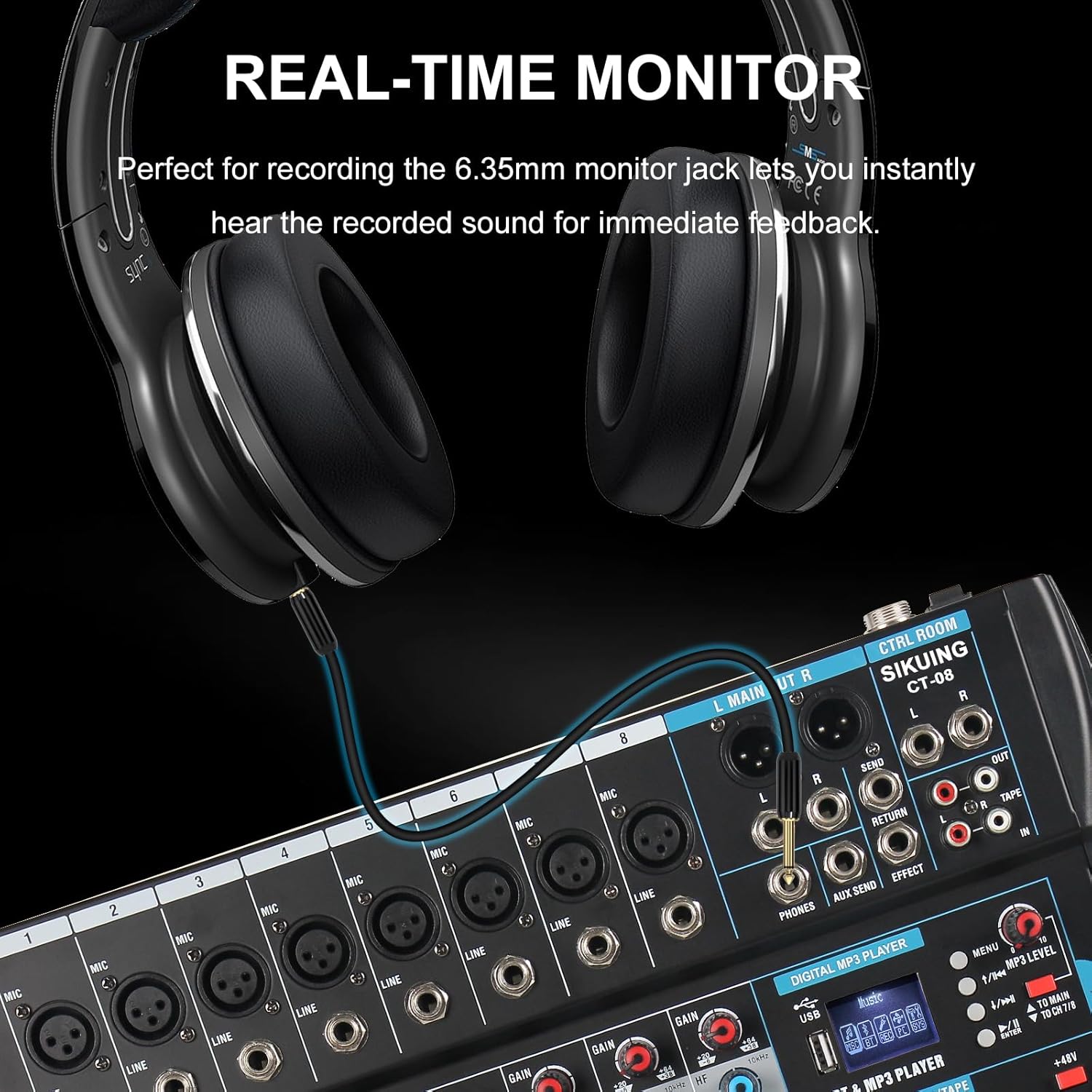
Figure 9: Headphone monitoring setup
6. Main Output Control
The 'L MAIN R' faders control the overall stereo output volume of the mixer. Adjust these to the desired level for your main speakers or recording device.
Product Videos
SIKUING 8-channel mixer for streaming, recording, live performances.
This video provides an overview of the SIKUING 8-channel mixer, highlighting its suitability for streaming, recording, and live performances. It demonstrates key features and connectivity options.
6/8/12 Channel Professional Audio Mixer
This video showcases the professional capabilities of the audio mixer, including its 6, 8, and 12 channel variants. It illustrates various input/output connections and control functionalities.
Bluetooth & Device Connection Guide
A practical guide demonstrating how to connect devices via Bluetooth and other interfaces to the mixer, ensuring seamless audio integration.
Specifications
| Feature | Detail |
|---|---|
| Item Weight | 8.13 pounds (3.7 Kilograms) |
| Package Dimensions | 17.5 x 16.88 x 4.25 inches |
| Item Model Number | CT-08 |
| Power Source | Corded Electric |
| Number of Channels | 8 |
| Connectivity Technology | Bluetooth, USB |
| DSP Effects | 16 Built-in Digital Multi-Effects |
| Phantom Power | +48V for all microphone channels |