
1. Introduction
This manual provides detailed instructions for the installation, operation, and maintenance of your GTRUI 11.6 Inch QLED Android Car Stereo. Please read this manual thoroughly before using the product to ensure proper functionality and safety.
Key Features:
- High-Performance System: Android 12 Operating System with 8-core Cortex A55 processor, 4GB RAM, and 64GB ROM for fast and smooth operation.
- Stunning Display: 11.6-inch 2K QLED touch screen (2000x1200 resolution) with Glass+Glass full lamination technology for a clear, vivid, and wide 178° viewing angle.
- Vehicle Compatibility: Exclusively designed for Jeep Wrangler/Unlimited 2007-2018;Jeep Compass 2009-2016; For Jeep Patriot 2009-2016;For Jeep Grand Cherokee 2005-2011;For Jeep Commander 2008-2011;For Chrysler Sebring 2007-2010; For Town&Country 2007-2010;For Dodge Grand Caravan 2011-2014; For Dodge Charger 2008-2010;For Dodge Ram 1500/2500/3500 2009-2012. Supports steering wheel controls.
- Superior Audio: Built-in AKM DSP stereo with 4x50W output, 48-band graphic equalizer, and 8 EQ modes for a realistic audio experience. Includes built-in RDS radio receiver with AF and TA functions.
- Seamless Connectivity: Wireless/Wired Apple CarPlay and Android Auto for safe phone integration. Built-in GPS navigation (Sygic, iGo, Waze, Google Maps support), dual-band 2.4Ghz & 5Ghz WiFi, and Bluetooth 5.0 for hands-free calling and music streaming.
- Intuitive Control: Features dual knobs for easy volume and track control.
2. Setup and Installation
The GTRUI car stereo is designed for a plug-and-play installation in compatible vehicles. While installation is generally straightforward, professional installation is recommended if you are unfamiliar with car audio systems.
2.1. Included Components
Before beginning installation, ensure all components are present:
- 11.6" Android Car Stereo Unit
- Wiring Harness Cable with CANbus Decoder
- Radio Antenna Adaptor,GPS Antenna
- USB & RCA Cables,User Manual
- Backup Camera, External Microphone
- Installation Tool
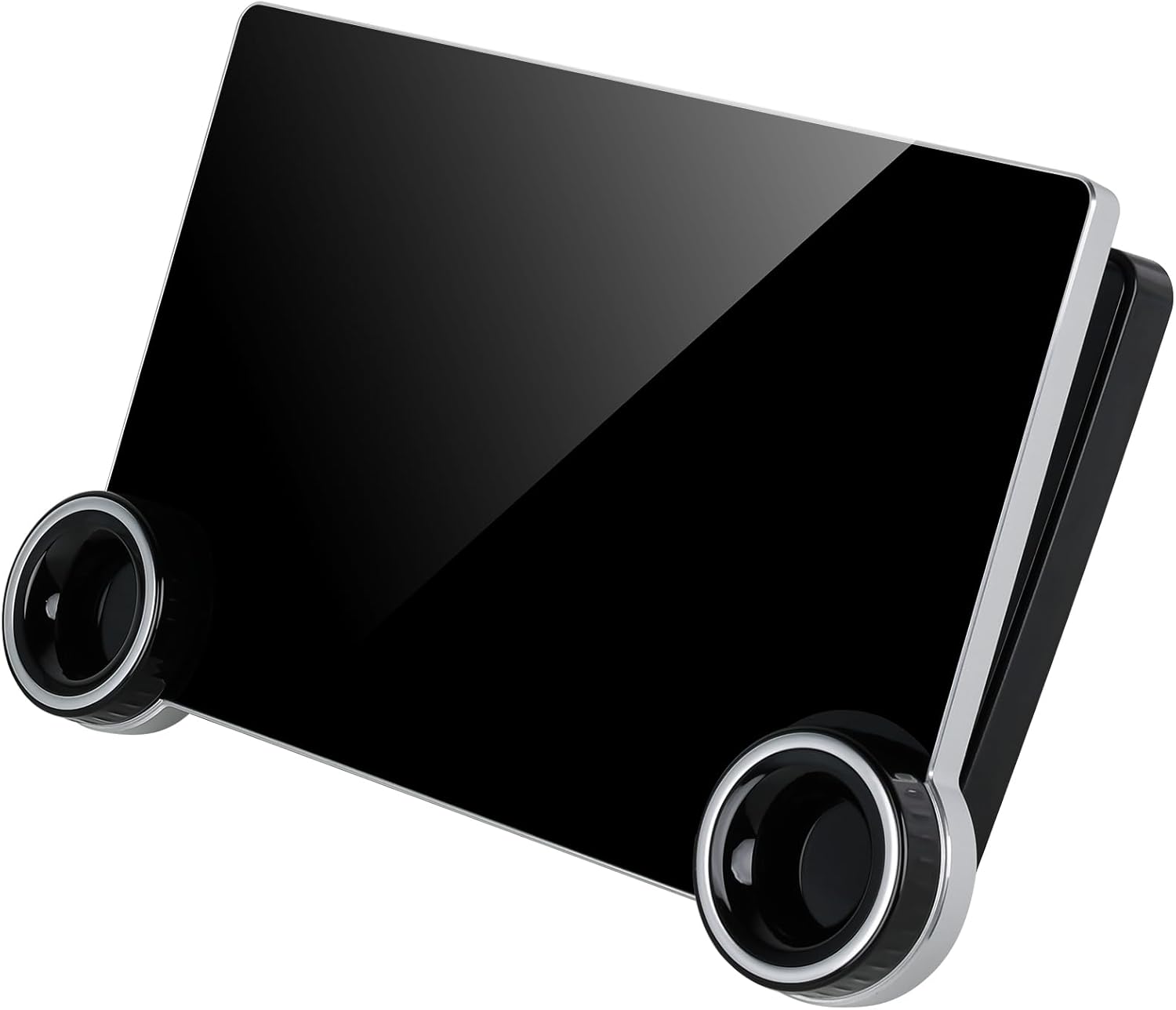
Figure 2.1: Key components of the GTRUI car stereo system, including the wiring harness and various cables for connection.
2.2. Installation Steps (General Guidelines)
- Preparation: Disconnect the vehicle's battery to prevent electrical shorts.
- Remove Factory Radio: Carefully remove the existing factory radio and trim panels. Refer to your vehicle's specific service manual for detailed instructions.
- Connect Wiring Harness: Connect the provided wiring harness and CANbus decoder to the vehicle's wiring. Ensure all connections are secure.
- Connect Peripherals: Connect the GPS antenna, radio antenna adapter, USB cables, RCA cables, external microphone, and backup camera (if applicable) to the corresponding ports on the new stereo unit.
- Mount Stereo Unit: Securely mount the GTRUI 11.6-inch stereo unit into the dashboard opening.
- Test Functionality: Reconnect the vehicle's battery. Turn on the ignition and test all functions of the stereo, including audio, touch screen, navigation, and connectivity.
- Reassemble: Once confirmed working, reassemble all trim panels.

Figure 2.2: Visual comparison showing the vehicle's dashboard before and after the installation of the GTRUI 11.6-inch QLED Android Car Stereo.
3. Operating Instructions
3.1. Basic Operation and Interface
The stereo features an intuitive touch screen interface and dual physical knobs for common controls.

Figure 3.1: The main interface of the GTRUI 11.6 inch QLED Android Car Stereo, showing the large display and dual control knobs.
The dual knobs provide quick access to:
- Left Knob: Volume control (rotate) and Mute (press).
- Right Knob: Previous/Next track (rotate) and Play/Pause (press).

Figure 3.2: Detailed view of the dual control knobs, highlighting their functions for volume, mute, track navigation, and play/pause.
3.2. Navigation (GPS)
The unit features built-in GPS navigation. You can use pre-installed maps or download your preferred navigation apps from the Play Store (e.g., Sygic, iGo, Waze, Google Maps).
Video 3.1: This video demonstrates the main functions of the GTRUI 2K Android Stereo, including GPS navigation, Play Store access, Google search, and Spotify integration.
To use GPS:
- Ensure the GPS antenna is properly connected and positioned for optimal signal reception.
- Open your preferred navigation application from the main menu.
- Enter your destination and follow the on-screen directions.
3.3. Wireless/Wired CarPlay & Android Auto
Connect your smartphone for seamless integration of Apple CarPlay or Android Auto. This allows access to navigation, calls, messages, and music directly from the stereo display.

Figure 3.3: The display showing the Wireless CarPlay and Android Auto interfaces, enabling smartphone integration.
To activate:
- For Wireless: Ensure Bluetooth and Wi-Fi are enabled on your phone and the stereo. Pair your phone via Bluetooth, then follow the on-screen prompts to initiate CarPlay or Android Auto.
- For Wired: Connect your phone to the stereo's USB port using a high-quality USB cable.
- Use voice commands ("Hey Siri" or "OK Google") for hands-free operation.
3.4. Audio Features (DSP, Radio)
Customize your listening experience with the built-in AKM DSP (Digital Sound Processor). The unit also includes an AM/FM radio with RDS features.

Figure 3.4: Screen displaying the audio customization options, including the 48-band graphic equalizer and various EQ modes provided by the AKM DSP.
Adjusting Audio:
- Access the EQ settings from the audio menu to adjust the 48-band graphic equalizer or select from 8 preset EQ modes.
- Tune into radio stations using the Radio application. Features like AF (Automatic Frequency Adjustment) and TA (Traffic Announcement) enhance the radio experience.
3.5. Other Functions
- Wi-Fi Connectivity: Supports dual-band 2.4Ghz and 5Ghz Wi-Fi for fast and stable internet access. Connect to a mobile hotspot or public Wi-Fi.
- Bluetooth 5.0: For hands-free calling, Bluetooth music streaming, and contact synchronization.
- Rear View Camera Support: Compatible with factory OEM rear view cameras or aftermarket AHD cameras for enhanced parking safety.
- Steering Wheel Controls: The unit supports your vehicle's existing steering wheel controls for convenient operation without taking your hands off the wheel.
- Split Screen Function: Allows you to run two applications simultaneously on the screen, such as navigation and music.

Figure 3.5: The car stereo display showing the view from a rear view camera, indicating compatibility with both OEM and aftermarket AHD cameras.

Figure 3.6: Illustration showing the integration of the car stereo with existing steering wheel controls for easy access to various functions.

Figure 3.7: The car stereo display showing the split screen function, allowing two applications to be viewed simultaneously.
4. Maintenance
To ensure the longevity and optimal performance of your GTRUI car stereo, follow these maintenance guidelines:
- Screen Cleaning: Use a soft, lint-free cloth specifically designed for electronic screens to gently wipe the display. Do not use abrasive cleaners or solvents.
- Dust Removal: Periodically use a soft brush or compressed air to remove dust from vents and ports.
- Software Updates: Check for and install any available software updates to ensure the system runs efficiently and has the latest features and security patches.
- Avoid Extreme Temperatures: Do not expose the unit to extreme heat or cold for prolonged periods, as this can affect performance and lifespan.
- Secure Connections: Periodically check that all cables and connections are secure to prevent intermittent issues.
5. Troubleshooting
If you encounter issues with your GTRUI car stereo, refer to the following common problems and solutions:
| Problem | Possible Cause | Solution |
|---|---|---|
| No Power / Unit Not Turning On | Loose power connection, blown fuse, vehicle battery issue. | Check power cable connections. Inspect vehicle's fuse box for blown fuses. Ensure vehicle battery is charged. |
| No Sound / Distorted Audio | Incorrect speaker wiring, volume too low, audio settings misconfigured, faulty speaker. | Verify speaker connections. Increase volume. Check EQ and audio output settings. Test with different audio sources. |
| CarPlay/Android Auto Disconnects Frequently | Unstable Wi-Fi/Bluetooth connection, incompatible phone software, low-quality USB cable (for wired). | Ensure strong Wi-Fi/Bluetooth signal. Update phone's OS. Try a different, certified USB cable. Restart both phone and stereo. |
| GPS Signal Lost / Inaccurate | GPS antenna obstruction or poor placement, weak satellite signal. | Ensure GPS antenna has a clear view of the sky. Reposition antenna if necessary. Check antenna connection. |
| Touch Screen Unresponsive | Software glitch, screen calibration issue, physical damage. | Restart the unit. If persistent, perform a factory reset (refer to system settings). Contact support if problem continues. |
| System Slow / Lagging | Too many apps running in background, low storage, software issue. | Close unnecessary apps. Clear cache. Free up storage space. Perform a system restart or factory reset. |
If the problem persists after attempting these solutions, please contact GTRUI customer support for further assistance.
6. Specifications
| Feature | Detail |
|---|---|
| Operating System | Android 12 |
| Processor | 8-core Cortex A55 |
| RAM | 4GB |
| ROM (Internal Storage) | 64GB |
| Display Size | 11.6 Inches |
| Resolution | 2000x1200 (2K QLED) |
| Audio Output Power | 4x50W (Max) |
| DSP | AKM DSP with 48-band graphic equalizer |
| Connectivity | Wireless/Wired Apple CarPlay, Android Auto, 5G WiFi (2.4Ghz & 5Ghz), Bluetooth 5.0 |
| Navigation | Built-in GPS (Supports Sygic, iGo, Waze, Google Maps etc.) |
| Radio | AM/FM with RDS |
| Control Type | Touchscreen, Dual Knobs, Steering Wheel Controls |
| Mounting Type | Dashboard Mount |
| Item Weight | 4.4 pounds (approx. 2 kg) |
| Package Dimensions | 13.62 x 8.9 x 5.35 inches |
7. Warranty and Support
GTRUI provides a 1-year warranty for this product, covering manufacturing defects and malfunctions under normal use. Please retain your proof of purchase for warranty claims.
For technical support, warranty inquiries, or any questions regarding your GTRUI 11.6 Inch QLED Android Car Stereo, please contact GTRUI customer service via Amazon email. Our team is committed to providing professional assistance and will reply as soon as possible.
For additional resources and product information, you may visit the official GTRUI Store on Amazon: GTRUI Amazon Store