
1. Product Overview
The MOOGMAX 20000 mAh 22.5W Power Bank is a high-capacity portable charger designed to provide multiple full charges for various USB-powered devices, including smartphones and tablets. It features advanced fast charging technologies and a compact design for convenience.

Image: Front view of the MOOGMAX 20000 mAh Power Bank, highlighting its digital display and sleek design.
Key Features:
- 20,000 mAh High Capacity: Provides extended power for multiple device charges.
- 22.5W Fast Charging: Supports Power Delivery (PD) and Quick Charge 3.0 (QC3.0) technologies for rapid charging.
- Dual Ports: Equipped with one Type-C port (PD input & output) and one USB-A port (QC3.0 output).
- Digital Display: An LED screen shows the remaining charge level and charging status.
- Smart Chip Protection: Built-in safeguards against overcharging, over-discharging, over-current, short-circuit, over-voltage, over-power, high-temperature, low-temperature, and signal interference.
- Compact & Lightweight: Weighs approximately 299g, making it highly portable.
- Travel-Friendly: Suitable for use on planes, ships, and trains.

Image: Illustration of the power bank's internal smart chip and its comprehensive protection mechanisms, including over-power, over-discharge, high-temperature, signal interference, over-voltage, over-current, short-circuit, and low-temperature discharge protection.
2. Setup
Initial Charging of the Power Bank:
- Connect to Power Source: Use a compatible USB-C cable to connect the power bank's Type-C port to a wall charger (not included).
- Monitor Digital Display: The digital display will show the charging percentage. For optimal performance, fully charge the power bank before its first use.
- Full Charge Indication: The display will show '100%' when fully charged.
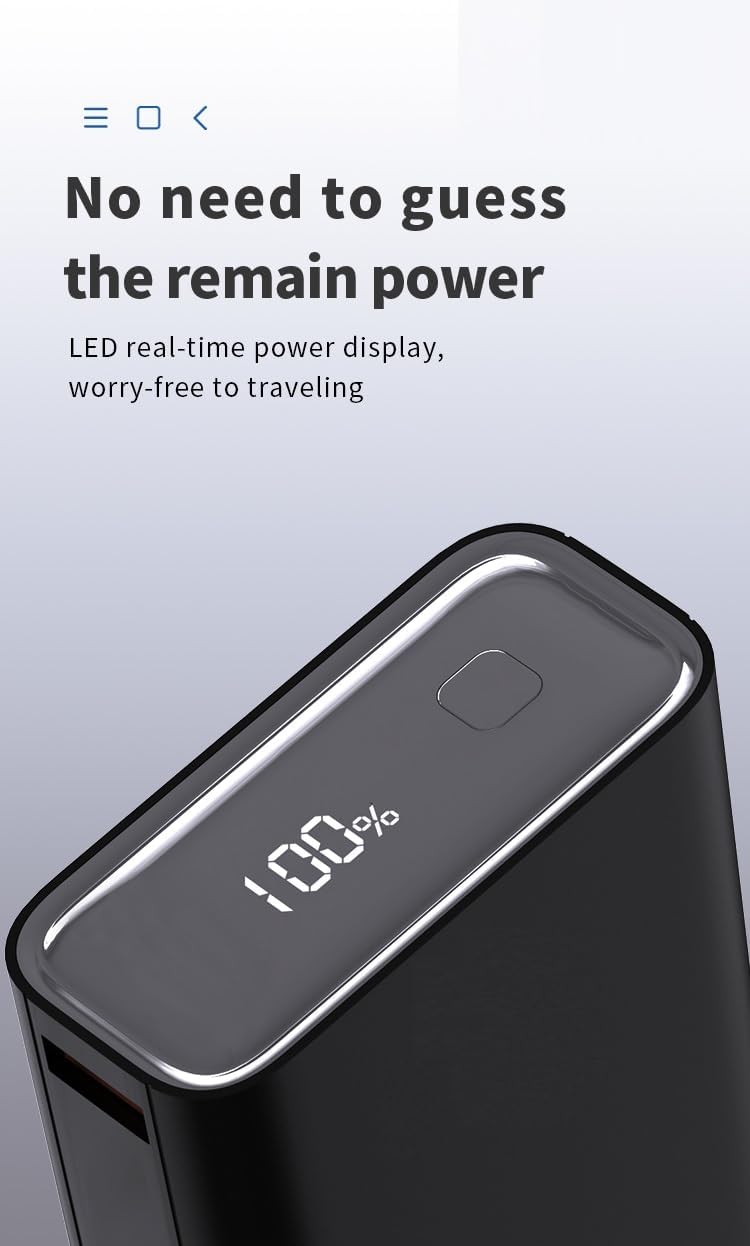
Image: A close-up view of the power bank's digital display, indicating a 100% charge level, signifying it is fully charged and ready for use.
3. Operating Instructions
Charging Your Devices:
- Connect Device: Use a compatible charging cable to connect your device to either the USB-A port or the Type-C port of the power bank.
- Automatic Charging: The power bank will automatically detect your device and begin charging.
- Monitor Device Charge: Observe your device's screen to confirm charging has started. The power bank's digital display will show its remaining battery percentage.
- Disconnect: Once your device is charged, disconnect it from the power bank.
Recharging the Power Bank:
- Connect to Power Source: Connect the power bank's Type-C port to a wall adapter using a USB-C cable.
- Monitor Charging: The digital display will show the current charge level.
- Full Charge: Charging is complete when the display shows '100%'.

Image: A smartphone being charged by the MOOGMAX power bank, demonstrating its high-capacity charging capability for multiple devices.
4. Maintenance
- Storage: Store the power bank in a cool, dry place away from direct sunlight and extreme temperatures.
- Cleaning: Use a soft, dry cloth to clean the exterior of the power bank. Do not use liquid cleaners or abrasive materials.
- Avoid Drops: Protect the power bank from drops and impacts, which can damage internal components.
- Regular Use: To maintain battery health, it is recommended to fully discharge and recharge the power bank at least once every three months if not in regular use.
5. Troubleshooting
Common Issues and Solutions:
- Power Bank Not Charging:
- Ensure the charging cable and wall adapter are functioning correctly.
- Verify the Type-C cable is securely connected to both the power bank and the power source.
- Device Not Charging from Power Bank:
- Check if the power bank has sufficient charge (refer to the digital display).
- Ensure the charging cable connecting your device to the power bank is not damaged and is securely connected.
- Try a different port on the power bank or a different charging cable.
- Digital Display Shows '0%' After Reaching '100%' During Recharge:
- If the power bank's display shows 0% immediately after reaching 100% during its own recharge cycle, disconnect and then reconnect the charging cable to reset the display. This may be a display calibration issue.
- Slow Charging:
- Ensure you are using a fast-charging compatible cable and your device supports fast charging.
- Verify that the power bank itself is sufficiently charged.
6. Specifications
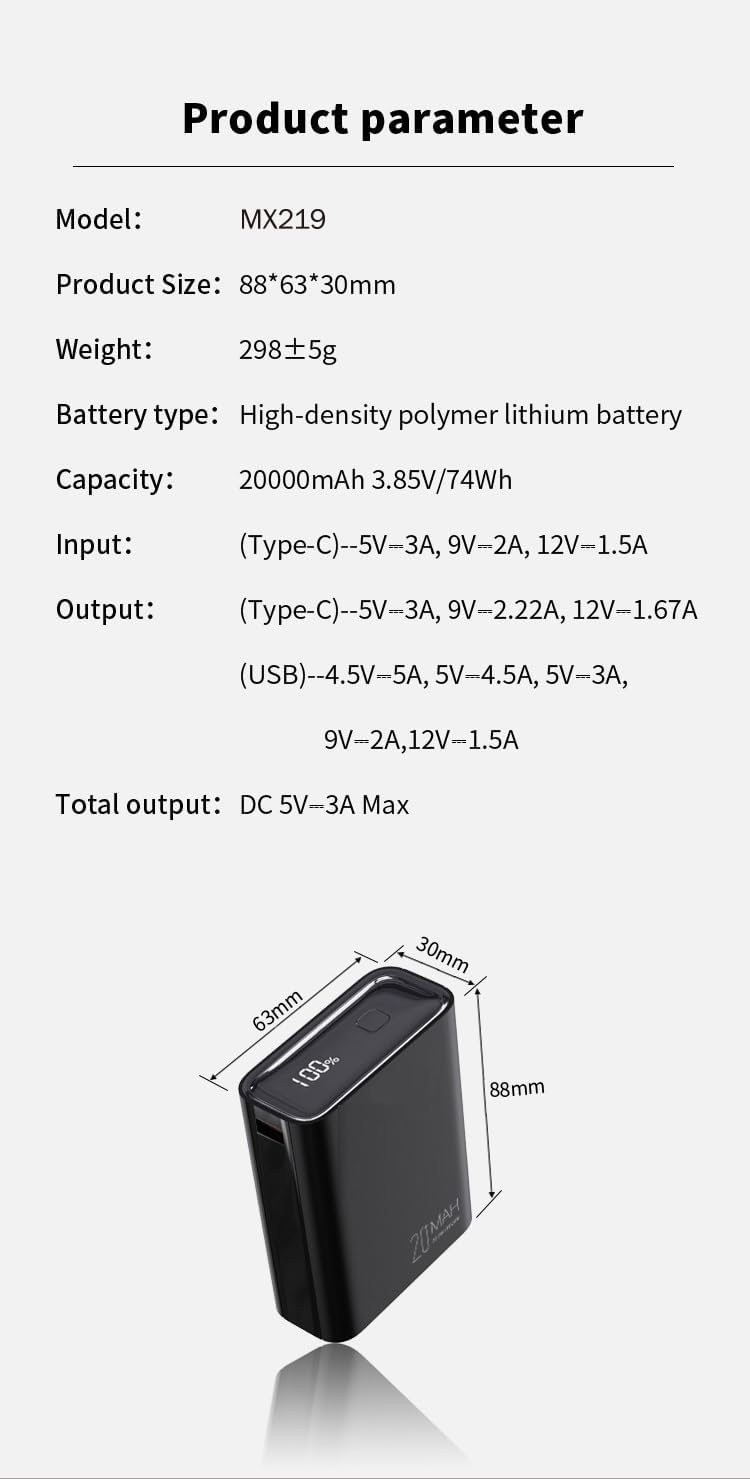
Image: A detailed product parameter table outlining the model, size, weight, battery type, capacity, input/output specifications, and total output.
| Feature | Specification |
|---|---|
| Model | MX219 |
| Battery Capacity | 20000 mAh (3.85V/74Wh) |
| Battery Type | High-density Polymer Lithium Battery |
| Input (Type-C) | 5V-3A, 9V-2A, 12V-1.5A |
| Output (Type-C) | 5V-3A, 9V-2.22A, 12V-1.67A |
| Output (USB-A) | 4.5V-5A, 5V-4.5A, 5V-3A, 9V-2A, 12V-1.5A |
| Total Output | DC 5V-3A Max |
| Dimensions | 88 x 63 x 30 mm |
| Weight | 299 g |
| Special Features | Auto Shut-Off, Digital Display, Fast Charging, Lightweight, Pocket Size |
7. Warranty and Support
MOOGMAX offers a 2-year replacement warranty for this product. In addition, 24/7 customer service is available to assist with any inquiries or issues. Customers are also eligible for a 15-day return policy.
For support or warranty claims, please contact MOOGMAX customer service directly. Contact information can typically be found on the product packaging or the official MOOGMAX website.