1. Introduction
Thank you for choosing the Bawjog KZ XZ10 True Wireless Earhook Adapter. This device is designed to convert your wired in-ear monitor headphones into a wireless experience, offering stable Bluetooth 5.3 connectivity, high-fidelity sound with aptX Adaptive decoding, and extended battery life. Please read this manual carefully to ensure proper use and maintenance of your device.
2. Safety Information
- Do not expose the device to extreme temperatures, humidity, or liquids.
- Avoid dropping or subjecting the device to strong impacts.
- Keep out of reach of children.
- Use only the provided or certified charging cables and adapters.
- Do not attempt to disassemble or modify the device, as this will void the warranty and may cause damage.
3. Package Contents
Please check the package for the following items:
- KZ XZ10 True Wireless Earhook Adapters (Left and Right)
- Wireless Charging Case
- USB Charging Cable
- User Manual
4. Product Overview
The KZ XZ10 consists of two earhook adapters and a charging case. Each earhook adapter is designed to connect to your in-ear monitor headphones, providing a secure and comfortable fit around the ear.

Image: The KZ XZ10 True Wireless Earhook Adapters stored within their charging case. The earhooks are black with a sleek design, and the charging case features an indicator light.
5. Setup
5.1 Charging the Device
- Charge the Charging Case: Connect the USB charging cable to the charging port on the case and to a power source. The indicator light on the case will show charging status.
- Charge the Earhook Adapters: Place the earhook adapters into the charging case. Ensure they are properly seated. The earhooks will begin charging automatically. A full charge provides approximately 12 hours of playback, and the 800mAh charging case offers an additional 6 charges, totaling up to 72 hours of battery life.
5.2 Attaching to In-Ear Monitors
Carefully connect your in-ear monitor headphones to the KZ XZ10 earhook adapters. Ensure a secure fit to prevent accidental disconnection during use.
5.3 Initial Bluetooth Pairing
- Power On: Open the charging case or remove the earhook adapters from the case. They will automatically power on and enter pairing mode.
- Activate Bluetooth: On your device (smartphone, tablet, etc.), enable Bluetooth.
- Select Device: Search for "KZ XZ10" in the list of available Bluetooth devices and select it to pair.
- Confirmation: Once paired, you will hear an audio prompt, and the indicator light on the earhooks will change.

Image: The KZ XZ10 earhook adapters highlighting key features including Bluetooth 5.3 and aptX Adaptive Decoding. This image illustrates the core wireless technology.
6. Operating Instructions
6.1 Power On/Off
- Power On: Remove the earhook adapters from the charging case. They will automatically power on.
- Power Off: Place the earhook adapters back into the charging case. They will automatically power off and begin charging.
6.2 Bluetooth Connection
After initial pairing, the KZ XZ10 will automatically reconnect to the last paired device when powered on and within range (up to 15 meters).

Image: A detailed graphic showcasing the Qualcomm Bluetooth 5.3 QCC5171 chip, emphasizing its role in stable and fast wireless transmission.
6.3 Controls (One-Click Control)
The KZ XZ10 features a multi-function button on each earhook for easy control:
- Play/Pause: Single click the button on either earhook.
- Answer/End Call: Single click the button on either earhook during an incoming call or active call.
- Reject Call: Press and hold the button on either earhook during an incoming call.
- Next Track: Double click the button on the right earhook.
- Previous Track: Double click the button on the left earhook.
- Activate Voice Assistant: Triple click the button on either earhook.
6.4 Sound Modes
The KZ XZ10 supports three distinct sound modes: Gaming, Standard, and HiFi. These modes can be switched to optimize your audio experience based on content. Refer to the device's specific button combinations for switching modes, typically involving a long press or multiple clicks on one of the earhooks.
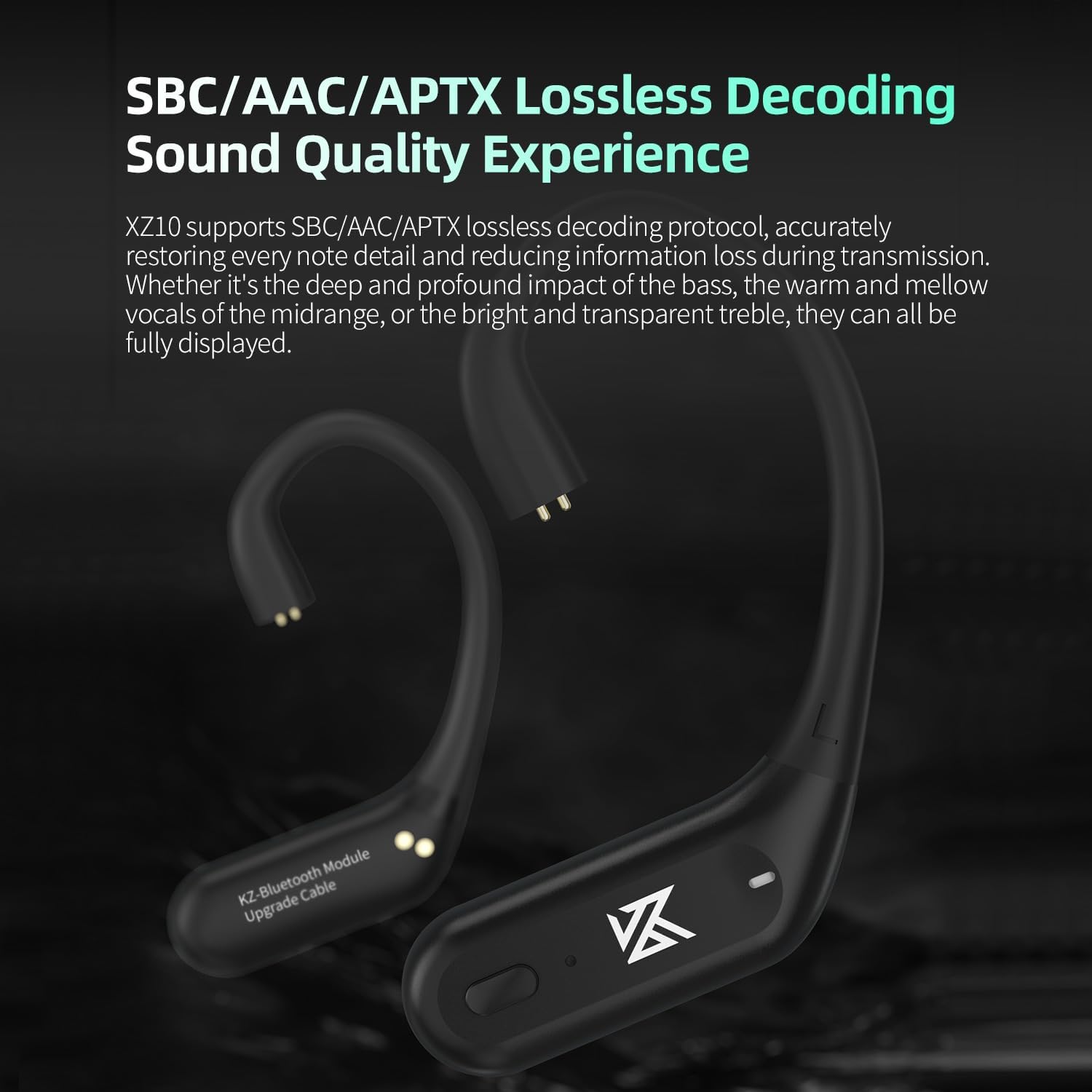
Image: The KZ XZ10 earhook adapters illustrating support for SBC, AAC, and aptX lossless decoding protocols, which contribute to high-definition sound quality.
7. Maintenance
- Cleaning: Use a soft, dry cloth to clean the earhook adapters and charging case. Do not use harsh chemicals or abrasive materials.
- Storage: When not in use, store the device in its charging case in a cool, dry place.
- Battery Care: To prolong battery life, avoid fully discharging the device frequently. Charge it regularly, even if not in use for extended periods.
8. Troubleshooting
- No Power: Ensure the earhook adapters and charging case are fully charged.
- Cannot Pair: Make sure Bluetooth is enabled on your device and the KZ XZ10 is in pairing mode. Try turning Bluetooth off and on again on your device.
- No Sound: Check the volume levels on both your connected device and the earhook adapters. Ensure the earhooks are properly connected to your in-ear monitors.
- Intermittent Connection: Ensure your device is within the 15-meter Bluetooth range and there are no significant obstructions. Avoid strong electromagnetic interference.
- One Earhook Not Working: Try placing both earhooks back into the charging case, closing it, and then taking them out again to reset the connection.
9. Specifications
- Product Model: KZ XZ10 Bluetooth Adapter
- Bluetooth Version: 5.3
- Bluetooth Chipset: Qualcomm QCC5171
- Bluetooth Range: 15 meters
- Supported Decoding Protocols: SBC, AAC, aptX Adaptive
- Earhook Playing Time: Approximately 12 hours
- Earhooks Battery Capacity: 50mAh (each)
- Charging Case Battery Capacity: 800mAh
- Total Battery Life (with case): Up to 72 hours
- Item Weight: 5.1 ounces
- Package Dimensions: 3.35 x 2.95 x 1.57 inches
- Batteries: 2 Lithium Polymer batteries (included)

Image: A close-up view of the Qualcomm QCC5171 Bluetooth chipset integrated into the earhook adapter, illustrating its advanced low-power technology for stable transmission and high-fidelity sound.
10. Warranty and Support
The Bawjog KZ XZ10 True Wireless Earhook Adapter comes with a standard manufacturer's warranty. For detailed warranty information, please refer to the warranty card included in your package or contact your retailer. For technical support or customer service, please reach out to the vendor or manufacturer through their official channels.


