
Introduction
This manual provides detailed instructions for the installation, maintenance, and troubleshooting of your Mr.Shield Tempered Glass Screen Protector. This product is designed to protect the screen of your Blackview Tab 16 Pro 11-inch tablet from scratches, impacts, and daily wear.

Image: The Mr.Shield screen protector packaging alongside a tablet with the screen protector applied.
What's in the Box
Your Mr.Shield Screen Protector package includes the following items:
- 2 x Tempered Glass Screen Protectors
- Instructions
- Scratching Card (Squeegee)
- Cleaning Cloth
- Dust Collector (Dust Removal Sticker)
- Removing Tapes (Guide Stickers)
- Alcohol Prep Pads

Image: All components included in the Mr.Shield screen protector kit, including two glass protectors, alcohol pads, and dust removal stickers.
Features
- Maximum Strength: Designed to protect against scratches and high-impact drops.
- 9H Hardness: Highly durable and scratch-resistant surface.
- Precise Laser Cut: Tailored-fit to your device's screen with polished, rounded edges.
- HD Clarity: 99.99% HD Clarity for an optimal viewing experience.
- Touchscreen Accuracy: Maintains original touchscreen responsiveness.
- Bubble-Free Installation: Utilizes high-technology glues for 100% bubble-free application.
- Oleophobic Coating: Resists fingerprints and smudges.
- Rainbow-Effect Proof: Engineered to prevent rainbow effects often seen on lower quality screen protectors.

Image: A side-by-side comparison illustrating the superior scratch resistance and lack of rainbow effect on the Mr.Shield screen protector compared to a competitor's product.

Image: Visual representation of key features including oleophobic coating, scratch resistance, high responsiveness, zero bubbles, and high transparency.

Image: A diagram highlighting the 2.5D curved, rounded edges of the screen protector for comfortable handling.
Setup and Installation
Follow these steps carefully for optimal installation:
- Prepare Your Workspace: Choose a clean, dust-free environment. Wash your hands thoroughly.
- Clean the Screen: Use the provided alcohol prep pad to thoroughly clean your tablet's screen. Ensure all dirt, oil, and fingerprints are removed.
- Dry the Screen: Use the cleaning cloth to dry the screen completely. Ensure no streaks or lint remain.
- Remove Dust: Use the dust collector sticker to dab the entire screen surface, picking up any remaining dust particles. Inspect the screen carefully under light to ensure it is spotless.
- Align the Protector: Carefully peel off the protective film from the adhesive side of the screen protector (usually marked '1' or 'Back'). Hold the protector by its edges and align it precisely with your tablet's screen, paying attention to cutouts for cameras or sensors.
- Apply the Protector: Once aligned, gently lower the screen protector onto the tablet's screen. The adhesive will begin to spread automatically.
- Remove Bubbles: If bubbles appear, use the scratching card (squeegee) to gently push them towards the edges of the screen. Start from the center and work your way out. For stubborn bubbles, gently lift the nearest corner of the protector slightly and re-apply while pushing the bubble out.
- Final Touches: Once all bubbles are removed, gently wipe the screen protector with the cleaning cloth to remove any smudges.
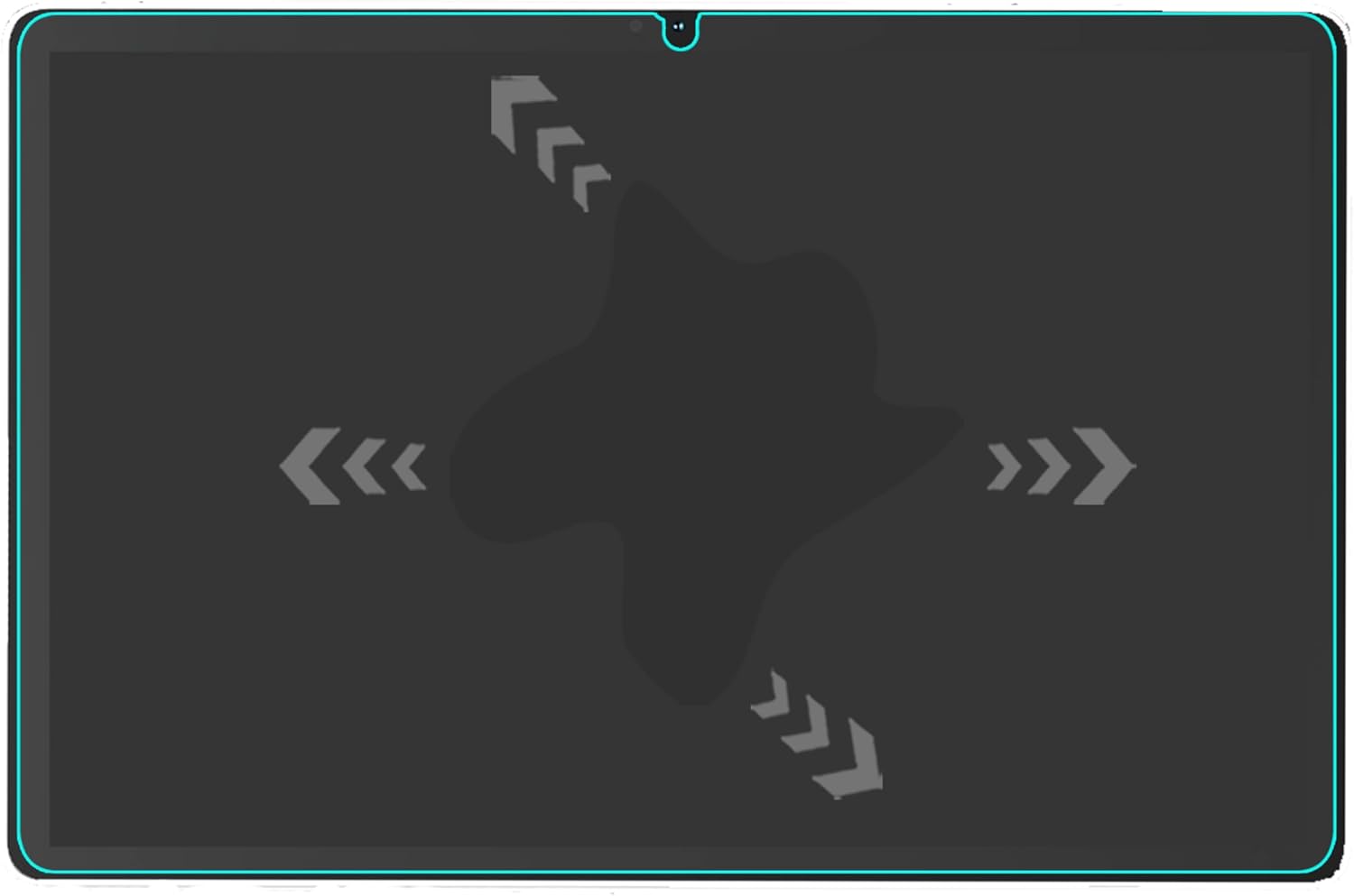
Image: A visual guide demonstrating how to effectively remove air bubbles from under the screen protector using a squeegee, pushing them towards the edges.
Operating
Once installed, the Mr.Shield Tempered Glass Screen Protector is designed to be virtually unnoticeable. It maintains the original touch sensitivity and clarity of your Blackview Tab 16 Pro's screen, ensuring a seamless user experience. You can interact with your tablet as usual, enjoying full functionality without compromise.
Maintenance and Care
To ensure the longevity and clarity of your screen protector:
- Cleaning: Wipe the screen protector regularly with a soft, lint-free cloth. For smudges or fingerprints, use a screen cleaner specifically designed for electronics or a slightly damp cloth. Avoid harsh chemicals or abrasive materials.
- Protection: While the screen protector offers significant protection, avoid placing sharp objects directly on the screen or exposing it to extreme force.
Troubleshooting
Here are solutions to common issues you might encounter:
- Bubbles After Installation: Small bubbles may disappear on their own within 24-48 hours. For larger bubbles, try gently pushing them towards the nearest edge with the scratching card. If a bubble persists due to a dust particle, you may need to carefully lift the nearest corner of the protector with a piece of tape, remove the dust with another dust collector sticker, and then re-apply.
- Dust Under the Protector: This is usually the cause of persistent bubbles. Ensure your environment is as dust-free as possible during installation. Use the dust collector sticker thoroughly before application.
- Misalignment: If the protector is significantly misaligned, it's best to carefully remove it and re-apply. Use the guide stickers to help with precise alignment during re-application.
Specifications
| Attribute | Value |
|---|---|
| Product Dimensions | 9.88 x 6.37 x 0.5 inches |
| Item Weight | 10.2 ounces |
| ASIN | B0D4TTQJ2L |
| Item Model Number | 965 |
| Special Features | Scratch Resistant |
| Color | Clear |
| Manufacturer | Mr.Shield |
| Compatible Devices | Tablet (Blackview Tab 16 Pro, 11 Inch) |
| Material | Tempered Glass |
| Item Hardness | 9H |
| Finish Type | Glossy |
| Water Resistance Level | Water Repellent |
| Unit Count | 2.0 Count |
Warranty and Support
Mr.Shield products are protected by a No-Hassle Lifetime Replacement Warranty. This warranty ensures that you are covered against defects or issues with your screen protector for its lifetime.
For warranty claims or further support, please visit the official Mr.Shield store or contact their customer service directly. You can find more information at the Mr.Shield Store on Amazon.

Image: The instruction card included in the package, detailing the Mr.Shield No-Hassle Lifetime Replacement Warranty.