1. Introduction
Welcome to the user manual for your Kohree Upgraded RV Door Lock Keyless Entry system. This advanced 4-in-1 lock provides enhanced security and convenience for your RV, camper, or travel trailer. It offers multiple unlocking methods including fingerprint, app control (Bluetooth), keypad, and traditional keys. This manual will guide you through the installation, operation, maintenance, and troubleshooting of your new RV door lock.

Figure 1: Kohree Upgraded RV Door Lock Keyless Entry System.
2. Product Features
- 4-in-1 Unlocking Methods: Enjoy flexible access with Fingerprint, Bluetooth App Control, Keypad (Password), and Mechanical Keys.
- Enhanced Security & Durability: Features built-in bolts, a rear locking mechanism, heavy-duty steel core construction, and upgraded Zinc Alloy gears for superior strength and security.
- Smart App Control: Manage your lock remotely via the Tuya APP, including real-time status monitoring, adding/removing users, setting temporary passwords, and viewing unlock records. Maximum remote unlocking distance with APP is 100 FT.
- Fingerprint Recognition: Quick and secure access with a speed recognition of less than 0.3 seconds and a 99.9% recognition rate. Supports up to 30 unique fingerprints.
- Peek-Proof Keypad: The digital keypad supports 6-8 digit passwords and features a peek-proof design, allowing you to enter extra numbers before or after your correct password to prevent unauthorized viewing.
- Outdoor Durability: Designed for outdoor use with Silent Design, LED lighting Keypad, and IP66 Waterproof rating, offering corrosion resistance, high hardness, scratch resistance, and oxidation resistance.

Figure 2: The four convenient unlocking methods.
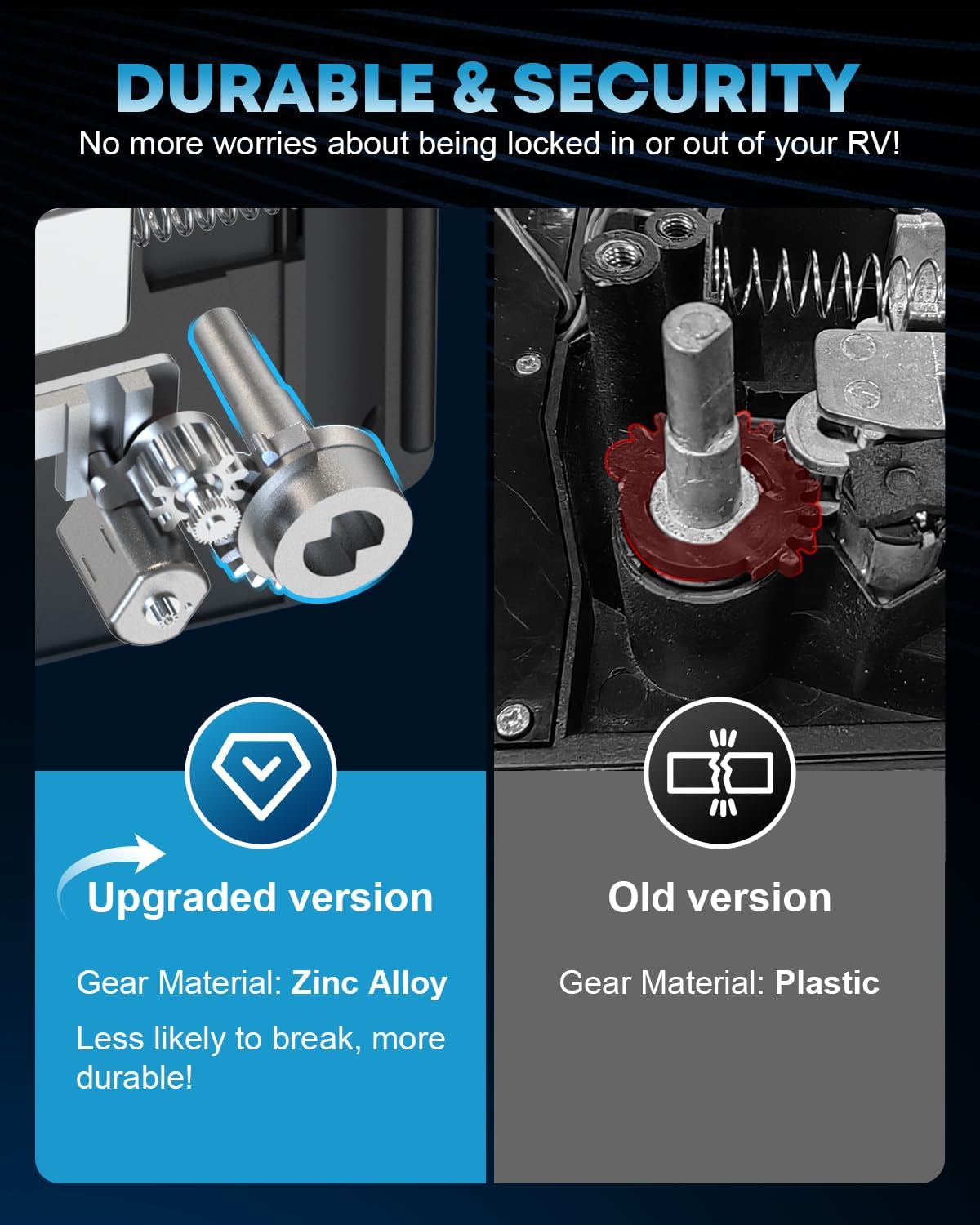
Figure 3: Enhanced durability with upgraded zinc alloy gears.
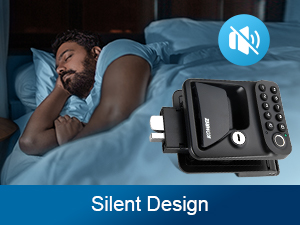
Figure 4: Silent operation for quiet use.
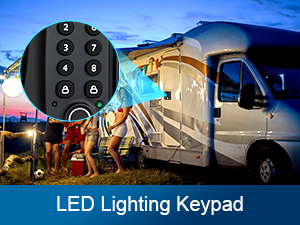
Figure 5: LED illuminated keypad.
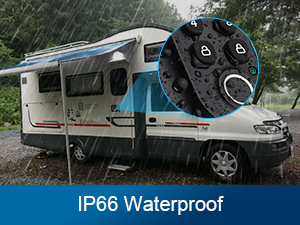
Figure 6: IP66 waterproof design.
3. Package Contents
Please verify that all items listed below are included in your package:
- 1x Kohree RV APP Lock (Main Unit)
- 4x AA Batteries
- 16x Screws (various sizes for installation)
- 1x User Manual (this document)
- 4x Mechanical Keys
- 1x Pinch Plate
- 1x Strike Plate
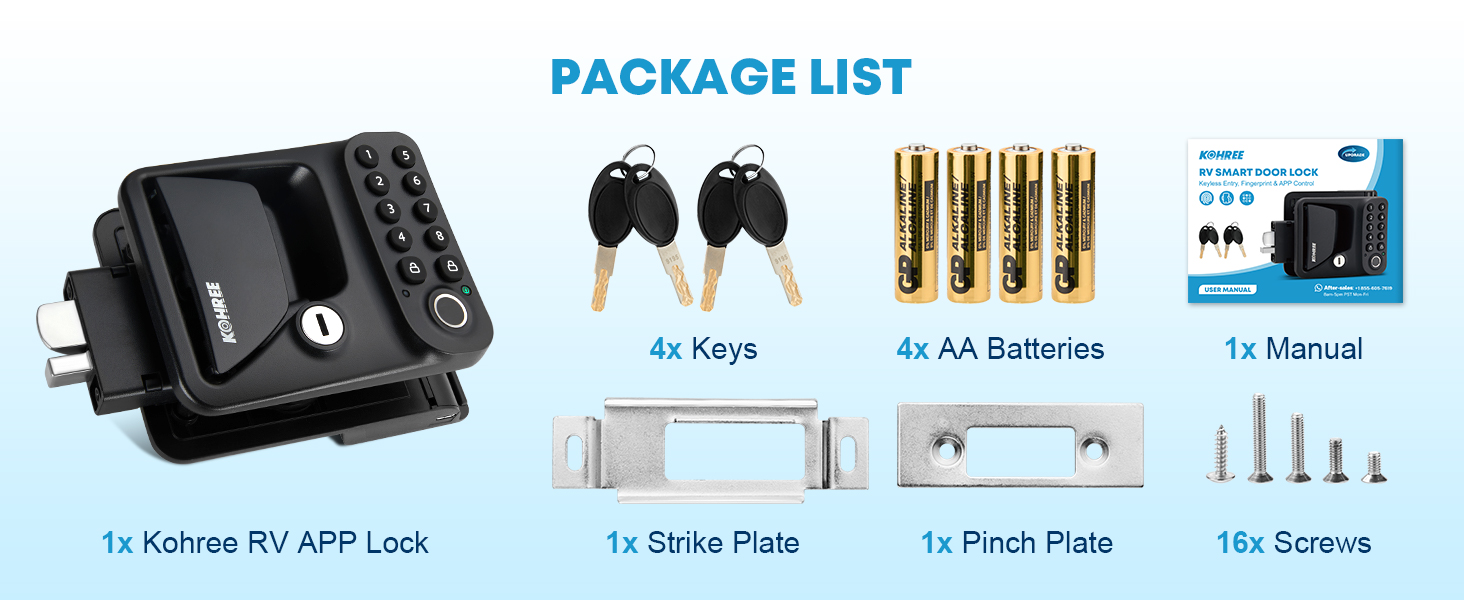
Figure 7: All components included in the package.
4. Installation
The Kohree RV Door Lock is designed for easy installation, typically fitting RV doors with right-side hinges. Ensure your door's opening size is approximately 3.75" Height x 2.75" Width x 1.5" Thickness for proper fitment.
Installation Steps:
- Prepare the Door: Ensure the existing lock is removed and the door opening meets the specified dimensions.
- Slide in Front Handle: Carefully slide the front handle of the RV Door Lock into the door's front opening.
- Attach Strike Plate: Attach the strike plate to the side of the door frame using the provided screws.
- Connect Main Line: Connect the main line cable from the front handle to the back handle unit.
- Attach Back Handle: Secure the back handle to the door, aligning it with the front handle and securing it with screws.
- Install Batteries: Open the battery compartment on the back handle and install four AA batteries, ensuring correct polarity.
- Test Functionality: After installation, test all unlocking methods (key, keypad, fingerprint, app) to ensure proper operation.
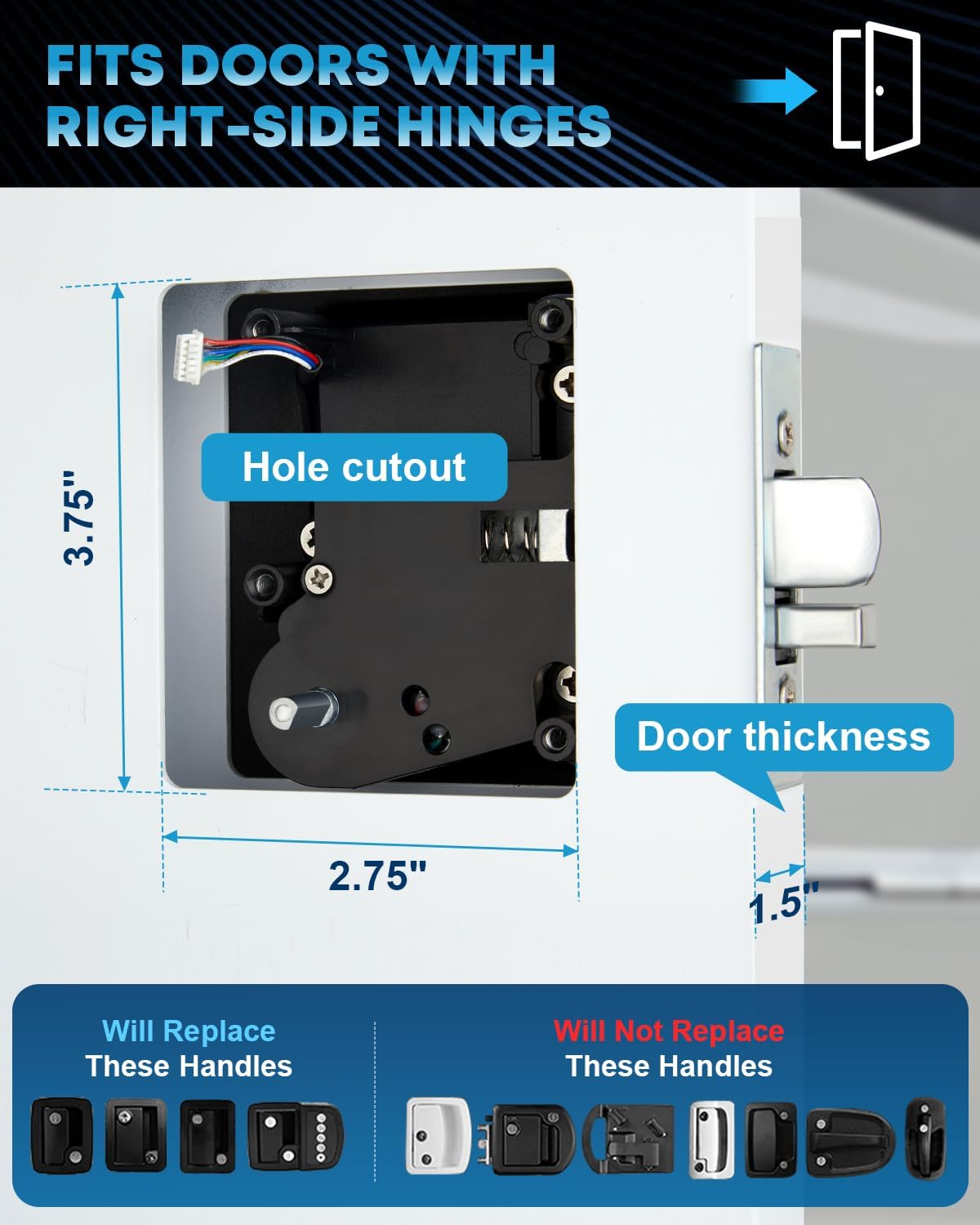
Figure 8: Door opening size and hinge compatibility.
Video 1: This video demonstrates the installation process of the Kohree RV Door Lock, including sliding the front handle, attaching the strike plate, connecting the main line, securing the back handle, and installing batteries. It also briefly shows the various unlocking methods.
5. Operating Instructions
Your Kohree RV Door Lock offers multiple convenient ways to unlock and lock your RV door.
Unlocking Methods:
- App Control: Use the Tuya APP on your smartphone to remotely unlock the door via Bluetooth.
- Fingerprint: Place your registered finger on the fingerprint sensor for quick access.
- Keypad: Enter your programmed password on the keypad.
- Mechanical Key: Use one of the provided mechanical keys as a traditional backup.
One-Touch Locking:
To lock the door from the outside, simply press the lock button (often indicated by a padlock icon) on the keypad. This action will simultaneously lock both the exterior door handle and the latch.
6. App Control (Tuya APP)
The Tuya APP provides comprehensive control and monitoring capabilities for your RV door lock. Download the free Tuya APP from your smartphone's app store.
Key App Features:
- Lock/Unlock: Remotely lock or unlock your door via Bluetooth (within 100 FT range).
- User Management: Easily add or remove family members' fingerprints and PINs.
- Temporary Passwords: Generate temporary passwords for guests or service personnel.
- Battery Status: Monitor the RV door lock's battery level in real time.
- Unlock Records: View a history of all lock and unlock events.

Figure 9: Smart App control via phone.
7. Fingerprint Management
The lock supports up to 30 sets of fingerprints for convenient and secure access.
Adding a Fingerprint:
- Open the Tuya APP and navigate to the lock settings.
- Select the option to add a new fingerprint.
- Follow the on-screen prompts to register your fingerprint by repeatedly placing your finger on the sensor until registration is complete.
- Ensure your finger covers the entire sensor area for optimal recognition.

Figure 10: Fingerprint recognition for keyless entry.
8. Password Management
You can set up to 50 6-10 digit PINs for keypad entry. The lock features a peek-proof digital design, allowing you to enter random numbers before or after your correct password to enhance security.
Setting/Resetting a Password:
- Press and hold the "Settings" button (usually located on the inside unit) for 5 seconds until the indicator light stays blue.
- Enter your new 6-8 digit password on the keypad, then press the lock button to confirm.
- When the green light turns blue, repeat the new password and press the lock button to confirm again. The green light will then turn on, indicating the new password is successfully set.
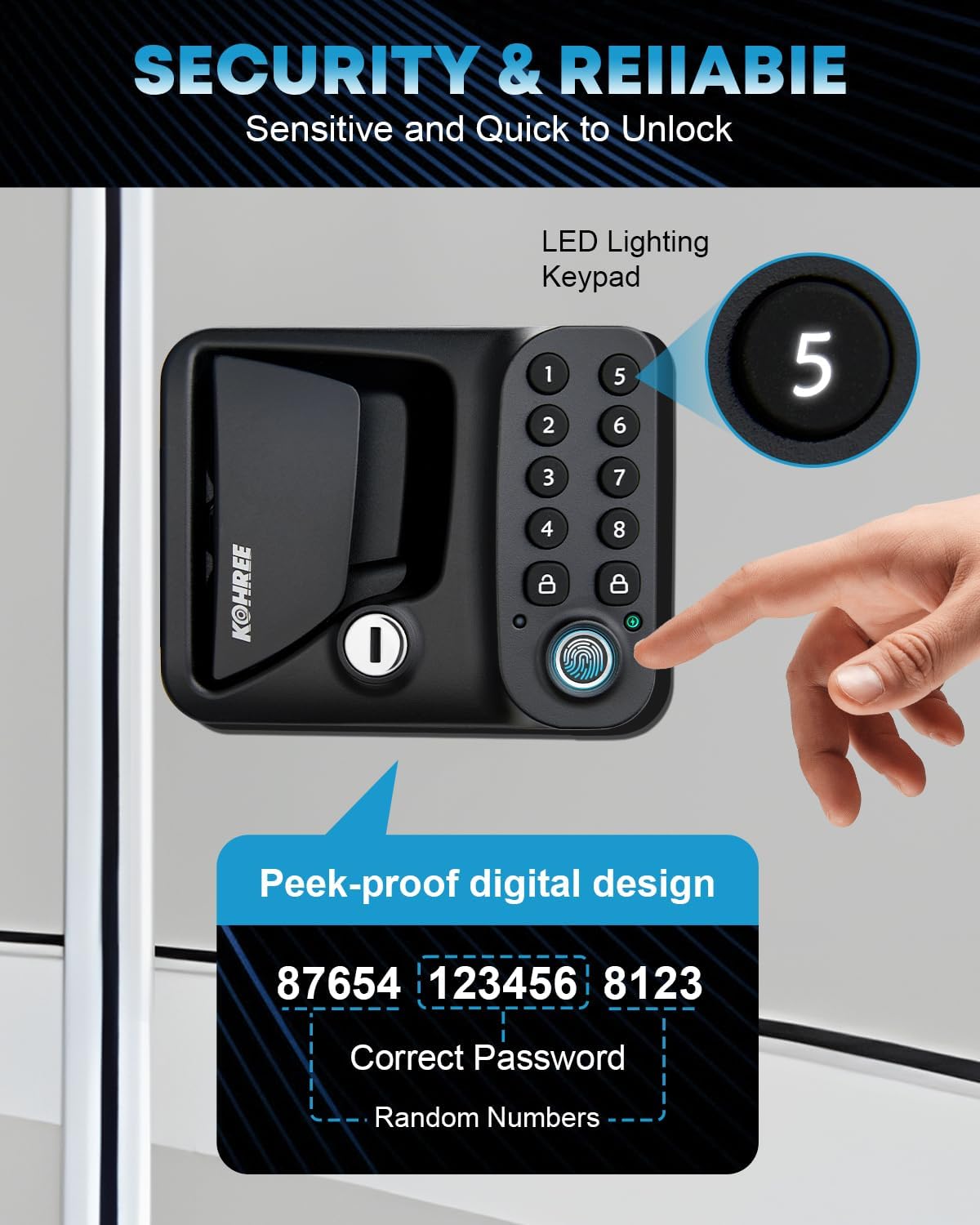
Figure 11: Peek-proof digital design for secure password entry.

Figure 12: Visual guide for resetting a new password.
9. Maintenance
Battery Replacement:
The lock is powered by four AA batteries. When the battery level is low, the lock will provide an indicator (e.g., a specific light pattern or sound) and the app will show the battery status. To replace the batteries:
- Locate the battery compartment on the inside unit of the lock.
- Unscrew the cover of the battery compartment.
- Remove the old AA batteries and insert four new AA batteries, ensuring correct polarity (+/-).
- Replace the battery compartment cover and secure it with the screw.
For emergency power in case of completely drained batteries, the lock features a Type-C charging port. Connect a portable power bank to this port to temporarily power the lock and gain entry.
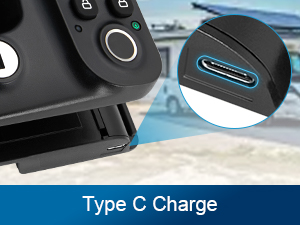
Figure 13: Type-C port for emergency power.
General Care:
- Clean the lock surface with a soft, damp cloth. Avoid abrasive cleaners or solvents.
- Keep the fingerprint sensor clean and dry for optimal performance.
- Do not expose the lock to extreme temperatures or direct water immersion beyond its IP66 rating.
10. Troubleshooting
If you encounter issues with your Kohree RV Door Lock, please refer to the following common troubleshooting steps:
| Problem | Possible Cause | Solution |
|---|---|---|
| Lock does not respond to any input (keypad, fingerprint, app). | Low or dead batteries. | Replace all four AA batteries. If unable to open, use the mechanical key or connect a power bank to the Type-C emergency port. |
| Fingerprint not recognized. | Finger is dirty, wet, or improperly placed; unregistered fingerprint. | Ensure your finger is clean and dry. Place your finger firmly and completely on the sensor. Try re-registering your fingerprint if the issue persists. |
| Keypad not responding or lights not behaving as expected. | Incorrect password; temporary glitch; issue with settings button. | Ensure you are entering the correct 6-10 digit password. Try pressing the settings button firmly. If the issue persists, try resetting the password via the app or mechanical key. |
| Bluetooth connection issues with the app. | Bluetooth disabled on phone; lock too far from phone; app glitch. | Ensure Bluetooth is enabled on your phone. Move closer to the lock (within 100 FT). Restart the Tuya APP or your phone. If necessary, try re-pairing the lock with the app. |
| Lock is stuck or difficult to operate manually. | Mechanical obstruction; internal mechanism issue. | Check for any physical obstructions around the latch or handle. Do not force the handle. If the issue persists, contact customer support. |
11. Specifications
| Specification | Detail |
|---|---|
| Brand | Kohree |
| Model Name | RV Keyless Entry Door Lock |
| Item Model Number | KR3414 |
| Lock Type | APP Control, Keys, Keypad, Fingerprint |
| Material | 100% Metal Body, Upgraded Zinc Alloy Gears, Zinc Alloy Lock Core |
| Color | Black |
| Item Dimensions (L x W x H) | 4.41 x 6.38 x 8.58 inches |
| Item Weight | 3.87 pounds |
| Power Source | 4x AA Batteries |
| Emergency Power | Type-C Charging Port |
| Connectivity Protocol | Bluetooth |
| Waterproof Rating | IP66 |
| Fingerprint Capacity | Up to 30 sets |
| Password Capacity | Up to 50 (6-10 digit PINs) |
| Door Opening Size Compatibility | 3.75" Height x 2.75" Wideness x 1.5" Thickness |
| Hinge Compatibility | Right-side hinges |
12. Warranty and Support
Kohree is committed to providing high-quality products and excellent customer service. Your RV Door Lock is covered by a manufacturer's warranty against defects in materials and workmanship. For specific warranty terms and conditions, please refer to the warranty card included in your package or visit the official Kohree website.
If you have any questions, require technical assistance, or need to report an issue, please contact Kohree Customer Support:
- Online Support: Visit the Kohree store on Amazon or their official website for FAQs and support resources.
- Email Support: Refer to your product packaging or the official website for the customer service email address.
Please have your product model number (KR3414) and purchase information ready when contacting support to ensure a swift resolution.