1. Introduction
This manual provides comprehensive instructions for the SolarPlay Q2501 Portable Power Station, a high-capacity solar generator designed for reliable power supply in various situations, including emergency home backup, camping, and outdoor activities. The Q2501 features a 2160Wh capacity and 2400W output (4800W peak), utilizing a durable LiFePO4 battery for extended lifespan.
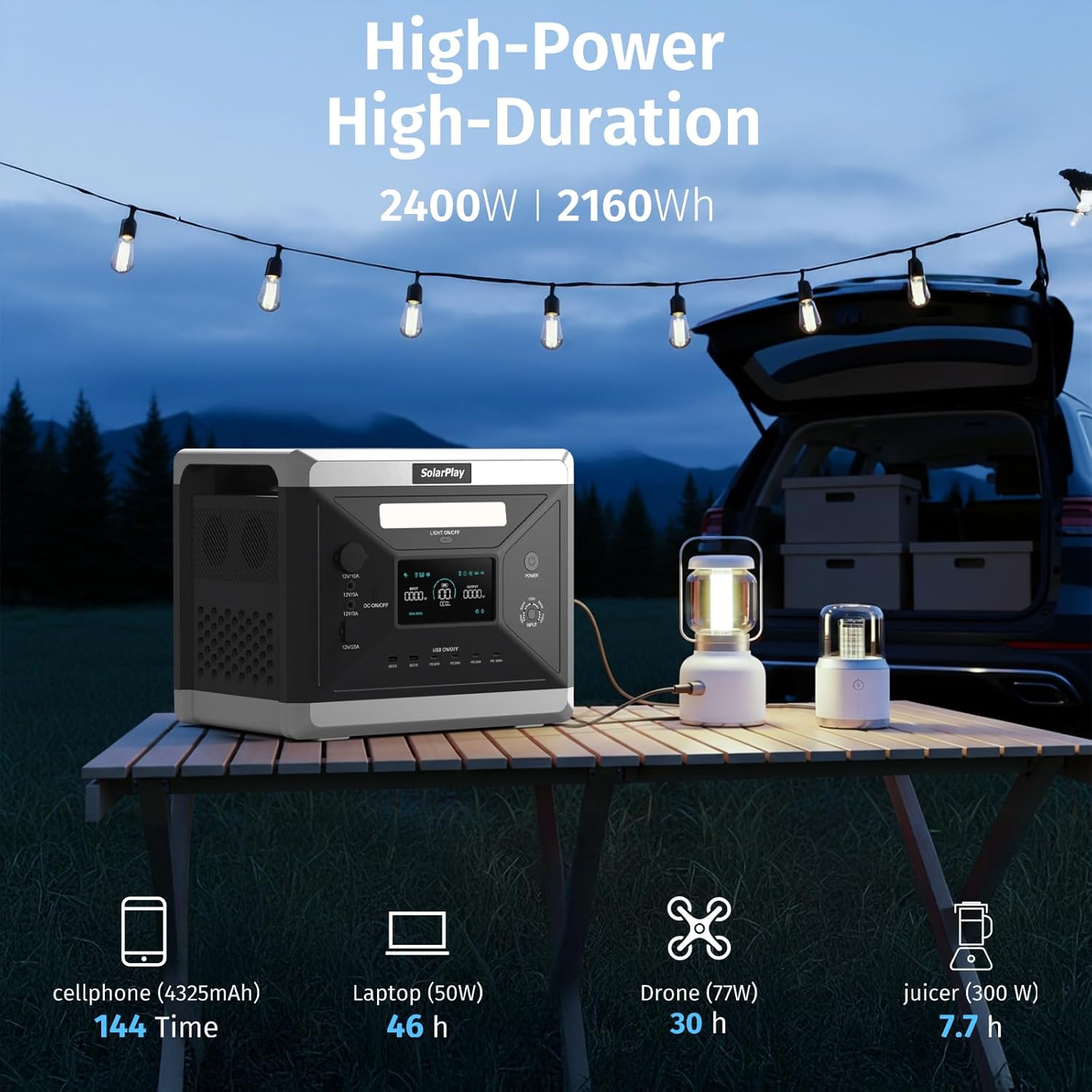
Image: SolarPlay Q2501 Portable Power Station demonstrating its capacity to power multiple devices for extended periods, including a cellphone for 144 times, a laptop for 46 hours, a drone for 30 hours, and a juicer for 7.7 hours.

Image: The SolarPlay Q2501 Portable Power Station shown in three application settings: a workshop, a camping site, and a home office, highlighting its versatility for work, camping, and home backup power needs.
2. Safety Instructions
Please read and understand all safety instructions before operating the SolarPlay Q2501 Portable Power Station. Failure to follow these instructions may result in electric shock, fire, or serious injury.
- Do not disassemble, repair, or modify the unit.
- Do not expose the unit to fire or high temperatures.
- Keep the unit away from water, moisture, and direct sunlight for prolonged periods.
- Ensure proper ventilation during use to prevent overheating.
- Use only approved accessories and charging cables.
- Keep out of reach of children and pets.
- In case of fire, use a dry powder fire extinguisher.
Battery Management System (BMS)
The SolarPlay Q2501 is equipped with an advanced Battery Management System (BMS) and Control Unit (MCU) to ensure safe and efficient operation. This system monitors battery cell voltage and temperature, providing multiple layers of protection.
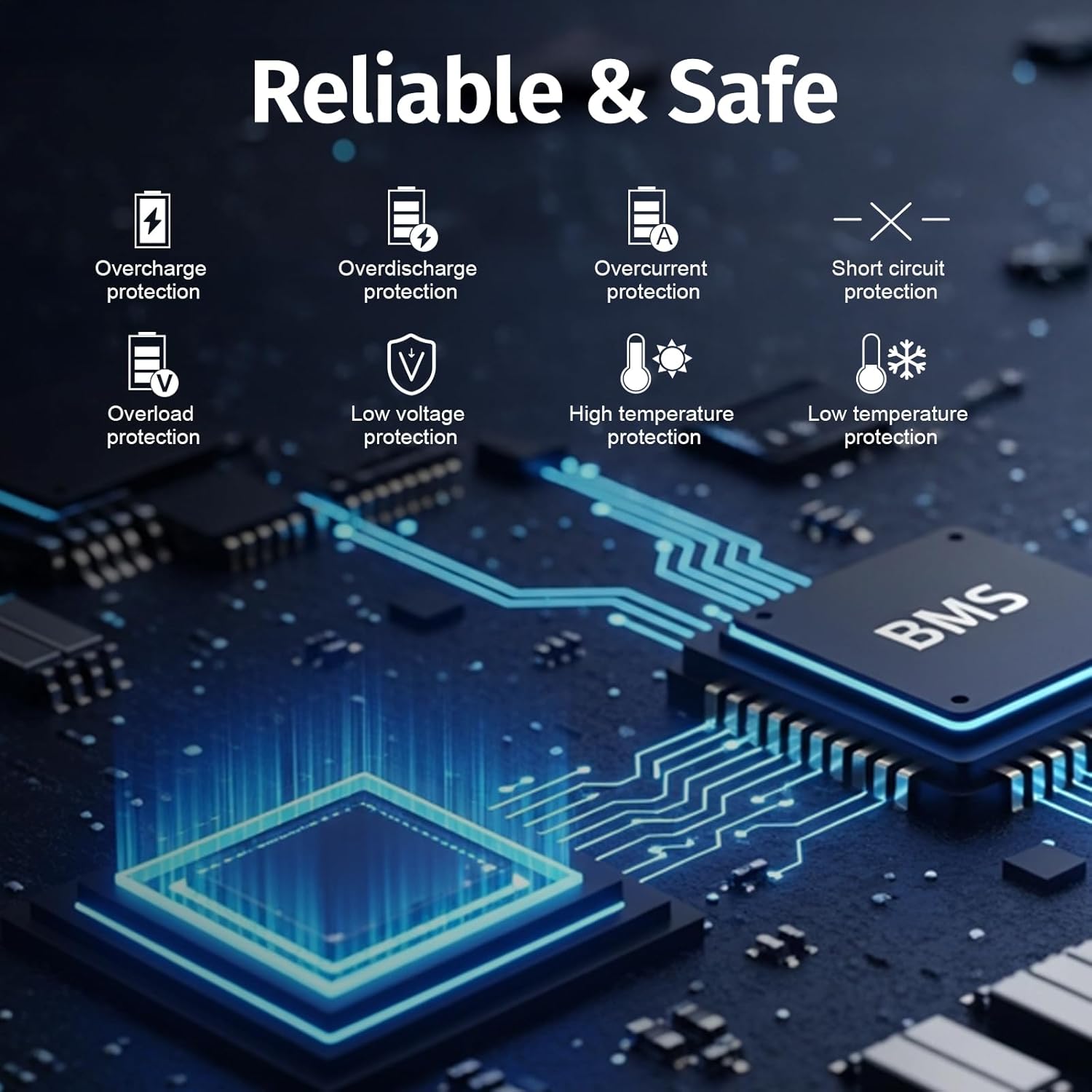
Image: An illustration detailing the comprehensive safety features of the SolarPlay Q2501, highlighting its 8 layers of protection including overcharge, overdischarge, overcurrent, short circuit, overload, low voltage, high temperature, and low temperature protection, all integrated within the BMS.
Solar Panel Usage Precautions

Image: A graphic outlining important instructions for solar panel use, emphasizing keeping panels away from water and moisture, using them in dry environments, avoiding long-term outdoor exposure, and proper storage and maintenance. Best charging tips are also included: direct sunlight, avoid shady areas, and do not use when wet.
- Solar panels are not waterproof. Do not expose them to rain, snow, or humid environments.
- Place panels in direct sunlight for maximum charging efficiency.
- Avoid shady areas or reflective surfaces that can reduce output power.
- Do not leave solar panels outdoors for extended periods; store them indoors after use.
3. Package Contents
Upon unpacking, please verify that all items listed below are included and in good condition.
- SolarPlay Q2501 Portable Power Station
- AC Charging Cable
- XT90 MC4 Solar Charging Cable
- User Manual
Video: An unboxing video of the SolarPlay Q2501 Portable Power Station, demonstrating the contents of the package including the power station, AC power cord, solar charging cable, and user manual.
4. Product Overview
The SolarPlay Q2501 is designed with a user-friendly interface and multiple output ports to accommodate a wide range of devices.
Front Panel
- LCD Display: Shows input/output wattage, battery percentage, and remaining runtime.
- Light On/Off Button: Activates the integrated LED light.
- DC Output Ports: Includes 12V/10A cigar socket, two 12V/3A DC5521 ports, and one 12V/25A XT60 port.
- USB Output Ports: Two QC3.0 USB-A ports, three PD 20W USB-C ports, and one PD 100W USB-C port.
- Input Selector Dial: Adjusts input power levels (300W, 500W, 700W, 900W, 1100W).
- Power Button: Turns the unit on/off.
Rear Panel
- AC Input: For charging the power station via an AC adapter (max 1100W).
- AC Output Ports: Four 100V-120V 50/60Hz AC outlets (2400W rated total).
- Overload Protection Button: Resets the unit in case of overload.
- XT90 Input Port: For solar panel charging (11.5V to 48V, max 500W).

Image: A detailed view of the SolarPlay Q2501 Portable Power Station, illustrating the location and type of its 14 output ports (4 AC, 2 DC, 1 Cigar Socket, 1 XT60, 6 USB) and input ports (AC Input, XT90 Input), along with the LCD screen, light, and power controls.
5. Setup
Initial Charging
Before first use, fully charge the power station. The unit supports dual charging, allowing it to be fully charged in approximately 1.5 hours using both AC and solar input (max 1100W AC + max 500W Solar).
- AC Charging: Connect the AC charging cable to the AC input port on the rear panel and then to a wall outlet.
- Solar Charging: Connect compatible solar panels (11.5V to 48V, max 500W) to the XT90 input port using the provided XT90 MC4 solar charging cable.
- Car Charging: Connect to a 12V/24V car cigarette socket.
- Generator Charging: Connect to a generator for charging.
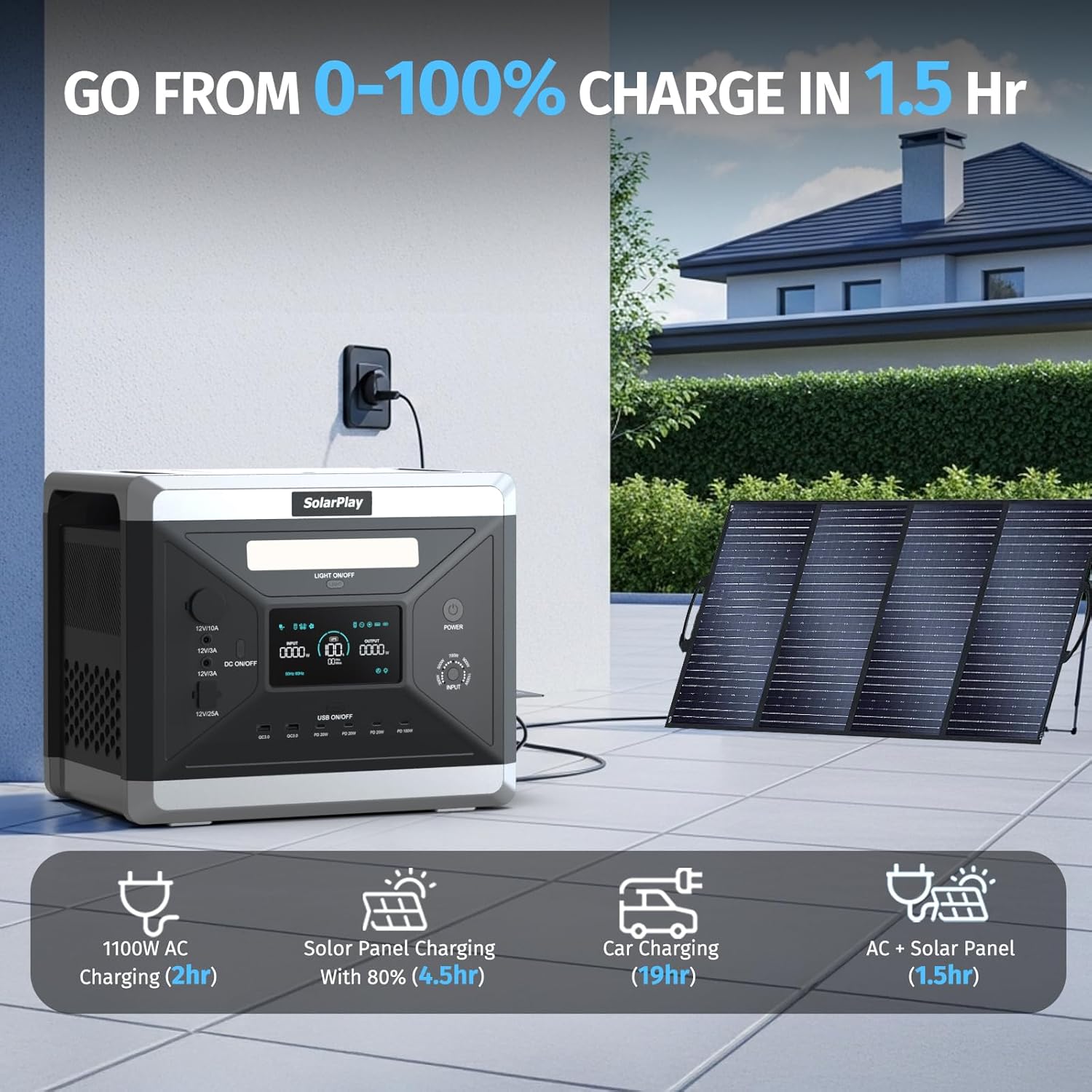
Image: The SolarPlay Q2501 Portable Power Station illustrating its rapid charging capabilities, reaching 0-100% in 1.5 hours with combined AC and solar input. It also shows individual charging times for AC (2 hours), solar panel (4.5 hours at 80% efficiency), and car charging (19 hours).

Image: A visual representation of the four charging methods for the SolarPlay Q2501: charging via a wall socket, with solar panels, car cigar charging, and a combination of AC power supply and solar panels, along with their approximate charging times.
6. Operation
Turning On/Off
Press and hold the main Power button to turn the unit on or off. The LCD display will illuminate.
Using AC Outlets
Press the AC ON/OFF switch on the rear panel to activate the AC outlets. Plug your devices into the four AC ports. The unit provides a pure sine wave output, suitable for sensitive electronics.
Using DC and USB Ports
Press the DC ON/OFF button on the front panel to activate the DC output ports. Press the USB ON/OFF button to activate the USB ports. Connect your devices to the appropriate ports.
Adjustable Input Power
The input selector dial on the front panel allows you to adjust the charging input power to 300W, 500W, 700W, 900W, or 1100W. Lower settings can extend the service life of the power supply.
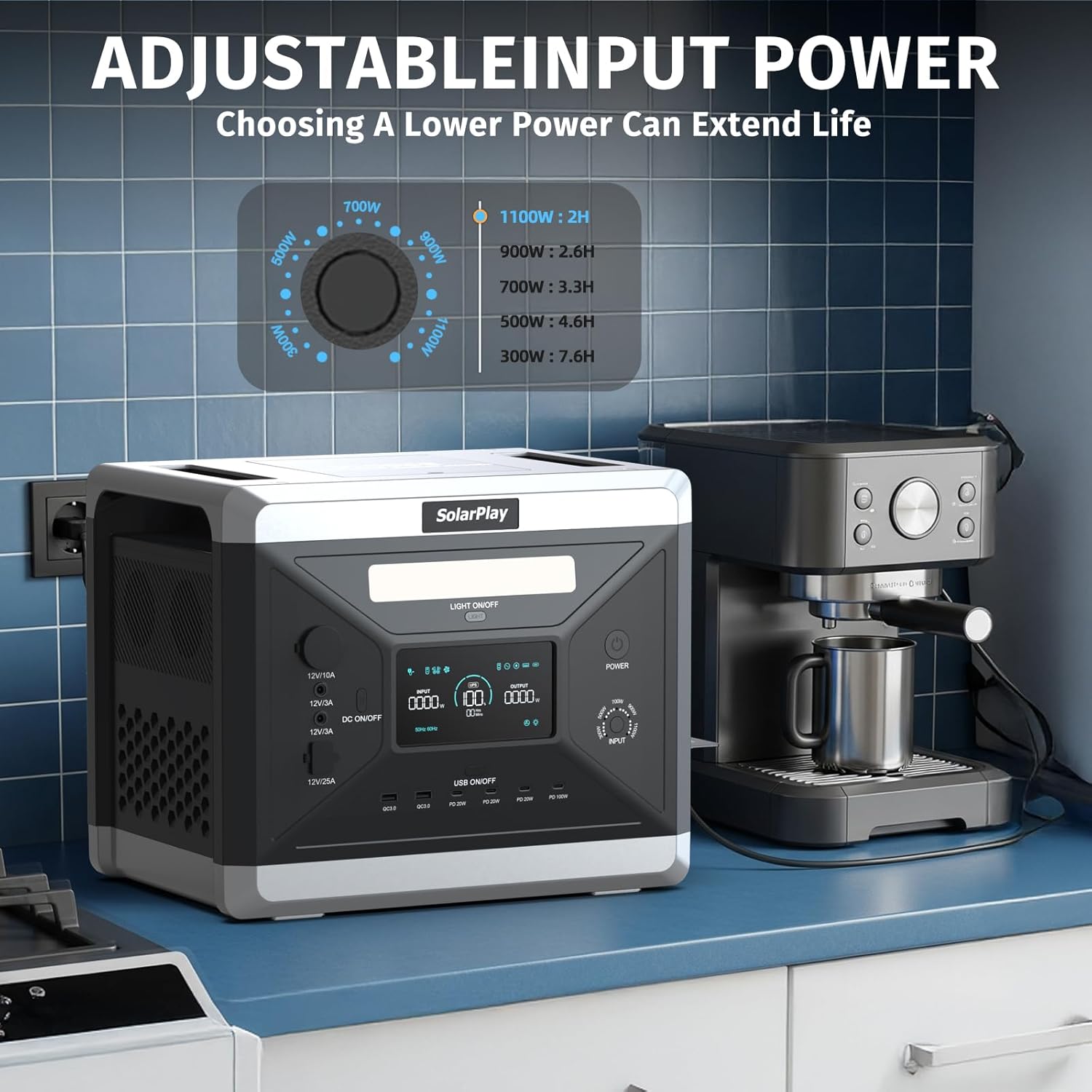
Image: The SolarPlay Q2501 Portable Power Station featuring an adjustable input power dial, allowing users to select charging rates from 300W to 1100W. This feature helps optimize charging based on environmental conditions and extends battery life.
Uninterruptible Power Supply (UPS) Function
When connected to an AC wall outlet and powering devices, the Q2501 acts as a UPS. In the event of a power outage, it automatically switches to battery power within 10 milliseconds, ensuring continuous operation for connected devices like computers.

Image: The SolarPlay Q2501 Portable Power Station connected to a desktop computer, demonstrating its Uninterruptible Power Supply (UPS) feature which provides power within 10 milliseconds to ensure continuous AC output during power interruptions.
LED Lighting
Press the "LIGHT ON/OFF" button to cycle through the LED light modes: normal illumination, SOS signal, and flash mode.
Video: A demonstration of the SolarPlay Q2501 Portable Power Station's features, including its various ports, the adjustable input power, and the LED light functions (normal, SOS, and flash modes).
7. Maintenance
Cleaning
Wipe the exterior of the unit with a soft, dry cloth. Do not use abrasive cleaners or solvents.
Storage
Store the power station in a cool, dry place, away from direct sunlight and extreme temperatures. For long-term storage, charge the unit to 50-80% every 3-6 months to maintain battery health.
Battery Care
The SolarPlay Q2501 uses a high-quality LiFePO4 battery, designed for over 3500 charge/discharge cycles, providing a lifespan of up to 15 years. Regular charging and proper storage will help maximize its longevity.
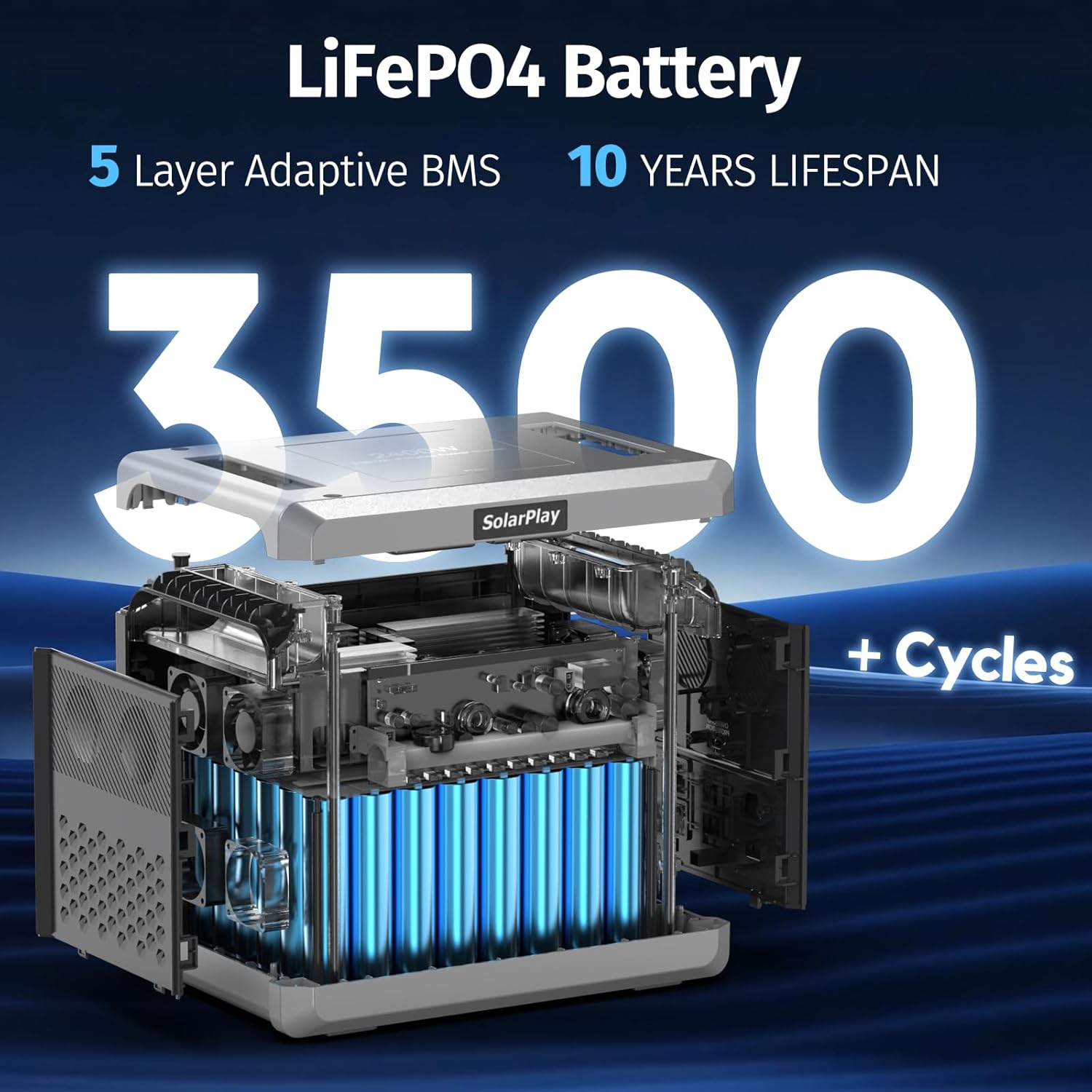
Image: An internal view of the SolarPlay Q2501, emphasizing its LiFePO4 battery technology, which offers a 10-year lifespan and over 3500 charge/discharge cycles, supported by a 5-layer adaptive Battery Management System (BMS).
8. Troubleshooting
| Problem | Possible Cause | Solution |
|---|---|---|
| Unit does not turn on. | Battery is completely discharged. | Connect to AC power and charge for at least 30 minutes. |
| No AC output. | AC output is not activated or overload protection triggered. | Press the AC ON/OFF switch. If overloaded, reduce load and press the overload protection button on the rear panel. |
| No DC/USB output. | DC/USB output is not activated. | Press the DC ON/OFF or USB ON/OFF button. |
| Slow charging. | Input power setting is low or solar panels are not in direct sunlight. | Adjust the input selector dial to a higher wattage. Ensure solar panels are optimally positioned. |
9. Specifications
| Feature | Detail |
|---|---|
| Model Name | Q2501 Power Station |
| Brand | SolarPlay |
| Battery Type | LiFePO4 |
| Capacity | 2160Wh |
| Running Wattage | 2400 Watts |
| Peak Wattage | 4800 Watts |
| AC Output | 4 x 100V-120V 50/60Hz |
| USB-A Output | 2 x QC3.0 |
| USB-C Output | 3 x PD 20W, 1 x PD 100W |
| DC Output | 2 x DC5521 (12V/3A), 1 x Cigar Socket (12V/10A), 1 x XT60 (12V/25A) |
| AC Input | Max 1100W (Adjustable) |
| Solar Input | 11.5V-48V, Max 500W (XT90 port) |
| UPS Function | <10ms switchover time |
| Item Weight | 47.4 Pounds (21.5 kg) |
| Product Dimensions | 11.22"L x 12.56"W x 15.39"H |
| Material | ABS |
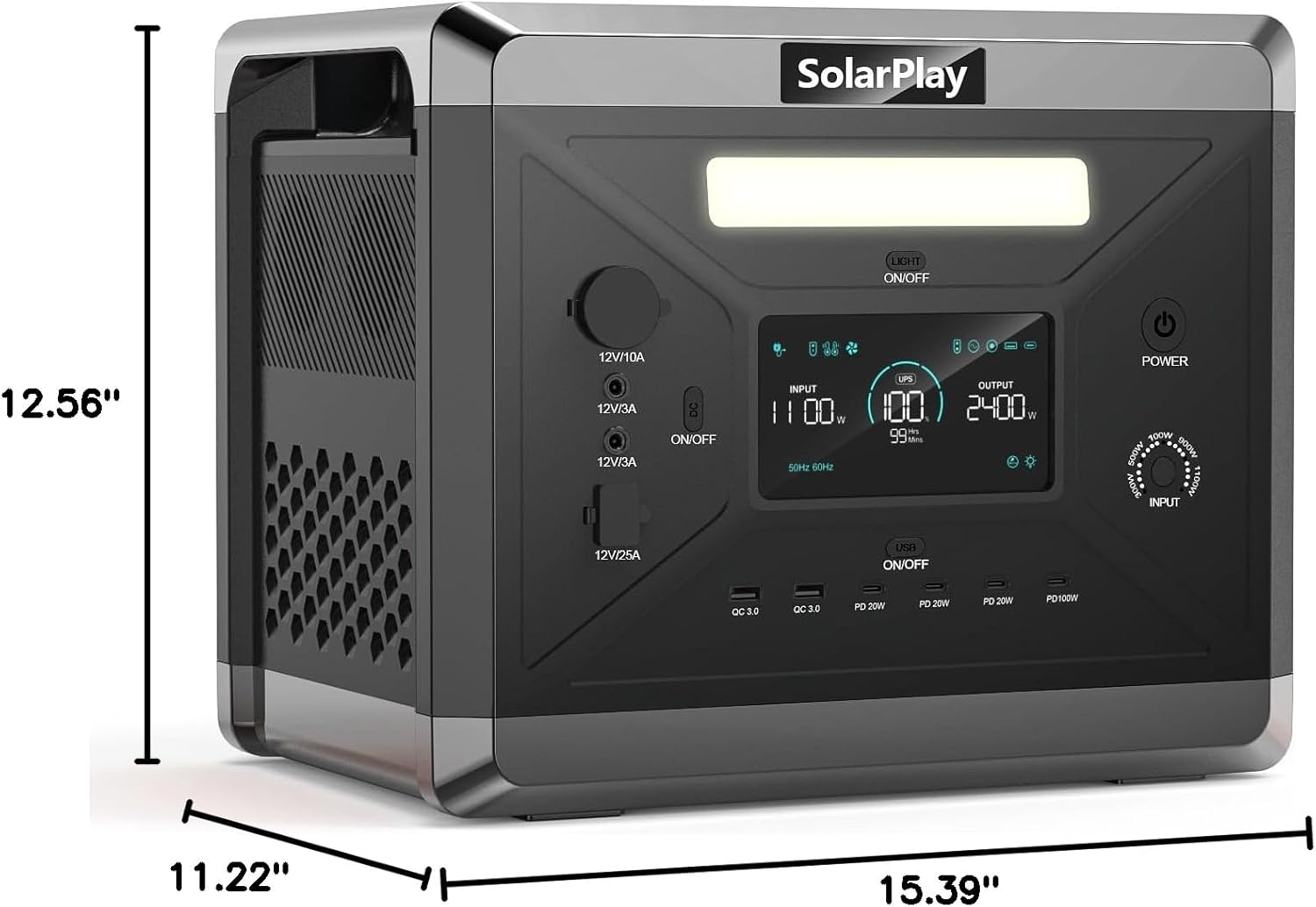
Image: A visual representation of the SolarPlay Q2501 Portable Power Station with its dimensions clearly marked: 11.22" L x 12.56" W x 15.39" H.

Image: A chart demonstrating the estimated runtimes of various appliances when powered by the 2160Wh SolarPlay Q2501, including a TV, electric stove, rice cooker, coffee machine, heater, microwave oven, oven, washing machine, hair dryer, electric blanket, projector, mini refrigerator, electrical tools, kettles, laptop, drone, and fan.
10. Warranty and Support
The SolarPlay Q2501 Portable Power Station comes with an 18-month manufacturer's warranty. For warranty claims, technical support, or any inquiries, please contact SolarPlay customer service through the retailer where the product was purchased or visit the official SolarPlay website.
Please retain your proof of purchase for warranty validation.