
Cerhot EU White
Cerhot Infrared Motion Sensor Light Switch
Model: EU White
1. Introduction
Thank you for choosing the Cerhot Infrared Motion Sensor Light Switch. This device provides a convenient and hygienic way to control your lighting through touchless infrared sensing. Designed for safety and ease of use, it is ideal for various environments where minimizing physical contact is desired. This manual provides detailed instructions for installation, operation, and maintenance to ensure optimal performance and safety.
2. Important Safety Information
- Electrical Hazard: Installation must be performed by a qualified electrician or in accordance with local electrical codes. Always turn off power at the circuit breaker before installation or servicing.
- Neutral Wire Required: This product requires both live and neutral wires for proper operation. Ensure your electrical system provides both.
- Indoor Use Only: This switch is designed for indoor use in dry locations. Do not expose to water or excessive humidity.
- Operating Voltage: Ensure the supply voltage matches the product's rated voltage (AC100-240V).
- Maximum Load: Do not exceed the maximum load of 10A. Overloading can cause damage or fire.
- Children and Pets: Keep the device out of reach of children and pets to prevent accidental operation or damage.
3. Product Overview
The Cerhot Infrared Motion Sensor Light Switch features a sleek design with a tempered glass panel for durability and easy cleaning. Its primary function is to detect hand movements within a 10 cm range to toggle connected lights on or off, promoting a touchless and hygienic environment.

Figure 3.1: The Cerhot Infrared Motion Sensor Light Switch demonstrating its touchless sensing capability. A hand is shown activating the sensor, indicated by a red light beam.

Figure 3.2: Close-up view of the switch's tempered glass panel, highlighting its scratch-resistant surface. A knife is shown near the surface to illustrate durability.
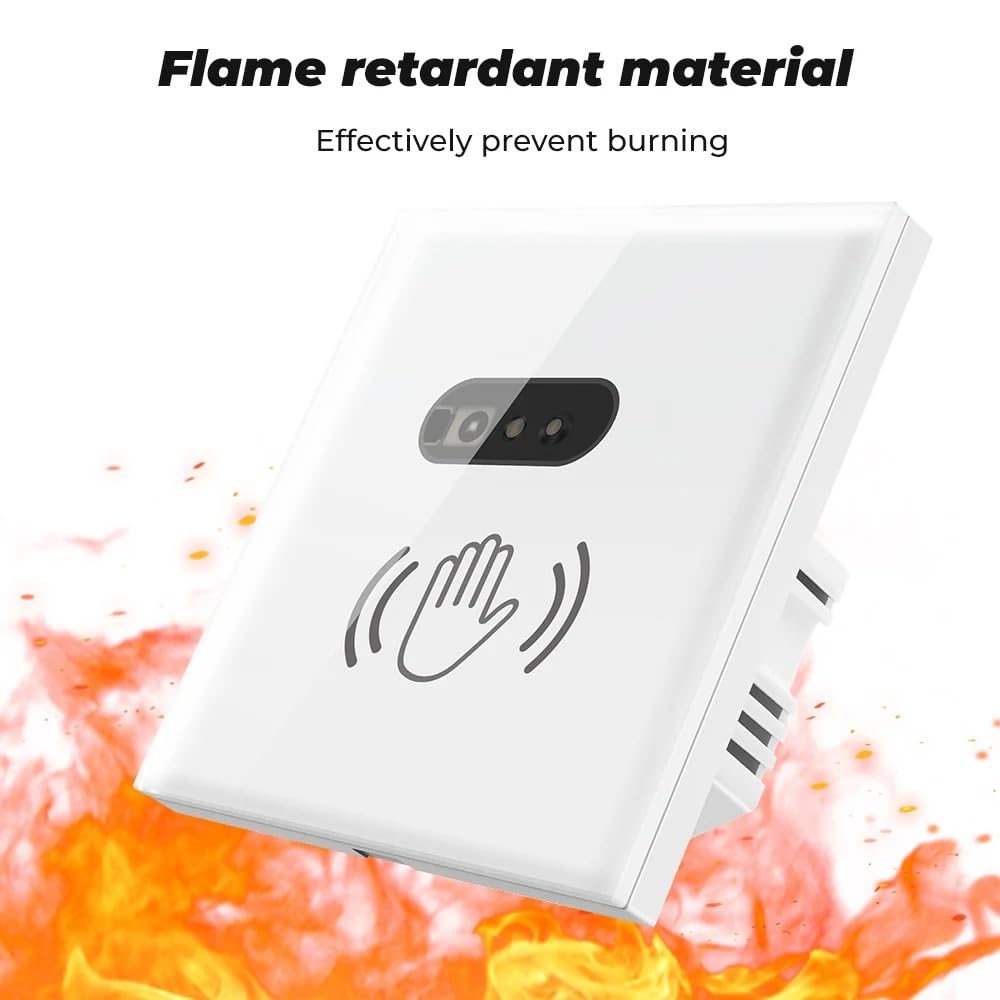
Figure 3.3: The switch is shown against a backdrop of flames, illustrating its flame-retardant material construction for enhanced safety.
4. Specifications
| Parameter | Value |
|---|---|
| Model | EU White |
| Dimensions (L x W x H) | 86 x 86 x 36 mm (3.39 x 3.39 x 1.42 inches) |
| Rated Voltage | AC100-240V, 50/60Hz |
| Max Load Current | 10A |
| Operating Mode | ON-OFF (Infrared Induction) |
| Sensing Distance | 10 cm (3.94 inches) |
| Material | Polycarbonate, Tempered Glass Panel |
| Certifications | CE, RoHS, FCC |
| Wiring Requirement | Live and Neutral Wires |

Figure 4.1: Detailed diagram showing the product's dimensions (86x86x36mm) and electrical parameters, including input voltage (AC100-240V) and max load (10A).
5. Installation Guide
Before You Begin: Ensure the power supply to the circuit is turned OFF at the main circuit breaker. Verify that both live and neutral wires are available at the installation location.
Wiring Instructions:
- Identify the Live (L) and Neutral (N) wires from your power supply.
- Connect the incoming Live wire to the terminal marked L IN on the switch.
- Connect the incoming Neutral wire to the terminal marked N IN on the switch.
- Connect the Live wire leading to your light fixture (or appliance) to the terminal marked L OUT on the switch.
- Connect the Neutral wire leading to your light fixture (or appliance) to the terminal marked N OUT on the switch.
Ensure all connections are secure and properly insulated. The switch is compatible with both square and circular bottom boxes.

Figure 5.1: Detailed wiring diagram showing connections for Live (L) and Neutral (N) wires from the power supply to the switch, and then to the lamp stand. An example setup with a light bulb and power strip is also shown.
6. Operating Instructions
The Cerhot Infrared Motion Sensor Light Switch operates on a simple touchless principle. Once installed and powered, it is ready for use.
Basic Operation:
- To turn the light ON or OFF, simply wave your hand within 10 centimeters (approximately 4 inches) of the sensor area on the switch panel.
- The infrared sensor will detect the movement and toggle the connected light's state.

Figure 6.1: Illustration demonstrating the 10 cm sensing distance of the infrared sensor. A hand is shown hovering above the switch within this range.
Recommended Applications:
This touchless switch is particularly beneficial in environments where hygiene and convenience are paramount:
- Kitchens: Avoid touching the switch with oily or dirty hands.
- Bathrooms/Toilets: Minimize contact with potentially unclean surfaces.
- Entryways: Prevent bringing outside contaminants into the home.
- Bedrooms: Easily turn lights on/off in the dark without needing to precisely locate a physical switch.
- Hospitals & Schools: Reduce the spread of bacteria through touchless operation.

Figure 6.2: The switch installed in a bathroom setting, emphasizing its role in avoiding cross-infection and contact with bacteria by enabling touchless operation.
7. Maintenance
The Cerhot Infrared Motion Sensor Light Switch requires minimal maintenance. Its tempered glass panel is designed for easy cleaning.
- Cleaning: To clean the surface, gently wipe with a soft, damp cloth. Do not use abrasive cleaners, solvents, or harsh chemicals, as these may damage the finish or internal components.
- Inspection: Periodically inspect the switch for any signs of damage or loose connections. If any issues are found, disconnect power immediately and consult a qualified electrician.
- No User-Serviceable Parts: There are no user-serviceable parts inside the switch. Do not attempt to open or repair the device yourself.
8. Troubleshooting
If you encounter issues with your Cerhot Infrared Motion Sensor Light Switch, please refer to the following common problems and solutions:
| Problem | Possible Cause | Solution |
|---|---|---|
| Light does not turn ON/OFF | No power to the switch Incorrect wiring Sensing distance issue Faulty light bulb/fixture | Check circuit breaker and power supply. Verify wiring according to Section 5. Ensure Live and Neutral wires are correctly connected. Ensure hand is within 10 cm of the sensor. Test the light bulb/fixture with another switch or power source. |
| Switch is unresponsive | Power interruption Sensor obstruction Internal fault | Turn off power at the breaker for 30 seconds, then turn it back on. Ensure nothing is blocking the sensor area. If the issue persists, contact customer support. |
| Light flickers | Unstable power supply Incompatible load (e.g., certain LED types) Loose wiring | Consult an electrician to check power stability. Try a different type of light bulb/fixture. Check all wiring connections for tightness (with power off). |
If the problem persists after attempting these solutions, please contact Cerhot customer support.
9. Warranty and Support
Cerhot products are designed and manufactured to the highest quality standards. This product has passed CE, RoHS, and other certifications.
Customer Support:
If you have any questions during use, please do not hesitate to contact us at any time. Our services are available online 24/7. You can also communicate with us via email:
Email: support@cerhot.com
We are happy to provide you with service.
Ask a question about this manual
Ask about setup, troubleshooting, compatibility, parts, safety, or missing instructions. Manuals+ will review the question and use this page’s manual context to help answer it.