Introduction
This user manual provides comprehensive instructions for the RRP Creation Hk11 Pro Max Ultra 2 Smart Watch. It covers essential information regarding product setup, operation, maintenance, and troubleshooting to ensure optimal performance and user experience. Please read this manual carefully before using your new smartwatch.
What's in the Box
Upon opening the package, please verify that all components are present and in good condition. The standard package contents include:
- Hk11 Pro Max Ultra 2 Smart Watch
- Wireless Charger
- Extra Band (two pairs of straps are included as per product description)
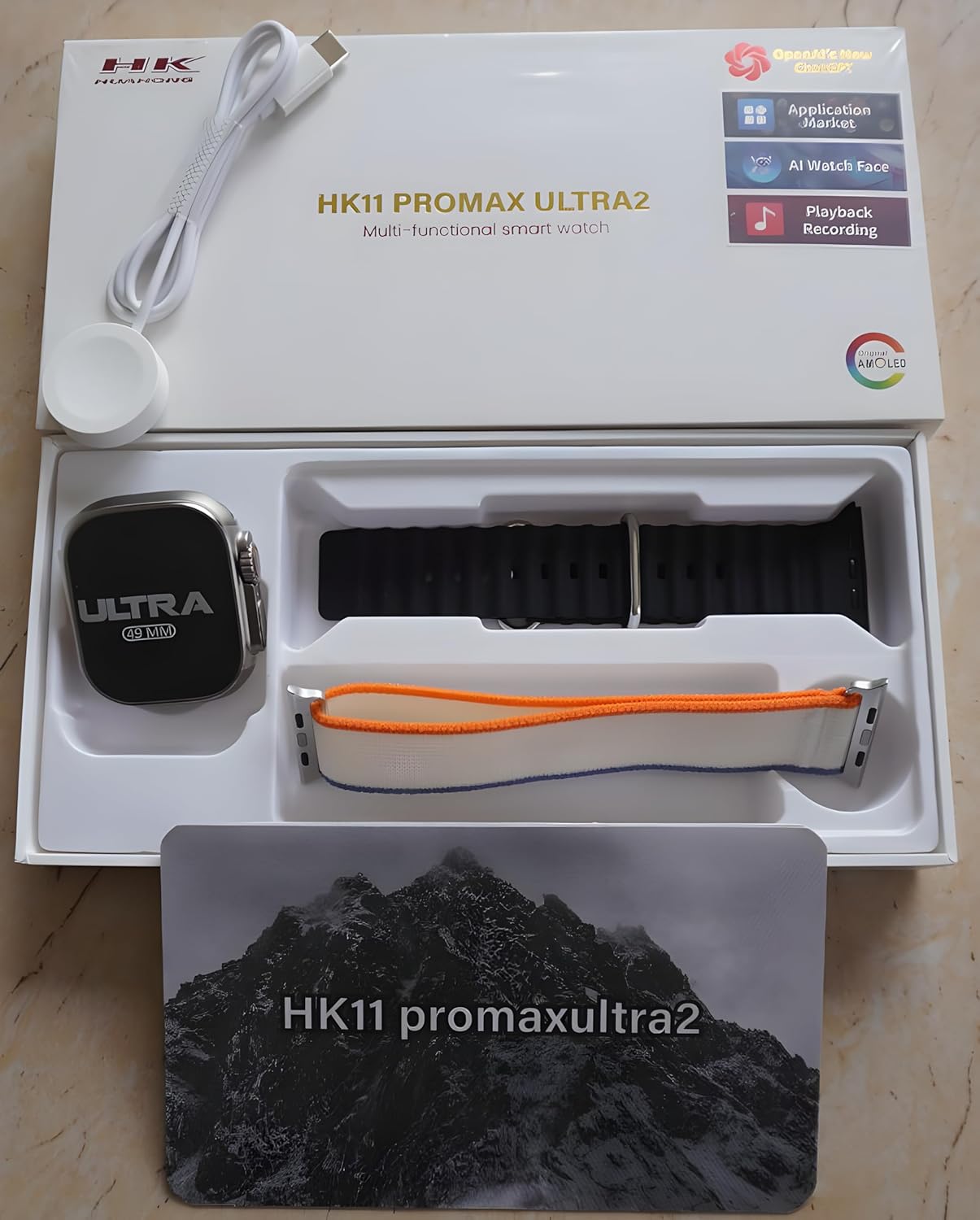
Figure 1: Package Contents. The image displays the Hk11 Pro Max Ultra 2 Smart Watch, two pairs of interchangeable straps, and the wireless charging puck, all neatly arranged within the product packaging.
Product Overview
The Hk11 Pro Max Ultra 2 Smart Watch features a robust design with advanced functionalities. Key components include:

Figure 2: Product Packaging. This image shows the white retail box for the HK11 Pro Max Ultra 2 Multi-functional smart watch, highlighting its key features like OpenAI's new ChatGPT, Application Market, AI Watch Face, Playback Recording, and AMOLED display.
- Display: 2.12-inch Super AMOLED full touch screen with 485*520 resolution.
- Case: Durable Titanium alloy.
- Buttons/Crown: Typically located on the side for navigation and function access.
- Sensors: Heart rate monitor, pedometer, compass, thermometer.
- Charging Port: Wireless charging area on the back.
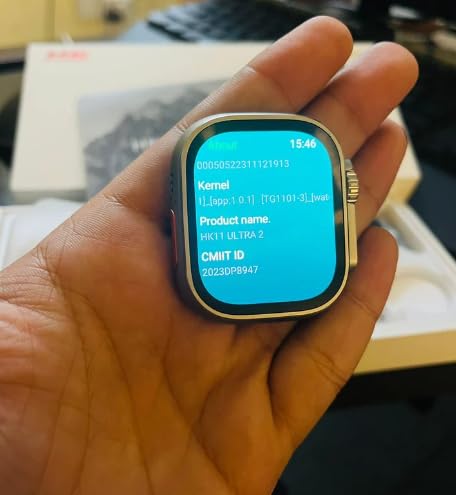
Figure 3: Smart Watch Display. This image shows the smartwatch screen displaying system information, including Kernel version, Product name (HK11 Ultra 2), and CMIIT ID.
Setup Guide
1. Charging the Smart Watch
Before initial use, fully charge your smartwatch. Place the watch on the provided wireless charger. Ensure the charging contacts on the watch align with the charger. The display will indicate charging status. A full charge typically takes approximately 2-3 hours.
2. Powering On/Off
- Power On: Press and hold the side button (usually the crown) for a few seconds until the screen lights up.
- Power Off: Press and hold the side button, then select the "Power Off" option on the screen.
3. Pairing with Your Smartphone
To unlock the full functionality of your smartwatch, pair it with your smartphone via Bluetooth.
- Ensure your smartphone's Bluetooth is enabled.
- On your smartwatch, navigate to the Bluetooth settings or the pairing screen.
- On your smartphone, open the Bluetooth settings and search for available devices. Select "Hk11 Pro Max Ultra 2" or a similar device name from the list.
- Confirm the pairing request on both your watch and smartphone.
- For optimal performance and access to all features, download the companion application (if available, check the watch's manual or packaging for app name) from your phone's app store (compatible with Android 5.0 and above, and iOS 10.0 and above).
Operating Instructions
Display and Navigation
- Touch Screen: Swipe left, right, up, or down to navigate through menus and screens. Tap to select items.
- Side Button/Crown: Press to return to the home screen, or rotate to scroll through lists (functionality may vary).
- Gesture Control: The watch supports gesture control for certain functions (e.g., raising wrist to wake screen).
Key Features and Functions
Your Hk11 Pro Max Ultra 2 Smart Watch offers a wide range of features to enhance your daily life and health monitoring:
- Call Management: Answer, dial, and receive calls directly from your wrist via Bluetooth 5.2.
- Notifications: Receive push messages and message reminders from your paired smartphone.
- Heart Rate Monitor: Continuously track your heart rate.
- Blood Pressure Monitoring: Monitor your blood pressure (for reference only, not a medical device).
- Sleep Tracker: Analyze your sleep patterns to help improve sleep quality.
- Fitness Tracker/Pedometer: Track steps, distance, and calories burned.
- Multi-Sport Modes: Dedicated modes for various activities to track performance.
- Compass: Built-in compass for navigation.
- Thermometer: Measure ambient temperature.
- Remote Control: Control music playback on your smartphone.
- Alarm Clock & Countdown: Set alarms and use countdown timers.
- Calendar: Access calendar functions.
- Customization: Multiple dial switch options to personalize your watch face.
Maintenance and Care
Proper care will extend the life and maintain the performance of your smartwatch.
- Cleaning: Wipe the watch and straps regularly with a soft, dry, lint-free cloth. For stubborn dirt, slightly dampen the cloth with water. Avoid using harsh chemicals or abrasive materials.
- Water Resistance: While smartwatches often have some water resistance, avoid prolonged exposure to water, swimming, or showering with the watch unless explicitly stated as waterproof for such activities. Refer to product specifications for exact water resistance ratings.
- Temperature: Avoid exposing the watch to extreme temperatures (hot or cold) or direct sunlight for extended periods.
- Charging: Always use the original wireless charger provided. Do not attempt to charge with damaged cables or chargers.
- Storage: When not in use for extended periods, store the watch in a cool, dry place.
Troubleshooting
If you encounter issues with your smartwatch, refer to the following common troubleshooting steps:
| Problem | Possible Cause | Solution |
|---|---|---|
| Watch does not power on. | Low battery; software glitch. | Charge the watch for at least 30 minutes. If still unresponsive, try a forced restart (refer to specific model instructions, usually holding down a button for 10-15 seconds). |
| Cannot pair with smartphone. | Bluetooth off; watch not in pairing mode; interference. | Ensure Bluetooth is on for both devices. Put watch in pairing mode. Restart both devices. Clear previous Bluetooth connections on your phone. |
| Notifications not received. | App permissions; Bluetooth disconnected; DND mode. | Check app notification permissions on your phone. Ensure Bluetooth connection is stable. Disable Do Not Disturb mode on both devices. |
| Inaccurate health data. | Improper fit; sensor obstruction. | Ensure the watch is worn snugly on your wrist, not too tight or too loose. Clean the sensor on the back of the watch. |
| Short battery life. | Frequent use of features; high brightness; old firmware. | Reduce screen brightness. Limit continuous heart rate monitoring. Turn off unnecessary features. Ensure firmware is updated. |
If the problem persists after trying these steps, please contact customer support.
Specifications
Detailed technical specifications for the Hk11 Pro Max Ultra 2 Smart Watch:
| Feature | Detail |
|---|---|
| Display Screen | 2.12 inch Super AMOLED Full Touch Screen |
| Resolution | 485*520 pixels |
| Bluetooth Version | 5.2 |
| Memory | 256MB |
| Size | 49mm |
| Compatible Systems | Android 5.0 (above), iOS 10.0 (inclusive) and above |
| Battery Capacity | 480mAh |
| Case Material | Titanium alloy |
| Normal Battery Life | 2-3 days |
| Standby Time | Up to 3 days |
| Special Features | Compass, Thermometer, Calendar, Alarm Clock, Power Reserve, Remote Control, Countdown, Sleep Tracker, Fitness Tracker, Passometer, Call Reminder, Answer Call, Push Message, Message Reminder, Dial Call, Heart Rate Tracker, Moisture Measurement, Gesture control, Heart Rate Monitor |
| Charging Type | Wireless Charger |
Warranty and Support
For information regarding warranty coverage and customer support, please refer to the warranty card included with your product or contact the retailer/manufacturer directly. Keep your purchase receipt as proof of purchase.
Manufacturer: RRP cration, nawada fatehpur Sec-86 Gurgaon
Model: Hk11
ASIN: B0D4R3WCDH
