1. Introduction
Thank you for choosing the UGREEN 5000mAh Built-In USB-C Power Bank. This compact and powerful device is designed to provide convenient and fast charging for your USB-C compatible devices on the go. Its integrated USB-C connector eliminates the need for extra cables, making it an ideal companion for travel and daily use. This manual will guide you through the features, setup, operation, and maintenance of your new power bank.
2. Safety Information
Please read all safety warnings and instructions before using this product to ensure safe and proper operation.
- Do not expose the power bank to extreme temperatures (above 45°C or below 0°C).
- Avoid dropping, impacting, or disassembling the device.
- Keep away from water, moisture, and flammable materials.
- Do not use if the device is damaged or swollen.
- Keep out of reach of children.
- Dispose of the product responsibly according to local regulations.
3. Package Contents
- UGREEN 5000mAh Built-In USB-C Power Bank
- User Manual
4. Product Overview
Familiarize yourself with the components of your UGREEN power bank:





5. Setup
5.1 Initial Charging of the Power Bank
Before first use, fully charge your UGREEN power bank. This ensures optimal performance and battery longevity.
- Connect a USB-C charging cable (not included) to the USB-C input/output port on the power bank.
- Connect the other end of the cable to a compatible USB power adapter (e.g., a wall charger).
- The LED digital display will show the charging progress. The power bank is fully charged when the display shows 100%.
5.2 Connecting to Devices
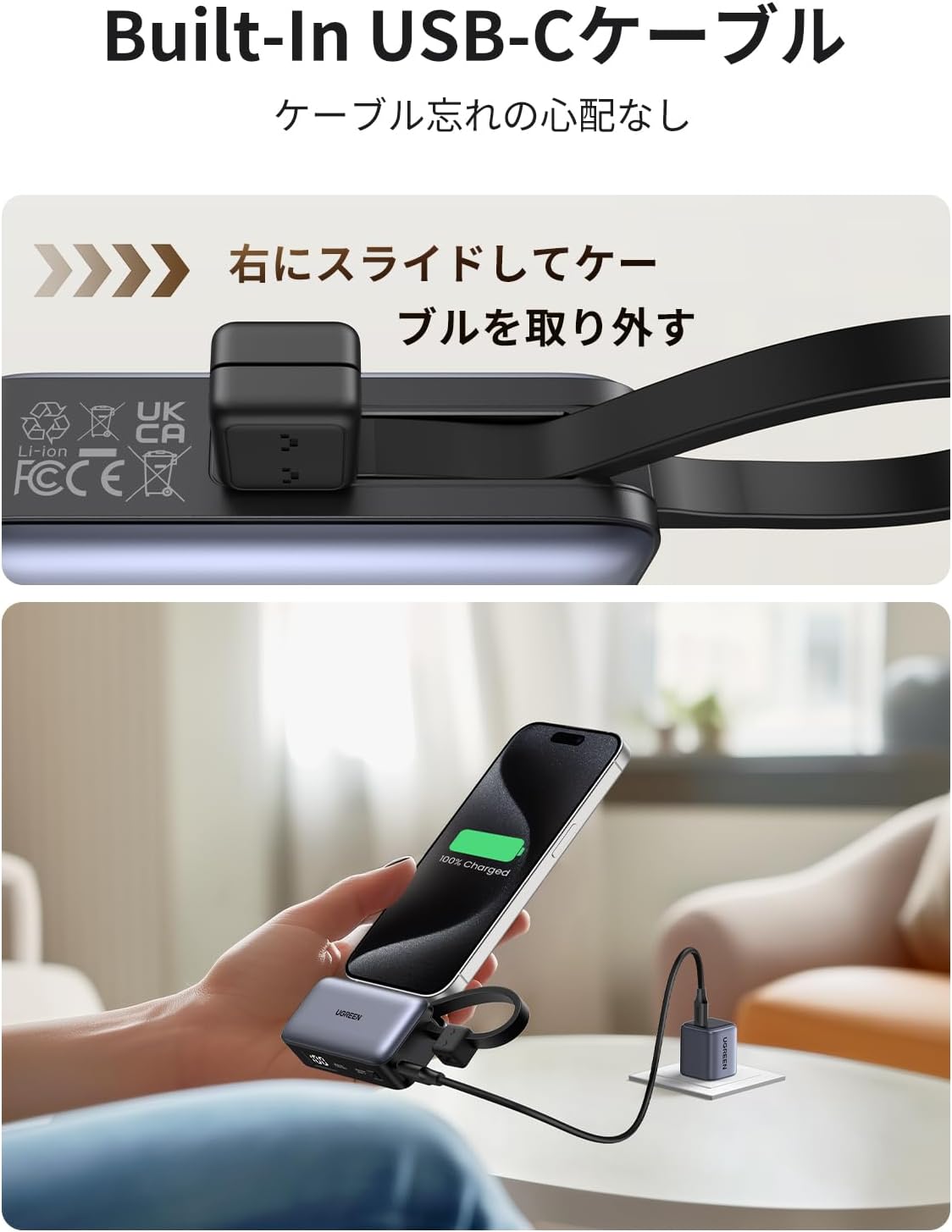
The power bank features a built-in USB-C connector for direct charging and an additional USB-C port for versatility.
- Using the Built-in USB-C Connector: Slide out the integrated USB-C connector from its housing. Remove the protective cap from the connector. Plug the connector directly into your USB-C compatible device (e.g., smartphone, tablet).
- Using the Additional USB-C Port: Connect a USB-C to USB-C cable (not included) to the additional USB-C port on the power bank. Connect the other end of the cable to your device.
Note: The power bank supports charging devices even with their cases on, provided the case thickness is up to 2.5mm.
6. Operating Instructions
6.1 Charging Your Devices
Once connected, the power bank will automatically begin charging your device. The LED display will show the power bank's remaining battery percentage.
- The power bank supports PD 20W and SCP 22.5W fast charging protocols for rapid power delivery to compatible devices.
- You can charge two devices simultaneously using the built-in USB-C connector and the additional USB-C port.
6.2 Checking Battery Level
The LED digital display on the power bank clearly indicates the remaining battery percentage. Simply glance at the display to know how much charge is left.
6.3 Using the Foldable Stand
The integrated foldable stand provides a convenient way to prop up your smartphone while charging or for media consumption.
- Gently pull out the foldable stand from the side of the power bank.
- Place your smartphone horizontally on the extended stand.
- When not in use, fold the stand back into the power bank until it clicks into place.
6.4 Pass-Through Charging
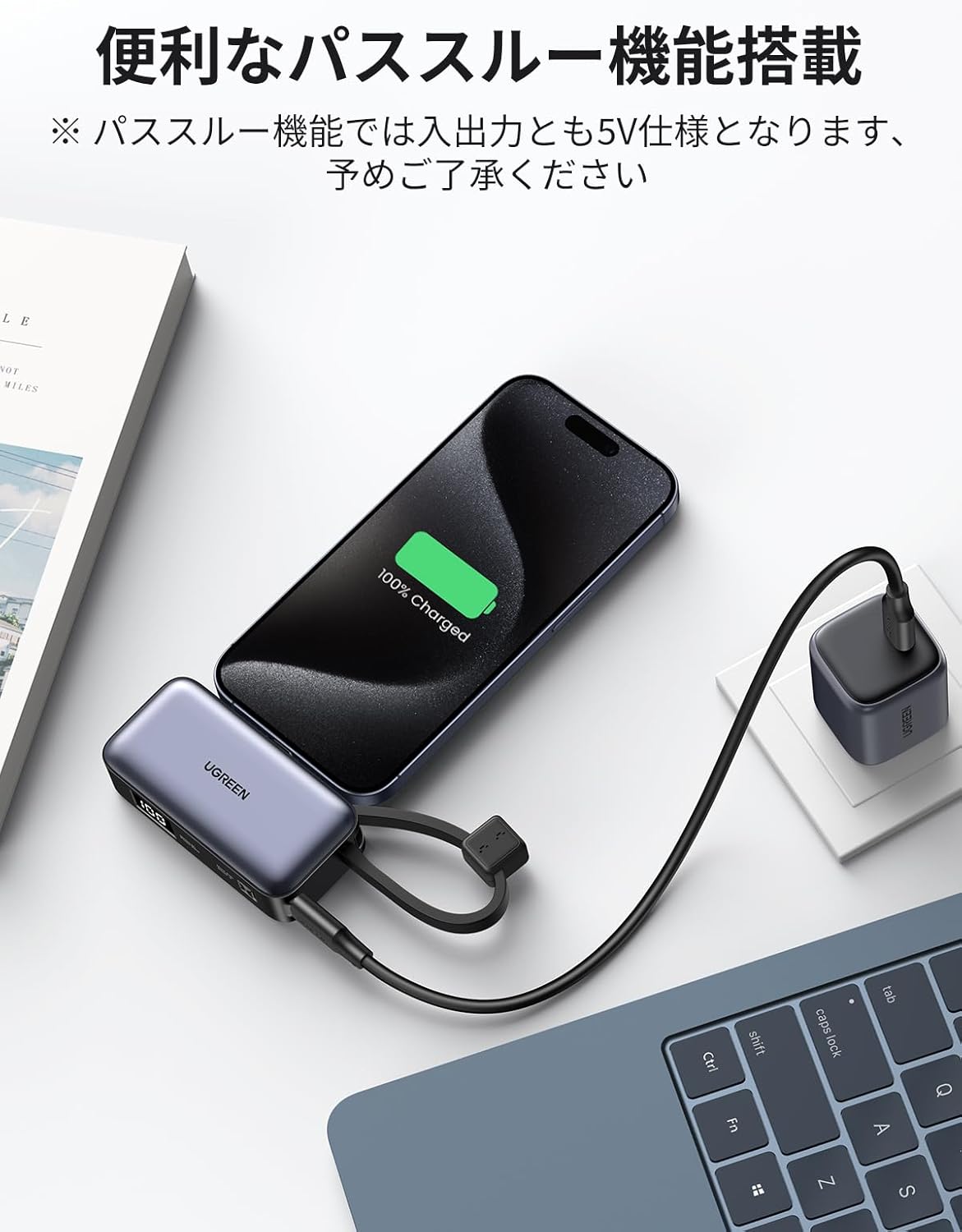
The power bank supports pass-through charging, allowing you to charge the power bank itself while it simultaneously charges a connected device. This feature is convenient for managing power when you have limited outlets.
Note: During pass-through charging, both input and output are limited to 5V.
7. Maintenance
7.1 Cleaning
To clean the power bank, wipe it with a soft, dry cloth. Do not use harsh chemicals, abrasive cleaners, or immerse it in water.
7.2 Storage
When not in use, store the power bank in a cool, dry place away from direct sunlight and extreme temperatures. It is recommended to charge the power bank at least once every three months to maintain battery health.
8. Troubleshooting
If you encounter issues with your power bank, refer to the following common problems and solutions:
| Problem | Possible Cause | Solution |
|---|---|---|
| Power bank not charging | Charging cable or adapter faulty; Power bank fully charged; Loose connection. | Try a different cable or adapter. Check the LED display. Ensure all connections are secure. |
| Device not charging from power bank | Power bank battery empty; Device cable faulty; Incompatible device; Loose connection. | Charge the power bank. Try a different cable. Ensure your device is USB-C compatible. Check connections. |
| Slow charging | Cable not supporting fast charging; Device not supporting fast charging; High power consumption by device. | Use a fast-charging compatible cable. Ensure your device supports PD/SCP fast charging. Close background apps on your device. |
| LED display not working | Device malfunction. | Contact customer support if the issue persists after charging. |
If the problem persists after trying these solutions, please contact UGREEN customer support.
9. Specifications
| Feature | Specification |
|---|---|
| Brand | UGREEN |
| Model Number | 35339 (PB506) |
| Battery Capacity | 5000mAh |
| Output Power | PD 20W / SCP 22.5W Max |
| Input/Output Port | USB-C (Built-in connector and additional port) |
| Battery Type | Lithium-ion |
| Dimensions | Approx. 8.25 x 4.05 x 2.7 cm |
| Weight | Approx. 112g |
| Features | Built-in cable, Lightweight, Fast charging, Short circuit protection, Digital display, Foldable stand |
| Compatible Devices | iPhone 15-12 series, iPad Pro, Galaxy, Pixel, and other USB-C devices |
10. Warranty and Support
10.1 Warranty Period
UGREEN provides a 24-month warranty service for products purchased from our store. The warranty is valid from the date of purchase until the corresponding day 24 months later.
Note: The warranty does not cover intentional damage caused by the customer or a third party.
10.2 Customer Support
For any questions, concerns, or technical assistance, please contact UGREEN customer support through the retailer's platform or visit the official UGREEN website for contact information.