
1. Introduction
The Winnes 4GTKS1 Mini GPS Tracker is a compact and versatile device designed for real-time tracking of vehicles, pets, children, elderly individuals, and luggage. It offers global positioning capabilities using 4G/2G networks and provides various alert functions to enhance security and monitoring. This manual provides detailed instructions for setting up, operating, and maintaining your GPS tracker.
2. Package Contents
Please verify that all items are present in your package:
- 1 x Winnes 4GTKS1 GPS Tracker
- 1 x Charging Cable
- 1 x User Manual (this document)
- 3 x Replaceable Rear Covers (Conventional, Magnetic, with Clip)
3. Product Overview
The Winnes 4GTKS1 is a small, lightweight GPS tracker with multiple functionalities. Its compact design and interchangeable back covers allow for flexible attachment to various assets.
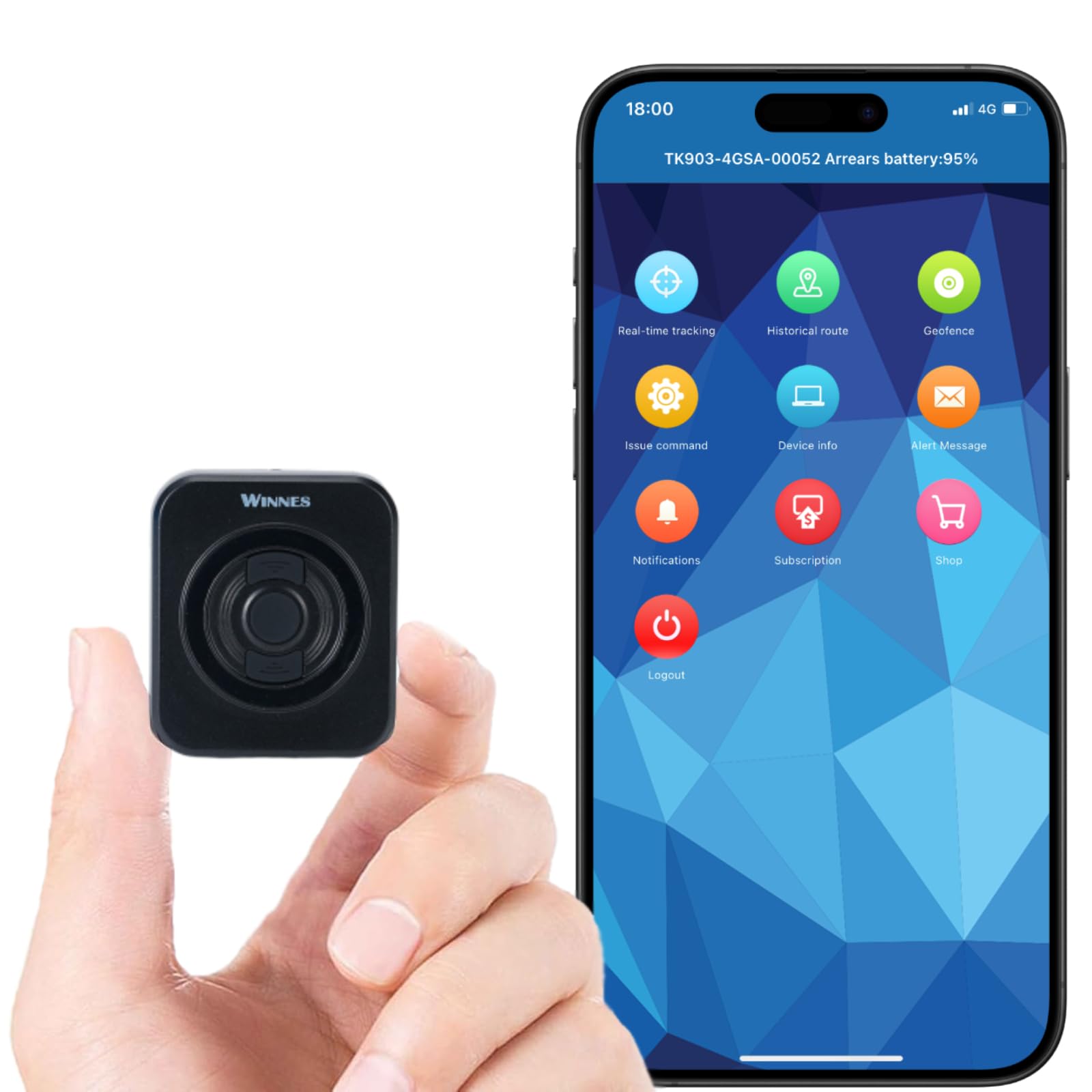
Image: The Winnes 4GTKS1 Mini GPS Tracker shown with examples of its versatile use for vehicles, pets, and personal items.
Key Specifications:
- Dimensions: 55 mm x 36 mm x 21 mm (2.17" x 1.42" x 0.83")
- Net Weight: 58g
- GPS Accuracy: Up to 10 meters (under optimal GPS and network signal)
- Input: 5V--1A
- Charging Time: Approximately 2 hours
- Connectivity: Cellular (4G/2G network support)
- Battery: 1 Lithium Ion battery (included)
Interchangeable Rear Covers:

Image: The three types of rear covers included with the tracker: a standard cover, a cover with a clip for attaching to bags, and a magnetic cover for metal surfaces.
- Conventional Rear Cover: For general use.
- Magnetic Rear Cover: Ideal for attaching to metal surfaces on cars, motorcycles, scooters, RVs, trucks, or boats.
- Rear Cover with Clip: Suitable for attaching to bags, suitcases, clothing for children or elderly, or pet collars.
4. Setup
Follow these steps to prepare your Winnes 4GTKS1 GPS Tracker for use:
- Insert SIM Card: The tracker comes with a complimentary SIM card. Ensure the SIM card is activated and has a data plan. Insert the SIM card into the designated slot on the tracker.
- Charge the Device: Connect the GPS tracker to a power source using the provided charging cable. The device typically takes about 2 hours to fully charge.
- Register Online: Access the tracking platform (website or mobile application) and register your device. You will need the device ID, usually found on the tracker itself or in the packaging.
- Subscription: A subscription is required for the tracking service. Choose a plan (monthly, yearly, or two-yearly) and complete the subscription process. No additional APN reset is typically required.

Image: An illustration of the subscription process on a mobile device, detailing monthly, yearly, and two-year plan options.
For detailed instructions on SIM card activation and platform registration, refer to the specific instructions provided with your SIM card and the tracking platform's guide.
5. Operating Instructions
Once set up, you can begin using your Winnes 4GTKS1 GPS Tracker for monitoring and security.
Real-time Tracking:
The device provides real-time location updates, typically every 10 seconds, accessible via a mobile application or web platform.

Image: A visual representation of the real-time tracking feature, showing a vehicle's location on a map interface accessible from a smartphone, tablet, or personal computer.
Historical Route Playback:
Review past movements of the tracker for up to 6 months. This feature allows you to analyze routes taken and monitor activity over time.

Image: The historical route feature showing a tracked path on both a laptop screen and a smartphone, indicating the device's past movements.
Geo-fence Setup:
Define virtual boundaries (geo-fences) on the map. You will receive an alert notification if the tracker enters or exits these predefined areas.

Image: A graphic illustrating the geo-fence function, where a designated safe area is marked on a map, and alerts are triggered when the tracker crosses its boundaries.
Alarm Functions:
The tracker supports several alarm types to keep you informed of critical events:

Image: An overview of the various alarm features, including alerts for movement, shifting, trailer detachment, low battery, exceeding speed limits, and vibration detection.
- Vibration Alarm: Notifies you of suspicious movement or tampering, acting as an anti-theft deterrent.
- Overspeed Alarm: Alerts you if the tracker exceeds a preset speed limit.
- Low Battery Alarm: Informs you when the device's battery level is low, prompting a recharge.
6. Maintenance
To ensure the longevity and optimal performance of your Winnes 4GTKS1 GPS Tracker, follow these maintenance guidelines:
- Regular Charging: Charge the device fully when the low battery alarm is triggered. Avoid deep discharge to prolong battery life.
- Keep Dry: While the device is robust, avoid prolonged exposure to water or extreme humidity.
- Clean Gently: Use a soft, dry cloth to clean the device. Do not use harsh chemicals or abrasive materials.
- Temperature: Store and operate the device within recommended temperature ranges to prevent damage to internal components.
- Software Updates: Periodically check the tracking platform or app for any available software or firmware updates for your device.
7. Troubleshooting
If you encounter issues with your Winnes 4GTKS1 GPS Tracker, refer to the following common problems and solutions:
| Problem | Possible Cause | Solution |
|---|---|---|
| Device not tracking / Offline |
|
|
| Inaccurate location data |
|
|
| Alarms not working |
|
|
| Short tracking range (as reported in some reviews) |
|
|
8. Specifications
| Feature | Detail |
|---|---|
| Model Number | 4GTKS1 |
| Brand | Winnes |
| Device Dimensions | 55 mm x 36 mm x 21 mm (2.17" x 1.42" x 0.83") |
| Device Net Weight | 58g |
| Package Dimensions | 3 x 2 x 1 inches |
| Package Weight | 9.6 ounces |
| GPS Accuracy | 10m (under great GPS and network signal) |
| Input Voltage | 5V--1A |
| Charging Time | Approximately 2 hours |
| Battery Type | 1 Lithium Ion battery (included) |
| Connectivity Technology | Cellular (4G/2G network) |
| Supported Application | Tracking and Alarm functions via dedicated app/platform |
| Compatible Devices | Smartphone, Tablet, PC |
| Manufacturer | Winnes |
| First Available Date | May 21, 2024 |
9. Warranty and Support
For any questions, technical assistance, or support regarding your Winnes 4GTKS1 Mini GPS Tracker, please contact Winnes customer service.
- Customer Support: You can reach support via email or WhatsApp at +8613517470657.
- Warranty Information: Specific warranty details are not provided in this manual. Please refer to the product packaging or the official Winnes website for comprehensive warranty terms and conditions.
10. Product Video Introduction
Video: An official introduction video for the Winnes GPS tracker, demonstrating its features and functionality. This video is provided by the seller.


