
TEMEIKE DL3
TEMEIKE 4-IN-1 Portable Air Conditioner
Model: DL3
User Instruction Manual
Product Overview
The TEMEIKE 4-IN-1 Portable Air Conditioner (Model DL3) is a versatile evaporative air cooler designed to provide personal cooling and humidity control. It functions as an air cooler, humidifier, and fan, offering a comfortable environment without excessive drying. This unit is particularly effective in dry climates and is suitable for small to medium-sized areas.
Key features include multiple operating modes, adjustable fan speeds, a large water tank for extended cooling, and convenient control options via a touch panel and remote control. Its portable design with swivel wheels allows for easy relocation.

Image: The TEMEIKE 4-IN-1 Portable Air Conditioner, a white rectangular unit with a top control panel and a visible water level indicator. A black remote control and four blue ice packs are shown alongside the unit.
Safety Information
- Ensure the unit is placed on a stable, level surface.
- Do not block air inlets or outlets during operation.
- Unplug the unit before cleaning, refilling water, or performing any maintenance.
- Keep out of reach of children and pets.
- Do not immerse the unit in water or other liquids.
- Use only with the specified voltage (120 Volts).
Setup Guide
1. Unboxing and Initial Placement
The TEMEIKE Portable Air Conditioner comes ready to use with no complex assembly required. Carefully remove the unit from its packaging. The unit is designed for easy mobility with pre-installed swivel wheels.
Video: Demonstrates unboxing and the ease of moving the air cooler using its 4 swivel wheels. The unit is shown being removed from its box and easily pushed across a floor.
Place the unit in your desired location. It does not require a hose or window for operation, offering flexible placement options.

Image: The portable air conditioner plugged into a wall outlet, emphasizing that no hose or window installation is required, unlike traditional AC units.
2. Filling the Water Tank and Using Ice Packs
For cooling and humidifying functions, fill the 2-gallon water tank. The unit can provide up to 20 hours of continuous cooling on a single fill. A visible water level indicator allows for easy monitoring.

Image: A detailed view of the air conditioner's 2-gallon water tank, highlighting its large capacity for extended cooling.
To enhance the cooling effect, you can add the included ice packs to the water tank. The unit comes with 4 upgraded ice packs that are pre-filled with polymer solidified gel for extended cooling and leak prevention.
Video: Demonstrates the features of the 4-IN-1 Portable AC Unit, including the use of upgraded ice packs, the 2-gallon water tank, and the visual water level indicator.
Operating Instructions
1. Control Panel and Remote Control
The unit can be controlled via the user-friendly touch control panel located on top or with the included remote control, effective up to 17 feet away. The illuminated indicator lights on the control panel ensure easy adjustments, even in low light conditions.

Image: The top control panel of the air conditioner with various function icons, and the remote control, illustrating the dual control options.
Video: Demonstrates the touch control panel and the adjustable air outlet. It shows how to interact with the unit's top controls and manually adjust the air vents.
2. Modes and Fan Speeds
The air conditioner offers 4 operating modes and 3 fan speeds to customize your cooling experience:
- Modes: Cooling, Sleep, Normal, Nature.
- Fan Speeds: Low (13 ft/s), Medium (20 ft/s), High (27 ft/s).
These combinations provide 12 different cooling settings to suit various preferences and environmental conditions. The cooling mode can reduce ambient temperatures by 41-49°F.

Image: Visual representation of the four operating modes and three fan speeds, illustrating the different airflow intensities.
3. Oscillation and Coverage
The unit features 120° automatic horizontal oscillation and 20° manual vertical adjustment, ensuring even air distribution across an area of up to 300 sq. ft. The strong airflow of 1620 cubic ft/min provides efficient cooling.
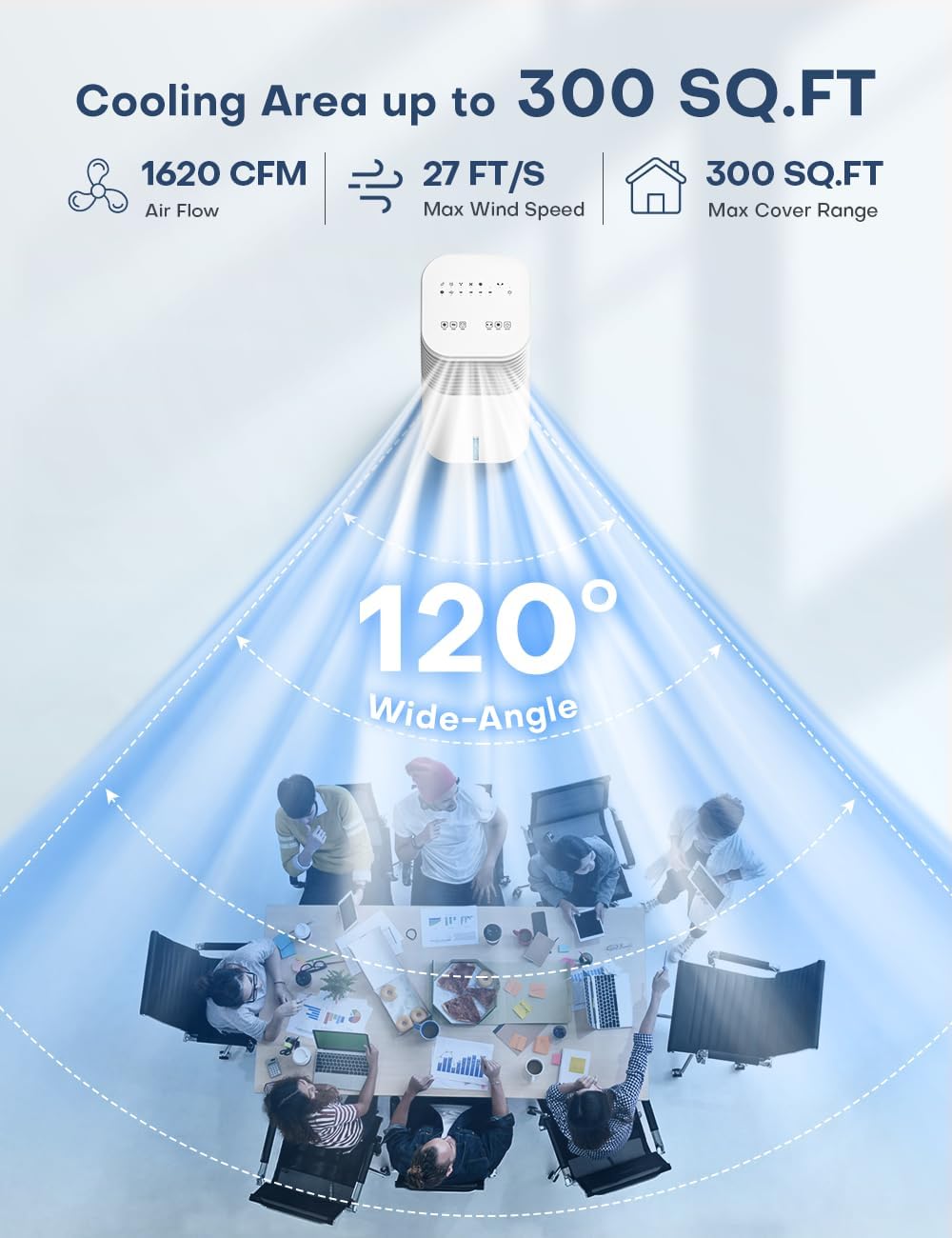
Image: An overhead diagram illustrating the wide-angle oscillation and coverage area of the air conditioner in a room setting.
4. Timer Function and Quiet Operation
Set the 15-hour smart timer for automatic shut-off, aligning with your schedule. The unit operates at a whisper-quiet 50dB, making it suitable for bedrooms, offices, or any space where minimal noise is desired for peaceful study, work, or sleep.
Maintenance
Regular cleaning ensures optimal performance and longevity of your TEMEIKE Portable Air Conditioner.
1. Cleaning the Exterior
Wipe the exterior of the unit with a soft, damp cloth. Avoid using abrasive cleaners or solvents that could damage the surface.
Video: Shows how to clean the exterior of the air conditioner using a damp towel, including the top panel and the side vents.
2. Cleaning the Cooling Pad
The cooling pad is removable for easy cleaning. Regularly remove and clean the cooling pad to maintain air quality and cooling efficiency.

Image: An illustration demonstrating the removable components of the air conditioner, including the rear cover, water tank, and cooling pad, for simplified cleaning.
Video: Shows how to remove and re-install the cooling pad for cleaning. This video also covers the touch control panel and adjustable air outlet.
3. Cleaning the Water Tank
The water tank is detachable for thorough cleaning. This helps prevent mold and mildew buildup and ensures fresh, clean air output.
Video: Detailed instructions on how to detach and clean the water tank, including removing the pump for complete cleaning.
Troubleshooting
If you encounter any issues with your TEMEIKE Portable Air Conditioner, please refer to the following common troubleshooting steps:
- Unit not turning on: Ensure the power cord is securely plugged into a working outlet. Check if the power button on the control panel or remote is pressed.
- No cooling effect: Verify that the water tank is filled and the cooling mode is activated. Ensure ice packs are frozen and placed correctly. Check if the cooling pad is clean and properly installed.
- Weak airflow: Clean the cooling pad and check for any obstructions in the air inlets or outlets. Ensure the fan speed is set to your desired level.
- Unusual noise: Check if the unit is on a stable, level surface. Ensure no foreign objects are inside the unit or water tank.
- Water leakage: Ensure the water tank is correctly seated and not overfilled. Check for any cracks or damage to the tank.
For persistent issues, please contact customer support.
Specifications
| Feature | Detail |
|---|---|
| Model | DL3 |
| Brand | TEMEIKE |
| Wattage | 65W |
| Voltage | 120 Volts |
| Fan Speed | 3 (Low/Mid/High) |
| Functions/Modes | Normal/Sleep/Nature/Cooling |
| Max Humidifier Usage Time | 20 Hours |
| Cord Length | 5 FT |
| Reservoir Capacity | 2 Gallons |
| Noise Level | 50 dB |
| Air Flow Capacity | 1620 Cubic Feet Per Minute |
| Coverage Area | Up to 300 sq. ft. |
| Product Dimensions | 12"D x 11"W x 24"H |
| Item Weight | 10.14 pounds |
| Included Components | Portable Air Conditioner, Remote Control, User Manual, 4 Ice Packs, 4 Swivel Wheels |
Warranty and Support
The TEMEIKE Portable Air Conditioner comes with a 1-year warranty from the date of purchase, covering manufacturing defects only.
For any questions or concerns, please reach out via Amazon or refer to the contact information provided in the user manual. You will receive a solution within 24 hours.
Ask a question about this manual
Ask about setup, troubleshooting, compatibility, parts, safety, or missing instructions. Manuals+ will review the question and use this page’s manual context to help answer it.