
1. Safety Information
Please read all safety instructions before using this product. Failure to follow these instructions may result in electric shock, fire, or serious injury.
- Do not immerse the fan in water or other liquids.
- Keep the fan away from open flames or high temperatures.
- Do not allow children to operate the fan without adult supervision.
- Avoid placing fingers or foreign objects into the fan blades.
- Use only the provided charging cable or a certified Type-C cable for charging.
- Do not attempt to disassemble, repair, or modify the fan. Contact customer support for assistance.
- Store the fan in a cool, dry place when not in use.
2. Product Overview
The Koonie Portable Waist Fan NF261 is designed to provide personal cooling with its powerful airflow and versatile wearing options. It features an LED display for easy monitoring of speed and battery status.
Package Contents:
- Koonie Portable Waist Fan NF261
- USB Type-C Charging Cable
- Lanyard (for neck fan use)
- User Manual
Component Identification:
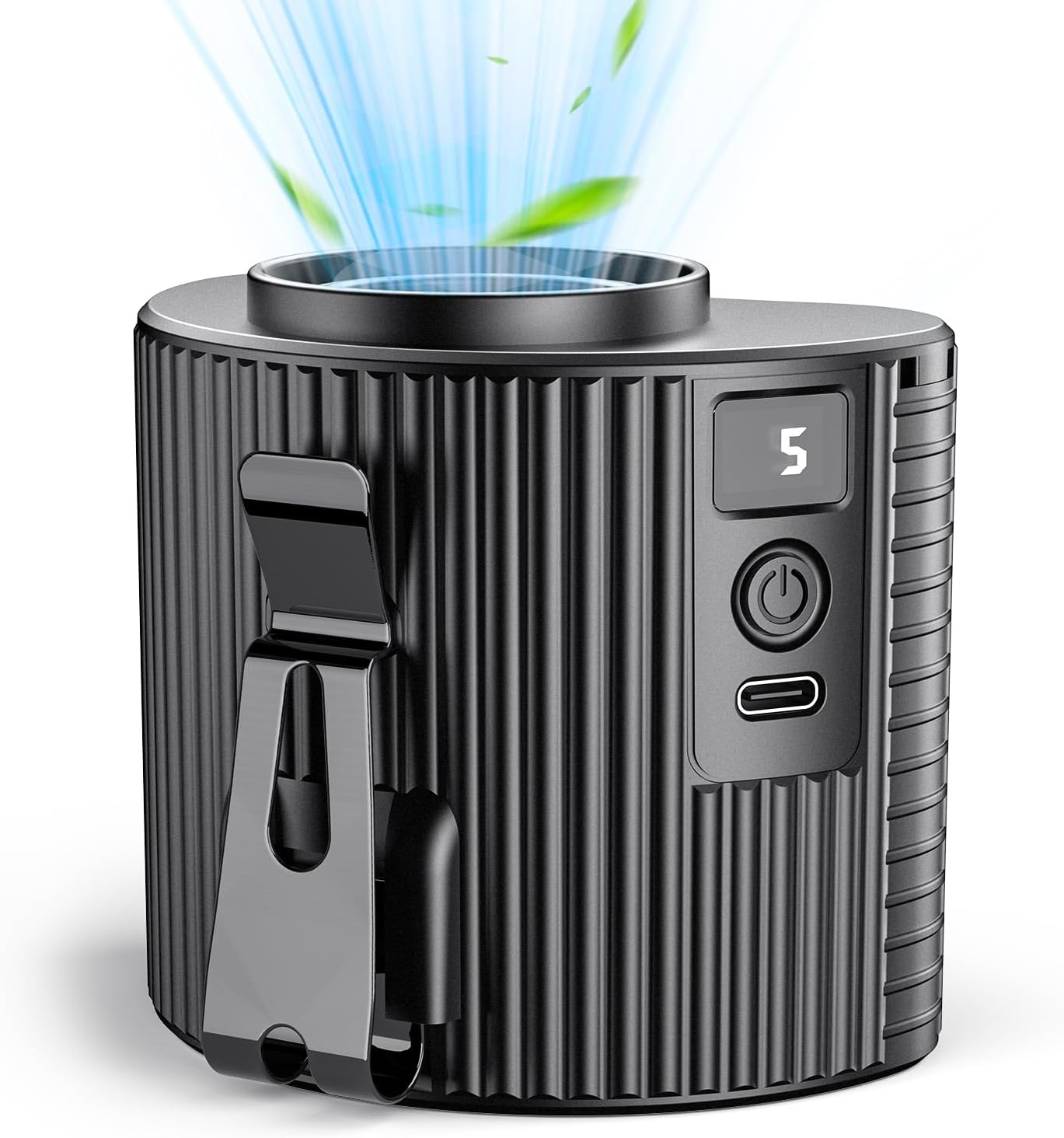
Figure 2.1: Front view of the Koonie Portable Waist Fan, showing the air outlet and control panel.
- Air Outlet: Top opening where air is expelled.
- Control Panel: Includes Power Button, Speed Adjustment, and LED Display.
- LED Display: Shows current fan speed (1-5) and battery percentage.
- Waist Clip: Integrated clip for attaching to belts or clothing.
- Type-C Charging Port: For recharging the internal battery.
- Lanyard Holes: Attachment points for the neck strap.

Figure 2.2: The fan clipped to a belt, illustrating the LED display showing wind speed and battery level.
3. Setup
3.1 Charging the Fan
Before first use, fully charge the fan. The LED display will show the battery percentage during charging.
- Connect the provided USB Type-C cable to the fan's charging port.
- Connect the other end of the cable to a USB power adapter (not included) or a computer's USB port.
- The LED display will show the charging status. A full charge typically takes 2-3 hours.
- Once fully charged, disconnect the charging cable.

Figure 3.1: The fan connected via its Type-C port for charging, indicating a 2-3 hour charging time.
3.2 Wearing the Fan
The Koonie Portable Waist Fan offers multiple ways to wear it for hands-free cooling.
- Waist Clip: Attach the integrated clip to your belt, waistband, or pocket. Ensure the air outlet is facing upwards for optimal cooling.
- Neck Fan: Thread the included lanyard through the designated holes on the fan. Wear it around your neck, adjusting the length for comfort and optimal airflow towards your face or chest.
- Table Fan: Place the fan on a flat surface. The clip can act as a stand to direct airflow.

Figure 3.2: Demonstrates the three primary usage modes: belt fan, neck fan, and table fan.
4. Operating Instructions
4.1 Power On/Off
- To Power On: Press and hold the power button for 2 seconds. The fan will start at Speed 1.
- To Power Off: Press and hold the power button for 2 seconds.
4.2 Adjusting Fan Speed
The fan has 5 adjustable speed settings.
- While the fan is on, press the power button repeatedly to cycle through speeds 1 to 5.
- The LED display will show the current speed level.
- Speed 1: 5500 RPM (Quiet, gentle breeze)
- Speed 2: 7300 RPM
- Speed 3: 8800 RPM
- Speed 4: 9800 RPM
- Speed 5: 11000 RPM (Maximum airflow)
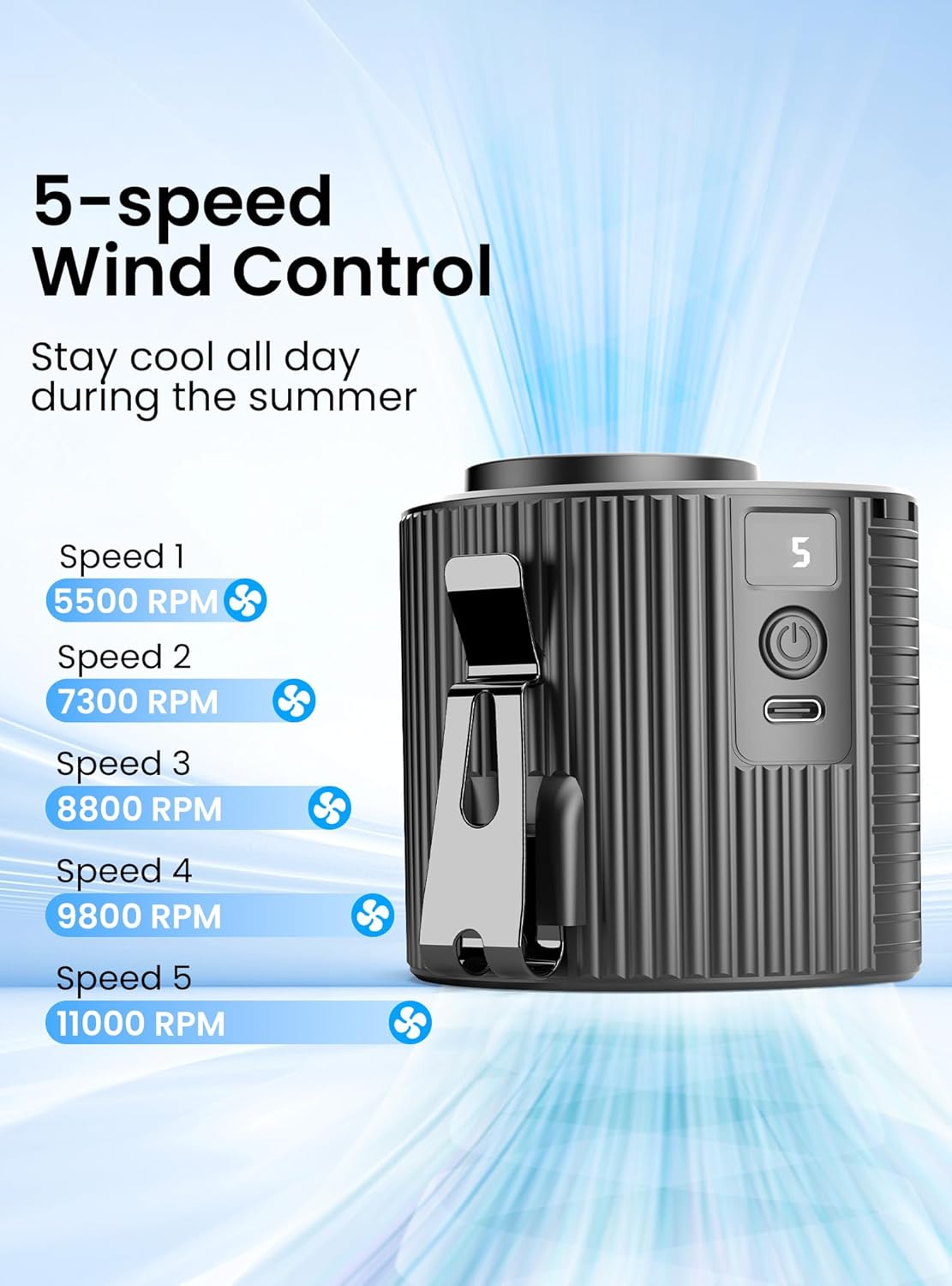
Figure 4.1: Visual representation of the five-speed wind control and their respective RPMs.
4.3 Battery Life Indication
The LED display shows the remaining battery percentage. A full charge provides approximately:
- Speed 1: Up to 21 hours
- Speed 2-4: 6-13 hours
- Speed 5: Approximately 4.5 hours

Figure 4.2: Battery life estimates based on fan speed, shown with a user wearing the fan.
5. Maintenance
5.1 Cleaning
Regular cleaning helps maintain optimal performance.
- Ensure the fan is powered off before cleaning.
- Use a soft, dry cloth to wipe the exterior of the fan.
- For dust accumulation in the air inlet/outlet, use a soft brush or compressed air. Do not use water or harsh chemicals.
- Do not attempt to open the fan casing to clean internal components.
5.2 Storage
When not in use for extended periods:
- Charge the fan to approximately 50% battery level.
- Store in a cool, dry place away from direct sunlight and extreme temperatures.
- Recharge the fan every 3-6 months to prolong battery life.
6. Troubleshooting
If you encounter issues with your Koonie Portable Waist Fan, refer to the following common problems and solutions:
| Problem | Possible Cause | Solution |
|---|---|---|
| Fan does not turn on. | Low battery. | Charge the fan fully. |
| Power button not pressed correctly. | Press and hold the power button for 2 seconds. | |
| Weak airflow. | Low speed setting. | Increase the fan speed using the power button. |
| Air inlet/outlet blocked. | Ensure air inlets and outlets are clear of obstructions. Clean if necessary. | |
| Fan stops unexpectedly. | Battery depleted. | Recharge the fan. |
| LED display not working. | Device malfunction. | Contact customer support. |
If the problem persists after trying these solutions, please contact Koonie customer support for further assistance.
7. Specifications
| Feature | Detail |
|---|---|
| Model Name | NF261 |
| Brand | Koonie |
| Color | Black |
| Electric Fan Design | Wearable Fan |
| Power Source | DC (Battery Powered) |
| Product Dimensions | 3"D x 1.5"W x 2.5"H |
| Item Weight | 10.5 ounces (0.3 Kilograms) |
| Special Feature | Lightweight, Portable, LED Display |
| Number of Blades | 3 |
| Max Speed | 11000 RPM |
| Number of Power Levels | 5 |
| Voltage | 12 Volts (DC) |
| Switch Type | Touchpad |
| Battery Type | 1 Lithium Polymer battery (included) |
| Battery Capacity | 4000mAh |
| Charging Time | 2-3 hours |
| Working Time | 4-21 hours (depending on speed) |
| Main Power Connector Type | DC power connector (Type-C) |
| UPC | 850060965265 |
8. Warranty and Support
8.1 Warranty Information
Koonie products are manufactured to high-quality standards. This product is covered by a limited warranty against defects in materials and workmanship from the date of purchase. Please retain your proof of purchase for warranty claims.
The warranty does not cover damage caused by misuse, accident, unauthorized modification, or normal wear and tear.
8.2 Customer Support
For technical support, warranty claims, or any questions regarding your Koonie Portable Waist Fan NF261, please contact Koonie customer service through the retailer where the product was purchased or visit the official Koonie website for contact information.