
1. Introduction and Overview
The WOSTOO Adjustable Wooden Easel is designed to provide a versatile platform for children's creative and learning activities. This 3-in-1 easel features a magnetic whiteboard, a chalkboard, and a paper roll, offering multiple modes of engagement. It is constructed from high-quality, non-toxic wood with smooth, rounded edges for safety and durability. The easel's height is adjustable to accommodate children of various ages, from toddlers to elementary school students.

Figure 1: The 3-in-1 design of the WOSTOO Easel, highlighting the magnetic whiteboard, magnetic chalkboard, and integrated paper roll.
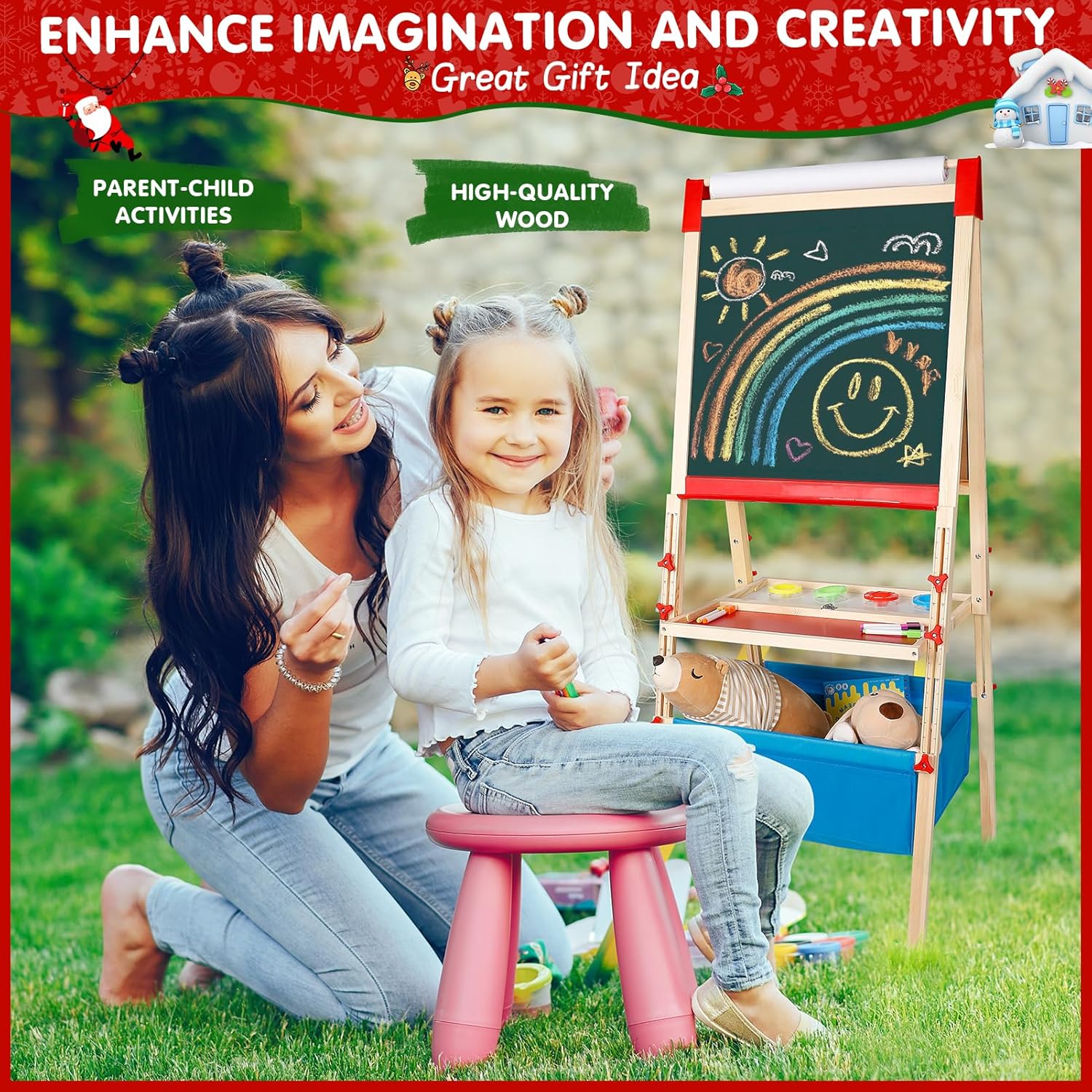
Figure 2: The easel in use, promoting parent-child activities and creative expression.
2. Safety Information
- Children under 3 years old require adult supervision during use.
- Ensure all components are securely assembled before allowing children to use the easel.
- Regularly inspect the easel for any loose parts or damage. Discontinue use if damage is found.
- Keep small accessories away from young children to prevent choking hazards.
- Use only recommended art supplies (chalk, dry-erase markers) to maintain board integrity.
3. Package Contents
The WOSTOO Adjustable Wooden Easel package includes the following items:
- 1 x Kids Easel (main frame)
- 1 x Paper Roll
- 4 x Paint Cups
- 5 x Chalk Holders
- 12 x Chalks
- 8 x Whiteboard Markers
- 12 x Magnetic Buttons
- 52 x Magnetic Letters
- 8 x Magnetic Symbols
- 12 x Magnetic Animals & Plants
- 2 x Dry Erasers
- 2 x Sleeves
- 1 x Small Apron
- 1 x Marker Pen
- 1 x Magnetic Ruler
- 1 x Instruction Manual

Figure 3: A visual representation of the extensive accessory set included with the easel.
4. Setup and Assembly Instructions
Follow these steps to assemble your WOSTOO Adjustable Wooden Easel. For a visual guide, please refer to the assembly video below.
4.1. Initial Frame Assembly
- Unfold the main easel frame (Part A).
- Attach the adjustable side supports (Parts D) to the main frame using the provided screws (K) and nuts (I). Ensure they are securely fastened but allow for future height adjustments.
- Insert the red foot caps (Part H) onto the bottom of each easel leg.
4.2. Attaching the Accessory Tray and Storage
- Slide the red chalk tray (Part G) into the designated slots on the lower part of the easel frame.
- Insert the main accessory tray (Part B) into the frame, aligning the holes with the side supports. Secure it with the small yellow clips (Part J).
- Assemble the blue fabric storage bin (Part C) by inserting the base and side supports (Part E) to form a sturdy box.
- Attach the assembled storage bin to the lower part of the easel frame using the provided fasteners (L and I), ensuring it hangs securely.
4.3. Installing the Paper Roll and Board Protectors
- Place the red paper roll holders (Part M) onto the top corners of the easel frame.
- Insert the paper roll (Part F) into the holders, ensuring it can unroll smoothly over the whiteboard surface.
- Important: Before first use, carefully remove the protective film from both the whiteboard and chalkboard surfaces. Use a box cutter to cut around the edges and peel off in chunks if necessary.
Video 1: Quick installation guide for the WOSTOO Adjustable Wooden Easel, demonstrating step-by-step assembly.
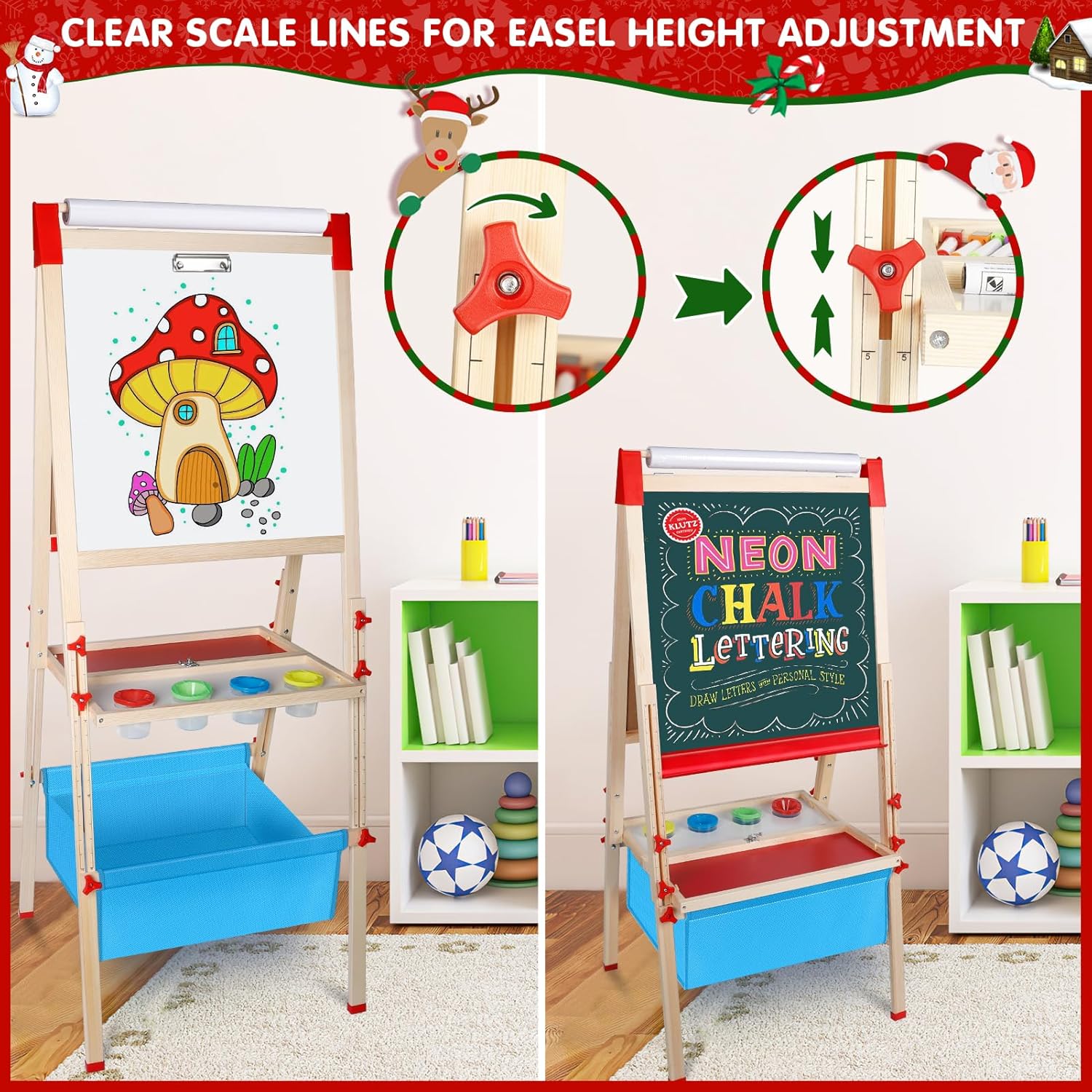
Figure 4: Detail of the height adjustment mechanism, allowing the easel to grow with your child.
5. Operating Instructions
5.1. Adjusting Easel Height
The easel features an easy height adjustment system. Loosen the red knobs on the side supports, slide the board to the desired height, and then tighten the knobs securely. This allows the easel to be used comfortably by children aged 2-8 years.

Figure 5: The easel's adjustable heights cater to different age groups, ensuring ergonomic use.
5.2. Using the Whiteboard and Chalkboard
- The easel offers a magnetic whiteboard on one side and a magnetic chalkboard on the other. Simply flip the board to switch between surfaces.
- Use the provided dry-erase markers on the whiteboard and chalk on the chalkboard.
- Magnetic letters, numbers, and animal shapes can be used on both surfaces for interactive learning.
5.3. Utilizing the Paper Roll
Pull down the paper from the integrated roll over the whiteboard surface. Secure it with the magnetic ruler or clips if needed. This provides a continuous surface for drawing, painting, or other paper-based art projects.
5.4. Storage Features
The easel includes a large capacity storage bin at the bottom and a multi-compartment accessory tray. Use these to keep art supplies, toys, and other items organized and easily accessible.

Figure 6: The easel's integrated storage solutions help keep the play area tidy.
5.5. Folding for Storage
When not in use, the easel can be easily folded for space-saving storage. Unlock the buckles on the side, remove the fabric storage bin, and fold the frame inward. No disassembly is required for folding.
Video 2: Demonstration of the easel's foldable design, showing how to prepare it for compact storage.

Figure 7: The easel's foldable design allows for convenient storage when not in use.
6. Maintenance
- Chalkboard Cleaning: For dust-free chalk, wipe the chalkboard surface with a wet towel.
- Whiteboard Cleaning: Use the provided dry eraser or a soft cloth to clean the whiteboard. For stubborn marks, a whiteboard cleaner can be used.
- General Cleaning: Wipe wooden parts with a dry or slightly damp cloth. Avoid harsh chemicals.
- Storage Bin: The fabric storage bin can be spot cleaned with mild soap and water.
7. Troubleshooting
- Issue: Chalkboard not writing or drawing effectively.
Solution: Ensure the protective film is fully removed from the chalkboard surface. If the issue persists, contact customer support. - Issue: Difficulty removing the protective film from the chalkboard.
Solution: Carefully cut around the edges of the film with a box cutter, then peel it off in smaller sections. Contact customer support if further assistance is needed. - Issue: Parts are damaged or missing upon arrival.
Solution: Please contact customer support immediately. We will ensure the issue is resolved promptly.
8. Specifications
| Feature | Detail |
|---|---|
| Product Dimensions | 19.3 x 19.3 x 55.9 inches |
| Item Weight | 13.2 pounds |
| Model Number | TY0579_28_US |
| Recommended Age | 0 - 8 years (with supervision for younger children) |
| Material | High-quality, non-toxic wood |
| Board Types | Magnetic Whiteboard, Magnetic Chalkboard |
| Additional Features | Paper Roll, Adjustable Height, Foldable Design, Storage Bin, Accessory Tray |
9. Warranty and Support
WOSTOO is committed to customer satisfaction. While specific warranty details are not provided in this manual, if you encounter any issues such as damaged or missing parts, or if you require assistance with product functionality, please contact our customer support team. We are dedicated to ensuring your experience with our product is positive and will work to resolve any concerns.
For support, please refer to the contact information provided on the product packaging or the official WOSTOO website.