
Introduction
Thank you for choosing the Ltinist BX29 Wireless Earbuds. These earbuds are designed to provide a superior audio experience with advanced features for active lifestyles. This manual will guide you through the setup, operation, and maintenance of your new earbuds to ensure optimal performance and longevity.
What's in the Box

Image: The contents of the product packaging, showing the charging case, earbuds, USB-C cable, user manual, and various sizes of ear tips.
- Charging Case
- Ltinist BX29 Wireless Earbuds (Left and Right)
- USB-C Charging Cable
- User Manual
- Ear Tips (S/M/L sizes)
Note: The pre-installed ear tips on the earbuds are size M.
Product Overview
Earbuds Design and Features
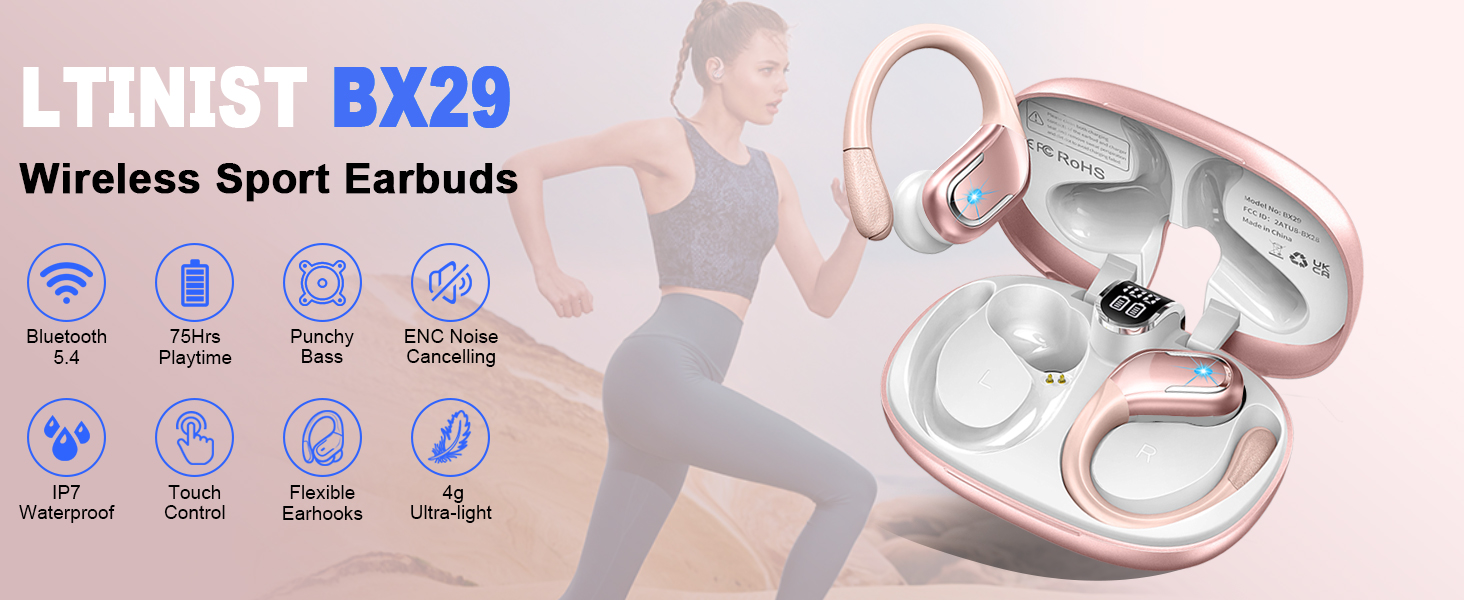
Image: A person wearing the Ltinist BX29 earbuds, highlighting the flexible earhooks and the inclusion of small, medium, and large ear tips for a customized fit.
- Over-Ear Design with Flexible Earhooks: Ensures a secure and comfortable fit, ideal for sports and active use.
- Touch Control: Integrated sensitive touch controls on each earbud for easy management of music, calls, and voice assistant.
- 14.2mm Dual-Chamber Speaker Driver: Delivers balanced and powerful Hi-Fi stereo sound with enhanced bass.
- ENC Noise Canceling Microphones: Four built-in microphones provide clear call quality by reducing ambient noise.
- IP7 Waterproof Rating: Offers protection against sweat, rain, and splashes, making them suitable for workouts and outdoor activities.
Charging Case Features

Image: The open charging case for the Ltinist BX29 earbuds, showing the digital LED display indicating battery status for the case and individual earbuds, along with the Type-C charging port.
- Digital LED Display: Shows the remaining power of the charging case and the charging status of each earbud in real-time.
- Compact Design: Easy to carry and store.
- Type-C Fast Charging: For quick and efficient charging of the case.
Setup
1. Charging the Earbuds and Case
Before first use, fully charge the earbuds and charging case.
- Place the earbuds into the charging case. Ensure they are correctly seated; the LED indicators on the earbuds will light up.
- Connect the USB-C charging cable to the charging port on the case and the other end to a power source (e.g., USB wall adapter, computer USB port).
- The digital LED display on the charging case will show the battery percentage of the case and the charging status of the earbuds.
- Once fully charged, the display will show 100% for the case and the earbud indicators will turn off.
2. Pairing with Your Device
The Ltinist BX29 earbuds feature one-step auto-pairing for convenience.

Image: A visual guide demonstrating the auto-pairing process: closing the case for power off/charging, and opening it to automatically connect to a Bluetooth-enabled device.
- Ensure your device's Bluetooth is turned on.
- Open the charging case lid. The earbuds will automatically power on and enter pairing mode.
- On your device, search for Bluetooth devices and select "BX29" from the list.
- Once connected, you will hear a confirmation tone, and the earbuds' indicator lights will turn off or flash slowly.
- After the first successful connection, the earbuds will automatically connect to your device when you open the case lid.
Video: Ltinist X29 Wireless Earbuds Overview
Video: An official overview of the Ltinist X29 Wireless Earbuds, showcasing their design, features, and how they function.
Operating Instructions
Wearing the Earbuds

Image: A three-step guide illustrating how to properly wear the earbuds: 1. Choose suitable ear tips, 2. Put the earbuds into your ear, 3. Adjust the earbud to fit best, ensuring the earhook is secure.
- Choose the ear tips that best fit your ears for optimal comfort and sound quality.
- Gently insert the earbud into your ear canal.
- Adjust the flexible earhook over your ear to secure the earbud in place.
Touch Controls
The earbuds feature intuitive touch controls. Refer to the diagram below for specific functions:

Image: A diagram illustrating the touch control functions on the earbuds, including single clicks, double clicks, and long presses for volume, track control, call management, and voice assistant activation.
- Volume Up: Click once on the Right (R) earbud.
- Volume Down: Click once on the Left (L) earbud.
- Next Track: Hold for 2 seconds on the Right (R) earbud.
- Previous Track: Hold for 2 seconds on the Left (L) earbud.
- Play/Pause: Click twice on either R/L earbud.
- Answer/End Call: Click once on either R/L earbud.
- Reject Call: Hold for 2 seconds on either R/L earbud.
- Activate Voice Assistant: Click three times on either R/L earbud.
Maintenance
Cleaning
Regular cleaning helps maintain sound quality and hygiene.
- Use a soft, dry, lint-free cloth to wipe the earbuds and charging case.
- Remove ear tips and clean them with mild soap and water. Ensure they are completely dry before reattaching.
- Use a cotton swab or a small, soft brush to gently clean the charging contacts on both the earbuds and the case.
Storage
When not in use, store the earbuds in their charging case to protect them and keep them charged.
- Avoid exposing the earbuds to extreme temperatures, humidity, or corrosive liquids.
- Keep the charging case closed to prevent dust and debris from entering.
IP7 Waterproof Rating

Image: The Ltinist BX29 earbuds shown with water droplets, indicating their IP7 waterproof rating, suitable for sweat, light rain, and accidental splashes.
The earbuds are IP7 waterproof, offering protection against sweat, light rain, and accidental splashes. However, they are not designed for swimming or prolonged submersion in water. Ensure the earbuds are dry before placing them back into the charging case to prevent damage.
Troubleshooting
| Problem | Possible Cause | Solution |
|---|---|---|
| Earbuds not pairing | Bluetooth off on device; earbuds not in pairing mode; interference. | Ensure Bluetooth is on. Open case lid to activate pairing. Move closer to device. Forget "BX29" on device and re-pair. |
| No sound from one earbud | Low battery; earbud not connected; mono mode. | Charge both earbuds. Re-pair. Check device settings for mono audio. |
| Charging case not charging | Faulty cable/adapter; dirty charging port. | Try a different USB-C cable and power adapter. Clean the charging port. |
| Poor call quality | Weak signal; microphone obstruction; environmental noise. | Move to an area with better signal. Ensure microphones are clear. ENC should reduce noise, but extreme noise may still affect quality. |
Specifications
| Feature | Detail |
|---|---|
| Model Name | BX29 (X29) |
| Connectivity Technology | Wireless (Bluetooth 5.4) |
| Audio Driver Type | Dynamic Driver (14.2 mm) |
| Noise Control Features | ENC Noise Cancellation |
| Battery Life (Earbuds) | Up to 15 hours per single charge |
| Total Playtime (with Case) | Up to 75 hours |
| Water Resistance Level | IP7 Waterproof |
| Control Method | Touch |
| Ear Placement | In Ear (Over-ear with ear hooks) |
| Compatible Devices | Laptops, Desktops, Tablets, Telephones, Smartphones |
| Material | Plastic, Silicone |
| Item Weight | 4.3 ounces |
| Product Dimensions | 2.36 x 0.79 x 1.18 inches |
Warranty and Support
Ltinist provides a 2-year warranty for the BX29 Wireless Earbuds, covering manufacturing defects from the date of purchase. Additionally, a 30-day return policy is available for your peace of mind.
Image: Icons representing 24-hour customer service, a 30-day return period, and a 2-year warranty, indicating comprehensive support for the product.
For any questions, technical support, or warranty claims, please contact Ltinist customer service through the retailer's platform or the official Ltinist website. Our support team is available to assist you.


