Introduction
This manual provides essential instructions for the safe and effective operation of your Cuifati 4K Body Cam. Please read this manual thoroughly before using the device to ensure proper functionality and to prevent damage.

Figure 1: Front view of the Cuifati 4K Body Cam, showing the lens and LCD screen.
Key Features
- 1.3-inch LCD Screen: Convenient for instant video playback, deletion, and menu navigation. Features inverted function screen switching and battery indicator.
- 4K UHD Video Recording: Captures accurate and clear videos with a 4K sensor and 8MP lens. Utilizes H.264 format for efficient storage.
- Night Vision: Equipped with 4 fill lights for clear recording in low-light conditions. Supports 1080P, 2K, and 4K switching.
- 180° Rotatable, 120° Lens: Adjustable lens direction to capture desired angles and ensure important evidence is not missed.
- Extended Battery Life: 1200mAh rechargeable battery provides 6-7 hours of continuous operation. Supports 24/7 recording when connected to a mobile power supply.
- Loop Recording & Time Stamp: Supports up to 10 minutes of loop recording and time stamp setting.
- Hotspot Mode: Allows downloading recordings to a mobile phone.
- Cardless & Remote Recording: Supported up to 32 feet.

Figure 2: Overview of key features including 1080P HD, 1.3-inch screen, 1200mAh battery, 180° wide angle, clip design, photo, video, record, night vision, and motion detection capabilities.
Setup
- Charging the Device:
Connect the provided USB-C cable to the camera's charging port and the other end to a USB power adapter (not included) or a computer. The battery indicator on the LCD screen will show charging status. A full charge typically takes 3-4 hours and provides 6-7 hours of continuous use.

Figure 3: The Cuifati 4K Body Cam shown with its included USB-C charging cable and USB adapter for file transfer.
- Inserting the Micro SD Card:
Locate the Micro SD card slot on the side of the camera. Gently insert a compatible Micro SD card (up to 128GB, included) into the slot until it clicks into place. Ensure the card is inserted correctly to avoid damage.
- Powering On/Off:
Press and hold the power button (usually located on the side) for a few seconds until the LCD screen illuminates. To power off, press and hold the power button again until the screen turns off.
Operating Instructions
Basic Recording
- Video Recording: Once powered on, press the "OK" button to start video recording. A red indicator light or on-screen icon will confirm recording is active. Press "OK" again to stop.
- Photo Capture: In standby mode, press the "M" button to switch to photo mode. Press "OK" to take a picture.
- Audio Recording: The device supports audio recording. Refer to the menu settings to enable or disable audio capture during video recording, or to initiate audio-only recording.
Lens Adjustment
The camera features a 180° rotatable lens, allowing you to adjust the viewing angle as needed. Simply pivot the lens module to your desired position.
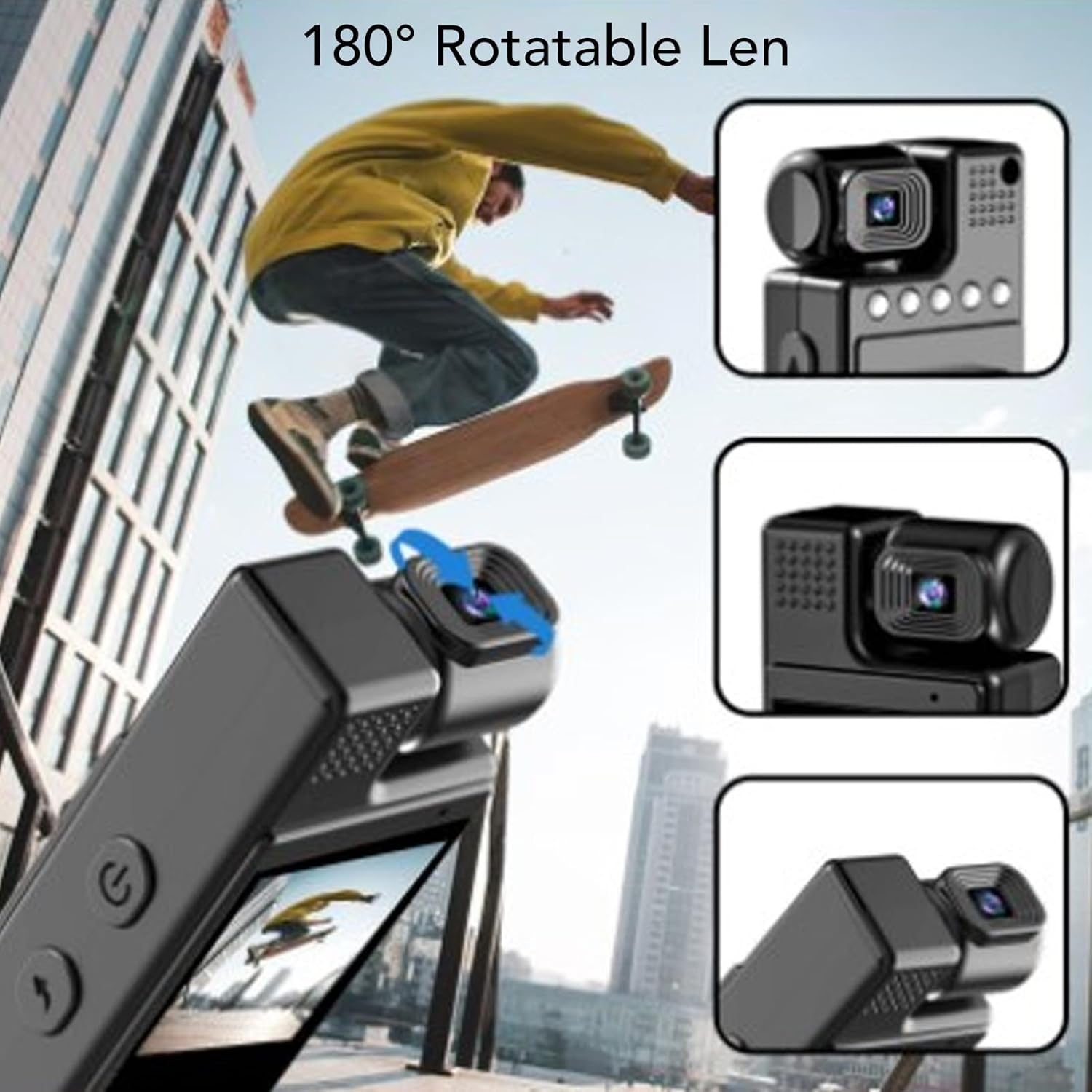
Figure 4: The 180° rotatable lens allows for flexible recording angles.
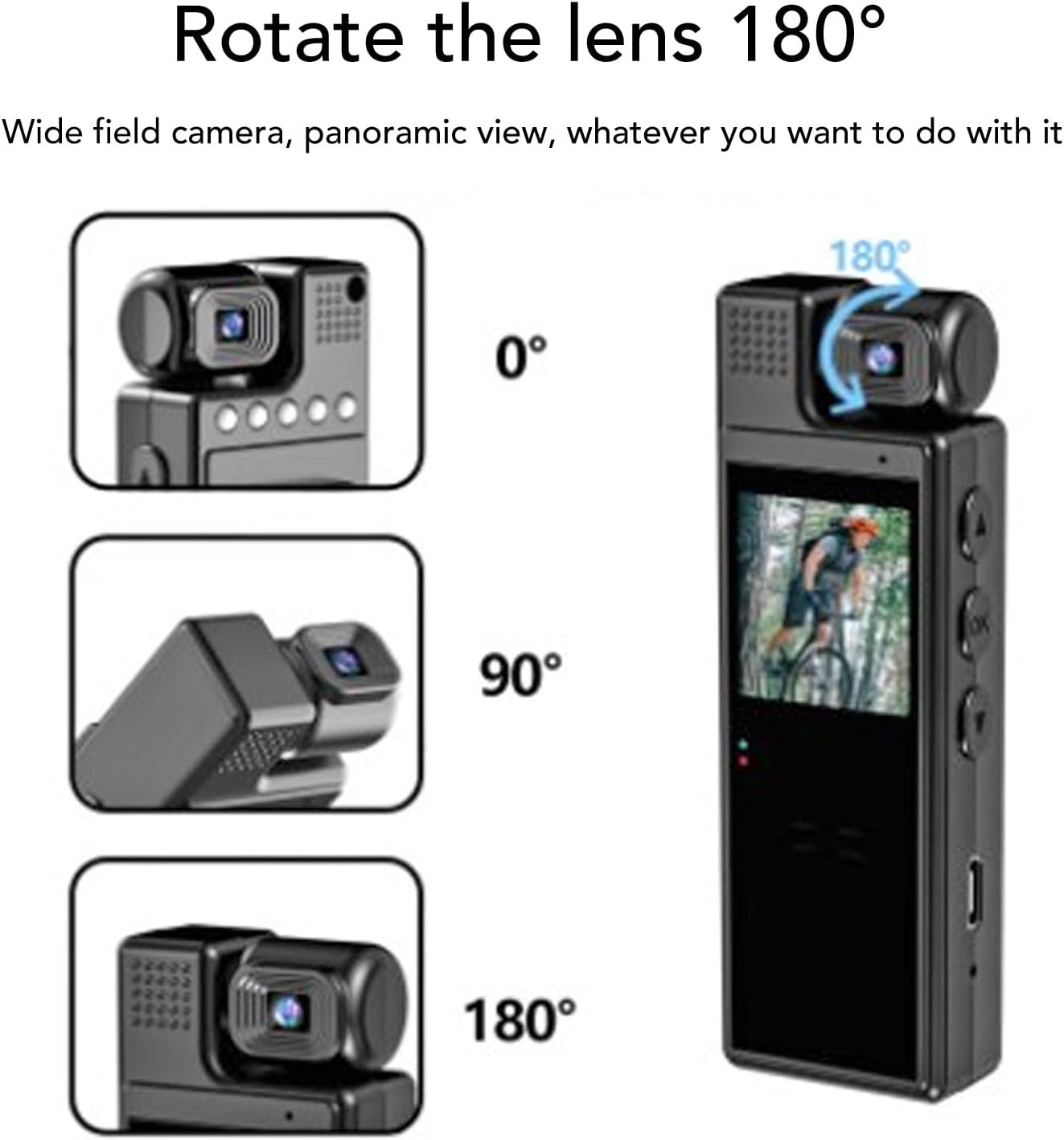
Figure 5: Visual representation of the 180° lens rotation capability.
Night Vision
To activate night vision, navigate through the menu settings to find the night vision option and enable it. The 4 built-in fill lights will assist in capturing clear footage in dark environments.
Menu Navigation & Settings
Use the "M" button to enter the menu. Use the up/down arrow buttons to navigate through options and "OK" to select. Settings include resolution (1080P, 2K, 4K), loop recording duration, time stamp, motion detection, and hotspot mode.
Video Playback
On the 1.3-inch LCD screen, you can review recorded videos. Use the navigation buttons to browse through files and the "OK" button to play or pause.
Video 1: Demonstration of the Cuifati 4K Body Cam's user interface and video playback functionality.
Video 2: A short preview showcasing the Z11 Mini Body Camera in use, demonstrating its compact size and recording capabilities.
Video 3: A use experience and preview of the Mini Body Cameras, highlighting various features and practical applications.
Accessories
Your Cuifati 4K Body Cam comes with the following accessories:
- User Manual
- USB-C Charging Cable
- USB Adapter (for Micro SD card transfer)
- Back Clip (pre-attached or included separately)
- Bicycle Mount (optional, may be included)
- Magnetic Mount (optional, may be included)

Figure 6: The Cuifati 4K Body Cam showing the integrated back clip for easy attachment.

Figure 7: Detailed view of the back clip mechanism.

Figure 8: Example of how the clip can be used to attach the camera to clothing or gear.
Maintenance
- Cleaning: Use a soft, dry cloth to clean the camera body and lens. Avoid using harsh chemicals or abrasive materials.
- Storage: Store the camera in a cool, dry place away from direct sunlight and extreme temperatures.
- Battery Care: To prolong battery life, avoid fully discharging the battery frequently. Charge the device regularly, even if not in use.
- Firmware Updates: Check the manufacturer's website periodically for any available firmware updates to ensure optimal performance.
Troubleshooting
| Problem | Possible Cause | Solution |
|---|---|---|
| Device does not power on. | Low battery or faulty power button. | Charge the device for at least 3-4 hours. Ensure the power button is pressed and held correctly. |
| Cannot record video. | No Micro SD card, full card, or card error. | Insert a Micro SD card, delete old files, or format the card (this will erase all data). |
| Poor video quality. | Dirty lens, low light, or incorrect resolution setting. | Clean the lens. Activate night vision in low light. Check resolution settings in the menu. |
| Device freezes or becomes unresponsive. | Software glitch or full memory. | Perform a soft reset (if available, check manual for specific button combination) or power cycle the device. Delete unnecessary files. |
Specifications
- Brand: Cuifati
- Model Number: CUIFATI8sxgu1wr52
- Item Weight: 5.4 ounces
- Package Dimensions: 4.72 x 3.15 x 1.57 inches
- Screen Size: 1.3 Inches
- Photo Sensor Technology: CMOS
- Video Capture Resolution: 1080p (supports up to 4K)
- Flash Memory Type: Micro SD (up to 128GB)
- Video Capture Format: MP4
- Supported Audio Format: WAV
- Connectivity Technology: Wi-Fi (for hotspot mode)
- Special Feature: Adjustable (lens)
Warranty and Support
For warranty information, technical support, or further assistance, please refer to the official Cuifati website or contact their customer service directly. Keep your purchase receipt for warranty claims.