1. Introduction
Thank you for purchasing the Generic ZD012 Professional Drone. This manual provides essential information for the safe operation, setup, and maintenance of your drone. Please read this manual thoroughly before operating the device to ensure proper use and to prevent damage or injury. Keep this manual for future reference.
2. Safety Guidelines
Operating a drone requires responsibility. Adhere to the following safety guidelines:
- Read the Manual: Always read the entire user manual before your first flight.
- Flight Environment: Fly in open, unobstructed areas, away from people, animals, buildings, and power lines. Avoid flying over crowds.
- Weather Conditions: Do not fly in strong winds, rain, snow, or other adverse weather conditions.
- Line of Sight: Always maintain visual line of sight with your drone during flight.
- Battery Safety: Use only approved batteries and chargers. Do not overcharge or over-discharge batteries.
- Respect Privacy: Be mindful of privacy laws and do not use the drone to record individuals without their consent.
- Local Regulations: Familiarize yourself with and adhere to all local laws and regulations regarding drone operation.
- Adult Supervision: Adult supervision is recommended for users under 18 years of age.
3. Package Contents
Verify that all items are present in your package:
- 1 x ZD012 Quadcopter
- 1 x Remote Control
- 1 x 3.7V 1000mAh Drone Battery
- 1 x USB Charging Cable
- 2 x Spare Propellers
- 1 x Screwdriver
- 1 x User Manual
4. Product Overview
The ZD012 drone features a foldable design for portability, equipped with a dual camera system capable of up to 8K HD video capture. It utilizes brushless motors for efficient and powerful flight, supported by GPS and Optical Flow positioning for stable hovering and precise navigation. The remote control provides intuitive command over various flight modes and camera functions.

Image: The ZD012 drone showcasing its dual camera system, allowing for versatile aerial photography and video recording.

Image: Close-up view of the ZD012 drone's high-power brushless motor, designed for efficiency and strong wind resistance.
5. Setup
5.1. Charging the Drone Battery
Connect the provided USB charging cable to the drone battery and a suitable USB power adapter (not included). The charging indicator will show the charging status. A full charge takes approximately 120 minutes.
5.2. Installing Remote Control Batteries
Open the battery compartment on the back of the remote control. Insert 3 AA batteries (not included), ensuring correct polarity. Close the compartment securely.
5.3. Propeller Installation (If Required)
If propellers are not pre-installed, attach them according to the markings (A and B) on the propellers and motor arms. Ensure they are securely fastened with the provided screws and screwdriver.
5.4. Drone and Remote Pairing
- Place the drone on a flat, level surface.
- Press and hold the power button on the drone until the indicator lights flash.
- Turn on the remote control. The remote will emit a beep, and its indicator light will flash.
- Push the left joystick (throttle) all the way up, then all the way down. The remote will beep, and both drone and remote lights will become solid, indicating successful pairing.
5.5. App Installation and FPV Connection
Download the dedicated drone control app from your mobile device's app store. Turn on the drone, then connect your mobile device to the drone's 2.4GHz Wi-Fi network (usually named 'ZD012-XXXX'). Open the app to view the real-time FPV feed and access advanced flight features.
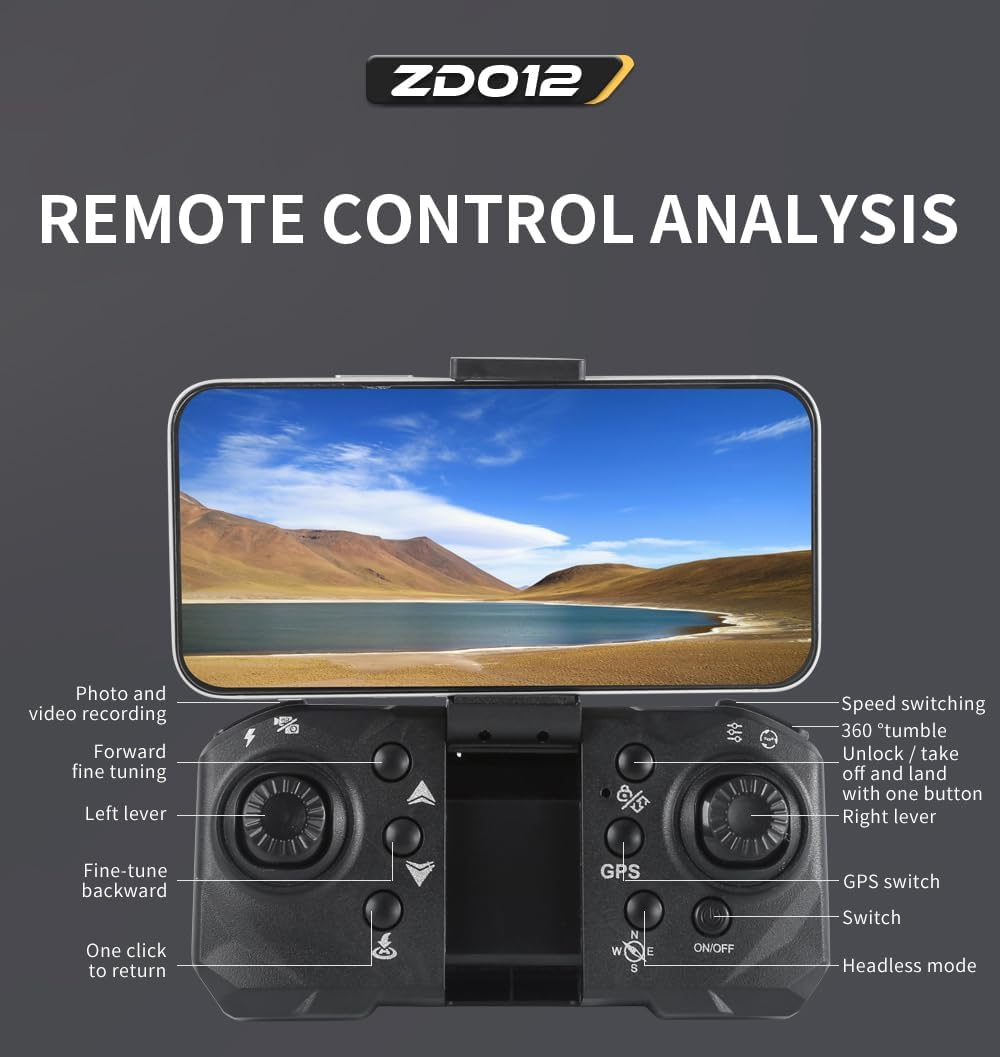
Image: Detailed diagram of the ZD012 remote control, highlighting various buttons and joystick functions for precise drone operation.
6. Operating Instructions
6.1. Basic Flight Controls (Mode 2)
- Left Joystick (Throttle): Push up to ascend, pull down to descend. Move left/right to rotate the drone (yaw).
- Right Joystick (Direction): Push up/down to move forward/backward. Move left/right for sideward flight.
6.2. One-Key Takeoff and Landing
After pairing, press the One-Key Takeoff/Landing button on the remote control. The drone will automatically take off and hover at a certain altitude. Press the button again to initiate an automatic landing.
6.3. Altitude Hold
The ZD012 drone features an altitude hold function, allowing it to maintain a stable height automatically, making it easier for beginners to control.
6.4. Headless Mode
Activate Headless Mode to simplify flight orientation. In this mode, the drone's front direction is irrelevant; it will move relative to the pilot's position. Press the Headless Mode button on the remote to activate/deactivate.
6.5. GPS and Optical Flow Positioning
The drone uses GPS for precise outdoor positioning and stable hovering. Optical Flow positioning assists in stable hovering indoors or at low altitudes by analyzing ground patterns.

Image: The ZD012 drone demonstrating its GPS and Optical Flow stabilized hovering system, ensuring stable flight even for novice users.
6.6. Follow Me Mode
In Follow Me mode, the drone will lock onto your mobile device (connected via app) and follow your movements, capturing footage as you go. Activate this feature via the mobile app.
6.7. Waypoint Flight
Using the mobile app, you can draw a desired flight path on the screen. The drone will then automatically follow this path, providing a hands-free flight experience.
6.8. Circle Flight (Orbital Movement)
Activate Circle Flight via the app, and the drone will fly in a circular path around a designated point, offering dynamic aerial perspectives.
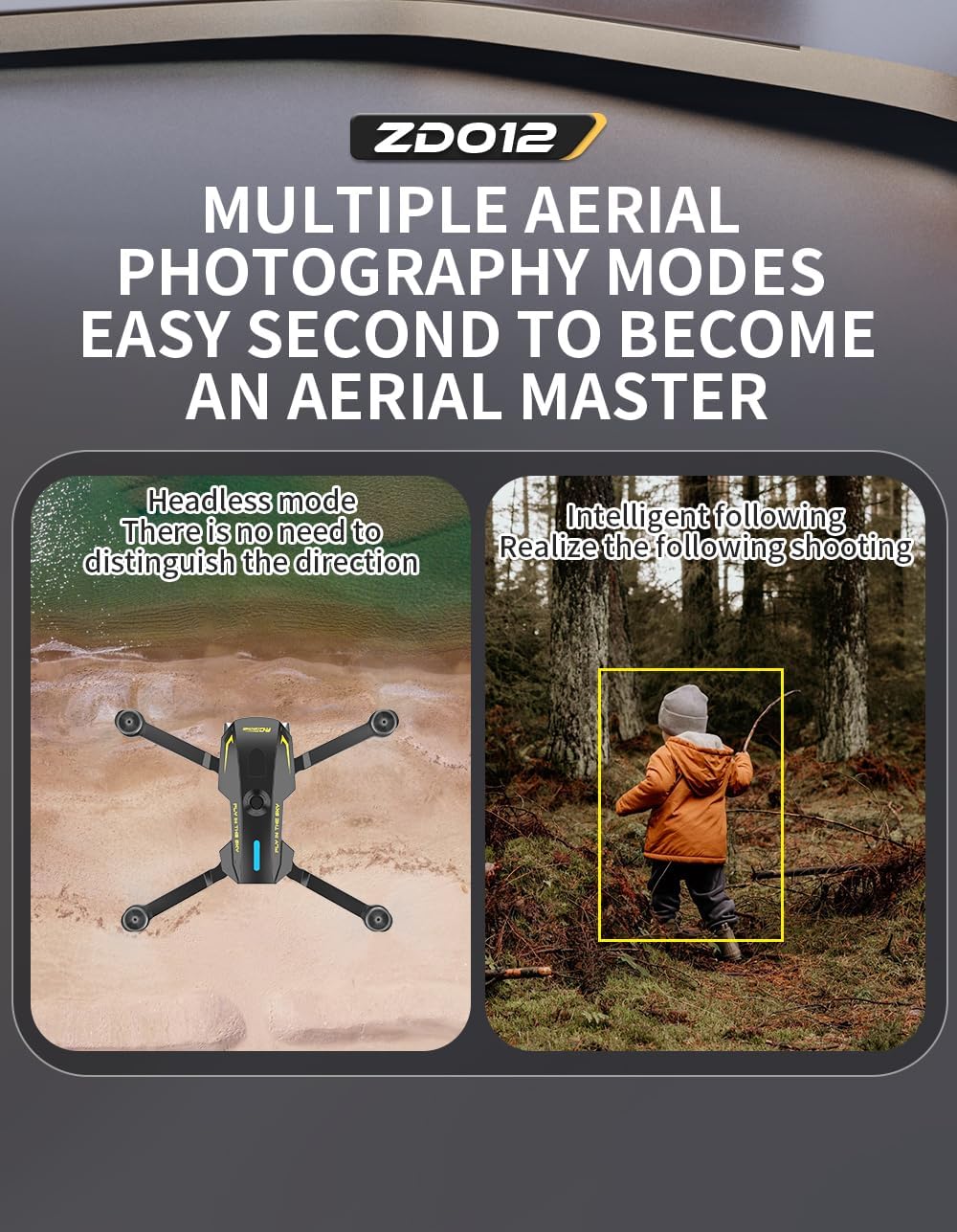
Image: Illustration of the ZD012 drone's multiple aerial photography modes, including Headless Mode for simplified control and Intelligent Following for dynamic shots.
6.9. One-Key Return
Press the One-Key Return button on the remote control, and the drone will automatically fly back to its takeoff point. Ensure GPS signal is strong for accurate return.
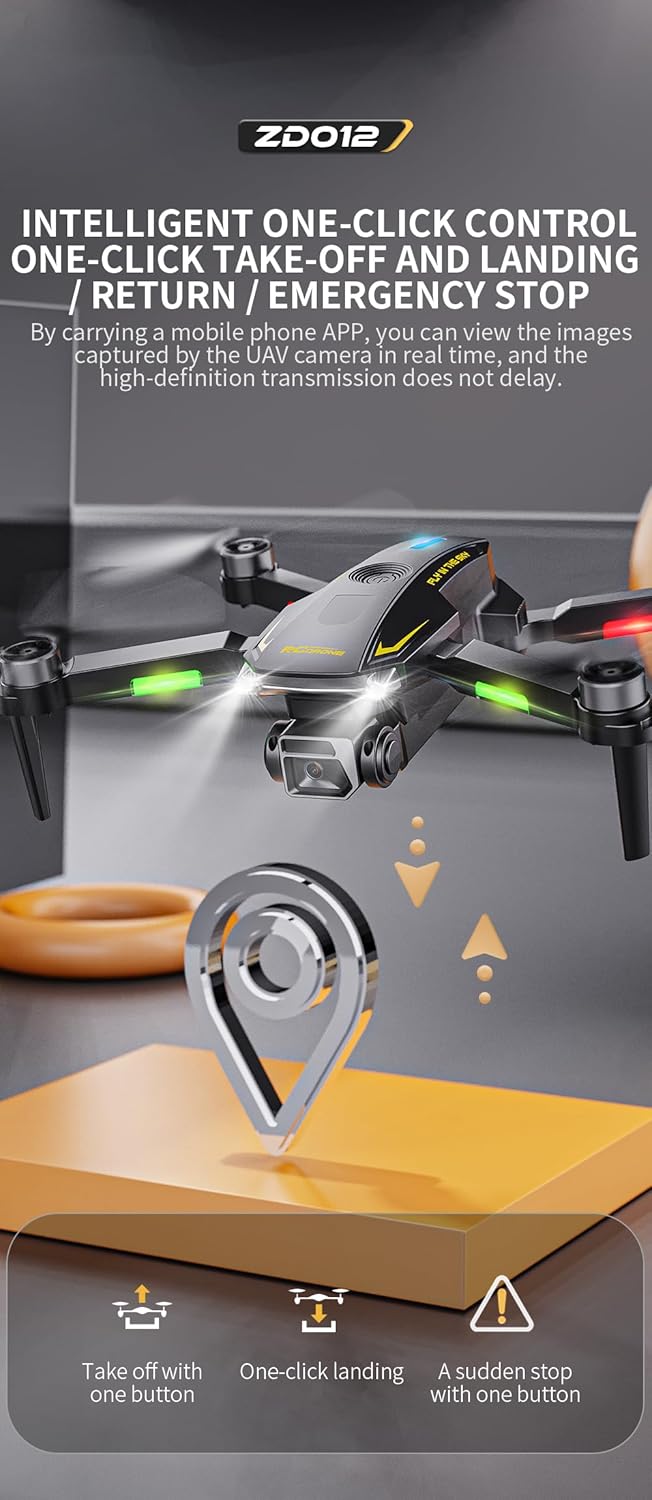
Image: Visual representation of the ZD012 drone's intelligent one-click controls for takeoff, landing, return, and emergency stop functions.
6.10. Camera Operation
The ZD012 features a dual camera system with up to 8K HD video capture. The camera angle can be adjusted by 90 degrees via the remote control or app. Use the app to take photos and record videos, which are transmitted in real-time to your mobile device.
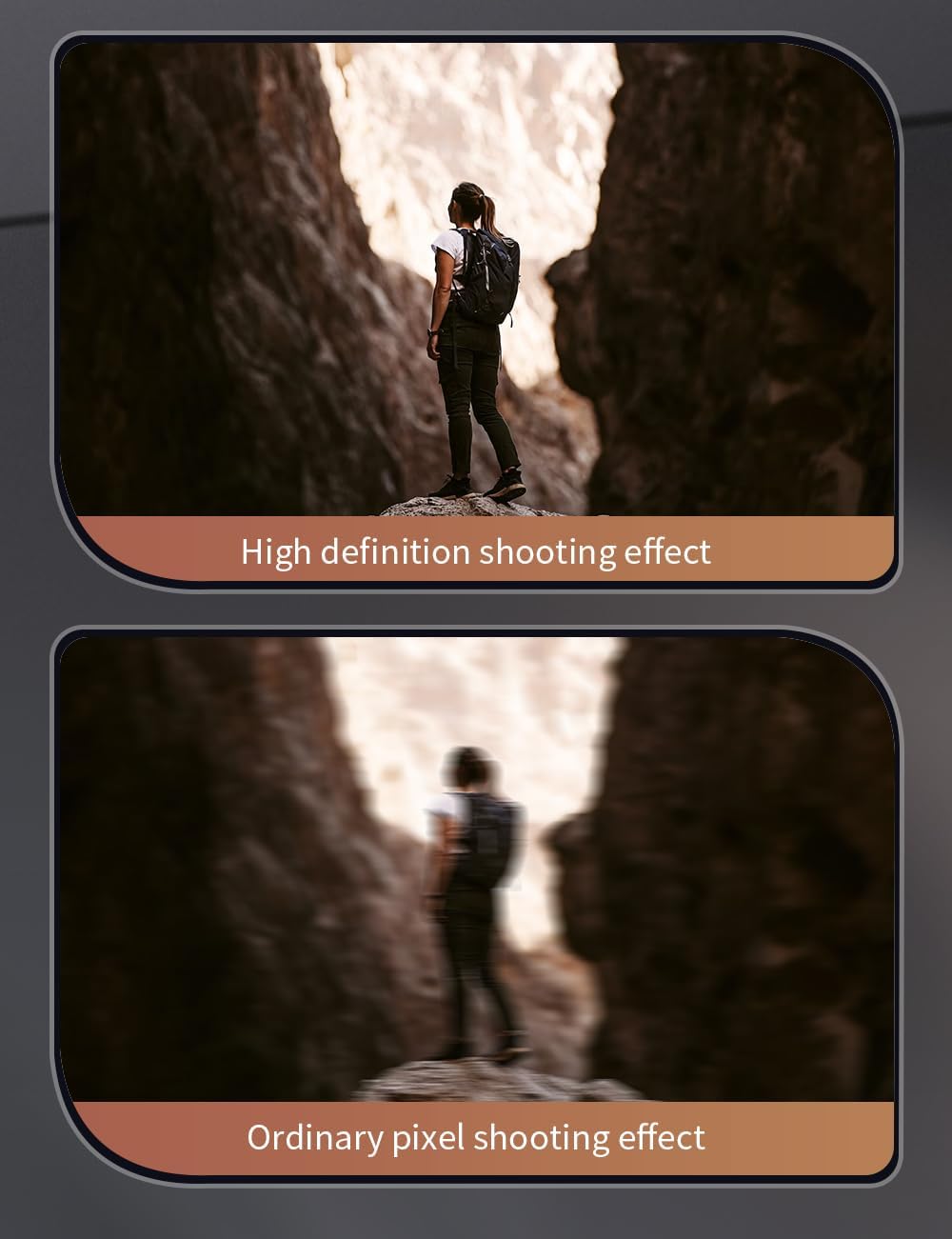
Image: Comparison showing the high-definition shooting effect of the ZD012 drone's camera versus an ordinary pixel shooting effect.
6.11. Speed Switching
The drone offers 3 flight speed levels. You can switch between these speeds using the dedicated button on the remote control to match your skill level and flying environment.
7. Maintenance
7.1. Cleaning
Wipe the drone and remote control with a soft, dry cloth after each use. Avoid using harsh chemicals or solvents.
7.2. Propeller Replacement
If a propeller is damaged, replace it immediately with a spare propeller from the package. Ensure the new propeller is correctly oriented (A or B) and securely fastened.
7.3. Battery Care
Store drone batteries at a partial charge (around 50%) if not used for extended periods. Avoid fully discharging or overcharging the batteries. Remove batteries from the remote control when not in use.
8. Troubleshooting
If you encounter issues, refer to the following common problems and solutions:
| Problem | Possible Cause | Solution |
|---|---|---|
| Drone does not power on | Low or uncharged battery; loose connection | Charge drone battery fully; ensure battery is securely connected. |
| Drone not pairing with remote | Incorrect pairing sequence; remote batteries low | Repeat pairing steps carefully; replace remote control batteries. |
| Unstable flight or drifting | Gyroscope not calibrated; damaged propellers; strong wind | Perform gyroscope calibration (refer to app/remote instructions); replace damaged propellers; avoid flying in windy conditions. |
| Poor or no FPV camera feed | Weak Wi-Fi connection; app issue | Ensure strong Wi-Fi connection between phone and drone; restart app and drone. |
| Short flight time | Battery not fully charged; battery degradation; cold weather | Ensure battery is fully charged; consider replacing old batteries; flight time may be reduced in cold temperatures. |
9. Specifications
Detailed technical specifications for the ZD012 drone:
| Feature | Detail |
|---|---|
| Product Model | ZD012 |
| Material | Engineering Plastic, Metal, Electronic Components |
| Color Options | Black, Red, Blue |
| Frequency | 2.4 GHz |
| Channels | 4 Channels |
| Gyroscope | 6-axis |
| Motor | 1403 2500 KV Brushless Motor |
| ESC | 25A |
| Drone Battery | 3.7V 1000mAh LiPo (Included) |
| Flight Time | Approx. 15 minutes |
| Charging Time | Approx. 120 minutes |
| Remote Control Mode | Mode 2 (Left-hand throttle) |
| Remote Control Battery | 3x AA Batteries (Not Included) |
| Remote Control Distance | 300-500 meters |
| FPV Transmission | 2.4G WiFi |
| FPV Distance | Approx. 500 meters (unobstructed) |
| Camera | Dual Camera, 8K HD Video Capture, 90-degree Adjustable Angle |
| Folded Dimensions | 130 x 70 x 55 mm |
| Unfolded Dimensions | 230 x 230 x 55 mm |
| Take-off Weight | 158 grams |
| Special Features | Foldable, Lightweight, GPS, Optical Flow Positioning, Headless Mode, Follow Me, Waypoint Flight, Circle Flight, One-Key Return, 3-Level Speed. |

Image: A clear display of the ZD012 drone's key parameters and specifications for quick reference.
10. Warranty and Support
For warranty information or technical support, please refer to the product packaging or contact the retailer/manufacturer directly. Keep your purchase receipt as proof of purchase.


