
Vremi VRM012001N-RB
Vremi VRM012001N-RB 22 Pint Dehumidifier User Manual
Introduction
This manual provides essential instructions for the safe operation, installation, maintenance, and troubleshooting of your Vremi VRM012001N-RB 22 Pint Dehumidifier. Please read this manual thoroughly before using the appliance and retain it for future reference. This dehumidifier is designed to remove excess moisture from the air, improving comfort and preventing issues related to high humidity in spaces up to 1500 square feet.
Safety Instructions
- Ensure the power supply matches the voltage specified on the unit's rating label (110 Volts).
- Always plug the unit into a grounded electrical outlet. Do not use extension cords or adapter plugs.
- Do not operate the dehumidifier if the power cord or plug is damaged.
- Keep the unit upright during transport and operation to prevent refrigerant leakage.
- Do not block the air inlet or outlet. Maintain at least 8 inches (20 cm) of clearance around the unit.
- Unplug the unit before cleaning or performing any maintenance.
- Do not use the appliance in areas where flammable gases or liquids are present.
- This appliance is not intended for use by persons with reduced physical, sensory, or mental capabilities, or lack of experience and knowledge, unless they have been given supervision or instruction.
Product Overview
Familiarize yourself with the components of your Vremi dehumidifier.

Image: Front view of the Vremi VRM012001N-RB Dehumidifier, showing the main unit and the removable water tank with a visible water level indicator.

Image: Close-up of the Vremi VRM012001N-RB Dehumidifier's control panel, highlighting icons for Filter, Comfort, Continuous, Turbo, and Timer functions.
Setup
1. Unpacking
- Carefully remove the dehumidifier from its packaging.
- Remove all packing materials, including any tape or protective films.
- Check for any damage during transit. If the unit is damaged, do not operate it and contact customer support.
2. Placement
Place the dehumidifier on a flat, level surface in a room where the humidity is highest. Ensure proper air circulation around the unit.
- Maintain at least 8 inches (20 cm) of space from walls or furniture to allow for adequate airflow.
- Do not place the unit near heat sources or in direct sunlight.
- Ensure the room temperature is within the operating range (above 41°F / 5°C and below 95°F / 35°C).
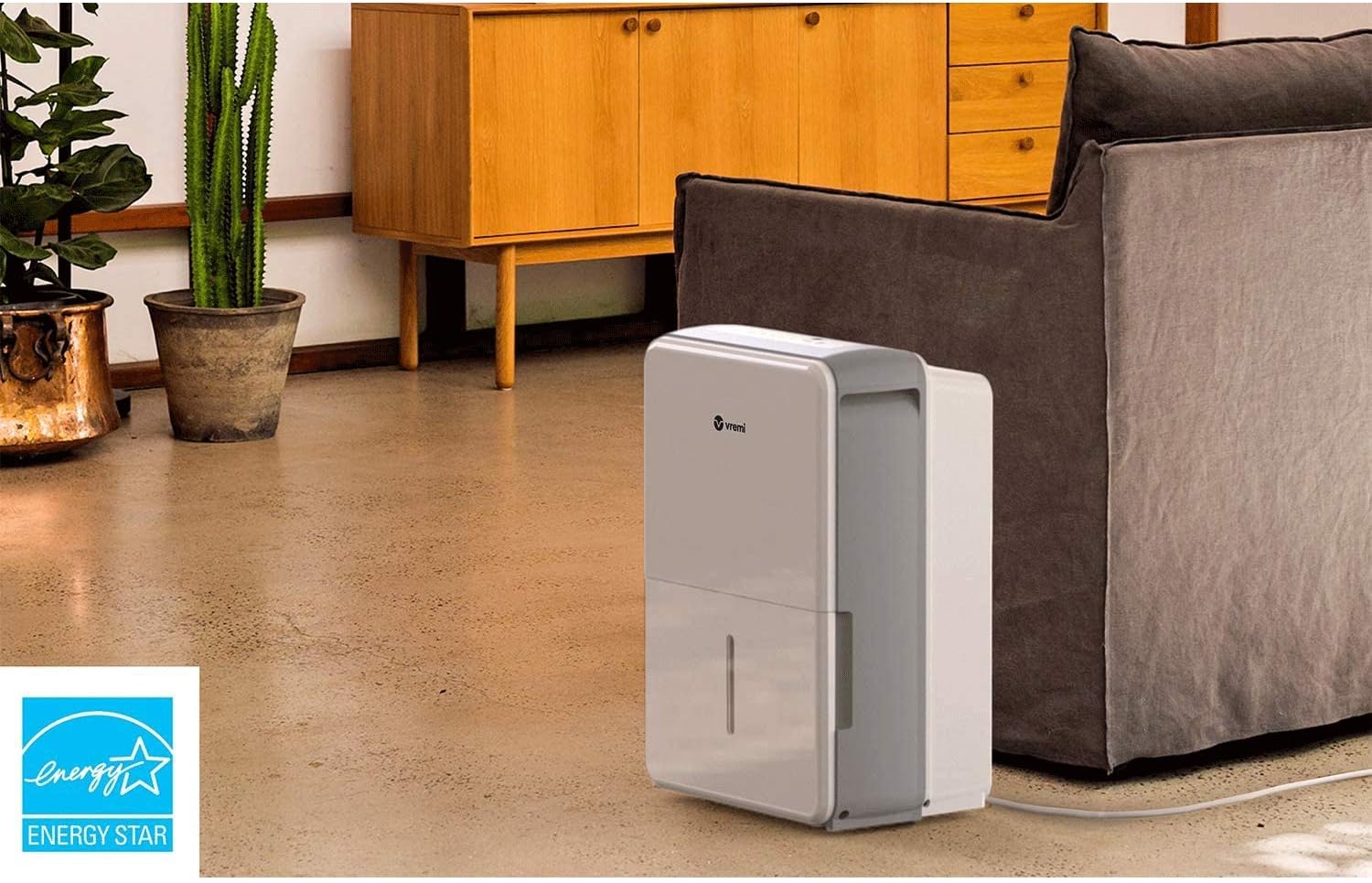
Image: The Vremi VRM012001N-RB Dehumidifier positioned in a living room setting, demonstrating appropriate placement away from furniture.
3. Power Connection
Plug the grounded power cord into a suitable 110-volt grounded electrical outlet.
4. Continuous Drainage (Optional)
For continuous operation without emptying the water tank, you can set up continuous drainage.
- Locate the continuous drainage port on the back of the unit.
- Remove the cap from the drainage port.
- Attach a standard garden hose (not included) to the drainage port. Ensure the connection is secure to prevent leaks.
- Direct the other end of the hose to a floor drain or a suitable container, ensuring the hose is sloped downwards for gravity drainage.

Image: Close-up of the Vremi VRM012001N-RB Dehumidifier's continuous drainage port, showing the threaded connection for a garden hose.
Operating Instructions
1. Control Panel
The control panel features various buttons and indicators for managing the dehumidifier's functions.
- Power Button: Turns the unit on or off.
- Humidity Setting Buttons: Adjust the desired humidity level (typically 30% to 80% relative humidity).
- Mode Button: Cycles through different operating modes (e.g., Comfort, Continuous, Turbo).
- Timer Button: Sets the auto-on or auto-off timer.
- Fan Speed Button: Adjusts the fan speed (High/Low).
- Filter Indicator: Illuminates when the filter needs cleaning.
- Full Tank Indicator: Illuminates when the water tank is full and the unit automatically shuts off.
2. Setting Desired Humidity
- Press the Power button to turn on the unit.
- Use the Humidity Setting buttons to select your desired humidity level. The unit will operate until the room's humidity reaches this level, then cycle on and off to maintain it.
- A recommended humidity level for comfort is between 45% and 55%.
3. Operating Modes
- Comfort Mode: The unit automatically adjusts the humidity level to maintain a comfortable environment.
- Continuous Mode: The unit runs continuously regardless of the humidity level. This is useful for very damp conditions or for continuous drainage.
- Turbo Mode: The fan operates at its highest speed for maximum moisture removal.
4. Timer Function
The timer allows you to set a specific time for the unit to turn on or off.
- Auto-Off: With the unit running, press the Timer button and use the humidity buttons to set the desired number of hours (1-24) until the unit turns off.
- Auto-On: With the unit off, press the Timer button and use the humidity buttons to set the desired number of hours (1-24) until the unit turns on.
5. Automatic Defrost
The dehumidifier features an automatic defrost function. If frost builds up on the evaporator coils, the unit will automatically enter defrost mode, indicated by a specific light or display. During this time, the compressor will turn off, and the fan will continue to run to melt the frost. Operation will resume automatically once defrosting is complete.
6. Automatic Shutoff and Memory Feature
- Automatic Shutoff: The unit will automatically turn off when the water tank is full or when the desired humidity level is reached.
- Memory Feature: In case of a power outage, the unit will automatically restart with the last settings once power is restored.
Maintenance
Regular maintenance ensures optimal performance and longevity of your dehumidifier.
1. Cleaning the Air Filter
The removable and washable filter should be cleaned every two weeks or when the 'Filter' indicator light illuminates.
- Unplug the dehumidifier from the power outlet.
- Locate the filter access panel, typically on the back or side of the unit.
- Remove the filter by gently pulling it out.
- Wash the filter with warm, soapy water. Rinse thoroughly and allow it to air dry completely before reinserting.
- Once the filter is dry, slide it back into its slot.

Image: Close-up of the Vremi VRM012001N-RB Dehumidifier, showing the removable air filter cover on the side of the unit.
2. Emptying the Water Tank
When the water tank is full, the unit will automatically shut off, and the 'Full Tank' indicator will light up.
- Gently pull out the water tank from the front of the unit.
- Carefully carry the tank to a sink or drain and empty the collected water.
- Rinse the tank with clean water periodically to prevent mold or mildew growth.
- Reinsert the empty water tank firmly into the unit. The unit will resume operation automatically.
3. Cleaning the Unit Exterior
- Wipe the exterior of the dehumidifier with a soft, damp cloth.
- Do not use harsh chemicals, abrasive cleaners, or solvents, as these can damage the surface.
4. Storage
If storing the unit for an extended period:
- Unplug the unit and empty the water tank completely.
- Clean the air filter and ensure it is dry.
- Allow the unit to dry for at least 24 hours in a well-ventilated area before storing.
- Store the dehumidifier in an upright position in a cool, dry place, away from direct sunlight and extreme temperatures.
Troubleshooting
| Problem | Possible Cause | Solution |
|---|---|---|
| Dehumidifier does not turn on. | No power; Water tank full or incorrectly inserted; Temperature too low. | Check power cord connection and outlet; Empty and reinsert water tank correctly; Ensure room temperature is above 41°F (5°C). |
| No water collected or insufficient dehumidification. | Air filter clogged; Humidity setting too high; Room temperature too low; Unit size too small for space; Doors/windows open. | Clean the air filter; Lower the desired humidity setting; Ensure room temperature is adequate; Close all doors and windows. |
| Unit is noisy. | Unit not on a level surface; Air filter clogged; Fan obstruction. | Place unit on a flat, stable surface; Clean the air filter; Check for any obstructions around the fan. |
| Frost on coils. | Room temperature too low. | This is normal in low temperatures; the unit will automatically defrost. If persistent, increase room temperature. |
| Water leaks from the unit. | Water tank not inserted correctly; Continuous drainage hose loose or clogged. | Reinsert water tank firmly; Check continuous drainage hose connection and ensure it is not blocked or kinked. |
Specifications
| Feature | Specification |
|---|---|
| Model Number | VRM012001N-RB |
| Dehumidification Capacity | 22 Pints (per day) |
| Coverage Area | Up to 1500 Square Feet |
| Water Tank Capacity | 3 Liters |
| Voltage | 110 Volts |
| Wattage | 25 watts |
| Item Weight | 33.1 Pounds |
| Material | Plastic |
| Operating Temperature Range | 41°F - 95°F (5°C - 35°C) |
| Special Features | Automatic Defrost, Automatic Shutoff, Memory Feature, Quiet, Efficient & Portable, Removable Washable Filter, Visible Water Level & Removable Water Tank |
| UPC | 860009468405 |

Image: Diagram showing the dimensions of the Vremi VRM012001N-RB Dehumidifier: 19.9 inches (height), 16.1 inches (depth), and 10.4 inches (width).
Warranty and Support
Warranty Information
This Vremi VRM012001N-RB Dehumidifier comes with a 90 days limited warranty from the date of purchase. This warranty covers defects in materials and workmanship under normal use. It does not cover damage resulting from misuse, accident, alteration, or unauthorized repair.
Customer Support
For technical assistance, warranty claims, or any questions regarding your Vremi dehumidifier, please refer to the contact information provided with your purchase documentation or visit the official Vremi website for support resources.
Ask a question about this manual
Ask about setup, troubleshooting, compatibility, parts, safety, or missing instructions. Manuals+ will review the question and use this page’s manual context to help answer it.