
1. Product Overview
This manual provides essential information for the safe and effective use of your PowerHOOD 19V AC/DC Adapter, Model J652-1206000UX. This adapter is designed to provide reliable power to compatible electronic devices, specifically BESTISAN soundbars.

Figure 1: PowerHOOD 19V AC/DC Adapter with its power cord.
The adapter features a compact design and is equipped with multiple safety protections to ensure stable and secure power delivery.
2. Safety Information
Please read and understand all safety instructions before using this product. Failure to follow these instructions may result in electric shock, fire, or damage to the product or connected devices.
- Input Voltage: Ensure the adapter is connected to a power outlet within the specified input voltage range of 100-240V AC.
- Compatibility: Only use this adapter with devices that require a 19V DC input and have a compatible barrel connector. Refer to your device's specifications.
- Environment: Do not expose the adapter to water, moisture, high temperatures, or direct sunlight. Use in a well-ventilated area.
- Damage: Do not use the adapter if the cord or plug is damaged. Do not attempt to open or repair the adapter. Contact support if damaged.
- Overload: Do not overload the power outlet.
This adapter incorporates the following safety features:
- Short Circuit Protection
- Over Temperature Protection
- Over Voltage Protection
- Over Current Protection
- Over Load Protection
- Over Charge Protection

Figure 2: Visual representation of the adapter's built-in safety protections.
3. Setup Instructions
Follow these steps to connect your PowerHOOD 19V AC/DC Adapter to your compatible device:
- Verify Compatibility: Confirm that your device requires a 19V DC power input and has a compatible barrel connector. Refer to your device's user manual or power input specifications.
- Connect to Device: Insert the barrel connector of the PowerHOOD adapter into the DC input port of your device. Ensure a firm and secure connection.
- Connect to Power Outlet: Plug the AC plug of the PowerHOOD adapter into a standard wall power outlet (100-240V AC).
- Power On Device: Once connected, you may power on your device according to its specific instructions.
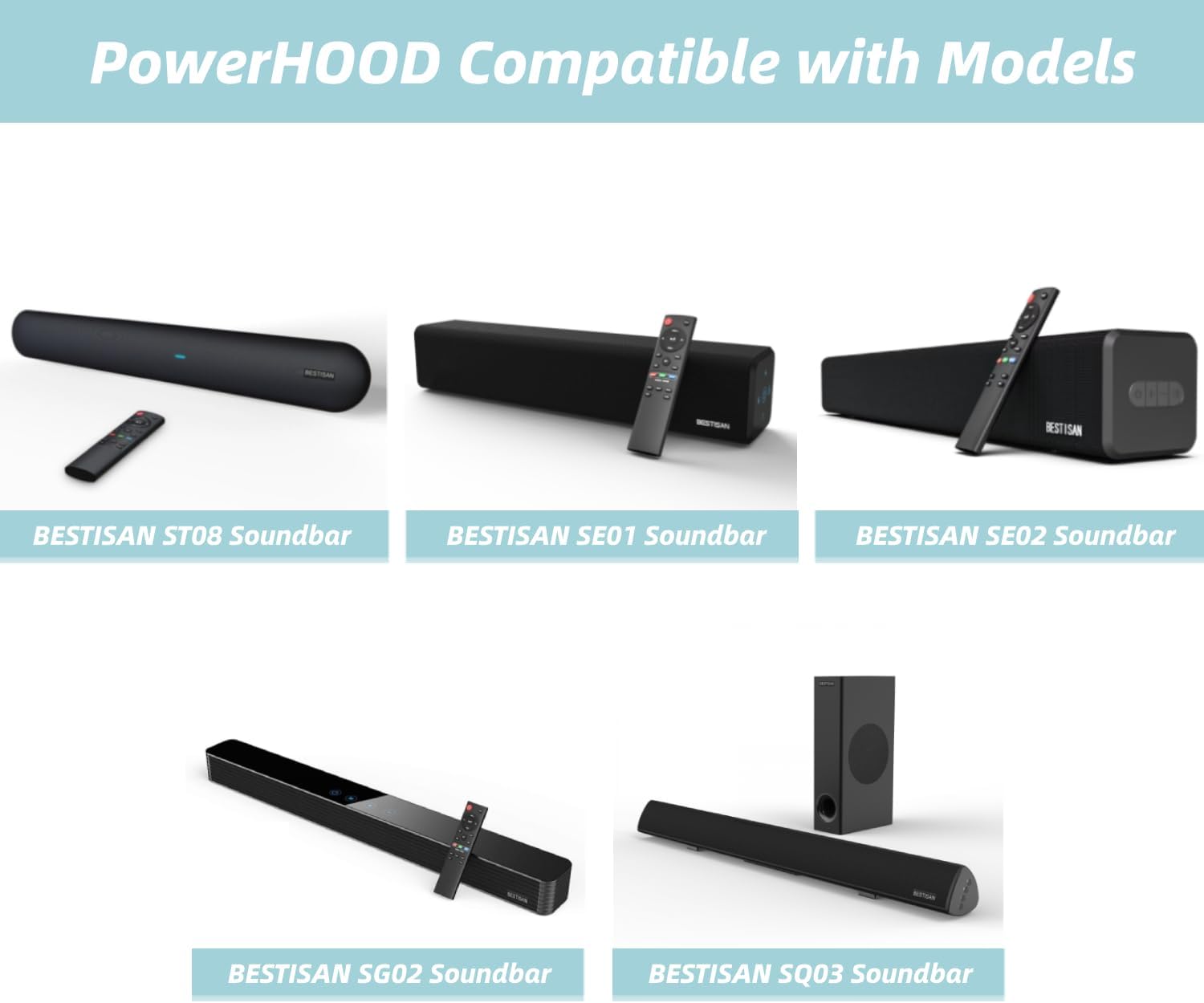
Figure 3: The adapter's output cable and barrel connector for device connection.
4. Operating Instructions
The PowerHOOD 19V AC/DC Adapter operates automatically once connected to a power source and a compatible device. It provides a constant 19V DC output to power or charge your device.
- Ensure the adapter is always connected securely.
- Disconnect the adapter from the power outlet when not in use for extended periods.
- Avoid bending or crimping the power cord excessively.
4.1 Compatible BESTISAN Soundbar Models
This adapter is compatible with various BESTISAN soundbar models, including but not limited to:
- BESTISAN S7020P
- BESTISAN S7020E
- BESTISAN HB40-1901894SPA
- BESTISAN S7021B
- BESTISAN 6520C
- BESTISAN S6520
- BESTISAN S6520C
- BESTISAN S8520
- BESTISAN S9920
- BESTISAN ST08
- BESTISAN ST08C
- BESTISAN TP06-190189W
- BESTISAN ST09
- BESTISAN SE01
- BESTISAN SE02
- BESTISAN SG02
- BESTISAN SG08
- BESTISAN SQ03
- BESTISAN SD08

Figure 4: Examples of compatible BESTISAN soundbar models.
5. Maintenance
To ensure the longevity and proper functioning of your PowerHOOD AC/DC Adapter, follow these simple maintenance guidelines:
- Cleaning: Disconnect the adapter from the power outlet and device before cleaning. Use a soft, dry cloth to wipe the exterior. Do not use liquid cleaners or solvents.
- Storage: Store the adapter in a cool, dry place away from direct sunlight and extreme temperatures when not in use.
- Cable Care: Avoid sharp bends, twists, or kinks in the power cord. Do not place heavy objects on the cord.
- Inspection: Periodically inspect the adapter and cable for any signs of damage, such as cuts, fraying, or exposed wires. If damage is found, discontinue use immediately.
6. Troubleshooting
If you encounter issues with your PowerHOOD 19V AC/DC Adapter, refer to the following troubleshooting steps:
| Problem | Possible Cause | Solution |
|---|---|---|
| Device not powering on/charging |
|
|
| Adapter feels excessively hot |
|
|
| Intermittent power supply |
|
|
7. Specifications
Detailed technical specifications for the PowerHOOD 19V AC/DC Adapter:
| Feature | Specification |
|---|---|
| Model Number | J652-1206000UX |
| Input Voltage | 100-240V AC |
| Input Frequency | 50-60Hz |
| Output Voltage | 19V DC |
| Output Current | 1.89 Amps (Max) |
| Wattage | 35.91 Watts |
| Connector Type | Barrel Connector |
| Item Weight | 4 ounces |
| Included Components | 1 x AC Adapter |
8. Warranty and Support
For warranty information or technical support, please refer to the contact details provided with your purchase or visit the official PowerHOOD website. Keep your purchase receipt as proof of purchase for warranty claims.