Introduction
This manual provides essential information for the proper setup, operation, and maintenance of your AISITESY 21.5-inch Digital LCD Optical Vision Tester, Model 215B. Please read these instructions carefully before use to ensure optimal performance and safety.
Product Overview
The AISITESY 21.5-inch Digital LCD Optical Vision Tester is designed for comprehensive visual acuity assessment. It features a high-resolution display and a wide range of test charts to facilitate accurate eye examinations.
- Extensive Chart Library: Includes over 44 visual icons such as E-letters, Arabic numerals, and children's visual targets for measuring visual acuity. It also features red and green visual targets, cellular visual targets, astigmatism detection, color blindness detection, and amblyopia training.
- High-Quality Display: Equipped with a 21.5-inch LCD display with a dot pitch of 0.282 mm, ensuring clear and high-quality images for easy identification of symbols.
- Adjustable Measuring Distance: The device supports a working distance from 1 meter to 6.5 meters, making it suitable for various room sizes. The image size adjusts with the measuring distance, with a highest precision of 0.1m.
- Versatile Recording Methods: Supports both decimal and imperial fraction recording methods.

Figure 1: Remote control operation with an E-chart displayed on the vision tester.

Figure 2: A child being tested with the digital eye chart, showing the versatility for different patient demographics.
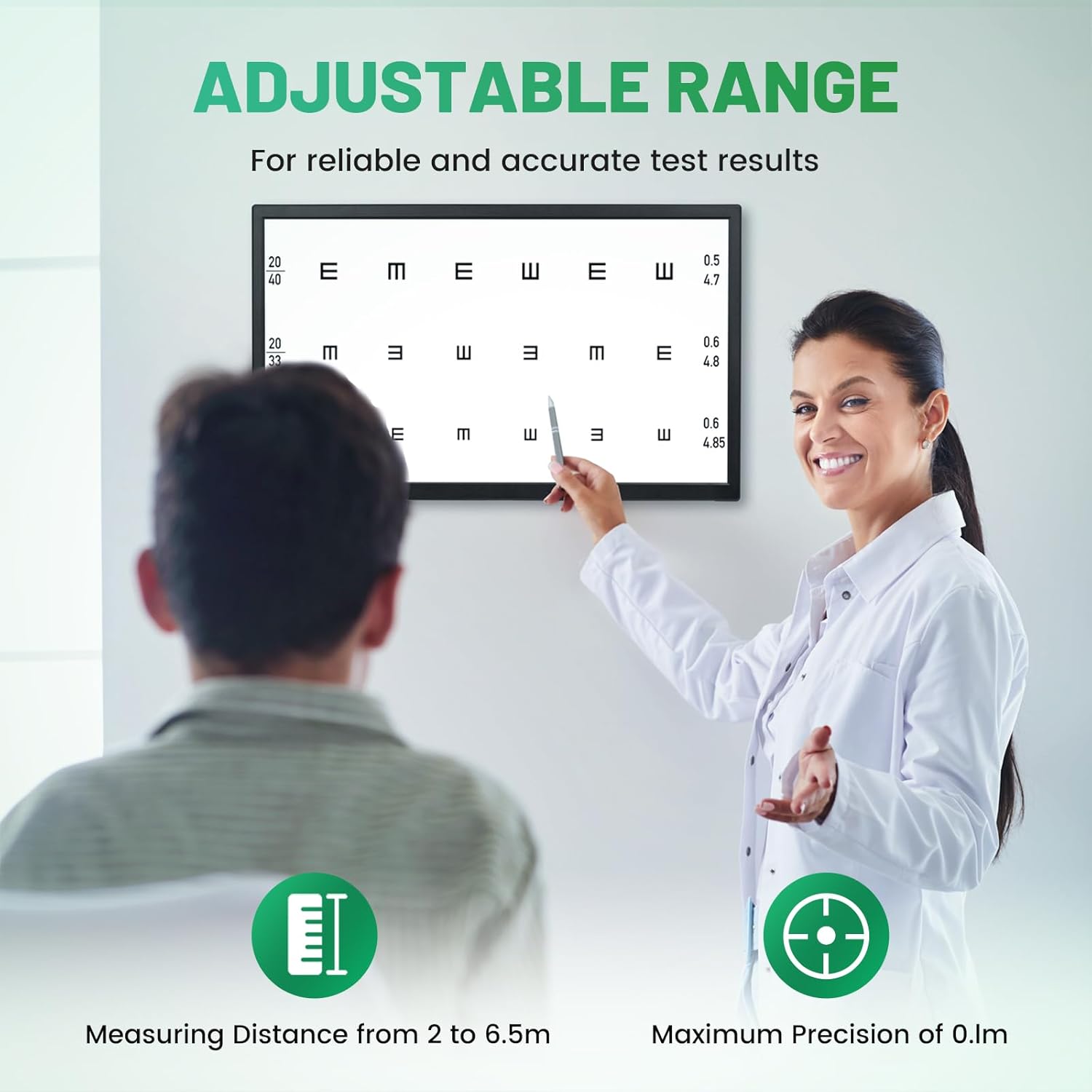
Figure 3: An optometrist demonstrating the adjustable range feature of the digital vision tester.
Setup and Installation
The vision tester offers flexible installation options to suit your clinical environment.
- Desktop Support: Use the included desktop stand for placement on a flat surface.
- Wall Mounting: Utilize the wall mounting options for a space-saving setup.
Flat Seat Installation

Figure 4: Visual guide for flat seat installation.
- Open the package and take out the host and base. Keep the rest of the accessories properly for future use.
- Push off the anti-dropping pin at the bottom of the base.
- Insert the base coupling plate into the corresponding hole of the base.
- Lock the anti-dropping pin at the bottom of the base.
- Place the machine in a suitable location and connect it to the power source.
Wall-Mounted Installation

Figure 5: Visual guide for wall-mounted installation.
- Open the package, take out the main unit, wall-mounting kit, and expansion screws. Properly preserve the remaining spare parts for use when needed in the future.
- Unscrew the forehead leg guard strap and remove the screw cap.
- Fix the wall-mounted siding firmly on the solid wall.
- Align the hanging groove of the hanging panel with the hanging panel groove, fasten the machine tightly, and connect the power supply.
Operating Instructions
The vision tester is operated via a remote control, offering various display modes and test functions.
Remote Control Functions
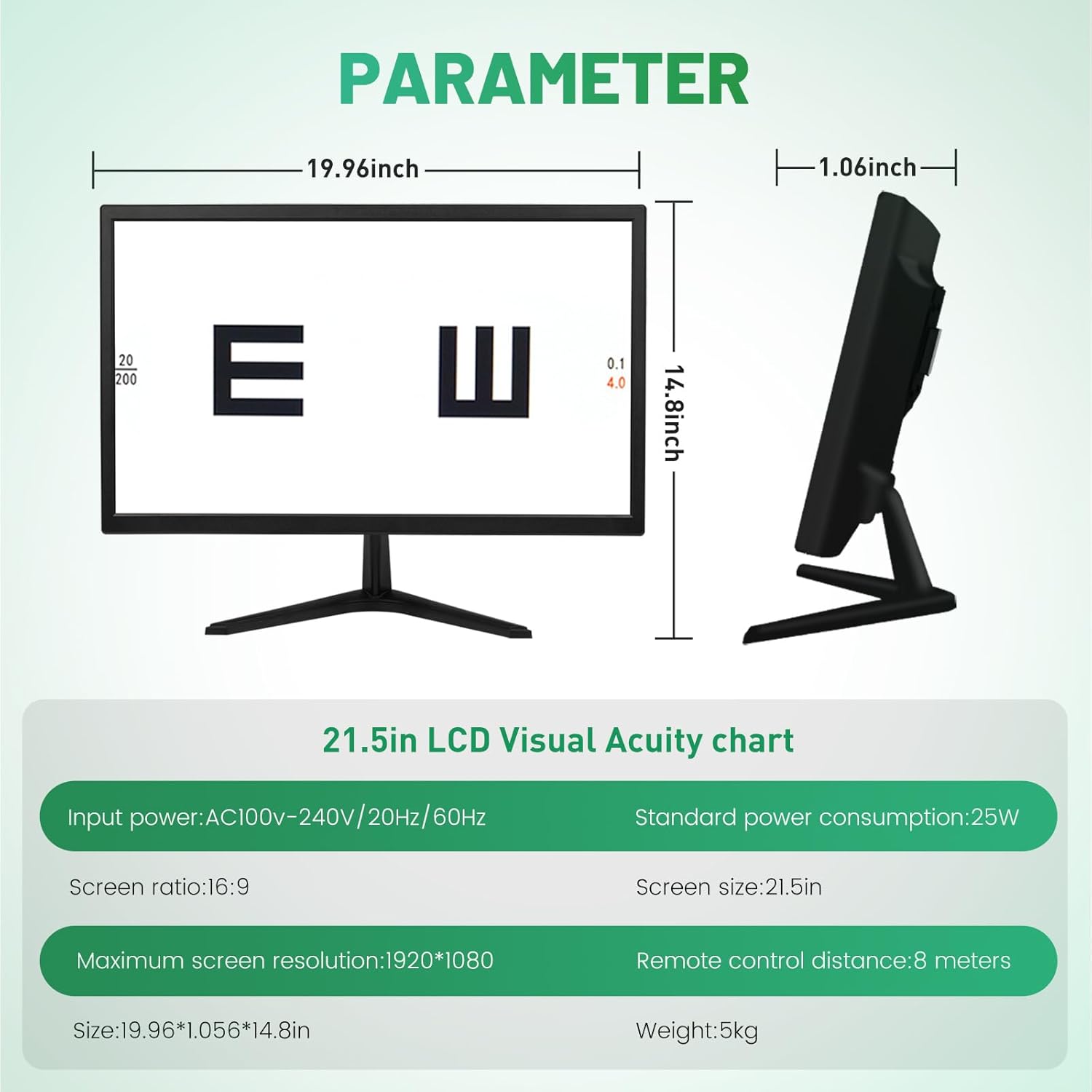
Figure 6: Remote control layout with labeled functions. The remote can work within 8 meters.
Display Modes
The device supports five primary display methods, adjustable via the remote control:
- Single Display: Shows one chart at a time.
- Full-Screen Display: Maximizes the chart on the entire screen.
- Red and Green Display: Utilizes red and green backgrounds for specific tests.
- List Display: Presents charts in a vertical list format.
- Row Display: Presents charts in a horizontal row format.

Figure 7: Examples of the five display methods available on the vision tester.
Demonstration Videos
Video 1: This video demonstrates the various test modes and charts available on the AISITESY LCD vision meter, including different letter types and visual acuity measurements.
Video 2: This video showcases the display capabilities of the AISITESY LCD vision meter, highlighting its clarity and range of visual tests.
Video 3: This video provides a comprehensive overview of the Huanyu Digital LCD Visual Acuity Chart, demonstrating its features and various test patterns for eye examinations.
Video 4: This video illustrates the functionality of the Huanyu Visual Acuity Chart, showing how different charts and tests are displayed and navigated.
Maintenance
To ensure the longevity and optimal performance of your vision tester, follow these general maintenance guidelines:
- Keep the device clean by wiping it with a soft, dry cloth. Avoid abrasive cleaners or solvents.
- Ensure proper ventilation around the unit to prevent overheating.
- Store the device in a cool, dry place away from direct sunlight and extreme temperatures.
- Regularly check all cable connections to ensure they are secure.
No specific maintenance instructions beyond general care are provided in the product information. For any technical issues or repairs, please refer to the 'Warranty and Support' section.
Troubleshooting
No specific troubleshooting steps are provided in the product information. If you encounter any issues with your AISITESY Digital LCD Optical Vision Tester, please contact customer service for assistance. Do not attempt to repair the machine yourself, as this may void your warranty.
Specifications
Detailed technical specifications for the AISITESY 21.5-inch Digital LCD Optical Vision Tester:

Figure 8: Dimensions and key technical parameters of the vision tester.
| Feature | Detail |
|---|---|
| Item Model Number | 215B |
| Display Size | 21.5 inches |
| Dot Pitch | 0.282 mm |
| Measuring Distance | 1 meter to 6.5 meters (adjustable) |
| Visual Icons | 44+ types (E-letter, Arabic numerals, children's targets, red/green, astigmatism, color blindness, amblyopia training) |
| Display Modes | 5 modes (Single, Full-screen, Red/Green, List, Row) |
| Remote Control Distance | Up to 8 meters |
| Input Power | AC100V-240V / 20Hz/60Hz |
| Standard Power Consumption | 25W |
| Screen Ratio | 16:9 |
| Maximum Screen Resolution | 1920*1080 |
| Size | 19.96 x 1.06 x 14.8 inches |
| Weight | 5 kg |
Warranty and Support
AISITESY provides professional service and support for its products.
- Product Technical Support: All equipment products include 1 year of product technical support.
- Replacement Parts: For non-man-made and non-consumable damaged parts, new parts will be resent for customers to replace.
- Customer Service: Customer service will reply to inquiries within 24 hours.
For any issues or support needs, please contact AISITESY customer service directly.


