
1. Introduction
Thank you for choosing the UGREEN Nexode Power Bank. This portable charger is designed to provide high-speed charging for a wide range of devices, featuring a large 20000mAh capacity, 145W total output, Qi2 certified 15W wireless charging, and a clear TFT display. Please read this manual carefully before use to ensure proper operation and safety.
2. Product Overview
2.1 Key Features
- Super Fast Charging: Up to 145W total power output, capable of charging a MacBook Pro 16" to 38% in 30 minutes via the C1 port.
- Wireless Charging & MagSafe: Supports 15W Qi2 certified wireless charging, compatible with MagSafe devices.
- Massive Capacity: 20000mAh (72Wh) capacity for extended device power.
- Intuitive TFT Display: Provides real-time information on battery levels, charging status, remaining time, input/output power, voltage, and current.
- Multiple Ports: Equipped with two USB-C ports (input/output) and one USB-A port (output) for versatile charging.
- Compact Design: Portable power-column design for easy transport.
- Advanced Safety: Features 13-layer safety protection and a Thermal Guard System to monitor temperature 200 times per second.
- Durable Battery: Automotive-grade 21700 Lithium-ion power cells designed for 1000 cycles at 80%+ capacity.
2.2 Product Diagram

Figure 2.1: Front view of the UGREEN Nexode Power Bank showing the TFT display, USB-C2, and USB-A ports.

Figure 2.2: Top view highlighting the Qi2 wireless charging pad.

Figure 2.3: The power bank's compact design for portability.
3. Package Contents
Ensure all items are present in the package:
- UGREEN Nexode Power Bank (Model: PB771)
- USB-C to USB-C Cable (x1)
- User Manual (this document)
4. Safety Information
To prevent damage, electric shock, injury, fire, or other hazards, please observe the following precautions:
- Do not disassemble, hit, crush, or throw the product into fire.
- Discontinue use immediately if the battery is severely swollen.
- Do not use in a high-temperature environment.
- Do not use if the product is immersed in water.
- Dispose of or recycle dead battery properly according to local laws and regulations.
- If the battery is swallowed, it can cause severe internal burns in just 2 hours and can lead to death. If you think battery might have been swallowed or placed inside any part of the body, seek immediate medical attention.
- Store this product in a dry place, at room temperature.
- Keep out of reach of children.

Figure 4.1: The power bank incorporates 13-layer safety protection for secure operation.
5. Setup & Charging the Power Bank
5.1 Initial Charge
Before first use, fully charge the power bank. Connect the included USB-C to USB-C cable to the USB-C1 or USB-C2 port on the power bank and to a compatible wall charger (not included). The TFT display will show the charging progress.

Figure 5.1: Recharging the power bank. It can be fully recharged in approximately 2 hours with a 65W input.
6. Operating Instructions
6.1 Wired Charging
Connect your device to one of the power bank's output ports (USB-C1, USB-C2, or USB-A) using an appropriate charging cable. The power bank will automatically begin charging your device. The TFT display will show the output power for each connected port.

Figure 6.1: Charging a laptop using the 100W USB-C output.

Figure 6.2: Single-port output capabilities (USB-C2: 45W, USB-A: 22.5W, USB-C1: 100W, Wireless: 15W).

Figure 6.3: Multi-port output configurations for simultaneous charging.
6.2 Wireless Charging (Qi2 / MagSafe)
To use wireless charging, ensure your device is Qi2 or MagSafe compatible. Place your device directly onto the wireless charging pad on top of the power bank. The magnetic alignment will secure MagSafe compatible devices. The TFT display will indicate wireless charging activity.
Figure 6.4: The 15W Qi2 wireless charging pad.
The wireless charging pad can be adjusted up to 65 degrees and rotated 360 degrees for optimal viewing angles while charging.
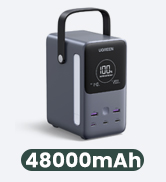
Figure 6.5: Adjustable viewing angle for the wireless charging pad.
6.3 TFT Smart Display
The integrated TFT display provides real-time feedback on the power bank's status. It shows:
- Remaining battery percentage.
- Estimated remaining charge time.
- Input/Output power for each port (C1, C2, A).
- Real-time voltage, current, and power curve.

Figure 6.6: Detailed information displayed on the TFT screen.
6.4 Trickle Charging Mode
For low-power devices such as earbuds or smartwatches, activate trickle charging mode to provide a safe and optimized charge. Refer to the display or product button for activation.

Figure 6.7: Trickle charging mode is ideal for small-current devices.
7. Specifications
| Feature | Detail |
|---|---|
| Model Number | PB771 |
| Battery Capacity | 20000mAh / 72Wh |
| Battery Type | Lithium Polymer (21700 Lithium-ion Power Cell) |
| Max Total Output | 145W |
| USB-C1 Input/Output | Up to 100W Max |
| USB-C2 Input/Output | Up to 45W Max |
| USB-A Output | Up to 22.5W Max |
| Wireless Charging Output | 15W (Qi2 Certified) |
| Display | TFT Digital Display |
| Product Dimensions | 7.09 x 3.94 x 3.15 inches |
| Item Weight | 1.22 pounds |
| Color | Space Gray |

Figure 7.1: The 20000mAh capacity provides multiple charges for common devices.

Figure 7.2: Automotive Grade 21700 Lithium-ion Power Cells ensure durability and longevity.
8. Maintenance
- Clean the power bank with a soft, dry cloth. Do not use liquid cleaners or aerosols.
- Avoid exposing the power bank to extreme temperatures, direct sunlight, or high humidity.
- Store the power bank in a cool, dry place when not in use for extended periods.
- Charge the power bank at least once every three months to maintain battery health.
9. Troubleshooting
9.1 Common Issues and Solutions
| Problem | Possible Cause | Solution |
|---|---|---|
| Power bank not charging | Cable issue, wall adapter issue, power bank depleted. | Try a different USB-C cable and wall adapter. Ensure the power bank is not completely drained. |
| Device not charging from power bank | Incorrect cable, device not compatible, power bank depleted, trickle charge mode active for high-power device. | Ensure correct cable is used. Check power bank battery level. Deactivate trickle charge mode if charging a high-power device. |
| Wireless charging not working | Device not Qi2/MagSafe compatible, misaligned, foreign object, power bank depleted. | Ensure device compatibility. Realign device on the charging pad. Remove any foreign objects (e.g., metal rings, credit cards). Check power bank battery level. |
| TFT display not turning on | Power bank depleted, display issue. | Charge the power bank. If the issue persists, contact customer support. |
10. Warranty and Support
UGREEN products come with a standard warranty. For detailed warranty information, product registration, or technical support, please visit the official UGREEN website or contact their customer service. Keep your purchase receipt as proof of purchase.
Official UGREEN Website: www.ugreen.com


