1. Introduction
Thank you for choosing the Motumen LED Desk Lamp. This manual provides essential information for the safe and efficient use of your new desk lamp. Please read it thoroughly before installation and operation, and retain it for future reference.
This dual-head LED desk lamp is designed to provide wide, eye-caring illumination for various tasks, including home office work, reading, and studying. It features adjustable color temperatures, brightness levels, a flexible gooseneck, and convenient control options.
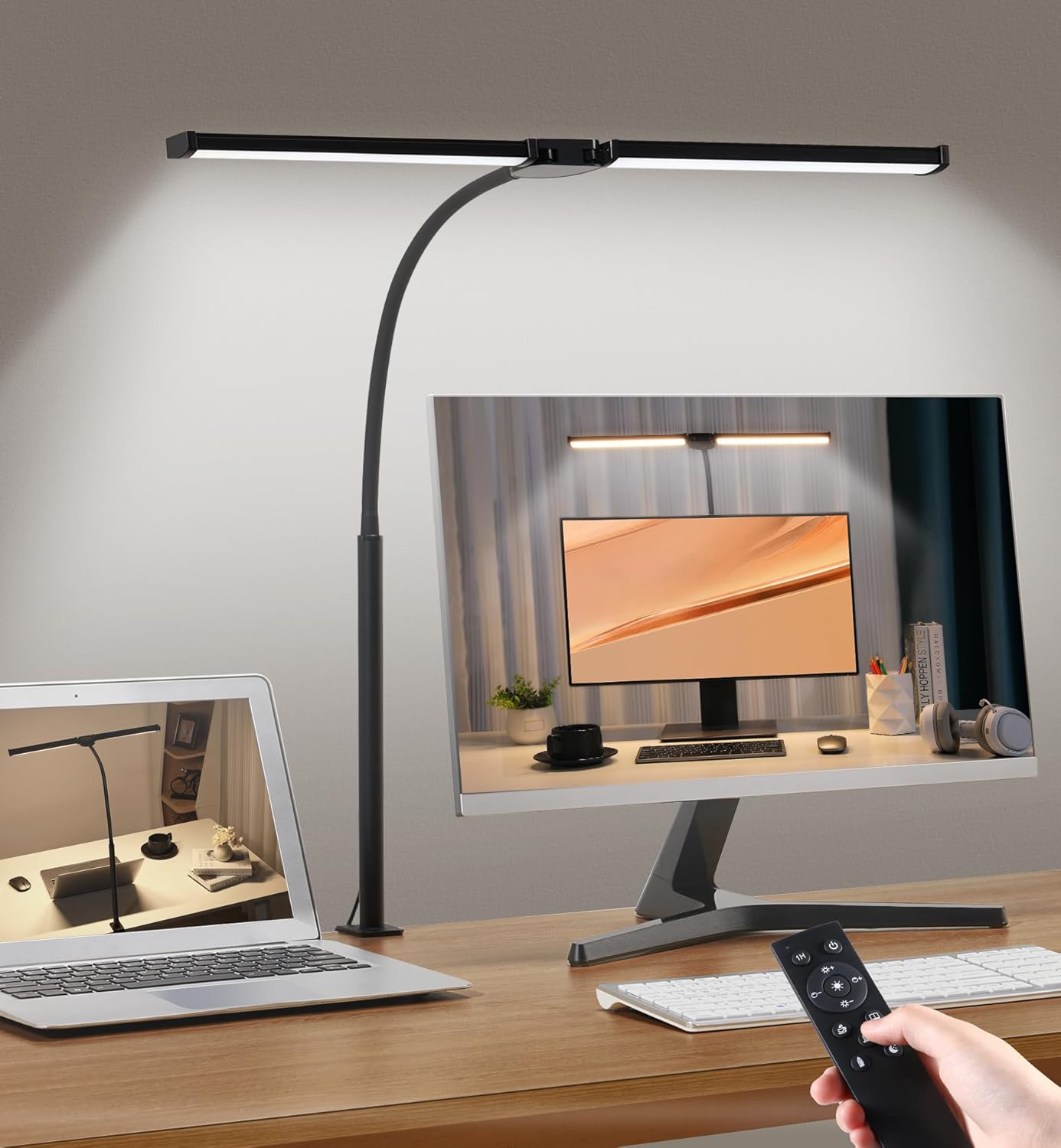
Key features include:
- Dual-Head Design: Provides a wider lighting range, reducing eye strain.
- Customizable Lighting: 5 color temperatures (3000K-6500K) and 5 brightness levels (20%-100%).
- Flexible Gooseneck: Allows precise light positioning.
- Remote & Button Control: Convenient adjustment of settings.
- Memory Function: Retains the last-used lighting setting.
- 1-Hour Timer: Automatic shut-off for convenience.
- Eye-Caring Technology: Soft, flicker-free, and glare-free illumination.
2. Package Contents
Please check the package for the following items:
- Double Head Desk Lamp
- Power Adapter
- Remote Control (2 AAA batteries included)
- User Manual (This document)
If any items are missing or damaged, please contact customer support.
3. Safety Instructions
- Ensure the power adapter voltage matches your local power supply before use.
- Do not disassemble or modify the lamp. This may cause damage or electric shock.
- Keep the lamp away from water or other liquids.
- Avoid direct eye exposure to the LED light for extended periods.
- Do not use the lamp in high-temperature or high-humidity environments.
- Unplug the power adapter before cleaning or when not in use for a long time.
- The clamp is suitable for desktops with a thickness of up to 2.3 inches (5.8 cm). Ensure the clamp is securely fastened.
4. Setup
4.1 Clamp Installation
- Identify a suitable location on your desk or table edge. The surface thickness should not exceed 2.3 inches (5.8 cm).
- Loosen the screw on the clamp base by turning it counter-clockwise.
- Slide the clamp onto the edge of your desk.
- Tighten the screw clockwise until the clamp is firmly secured to the desk. Ensure there is no wobbling.

4.2 Gooseneck and Light Bar Adjustment
The lamp features a flexible gooseneck and rotatable light bars for optimal positioning.
- Gently bend the gooseneck to adjust the height and angle of the light.
- The dual light bars can be rotated up to 180 degrees to direct light precisely where needed.

4.3 Power Connection
- Connect the power adapter cable to the lamp's power input port.
- Plug the power adapter into a standard electrical outlet.
4.4 Remote Control Battery Installation
The remote control requires 2 AAA batteries, which are included. Open the battery compartment on the back of the remote and insert the batteries, observing the correct polarity (+/-).
5. Operating Instructions
The lamp can be controlled using either the integrated buttons on the lamp or the provided remote control.
5.1 On-Lamp Button Controls
The lamp features a control panel with buttons for basic functions:
- Power Button: Turns the lamp On/Off.
- Brightness +/-: Adjusts the brightness level.
- Color Temperature (M) Button: Cycles through the 5 color temperature modes.
5.2 Remote Control Functions
The remote control offers comprehensive control over the lamp's features from a distance of up to 32.8 ft (10 m).


- ON/OFF Button: Powers the lamp on or off.
- Brightness + / -: Increases or decreases the brightness level (5 levels: 20%, 40%, 60%, 80%, 100%).
- Color Temperature Buttons:
- Turn to 3000K / 6500K: Direct selection of warm white (3000K) or cool white (6500K).
- Preset Buttons: Dedicated buttons for 3000K, 3800K, 4500K, 5500K, 6500K.
- 1H Timer Button: Activates a 1-hour timer, after which the lamp will automatically turn off.
- Brightest Button: Instantly sets the lamp to maximum brightness.

5.3 Memory Function
The lamp is equipped with a smart memory function. When the lamp is turned off and then back on, it will recall the last-used brightness and color temperature settings.
6. Maintenance
6.1 Cleaning
- Always unplug the lamp from the power outlet before cleaning.
- Use a soft, dry cloth to wipe the lamp's surface.
- Do not use abrasive cleaners, solvents, or harsh chemicals, as these may damage the finish.
6.2 Storage
If storing the lamp for an extended period, unplug it and store it in a cool, dry place away from direct sunlight and moisture.
7. Troubleshooting
| Problem | Possible Cause | Solution |
|---|---|---|
| Lamp does not turn on. | No power supply. | Check if the power adapter is securely plugged into both the lamp and the wall outlet. Test the outlet with another device. |
| Remote control is not working. | Dead batteries or obstruction. | Replace the AAA batteries in the remote control. Ensure there are no obstructions between the remote and the lamp's sensor. |
| Light flickers or is unstable. | Loose connection or power issue. | Ensure all power connections are secure. Try plugging the lamp into a different outlet. If the issue persists, contact customer support. |
| Clamp is not holding securely. | Desk too thick or clamp not tightened. | Verify that your desk thickness is within the 2.3-inch (5.8 cm) limit. Tighten the clamp screw firmly. |
8. Specifications
| Feature | Detail |
|---|---|
| Model Name | MTD2401B |
| Product Dimensions | 22"D x 4.5"W x 29.5"H (55.9 cm D x 11.4 cm W x 74.9 cm H) |
| Item Weight | 1.65 Pounds (0.75 kg) |
| Light Source Type | LED |
| Number of Light Sources | 2 (Dual Head) |
| Wattage | 14 watts |
| Brightness | 1200 Lumen |
| Color Temperature | 3000K-6500K (5 modes) |
| Brightness Levels | 5 levels (20%-100%) |
| Control Method | Remote Control, Push Button |
| Power Source | Corded Electric (Adapter included) |
| Voltage | 24 Volts (DC) |
| Material | Metal, Plastic |
| Finish Type | Painted |
| Max Clamp Thickness | 2.3 inches (5.8 cm) |
| Special Features | Dimmable, Remote Control, Eye Protection, 360° Gooseneck, Memory Function, No Flicker, No Glare, 5 Color Temperature Modes |
| Batteries for Remote | 2 AAA batteries (included) |
9. Warranty and Support
For warranty information or technical support, please refer to the product packaging or contact Motumen customer service directly. Keep your purchase receipt as proof of purchase.
For further assistance, please visit the official Motumen website or contact their support team through the contact information provided with your product.