
Decknest AL09
Decknest Digital Alarm Clock with Timer User Manual
Model: AL09
Introduction
Thank you for purchasing the Decknest Digital Alarm Clock with Timer. This versatile device is designed to enhance your time management and productivity, offering features such as a large LED display, countdown timer, dual alarms, and adjustable brightness. Please read this manual carefully to ensure proper use and maintenance of your new alarm clock.
Safety Information
- Do not expose the device to extreme temperatures, direct sunlight, or high humidity.
- Avoid dropping or subjecting the clock to strong impacts.
- Use only the provided power adapter and Type-C cable for charging.
- Keep out of reach of small children.
- Do not attempt to disassemble or repair the device yourself. Contact customer support if issues arise.
Package Contents
- Decknest Digital Alarm Clock
- Type-C USB Cable
- Power Adapter
- User Manual (this document)
Product Overview
Familiarize yourself with the components of your alarm clock.

Image: Front view of the Decknest Digital Alarm Clock, displaying the current time and a circular countdown timer.
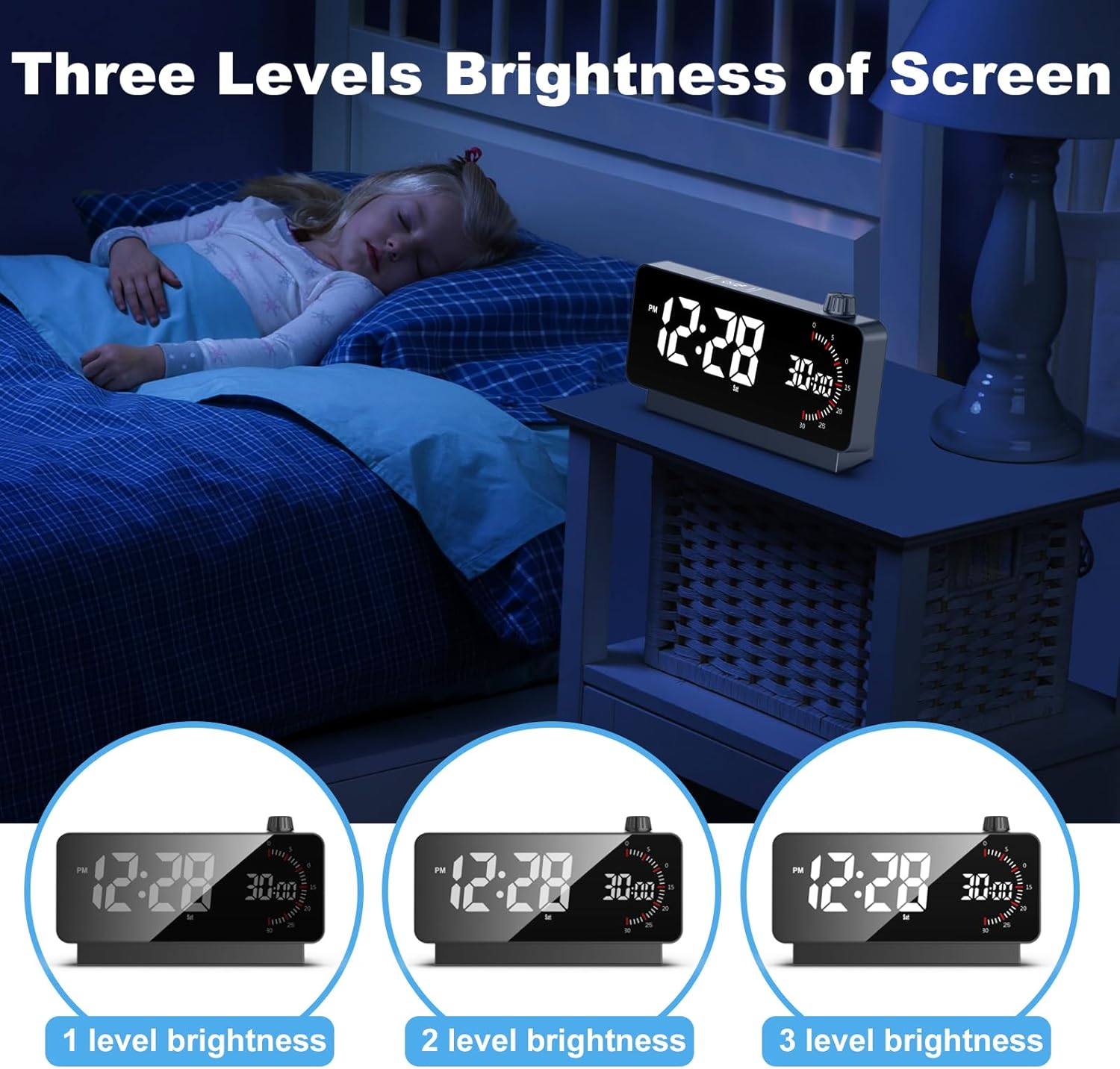
Image: The alarm clock in use, demonstrating its large LED screen display with clear, tall numbers, suitable for various settings.
The clock features a large 6.3-inch LED digital display with 2.1-inch tall numbers for easy readability. It includes a rotary knob for setting the timer and various buttons for alarm and setting adjustments.
Setup
1. Powering On
The alarm clock can be powered by its built-in rechargeable battery or continuously via the included power adapter and Type-C cable.

Image: Illustration showing the clock's behavior in Battery Operated Mode (screen dims after one minute without interaction, stays on when timer is active) versus Cord Mode (screen stays on continuously).
- Battery Operated Mode: The screen will turn off within one minute when not plugged in to conserve power. If the countdown timer is active, the screen will remain on.
- Cord Mode: Connect the Type-C cable to the clock and the power adapter to a wall outlet. The screen will remain on continuously when plugged in.
2. Initial Time and Date Setting
Upon first use or after a prolonged power loss, you may need to set the time and date. Refer to the 'Operating' section for detailed instructions on setting time, date, and 12/24H format.
3. Adjusting Brightness
The clock features 3 levels of adjustable brightness to suit your environment, especially for comfortable viewing at night.
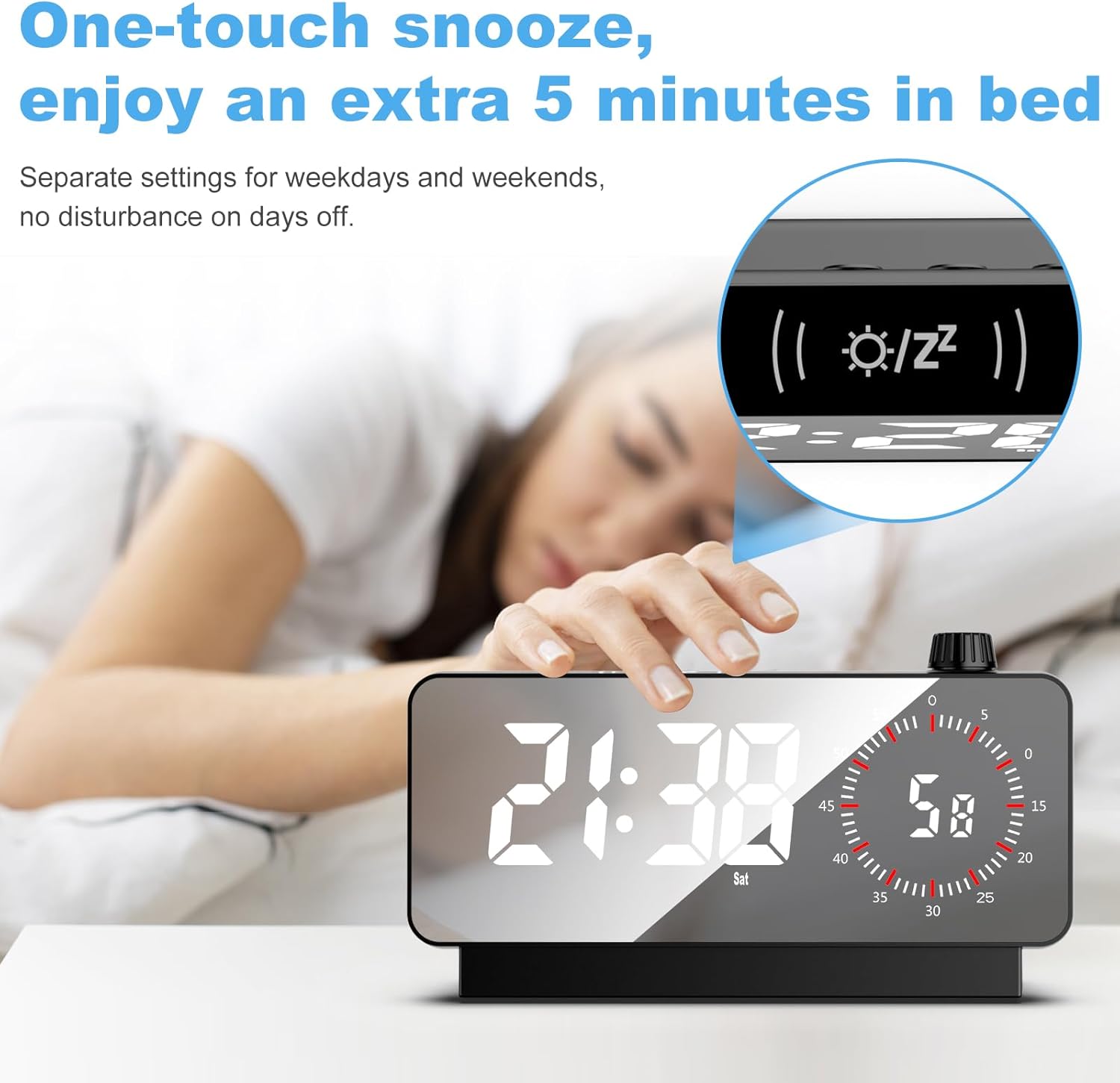
Image: Visual representation of the three adjustable brightness levels of the clock's display, from dimmest to brightest.
Press the dedicated brightness button (usually located on the top or back) to cycle through the brightness levels.
Operating
1. Setting Alarms
The clock supports setting two independent alarms. You can also set separate alarms for weekdays and weekends.
- Press the 'Alarm 1' or 'Alarm 2' button to enter alarm setting mode.
- Use the '+' and '-' buttons (or the rotary knob) to adjust the hour and minute.
- Press the alarm button again to confirm and move to the next setting (e.g., alarm sound, weekday/weekend setting).
- Ensure the alarm is activated (indicated by an alarm icon on the display).
2. Snooze Function
When the alarm sounds, you can activate the snooze function for an additional 5 minutes of sleep.

Image: A hand reaching to touch the top of the alarm clock, illustrating the one-touch snooze feature for an extra 5 minutes of rest.
- To snooze, simply touch any button on the clock when the alarm is ringing.
- The alarm will sound again after 5 minutes.
- To turn off the alarm completely, press and hold the alarm button or a specific 'Off' button if available.
3. Using the Timer (Countdown/Positive Timing)
The integrated timer is ideal for managing study sessions, cooking, exercise, or children's activities.

Image: The alarm clock displaying both the time and the 60-minute timer, with a child studying in the background, illustrating its use for timed activities.
- To start a countdown: Rotate the rotary knob to set the desired time (up to 60 minutes). The countdown will begin automatically.
- To stop/reset the timer: Press the rotary knob or a dedicated timer button.
- Positive Timing: The timer can also function as a stopwatch, counting upwards from zero. Refer to the specific button for this function (if available, often shared with countdown).
4. Temperature Display
The clock displays the ambient temperature. You can switch between Celsius (°C) and Fahrenheit (°F) by pressing the 'C/F' button.
5. 12/24H Format
To switch between 12-hour (with AM/PM indicator) and 24-hour time formats, press the '12/24H' button.
Maintenance
Cleaning
To clean the clock, gently wipe the surface with a soft, dry cloth. Do not use abrasive cleaners, solvents, or chemical sprays, as these may damage the finish or internal components.
Battery Care
The clock contains a rechargeable Lithium Polymer battery. To prolong battery life:
- Avoid fully discharging the battery frequently.
- Charge the clock regularly, especially if it will be stored for an extended period.
- Do not expose the battery to extreme heat.
Troubleshooting
| Problem | Possible Cause | Solution |
|---|---|---|
| Display is blank or dim. | Battery low; Not plugged in; Brightness set too low. | Charge the clock or plug it in. Adjust brightness level. |
| Alarm does not sound. | Alarm not activated; Volume too low; Incorrect alarm time. | Ensure alarm icon is displayed. Check alarm settings and volume. |
| Timer not working. | Timer not initiated correctly. | Rotate the knob to set time and ensure countdown starts. |
| Clock is unresponsive. | Temporary software glitch. | Try resetting the device (if a reset button is available) or let the battery drain completely and then recharge. |
Specifications
- Brand: Decknest
- Model Number: AL09
- Color: Black
- Display Type: Digital LED
- Product Dimensions: 7.5"W x 4.3"H
- Power Source: Battery Powered (Rechargeable Lithium Polymer) / Corded Electric
- Special Features: Adjustable Brightness, Large Display, Temperature Display, Timer, Dual Alarms, Snooze Function
- Material: Acrylonitrile Butadiene Styrene (Plastic)
- Item Weight: 10.5 ounces (0.3 Kilograms)
Warranty
This Decknest product is covered by a standard manufacturer's warranty against defects in materials and workmanship. Please retain your proof of purchase for warranty claims. For specific warranty terms and conditions, refer to the product packaging or contact customer support.
Support
For any questions, technical assistance, or support regarding your Decknest Digital Alarm Clock, please contact our customer service team. Contact information can typically be found on the product packaging or our official website.