
Introduction
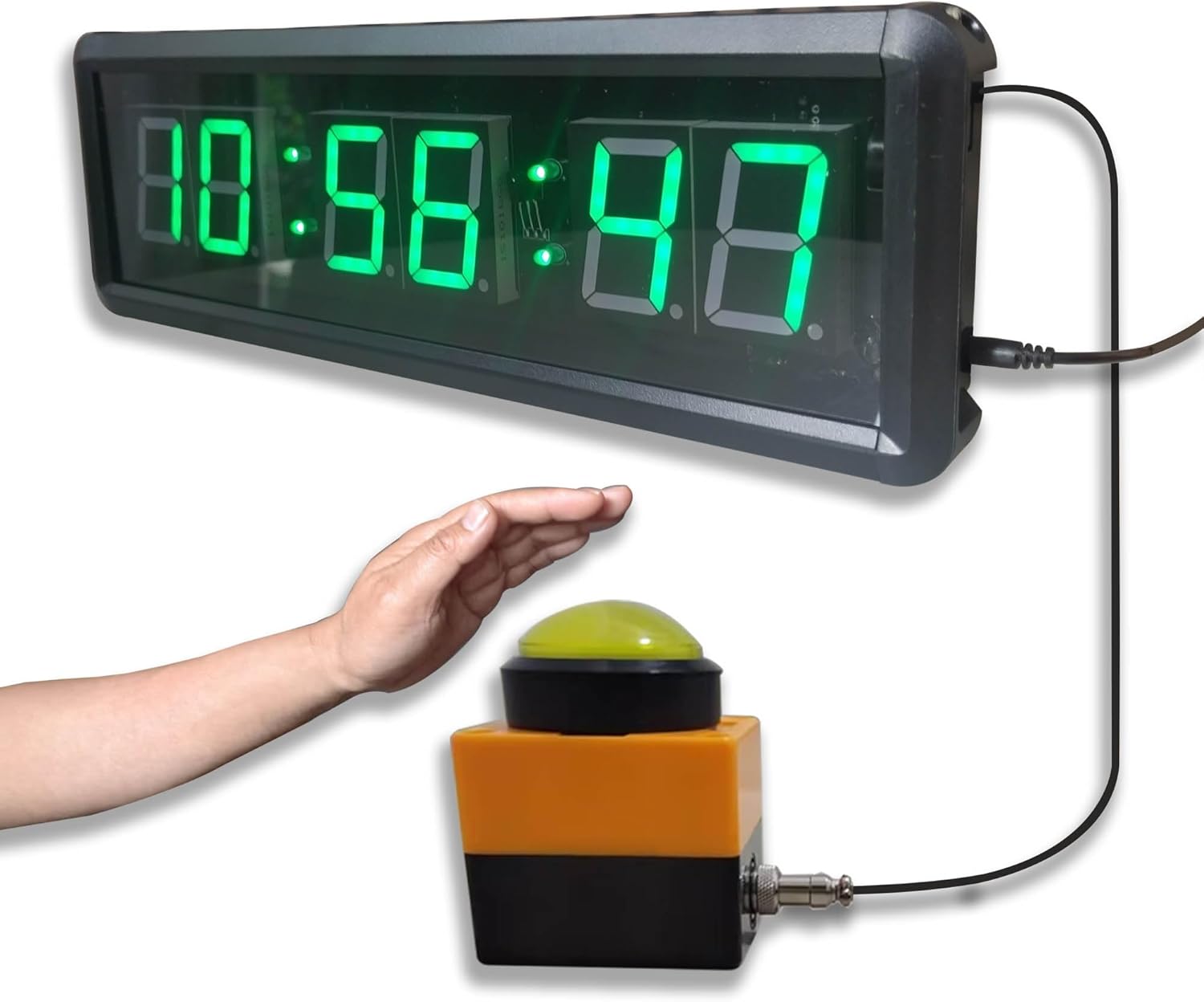
The Ledgital Countdown Timer Clock is a versatile timing device designed for various applications, including indoor games, sports, and daily time management. It integrates stopwatch, count-up, countdown, and real-time clock functionalities. A unique feature is its large, external tap button, allowing for convenient start, stop, and reset operations. The clock also comes with a remote control for comprehensive management of its settings and modes.
Package Contents
Verify that all components are present in the package:
- 1x Countdown Timer Clock with Cable
- 1x Tap Button
- 1x Remote Control (requires 2x AAA batteries, not included)
- 1x Ring Stand
- 1x USB Cable
- 1x AC-DC Power Adapter (100-240V)
- 2x Wall Mounting Brackets
- 2x Screws for Wall Mounting
- 2x Bolts for Clock Mounting

Product Overview and Dimensions
The Ledgital Countdown Timer Clock features a large, clear display and a separate tap button for easy operation. Understanding its dimensions and components is crucial for proper setup and use.

Setup
Power Connection
The clock can be powered using the included AC-DC adapter or a USB power bank (not included).
- Connect the small end of the DC-DC USB Cable to the power input port on the clock.
- Connect the larger end of the DC-DC USB Cable to the AC-DC adapter.
- Plug the AC-DC adapter into a standard 100-240V wall outlet.
- Alternatively, connect the USB cable to a compatible USB power bank for portable use.

Mounting Options
The clock offers both wall-mount and tabletop placement options.
Wall Mounting:
- Identify a suitable location on a wall.
- Use the provided mounting brackets as a template to mark screw positions.
- Drill pilot holes and insert the wall screws (provided).
- Attach the brackets to the clock using the provided bolts.
- Securely hang the clock onto the wall screws.
Tabletop Placement:
- Attach the ring stand to the back of the clock.
- Place the clock on a flat, stable surface.
- Position the tap button on the table directly, ensuring its cable reaches the clock.

Operating Instructions
The Ledgital Countdown Timer Clock can be operated using both the included remote control and the tap button.
Remote Control Functions
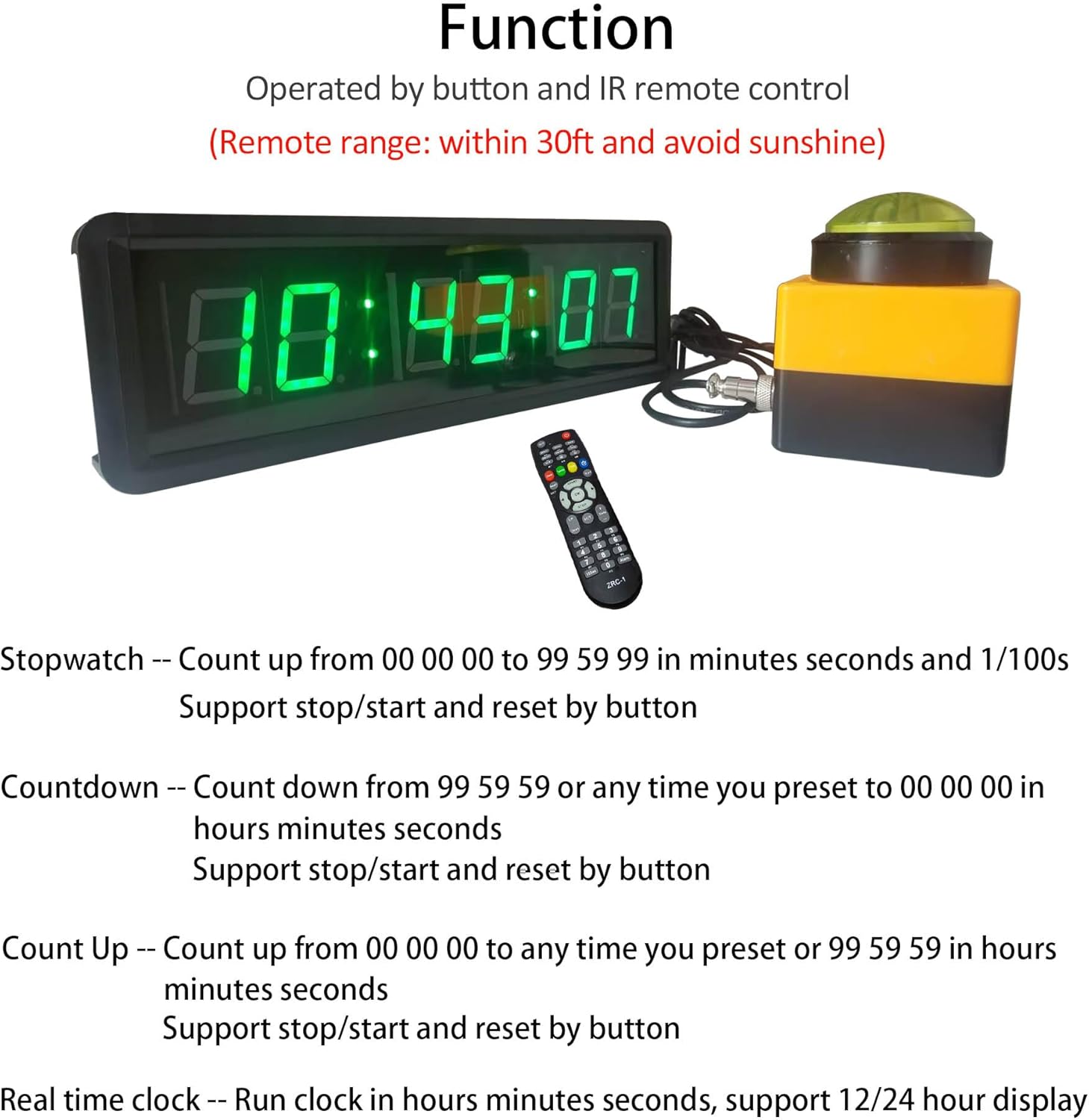
The remote control allows for comprehensive management of the clock's various modes and settings. Ensure the remote is used within 30 feet of the clock and avoid direct sunlight for optimal performance.
Functions Overview:
- Real Time Clock: Supports 12/24 hour time display in hours, minutes, and seconds format. Use the "24Hour" or "12Hour" buttons to switch.
- Countdown: Max count up to 99 hours, 59 minutes, 59 seconds. Program a countdown from any time to 00:00:00. The tap button can control this timing.
- Count Up: Max count up to 99 hours, 59 minutes, 59 seconds. Start from 00:00:00 and stop at any programmed time. The tap button can control this timing.
- Stopwatch: Runs in minutes, seconds, and 1/100 second. Max count up to 99:59:99. The tap button can control this timing.
Using the Tap Button
The large 6cm diameter tap button provides a convenient way to start, stop, and reset the timer functions (Countdown, Count Up, Stopwatch).
- Ensure the tap button's cable is securely plugged into the clock.
- In Stopwatch, Countdown, or Count Up mode, a gentle tap on the button will initiate or pause the timing.
- Tapping the button again will resume or stop the timing.
- To reset the timer, use the "Reset" button on the remote control.
For a visual demonstration of the clock's operation, please refer to the video below:
Maintenance
- Cleaning: Use a soft, dry cloth to clean the display and casing. Avoid abrasive cleaners or solvents.
- Storage: When not in use for extended periods, store the clock in a cool, dry place away from direct sunlight.
- Battery Replacement (Remote): The remote control requires 2x AAA batteries. Replace them when the remote's range or responsiveness decreases.
Troubleshooting
| Problem | Possible Cause | Solution |
|---|---|---|
| Clock display is off or dim. | No power, loose connection, or power adapter issue. |
|
| Remote control not responding. | Low/dead batteries, remote too far, or obstruction. |
|
| Tap button not working. | Loose cable connection or incorrect mode. |
|
| Display shows incorrect time. | Time not set correctly. |
|
Specifications
- Model: LT6T1.5G
- Display Type: LED (Green Digits)
- Material: Aluminum Alloy Casing
- Product Dimensions: 13.4" (W) x 3.7" (H) x 1.3" (D)
- Character Height: 1.5 inches
- Item Weight: Approximately 1.43 pounds
- Power Supply: AC-DC Adapter (100-240V) or USB Power Bank (not included)
- Tap Button Cable Length: 5 feet
- Power Cord Length: 6 feet
- Remote Control Range: Up to 30 feet (line of sight, avoid direct sunlight)
- Functions: Real Time Clock (12/24H), Countdown, Count Up, Stopwatch
Warranty and Support
For warranty information and technical support, please contact Ledgital customer service through the official Ledgital store on Amazon or refer to the contact details provided with your purchase documentation.
Visit the official Ledgital Store: Ledgital Amazon Store