
Bolan-Tech V12 Dust Bin
Bolan-Tech Dust Bin Replacement Manual for Dyson V10 Digital Slim / V12 Detect Slim (SV18, SV20)
Model: V12 Dust Bin | Part No. 965272-01
Introduction
This manual provides detailed instructions for the installation, operation, and maintenance of your Bolan-Tech Dust Bin Replacement, designed for Dyson V10 Digital Slim and V12 Detect Slim (SV18, SV20) vacuum cleaners. This high-quality replacement part ensures your vacuum operates efficiently.
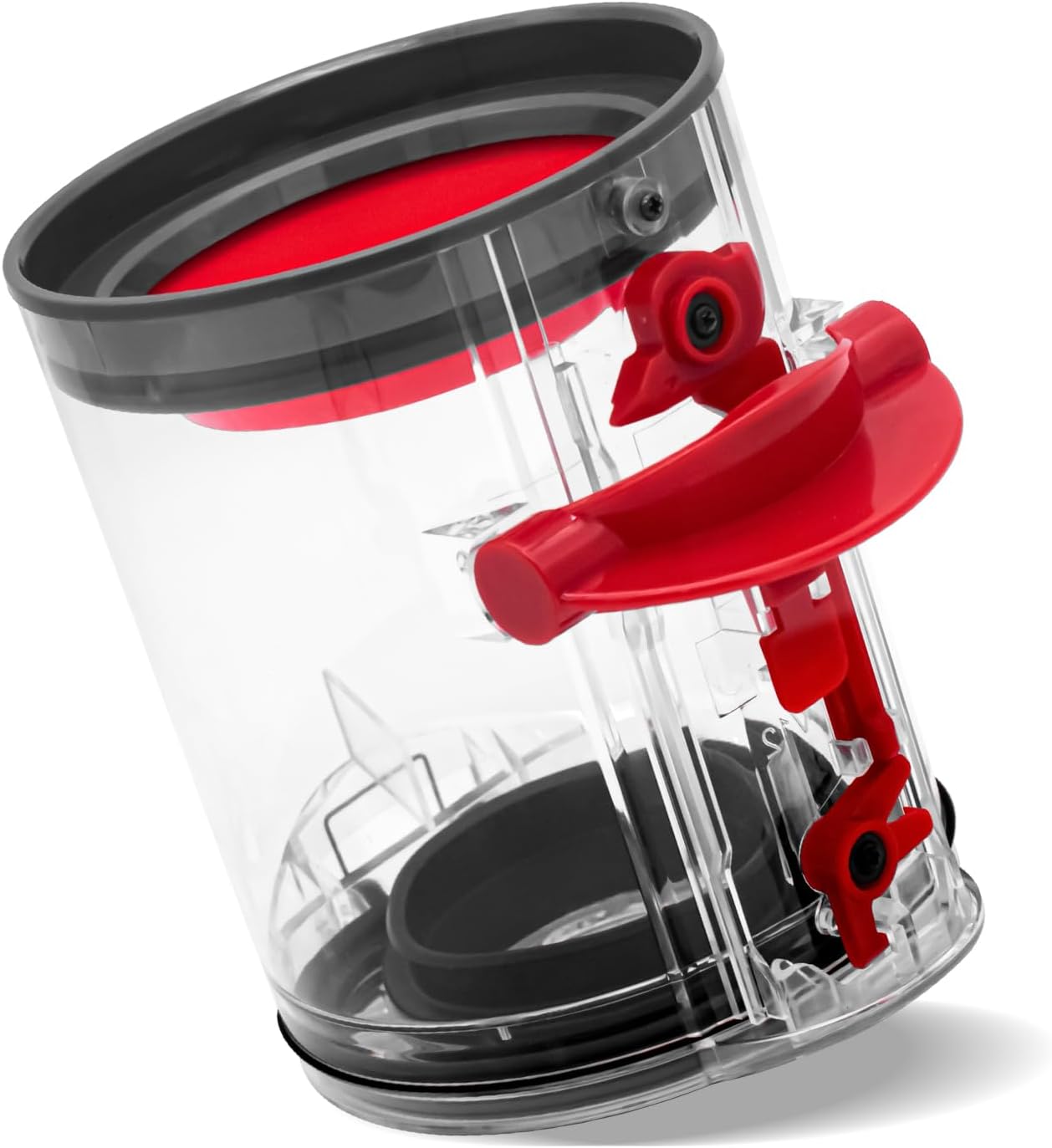
Image: Bolan-Tech Dust Bin Replacement for Dyson V10 Digital Slim / V12 Detect Slim.
Compatibility
This dust bin replacement is compatible with the following Dyson vacuum cleaner models:
- Dyson V10 Digital Slim
- Dyson V12 Detect Slim
- SV18
- SV20
- SV30
- SV46
- SV49

Image: Visual guide showing compatibility with Dyson V10 Digital Slim and V12 Detect Slim vacuum cleaners.
Setup and Installation
Follow these steps to replace your vacuum cleaner's dust bin:
- Remove the old dust bin: Locate the release switch on your Dyson vacuum cleaner. Push the switch to unlock the dust bin.
- Detach the bin: Pull the switch to push out and detach the old dust bin from the main unit.
- Prepare the new dust bin: If your new dust bin comes with a separate filter, ensure it is properly inserted.
- Attach the new dust bin: Align the new dust bin with the vacuum cleaner's main unit and push it firmly until it clicks into place. Ensure it is securely locked.
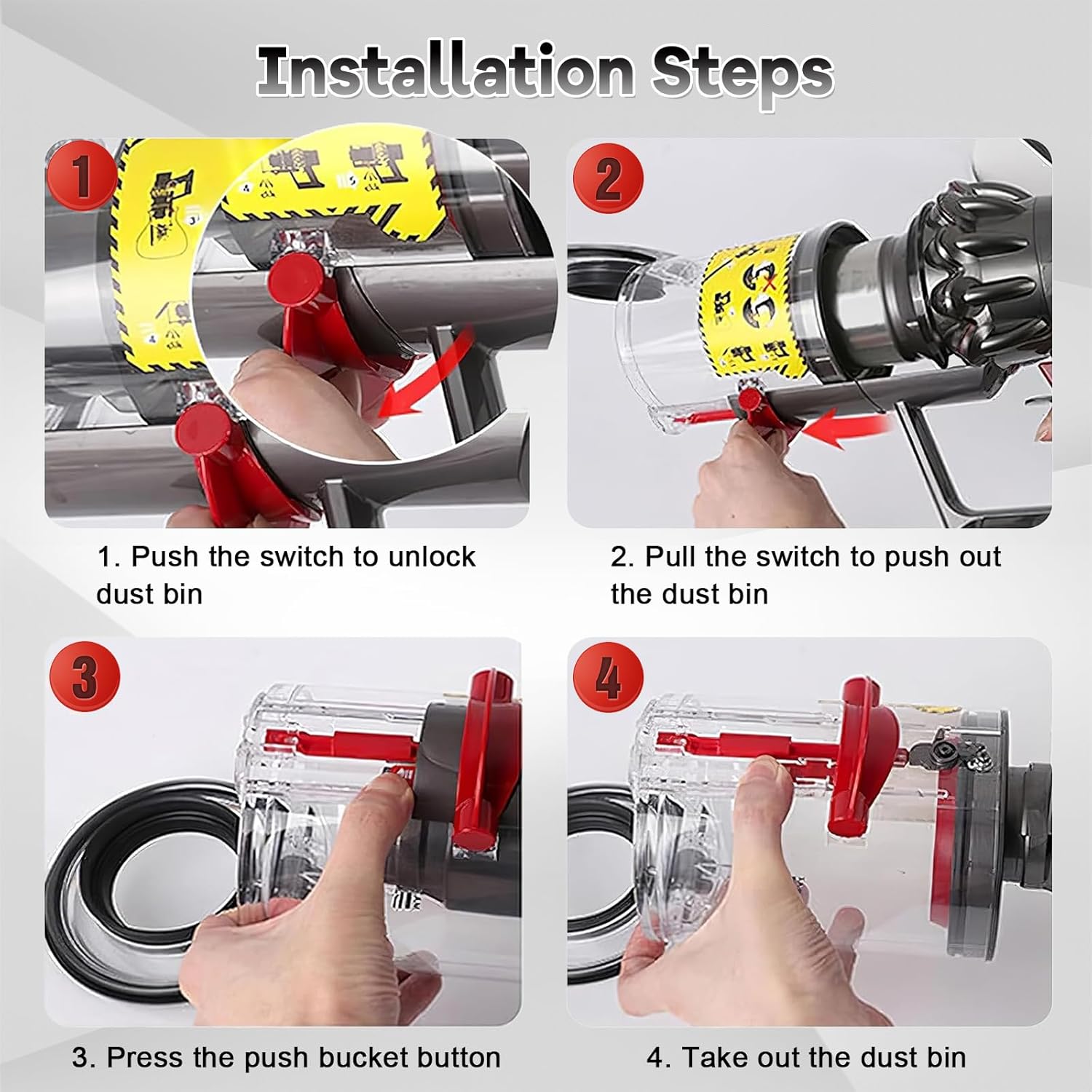
Image: Step-by-step visual guide for installing the replacement dust bin.
Installation Video
Video: Demonstrates the process of replacing the dust bin on a Dyson V12 SV18 SV20 Detect Slim vacuum cleaner.
Operating the Dust Bin
The replacement dust bin operates identically to the original. To empty the dust bin:
- Hold the vacuum cleaner over a waste bin.
- Press the red push bucket button located on the side of the dust bin.
- The bottom flap will open, releasing the collected debris.
- Close the flap securely after emptying.

Image: Illustration of emptying the dust bin, highlighting the smooth decanting mechanism.
Product Overview Video
Video: Provides an overview of the dust bin replacement, demonstrating its features and operation.
Maintenance
Regular maintenance ensures optimal performance and longevity of your dust bin. The dust bin is designed for easy cleaning.
- Cleaning the dust bin: The transparent barrel body can be wiped clean with a damp cloth. Ensure it is completely dry before reattaching to the vacuum.
- Filter maintenance: The included filter is washable and reusable. Remove the filter from the dust bin, rinse it under cold water until the water runs clear, and allow it to air dry completely for at least 24 hours before reinserting.
- Seal maintenance: To maintain smooth operation and prevent dust leakage, it is recommended to occasionally apply talcum powder to the rubber seals.
Unboxing and Filter Maintenance Video
Video: Demonstrates unboxing the dust bin and the process of removing and cleaning the filter.
Troubleshooting
If you experience issues with your dust bin replacement, consider the following:
- Dust or air leakage: If dust or air is leaking from the bin, check that the bin is securely attached to the vacuum cleaner and that all seals are properly seated and free from debris. Applying talcum powder to the seals can help.
- Difficulty emptying: Ensure the release mechanism is not obstructed. If the bottom flap does not open smoothly, check for any lodged debris.
- Reduced suction: A clogged or improperly installed filter can reduce suction. Clean the filter as per maintenance instructions and ensure it is correctly reinserted.
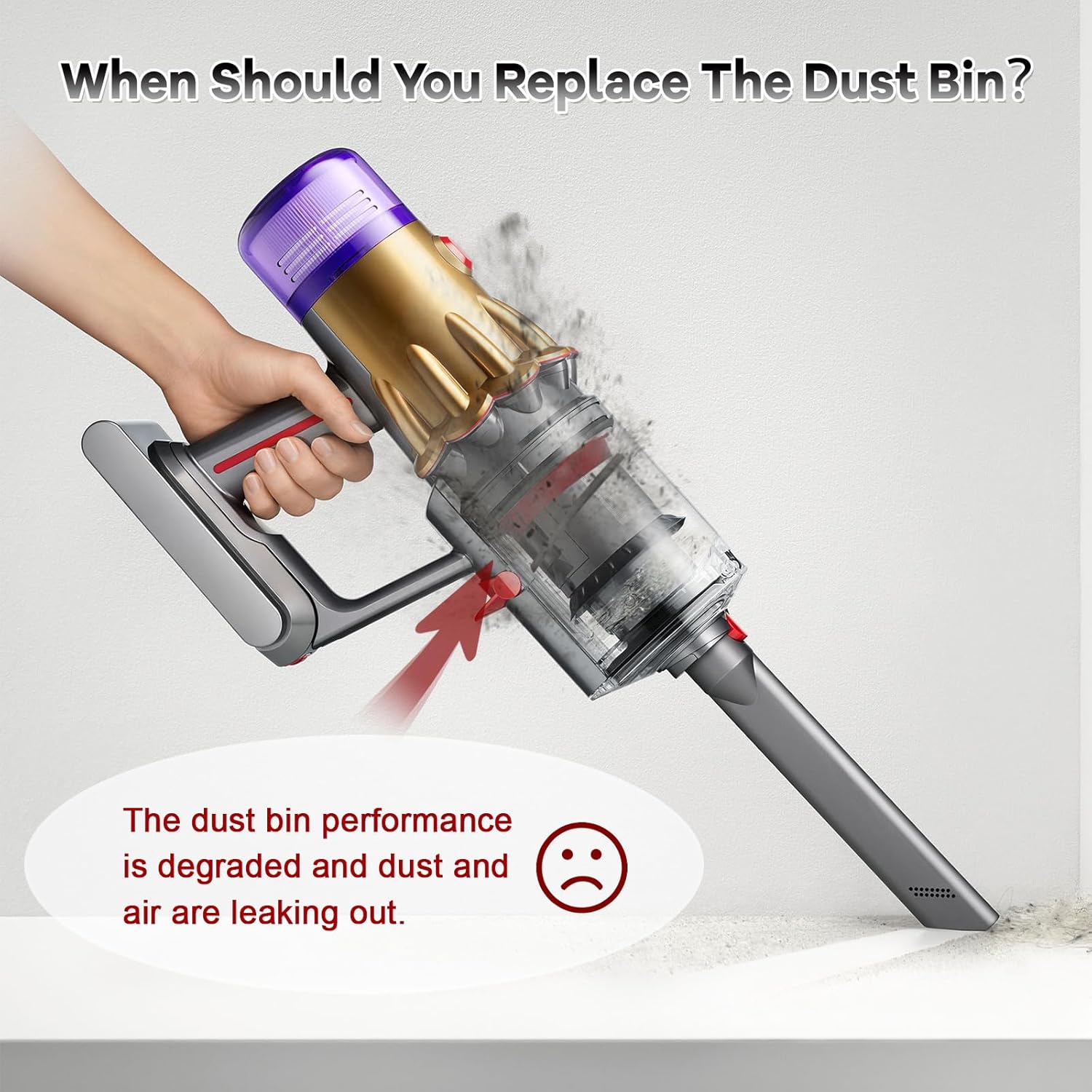
Image: Visual representation of dust bin performance degradation and leakage.
Specifications
| Brand | Bolan-Tech |
| Model Info | V12 Dust Bin |
| Part Number | V12 Dust Bin (No.965272-01) |
| Item Weight | 7.4 ounces |
| Product Dimensions | 3.97 x 3.97 x 5.19 inches |
| Material Type | Plastic |
| Color | Transparent |
| Special Features | Bagless |
| Included Components | 1* Canister Replacement |
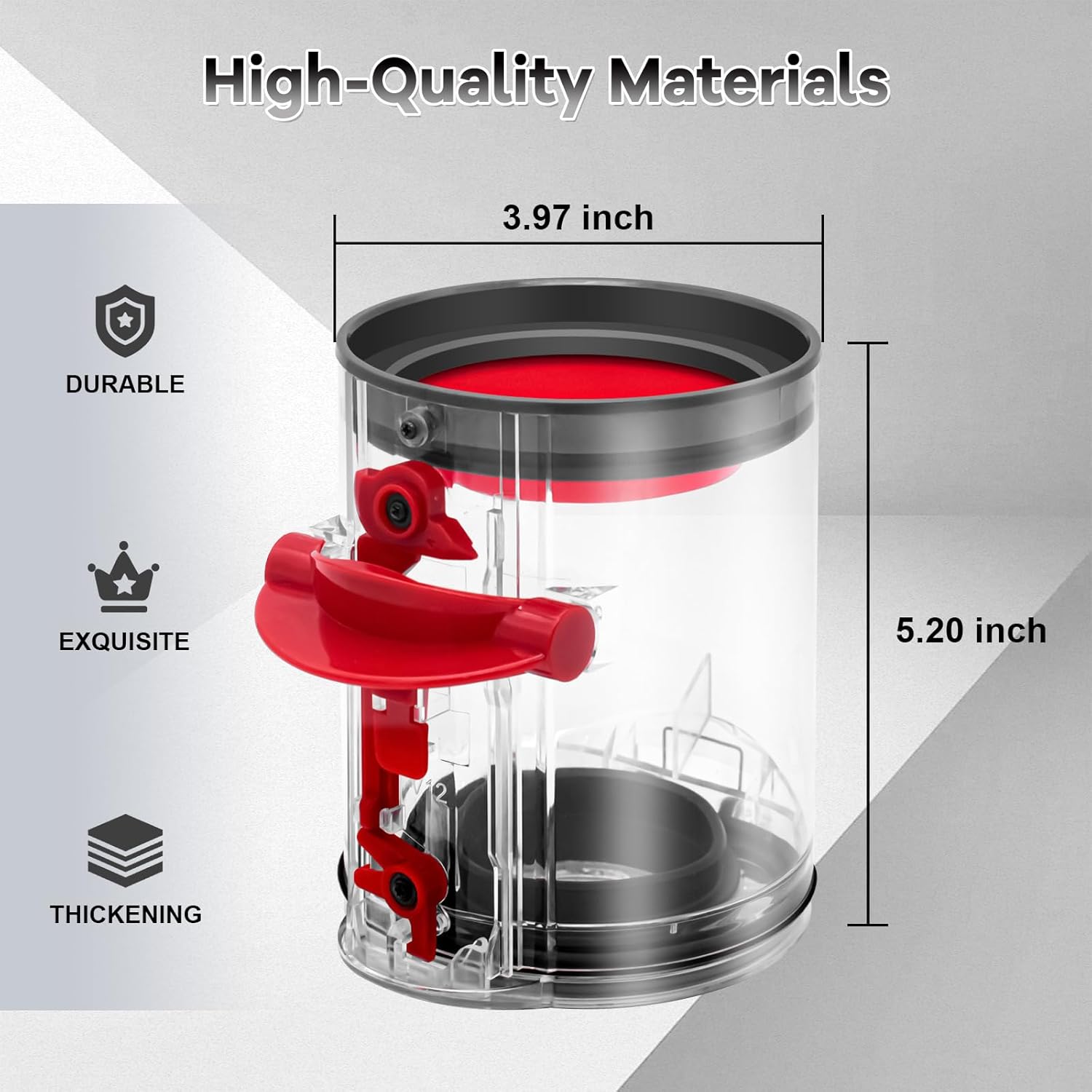
Image: Detailed dimensions of the Bolan-Tech Dust Bin Replacement.
Warranty and Support
For any questions regarding your Bolan-Tech Dust Bin Replacement, please refer to the seller's return policy or contact the manufacturer directly for support and warranty information. Specific warranty details are not provided in this manual.
Ask a question about this manual
Ask about setup, troubleshooting, compatibility, parts, safety, or missing instructions. Manuals+ will review the question and use this page’s manual context to help answer it.