
1. Introduction
This manual provides essential instructions for the safe operation, setup, maintenance, and troubleshooting of your Camolech Poseidon-480 PRO II Fishing Drone. Please read this manual thoroughly before operating the drone to ensure proper function and to prevent damage or injury.
The Poseidon-480 PRO II is a waterproof fishing drone designed for bait release with a 3KG payload capacity, featuring a 4K camera, stable flight control system (IDF-9), and advanced functionalities for an enhanced fishing experience.

Image: The Camolech Poseidon-480 PRO II Fishing Drone, designed for a 3kg load, flying above a body of water.
2. Safety Guidelines
Adherence to these safety guidelines is crucial for safe operation and to prevent damage to the drone or injury to individuals.
- Local Regulations: Always operate the drone in accordance with local aviation laws and regulations.
- Pre-Flight Check: Before each flight, inspect the drone, propellers, batteries, and remote controller for any damage or abnormalities.
- Weather Conditions: Do not fly in strong winds, heavy rain, fog, or other adverse weather conditions.
- Line of Sight: Maintain visual line of sight with the drone at all times during flight.
- Obstacles: Avoid flying near people, animals, buildings, trees, power lines, or other obstacles.
- Battery Safety: Use only approved batteries and chargers. Do not overcharge or puncture batteries. Discontinue use if batteries show signs of swelling or damage.
- Water Operation: While the drone is waterproof, ensure all battery compartments and ports are securely sealed before water contact. Avoid prolonged submersion.
- Payload Limit: Do not exceed the maximum payload capacity of 3KG.
3. Package Contents
Verify that all items are present in your package:
- Camolech Poseidon-480 PRO II Waterproof Drone
- I6S Remote Controller
- 6S Li-Battery/8000mAh (2 pcs)
- Carry Case
- 3-Bladed Propellers (3 pairs + 1 free pair)
- Charger + Cable
- USB Data Cable
- Battery Capacity Checker

Image: Overview of the Camolech Poseidon-480 PRO II drone and its complete accessory kit, including the drone, remote controller, batteries, propellers, and carry case.

Image: A diagram illustrating the various components included with the drone, such as the drone body, remote control, propellers, bait drop mechanism with 4K camera, legs, 8000 mAh battery, charger, USB data cable, and battery capacity checker.
4. Setup
4.1. Battery Charging and Installation
- Connect the provided charger to a power source.
- Connect the 6S Li-Battery (8000mAh) to the charger. Ensure correct polarity.
- Charge the battery until fully charged. Refer to the charger's indicator for status.
- Once charged, carefully insert the battery into the drone's battery compartment. Ensure it is securely latched.
- Charge the remote controller's battery using the appropriate cable.
4.2. Propeller Installation
- Identify the correct propellers for each motor. Propellers are typically marked (e.g., A and B, or with dots) to match specific motor directions.
- Attach each propeller firmly to its corresponding motor shaft. Ensure they are tightened securely but do not overtighten.
- Verify that all propellers spin freely without obstruction.
4.3. Remote Controller Setup
- Install the charged battery into the I6S Remote Controller.
- Power on the remote controller.
- If necessary, bind the remote controller to the drone according to the specific instructions provided with the remote controller.
- Attach your mobile phone to the mobile device holder on the remote controller for FPV and app control.
4.4. App Installation and Connection
- Download the official Camolech drone application (e.g., "IDFTECH GO" as seen in images) from your mobile device's app store (Android and iOS supported).
- Power on the drone and the remote controller.
- Connect your mobile device to the drone's Wi-Fi network (5G WiFi). The network name and password can typically be found on the drone or in a separate quick start guide.
- Launch the app. The app should display real-time video feed and flight data.
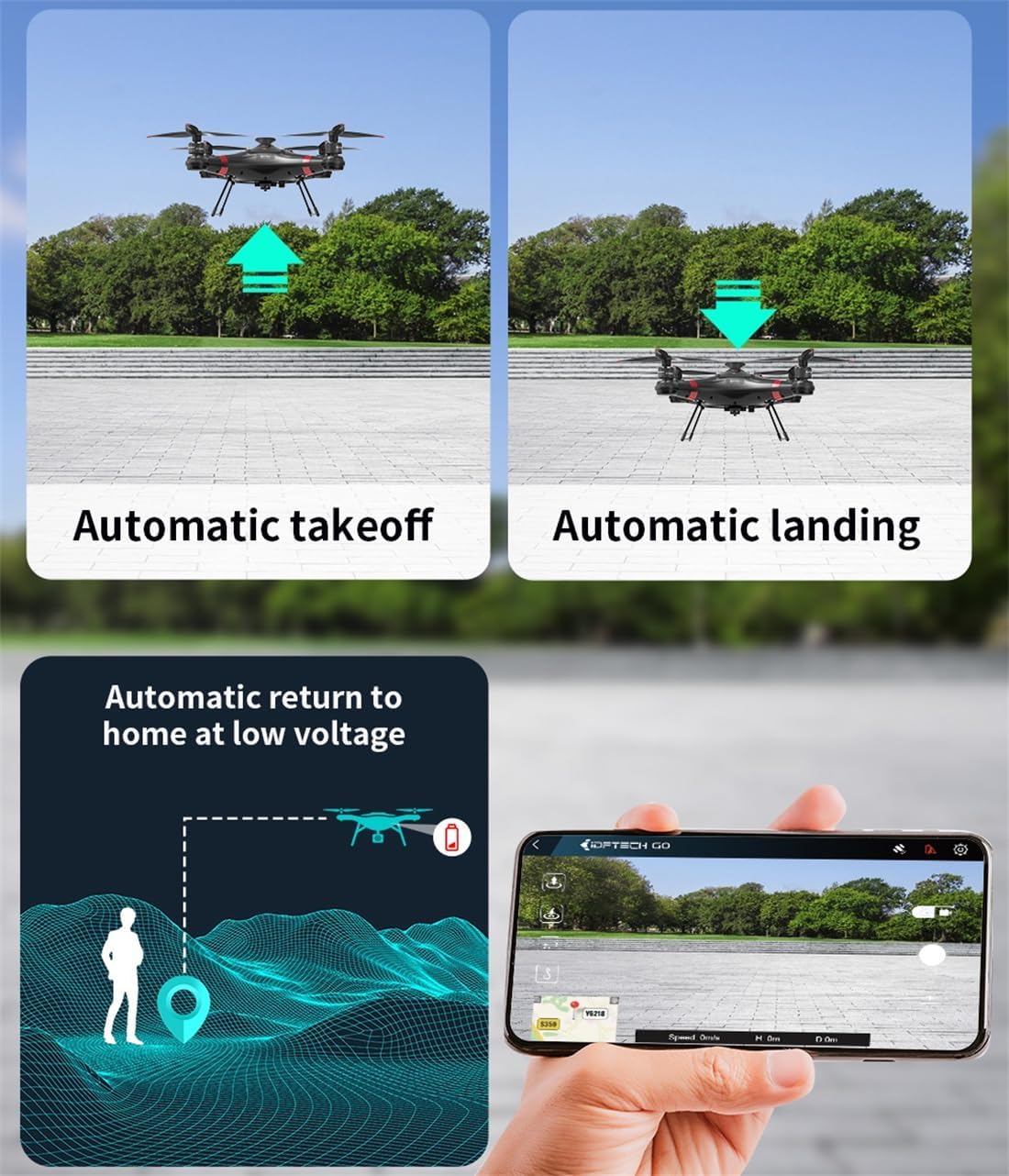
Image: Visual representation of the drone's automatic takeoff and landing features, alongside a smartphone screen displaying the drone's real-time flight status and data via the companion app.
5. Operating Instructions
5.1. Pre-Flight Checks
- Ensure batteries are fully charged (drone and remote).
- Verify propellers are securely attached and undamaged.
- Check that the bait release mechanism is properly attached and empty before takeoff.
- Confirm GPS signal acquisition (indicated in the app). The IDF-9 flight control system features GPS automatic heading correction and interference monitoring, reducing the need for manual compass calibration.
- Ensure the flight area is clear of obstacles and people.
5.2. Takeoff and Landing
- Automatic Takeoff: Place the drone on a flat, open surface. In the app or via the remote controller, initiate the automatic takeoff function. The drone will ascend to a safe altitude and hover.
- Automatic Landing: To land, initiate the automatic landing function via the app or remote. The drone will descend and land gently at its current position.
- Automatic Return to Home (RTH): If the battery level is low or signal is lost, the drone will automatically initiate Return to Home and land at its takeoff point. This function can also be manually activated.
5.3. Flight Controls and Bait Release
- Use the remote controller joysticks to control the drone's direction, altitude, and rotation.
- Monitor the real-time flight status and video feed on your mobile device via the app.
- Once at the desired bait drop location, activate the bait release mechanism via the remote controller or app. The drone can carry a payload of up to 3KG.

Image: The drone positioned on a beach near two individuals fishing, highlighting its key features such as 3KG payload capacity, easy accessory changes, 33-minute flight time, 4K camera, single-axis gimbal, and patented waterproof design.
5.4. 4K Camera and FPV
- The integrated 4K camera with a single-axis gimbal provides high-definition video and photo capture.
- Real-time video transmission (FPV) is available via the 5G WiFi connection to your mobile device, with a range of up to 1000m.
- Use the app to control camera functions, view live feed, and record footage.
5.5. Night Light Function
- Activate the night light function via the remote controller or app for improved visibility during low-light conditions or night fishing.
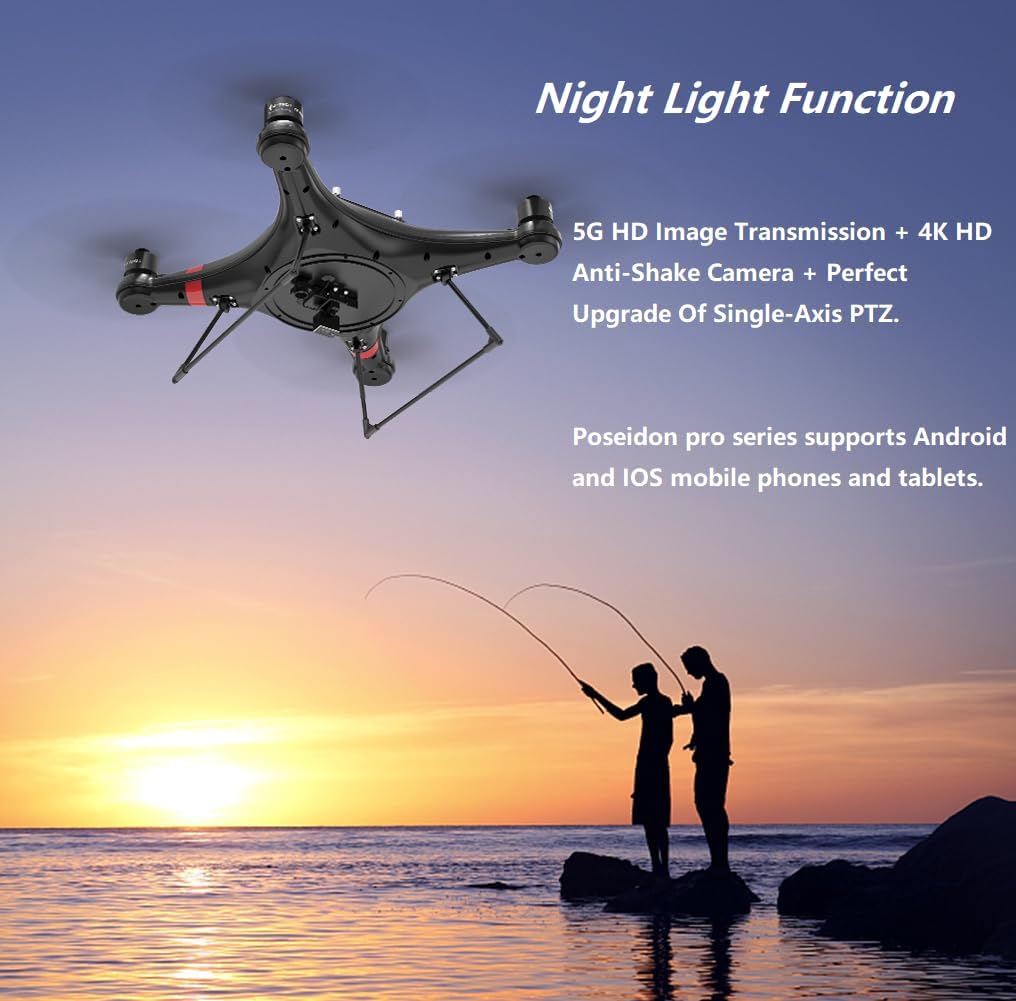
Image: The drone flying against a sunset backdrop, illustrating its night light function and highlighting features like 5G HD digital image transmission, 4K HD anti-shake camera, and upgraded single-axis PTZ, with support for Android and iOS mobile devices.
5.6. Waypoint Recording
- Utilize the app's waypoint recording feature to mark and save specific fishing spots. This allows for precise return to previously successful locations.

Image: A smartphone screen displaying the drone's companion app interface, which includes a map with marked waypoints for recording multiple fishing spots in real-time, indicating different types of fish.
6. Maintenance
6.1. Cleaning the Drone
- After each use, especially in saltwater environments, rinse the drone with fresh water.
- Wipe the drone dry with a soft cloth. Ensure all water is removed from crevices and ports.
- Clean the camera lens with a microfiber cloth.
6.2. Battery Care
- Store batteries in a cool, dry place, away from direct sunlight and extreme temperatures.
- Do not store batteries fully charged or fully discharged for extended periods. Aim for approximately 50-60% charge for long-term storage.
- Inspect batteries regularly for any signs of damage, swelling, or leakage.
6.3. Propeller Inspection and Replacement
- Before each flight, inspect propellers for cracks, bends, or chips. Damaged propellers can affect flight stability and safety.
- Replace any damaged propellers immediately with new ones from the provided spare set.
6.4. Storage
- Store the drone and all accessories in the provided carry case to protect them from dust and physical damage.
- Keep the drone in a cool, dry environment.
7. Troubleshooting
- Drone does not power on:
- Ensure the drone battery is fully charged and correctly installed.
- Check for any loose connections.
- Remote controller does not connect:
- Ensure the remote controller battery is charged.
- Verify the remote controller is powered on and correctly bound to the drone.
- Move closer to the drone to rule out range issues.
- No FPV video feed in app:
- Confirm your mobile device is connected to the drone's 5G WiFi network.
- Restart the app and the drone.
- Check for app updates.
- Drone drifts during flight:
- Ensure GPS signal is strong before takeoff.
- Perform a flight calibration if available in the app (though the IDF-9 system minimizes the need for magnetic compass calibration, environmental factors can still affect flight).
- Check for damaged propellers.
- Bait release mechanism not working:
- Verify the mechanism is correctly attached and free of obstructions.
- Ensure the payload does not exceed 3KG.
- Check app or remote controller settings for bait release activation.
8. Specifications

Image: Detailed specifications for the remote control (FLYSKY I6S), drone battery (8000mAh 6S Li-battery), and charger (UP100AC PLUS).
8.1. Drone Specifications
| Feature | Detail |
|---|---|
| Model Name | Poseidon-480 PRO II |
| Manufacturer Part Number | id-cmo-480-1 |
| Item Weight | 2.5 Kilograms (5.5 pounds) |
| Product Dimensions | 15"L x 8"W x 15"H |
| Max Payload | 3KG |
| Flight Time | Up to 33 minutes |
| Flight Control System | IDF-9 (with GPS auto heading correction) |
| Waterproof | Yes (Advanced Patented Technology) |
| Camera | 4K, Single-Axis Gimbal, Electronic Anti-shake |
| Video Capture Resolution | 4K |
| Image Transmission | 5G HD Digital (up to 1000m) |
| Special Features | Night Light Function, Automatic Takeoff/Landing, Auto Return to Home, Waypoint Recording |
| Propellers | 3-bladed, sandproof, waterproof |
8.2. Battery Specifications
| Feature | Detail |
|---|---|
| Type | 6S Li-Battery |
| Capacity | 8000mAh |
| Voltage | 22.8V |
| Discharge Rate | 15C |
| Energy | 182WH |
8.3. Remote Controller Specifications
| Feature | Detail |
|---|---|
| Model | FLYSKY I6S |
| Channels | 10 |
| Working Frequency | 2.4055-2.475GHz |
| Max Signal Effective Distance | 1000 meters |
| Battery | 4000mAh 7.4V |
8.4. Charger Specifications
| Feature | Detail |
|---|---|
| Model | UP100AC PLUS |
| Charger Supply Voltage | AC/100-240V & DC/11-18V |
| Charging Range | 2-6S |
| Charger Power | 100W |
| Charger Charging Current | 0.1-10A |
| Rechargeable Battery Type | LIPO/LIFE/LILO/LIHV/NICD/NIMH |
9. Warranty and Support
The Camolech Poseidon-480 PRO II Fishing Drone comes with a standard manufacturer's warranty. For specific warranty terms and conditions, please refer to the warranty card included in your package or contact Camolech customer support.
For technical support, troubleshooting assistance, or warranty claims, please contact Camolech customer service through their official website or the contact information provided in your product packaging.
Manufacturer: ideafly
Brand: Camolech


