1. Introduction
Thank you for choosing the Lufeiya Gaming Desk with LED Lights and Power Outlets. This manual provides essential information for the safe assembly, operation, and maintenance of your new desk. Please read it thoroughly before use and retain it for future reference.

Image 1.1: The Lufeiya Gaming Desk, featuring LED lights, a monitor stand, and integrated storage solutions.
2. Safety Information
To ensure safe operation and prevent damage, please observe the following safety guidelines:
- Always assemble the desk on a soft, clean surface to prevent scratches.
- Ensure all screws and fasteners are securely tightened before use.
- Do not overload the desk or shelves beyond their weight capacity.
- Keep liquids away from the power outlets and LED light strips to prevent electrical hazards.
- Do not attempt to modify the electrical components (power strip, LED lights).
- Keep small parts away from children during assembly.
- Use only the provided power cord and adapter for the integrated power strip.
3. Package Contents
Verify that all components are present before beginning assembly. If any parts are missing or damaged, please contact customer service.
- Desk Main Frame (Metal)
- Desktop Panels (FSC-Certified Wood)
- Monitor Stand
- 3 Fabric Drawers
- 4 Storage Shelves
- Built-in Power Strip with 3 Outlets & 2 USB Ports
- RGB LED Light Strip
- Side Storage Bag
- 2 Iron Hooks
- Assembly Hardware (Screws, Allen Wrench, etc.)
- Instruction Manual

Image 3.1: Overview of the desk's features, including the monitor stand, storage, and power outlets.
4. Assembly Instructions
Assembly is designed to be straightforward. A detailed instruction manual and all necessary tools are provided. No additional tools are required.
4.1. Preparation
- Unpack all components and lay them out on a clean, soft surface to prevent damage.
- Identify all parts against the package contents list.
- Familiarize yourself with the hardware and assembly diagrams in the included manual.
4.2. Step-by-Step Assembly
Follow the numbered steps in the provided printed instruction manual. Key steps include:
- Assembling the metal frame.
- Attaching the desktop panels.
- Installing the monitor stand.
- Securing the storage shelves. Note that shelves can be installed at two different heights to customize storage space.
- Inserting the fabric drawers into their designated slots.
- Attaching the side storage bag and iron hooks.
- Mounting the built-in power strip and LED light strip.

Image 4.1: Diagram illustrating product dimensions and key features, useful for assembly reference.
4.3. Final Adjustments
- Once assembled, ensure all connections are tight and the desk is stable.
- Adjust the adjustable leg pads to level the desk on uneven ground, preventing wobbling.
5. Operating Instructions
5.1. Integrated Power Strip
The desk features a built-in power strip for convenient device charging and power supply.
- Connect the desk's power cord to a standard wall outlet.
- Utilize the 3 power outlets for your computer, monitor, or other electronic devices.
- Use the 2 USB charging ports (5V/2A) to charge your phone, tablet, or other USB-powered accessories.
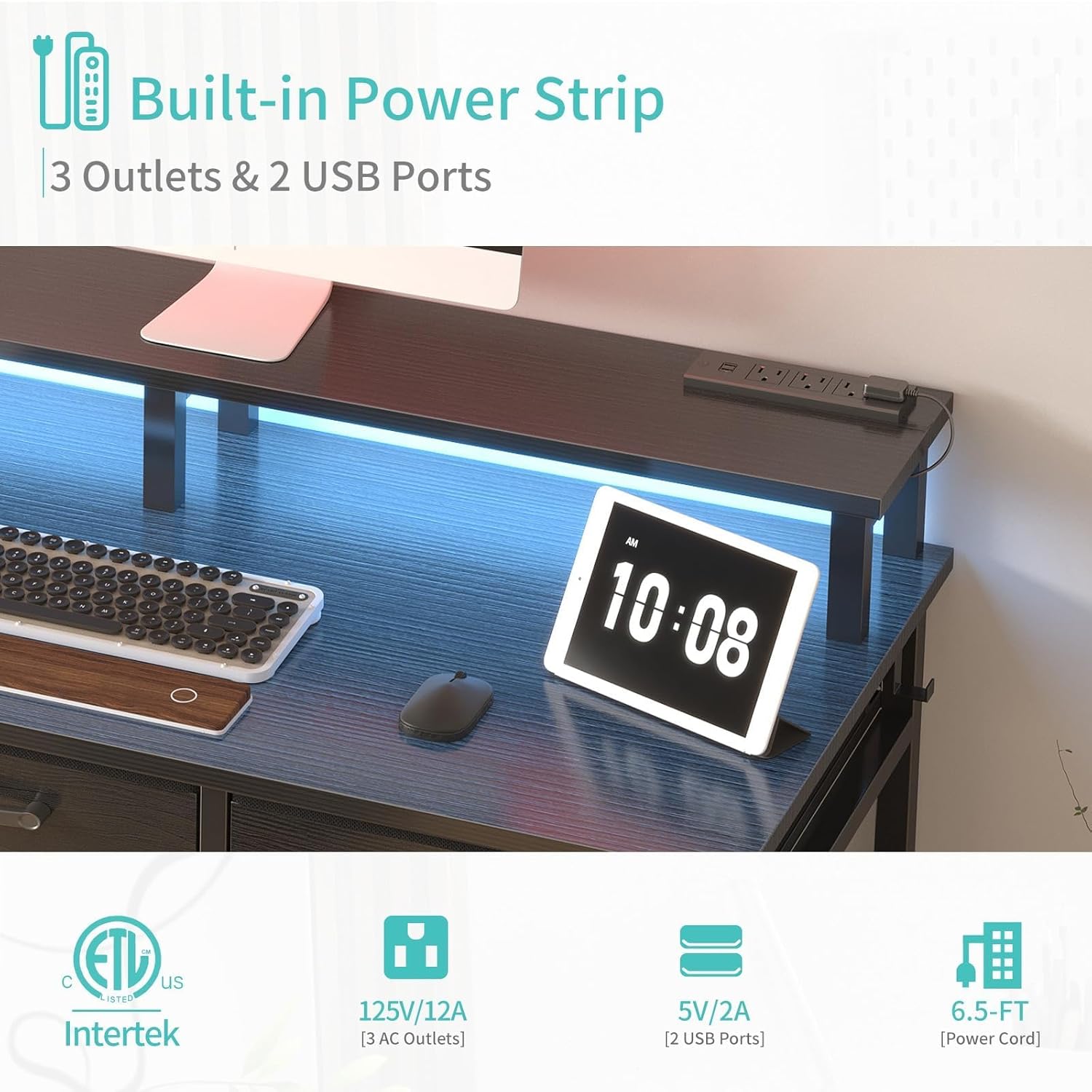
Image 5.1: Close-up view of the integrated power strip, highlighting the outlets and USB ports.
5.2. RGB LED Lights
Enhance your workspace or gaming setup with the integrated RGB LED light strip.
- The LED lights offer 7 adjustable colors, 4 dynamic modes (Flash, Fade, Strobe, Smooth), and 16 static types.
- Control the lights using the provided remote control. Point the remote directly at the LED receiver for optimal response.

Image 5.2: The desk illuminated by the RGB LED light strip, showcasing various color options.
5.3. Storage Features
The desk is designed with ample storage to keep your area organized.
- 3 Fabric Drawers: Utilize these spacious drawers for stationery, wallets, files, and other personal items.
- 4 Storage Shelves: The shelves on either side provide additional space for books, gaming consoles, or decorative items. Their height can be adjusted during assembly.
- Side Storage Bag: Perfect for holding magazines, notebooks, or small electronics, keeping them within easy reach.
- 2 Iron Hooks: Attach headphones, bags, or other accessories to these hooks for convenient storage.

Image 5.3: Detailed view of the three fabric drawers, demonstrating their storage capacity for various items.

Image 5.4: The removable side storage bag and iron hooks, offering additional organizational options.
5.4. Monitor Stand
The elevated monitor stand is designed to accommodate one or two monitors, promoting better posture and reducing neck strain by keeping your screen at eye-level.
6. Maintenance
Regular maintenance will help prolong the life and appearance of your desk.
- Cleaning: Wipe surfaces with a soft, damp cloth. Avoid harsh chemicals or abrasive cleaners that could damage the finish.
- Spills: Immediately wipe up any spills to prevent water damage, especially near electrical components. The desk surface is designed to be waterproof.
- Fasteners: Periodically check all screws and bolts to ensure they remain tight. Re-tighten if necessary.
- Electrical Components: Ensure the power strip and LED lights are free from dust and debris. Do not attempt to clean electrical components with liquid.
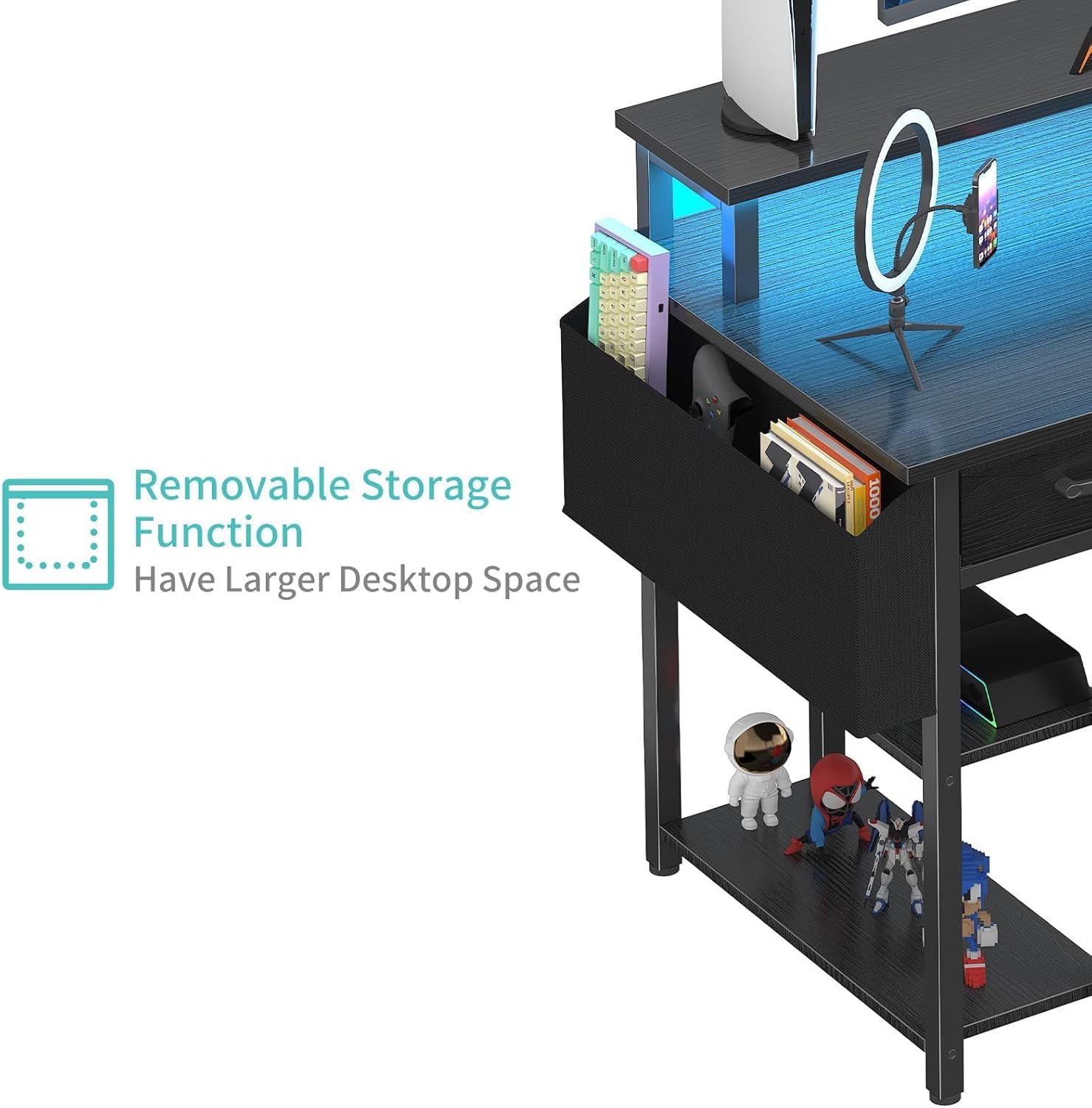
Image 6.1: Illustration of the desk's waterproof surface, indicating ease of cleaning for spills.
7. Troubleshooting
If you encounter issues with your Lufeiya Gaming Desk, refer to the following common problems and solutions:
- LED Lights Not Working:
- Ensure the power cord is securely plugged into a wall outlet and the desk's power strip.
- Check if the LED light strip is properly connected to its power source.
- Verify that the remote control batteries are functional and the remote is pointed directly at the LED receiver.
- If the light strip has detached, re-secure it using appropriate adhesive.
- Power Outlets/USB Ports Not Functioning:
- Confirm the desk's main power cord is plugged into a live wall outlet.
- Test the wall outlet with another device to ensure it is working.
- Check for any tripped circuit breakers in your home.
- Desk Wobbles:
- Ensure all assembly screws are tightened.
- Adjust the adjustable leg pads on the bottom of the desk legs to stabilize it on uneven floors.
- Drawers Not Sliding Smoothly:
- Ensure the fabric drawers are correctly inserted into their slots.
- Check for any obstructions within the drawer compartments.
If these solutions do not resolve the issue, please contact Lufeiya customer service for further assistance.
8. Specifications
| Feature | Detail |
|---|---|
| Brand | Lufeiya |
| Model Number | LFY-JC3DSMS47-Black |
| Product Dimensions (D x W x H) | 18.9"D x 47.2"W x 35"H |
| Color | Black |
| Material | Metal (Base), FSC-Certified Wood (Tabletop) |
| Item Weight | 39.6 Pounds |
| Power Outlets | 3 AC Outlets (125V/12A) |
| USB Charging Ports | 2 USB Ports (5V/2A) |
| LED Lights | RGB, 7 Colors, 4 Dynamic Modes, 16 Static Types |
| Storage Options | 4 Shelves, 3 Fabric Drawers, 1 Side Storage Bag, 2 Hooks |
| Special Features | Built-In USB Outlet, Monitor Stand, Adjustable Leg Pads, Waterproof Surface |
| Assembly Required | Yes (Tools Included) |
9. Warranty & Customer Support
Lufeiya provides a Limited Warranty for this product. For specific details regarding warranty coverage and duration, please refer to the documentation included with your purchase or contact customer service.
We are committed to providing professional customer service. If you experience any quality problems with your desk, we offer easy and fast replacement services. Please do not hesitate to contact us for assistance.
Contact Information:
- For support, please visit the Lufeiya Store on Amazon or refer to the contact details provided in your product packaging.


