
QXMH 911T
QXMH Solar Motion Sensor Alarm 911T User Manual
Model: 911T | Brand: QXMH
Introduction
This manual provides detailed instructions for the QXMH Solar Motion Sensor Alarm, Model 911T. This device is designed to enhance security by detecting motion and emitting loud alarms and flashing lights. It features multiple operating modes, adjustable volume, and a recording function for customized alerts. Please read this manual thoroughly before operating the device to ensure proper use and optimal performance.
Product Overview
The QXMH Solar Motion Sensor Alarm 911T is an outdoor security device equipped with a solar panel for charging, a motion sensor, dual 130dB speakers, and flashing lights. It supports 13 built-in sounds and custom recording.
Components and Controls

- Solar Panel: Located on top for solar charging.
- Motion Sensor: Detects movement within its range.
- Speakers: Dual 130dB speakers for loud alerts.
- Gear Switch: Controls the playback effect (1st, 2nd, 3rd gear, then power off).
- Record/Sound Switch: Long press to record, short press to switch between 13 built-in sounds.
- Volume Adjustment: 3 levels of volume control.
- DC Charge Port: For USB charging.
- Mounting Bracket: For easy installation.
Package Contents

- Solar Motion Sensor Alarm Unit
- Wireless Remote Control
- USB Charging Cable
- Mounting Screws and Wall Plugs
- User Manual (this document)
Setup
Charging the Device
The alarm can be charged via its integrated solar panel or through the USB port.
- Solar Charging: Position the device in a location that receives ample direct sunlight to ensure continuous charging. Solar charging time typically ranges from 8 to 12 hours, varying with sunlight intensity.
- USB Charging: For faster charging or during periods of low sunlight, use the included USB cable to charge the device via the DC 5V/1A USB port. A full charge via USB takes approximately 2 hours. Do not use chargers exceeding 5V/1A to avoid damage.

Installation
The QXMH Solar Motion Sensor Alarm is designed for outdoor use and is waterproof (IP55 rated). It requires no wiring for operation.
- Mounting: Use the provided mounting screws and wall plugs to secure the device to a wall, fence, or other suitable surface. Ensure the solar panel faces upwards to maximize sun exposure.
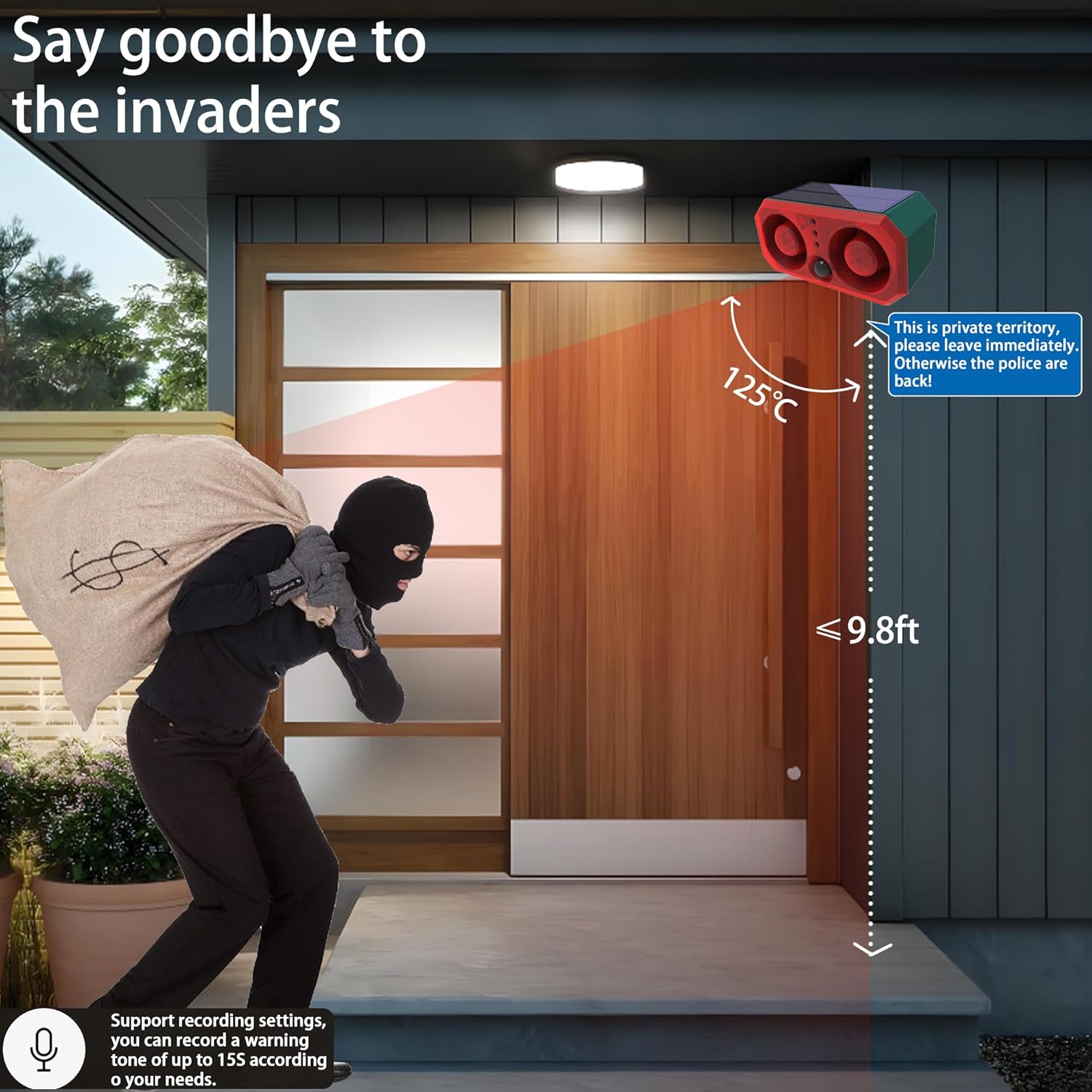
- Placement: Position the alarm in an area where its motion sensor can effectively cover the desired detection zone. The motion detection range is up to 8 meters (approximately 26 feet) with a 120-degree horizontal angle. Avoid placing it where false alarms might be triggered by moving branches or small animals if not desired.
Operating Instructions
Power On/Off and Mode Selection
The device can be controlled using the gear switch on the unit or the wireless remote control.
- Gear Switch (on device):
- Press 1st time: Mode 1 (24hrs motion sensor flash & alarm)
- Press 2nd time: Mode 2 (24hrs motion sensor flash only)
- Press 3rd time: Mode 3 (Motion sensor flash & alarm at night)
- Press 4th time: Mode 4 (Motion sensor flash only at night)
- Press 5th time: Power Off
- Remote Control:
- Button A: 24hrs motion sensor flash & alarm (Mode 1)
- Button B: 24hrs motion sensor flash only (Mode 2)
- Button C: Motion sensor flash & alarm at night (Mode 3)
- Button D: Motion sensor flash only at night (Mode 4)
- To Power Off: Press and hold any button on the remote for 8 seconds.


Volume Adjustment
The device features 3 levels of volume adjustment. Use the volume adjustment knob (refer to Figure 1) to set the desired sound level. Adjust as needed to avoid disturbing neighbors while maintaining effective deterrence.
Sound Selection and Custom Recording
The alarm has 13 built-in sounds, including dog barks, gunshots, wolf howls, gong sounds, eagle calls, firecrackers, lion roars, pig sounds, explosion sounds, car speaker sounds, alarm sounds, bells, and sirens. You can also record your own custom sound.
- Switching Built-in Sounds: Short press the "Record/Sound Switch" button (refer to Figure 1) to cycle through the 13 built-in sounds.
- Custom Recording:
- Long press the "Record/Sound Switch" button for 3 seconds. The indicator light will turn on, signaling that recording has begun.
- Speak clearly into the microphone, keeping it 0.4-1.9 inches away from the sensor. A single recording can be up to 15 seconds long.
- Release the button when you hear a "Di Di" sound to finish the recording.
- The recorded sound will play back twice per induction. Each new recording will overwrite the previous one.

Video Demonstration of Features
Video 1: Solar Outdoor Motion Sensor Alarm, 129dB*2 & Dog Barking. This video demonstrates the various sound modes and the dual 129dB speaker output of the QXMH Solar Motion Sensor Alarm. It highlights the dog barking sound feature.
Video 2: Solar Outdoor Motion Sensor Alarm, Remote & 129dB Loud Alarm. This video showcases the functionality of the remote control and the loud alarm capabilities of the QXMH Solar Motion Sensor Alarm.
Maintenance
- Solar Panel Cleaning: Regularly wipe the solar panel with a soft, damp cloth to remove dust, dirt, or debris. A clean solar panel ensures efficient charging.
- Battery Life: The device is designed for continuous operation with solar charging. If placed in an area with insufficient sunlight, regular USB charging may be required to maintain optimal performance.
- Waterproof Rating: The IP55 rating indicates protection against dust and low-pressure water jets. While suitable for outdoor use, avoid submerging the device in water or exposing it to high-pressure water streams.

Troubleshooting
| Problem | Possible Cause | Solution |
|---|---|---|
| Device does not power on. | Low battery or device is off. | Charge the device using the USB cable or place it in direct sunlight. Ensure the device is powered on using the gear switch or remote. |
| Motion sensor not triggering alarm. | Incorrect mode selected, sensor obstructed, or out of range. | Verify the selected operating mode (e.g., Mode 1 or 3 for alarm). Ensure the sensor is clear of obstructions and the target is within the 8-meter detection range and 120-degree angle. |
| Alarm sound is too low or not playing. | Volume set too low or incorrect sound selected. | Adjust the volume using the adjustment knob. Short press the "Record/Sound Switch" button to cycle through sounds. |
| Custom recording not working. | Incorrect recording procedure or microphone too far. | Ensure you long-press the button to start recording and release after the "Di Di" sound. Keep the microphone 0.4-1.9 inches away during recording. |
| Device not holding a charge. | Insufficient sunlight for solar charging or faulty battery. | Relocate the device to an area with more direct sunlight. If the issue persists, try charging via USB. If still problematic, contact customer support. |
Specifications
- Brand: QXMH
- Model: 911T
- Power Source: Solar Powered, USB (DC 5V/1A)
- Item Weight: 0.88 Pounds (14.1 ounces)
- Product Dimensions: 3.15"D x 3.94"W x 2.36"H
- Maximum Motion Detection Range: 8 Meters (approx. 26 feet)
- Motion Detection Angle: 120 degrees (horizontal)
- Sound Level: 129 Decibels (dual speakers)
- Number of Built-in Sounds: 13
- Recording Length: Up to 15 seconds
- Waterproof Rating: IP55
- Battery Type: 1 AAA battery (included) - Note: This specification might refer to a small internal battery for memory or remote, as the main power is solar/USB.
- Mounting Type: Wall Mount
- Manufacturer: Kishin
Warranty Information
Specific warranty details for the QXMH Solar Motion Sensor Alarm 911T are not provided in this manual. For information regarding warranty coverage, duration, and claims, please refer to the product packaging or contact the seller or manufacturer directly.
Support
If you encounter any issues or have questions about your QXMH Solar Motion Sensor Alarm 911T that are not addressed in this manual, please contact the seller or manufacturer for assistance. Keep your purchase receipt and product model number (911T) ready when contacting support.
Manufacturer: Kishin
For further information, you may visit the QXMH Store on Amazon.
Ask a question about this manual
Ask about setup, troubleshooting, compatibility, parts, safety, or missing instructions. Manuals+ will review the question and use this page’s manual context to help answer it.