
1. Introduction
Welcome to the CreaTeck K10 Smart Watch user manual. This guide provides detailed instructions on how to set up, operate, and maintain your new smart watch. Please read this manual carefully to ensure proper use and to fully utilize all features of your device.
2. Product Overview
2.1. Components
- CreaTeck K10 Smart Watch
- Silica Gel Band
- Charging Cable
2.2. Display and Interface
The CreaTeck K10 Smart Watch features a 1.69-inch LCD IPS touchscreen display with a resolution of 240 x 240 pixels. The intuitive touch interface allows for easy navigation through menus and applications. A physical button on the side provides additional control.
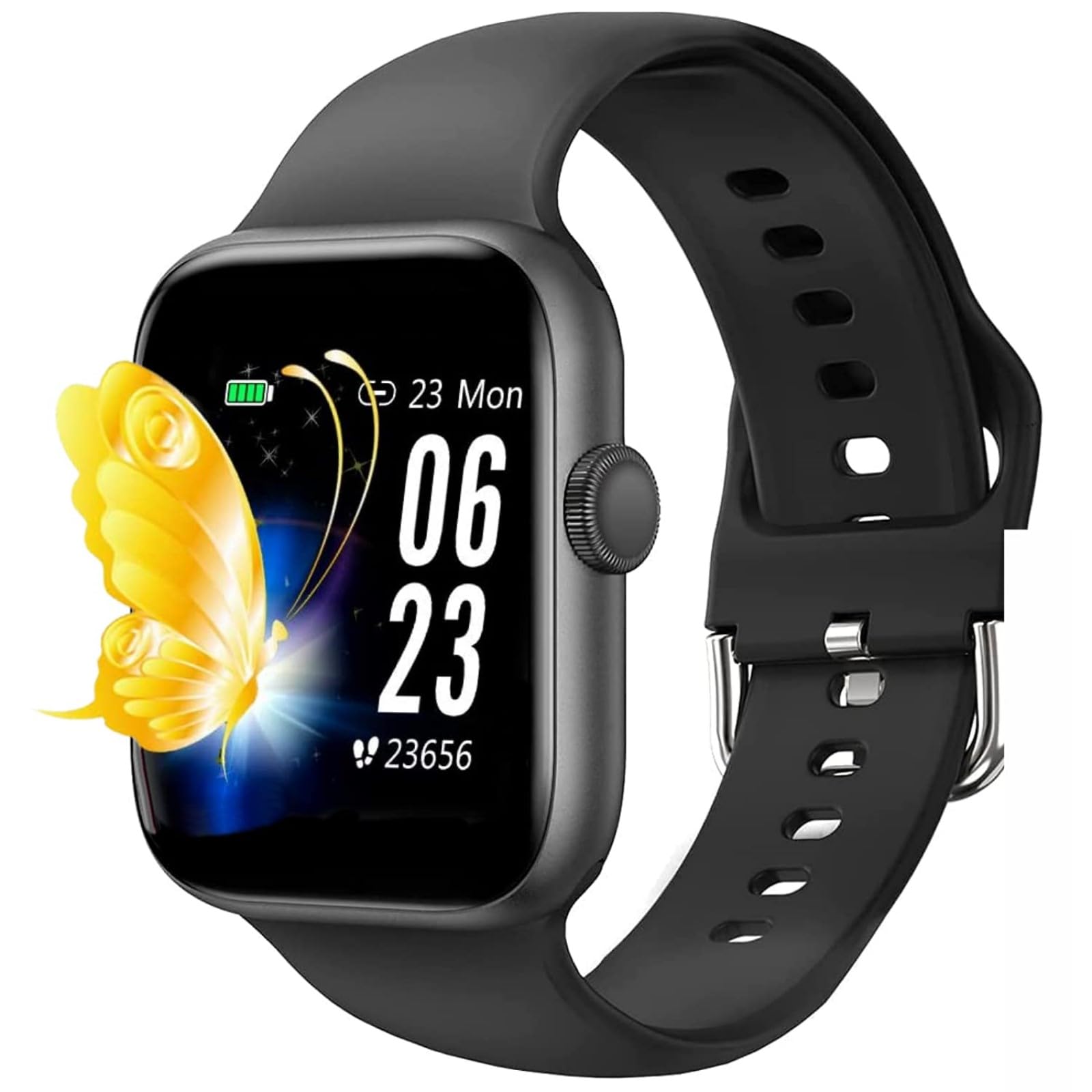
Image: CreaTeck K10 Smart Watch display showing various functions and navigation gestures.
3. Setup
3.1. Charging the Device
Before first use, fully charge your CreaTeck K10 Smart Watch. Connect the provided charging cable to the charging port on the watch and a compatible USB power source. The watch will display a charging indicator.

Image: The smart watch being charged with its micro data line charging cable.
3.2. SIM Card Installation
The K10 Smart Watch supports a non-4G LTE SIM card for independent calling functionality. To install, carefully open the back cover of the watch. Insert the Nano SIM card into the designated slot, ensuring correct orientation. Close the cover securely.

Image: The back of the smart watch opened to reveal the SIM card slot for installation.
3.3. Power On/Off
To power on the watch, press and hold the side button until the screen illuminates. To power off, press and hold the side button, then select the 'Power Off' option on the screen.
4. Basic Operation
4.1. Touchscreen Gestures
- Swipe Up: Access quick settings or notifications.
- Swipe Down: View notifications or control panel.
- Swipe Left/Right: Navigate through app screens or widgets.
- Tap: Select an item or open an application.
4.2. Language Settings
To change the language, navigate to the 'Settings' menu on your watch. Select 'International' or 'Language' and choose your preferred language from the available options.
Video: Demonstration of the CreaTeck K10 Smart Watch user interface, including dial changes, language settings, and SIM card insertion.
5. Calling Functions
5.1. Independent Calling (with SIM Card)
With a Nano SIM card installed, your K10 Smart Watch can function as an independent phone. You can dial numbers directly from the watch, make calls, and receive calls without needing to be connected to a smartphone.
5.2. Bluetooth Calling
Pair your K10 Smart Watch with your smartphone via Bluetooth to enable Bluetooth calling. Once paired, you can answer or make calls directly from your watch, using its built-in microphone and speaker, while your phone remains in your pocket.
6. Health Monitoring
The CreaTeck K10 Smart Watch offers several health monitoring features to help you stay informed about your well-being.

Image: The smart watch showing various health metrics including sleep duration, blood oxygen saturation, blood pressure, and heart rate.
6.1. Heart Rate Monitoring
The watch continuously tracks your heart rate in real-time. Access the heart rate application to view your current heart rate and historical data.
6.2. Sleep Monitoring
Wear your watch to bed to monitor your sleep patterns. The watch analyzes your sleep stages (deep sleep, light sleep, awake time) and provides insights into your sleep quality.

Image: The smart watch showing sleep monitoring data, indicating sleep duration and quality.
6.3. Blood Oxygen (SpO2)
Measure your blood oxygen saturation levels directly from your wrist. This feature provides an estimate of the oxygen content in your blood.
6.4. Blood Pressure
The watch can also monitor your blood pressure, providing readings for systolic and diastolic pressure. Consult a medical professional for accurate medical advice.
7. Activity Tracking
Track your daily activities and fitness progress with the K10 Smart Watch.
7.1. Running Mode
Activate the running mode to track your runs, including distance, duration, and estimated calories burned. This helps you optimize your performance and achieve your fitness goals.

Image: The smart watch displaying activity tracking data for a runner, including distance and calories.
7.2. Sedentary Reminder
The sedentary reminder function alerts you when you have been inactive for too long, encouraging you to move and maintain an active lifestyle.
8. Smart Features
Beyond health and fitness, the K10 Smart Watch offers various smart functionalities.
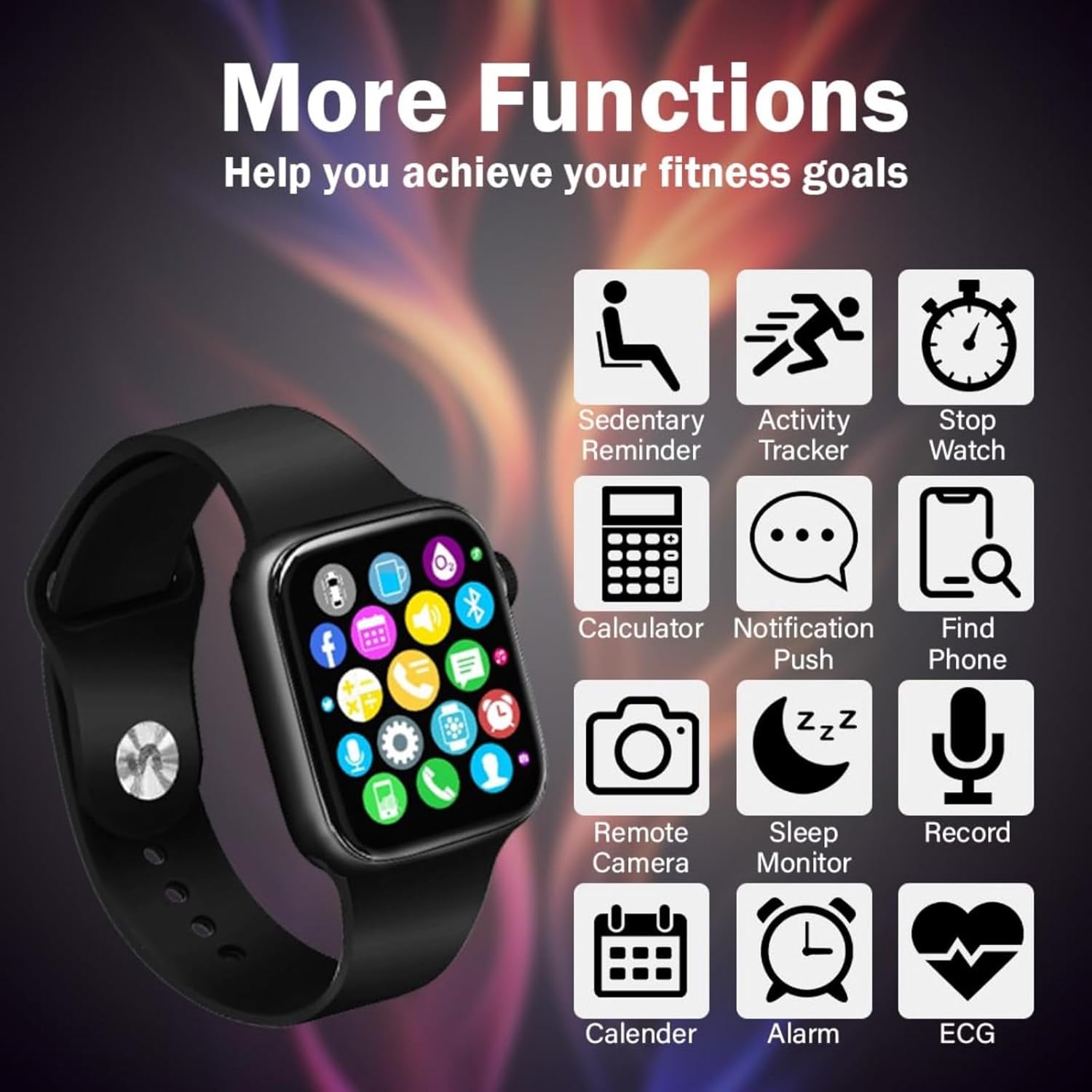
Image: The smart watch showing a variety of additional functions and applications.
8.1. Notifications
Receive notifications from your paired smartphone directly on your watch, including calls, messages, and app alerts. The off-screen pointer feature allows for discreet notification access.
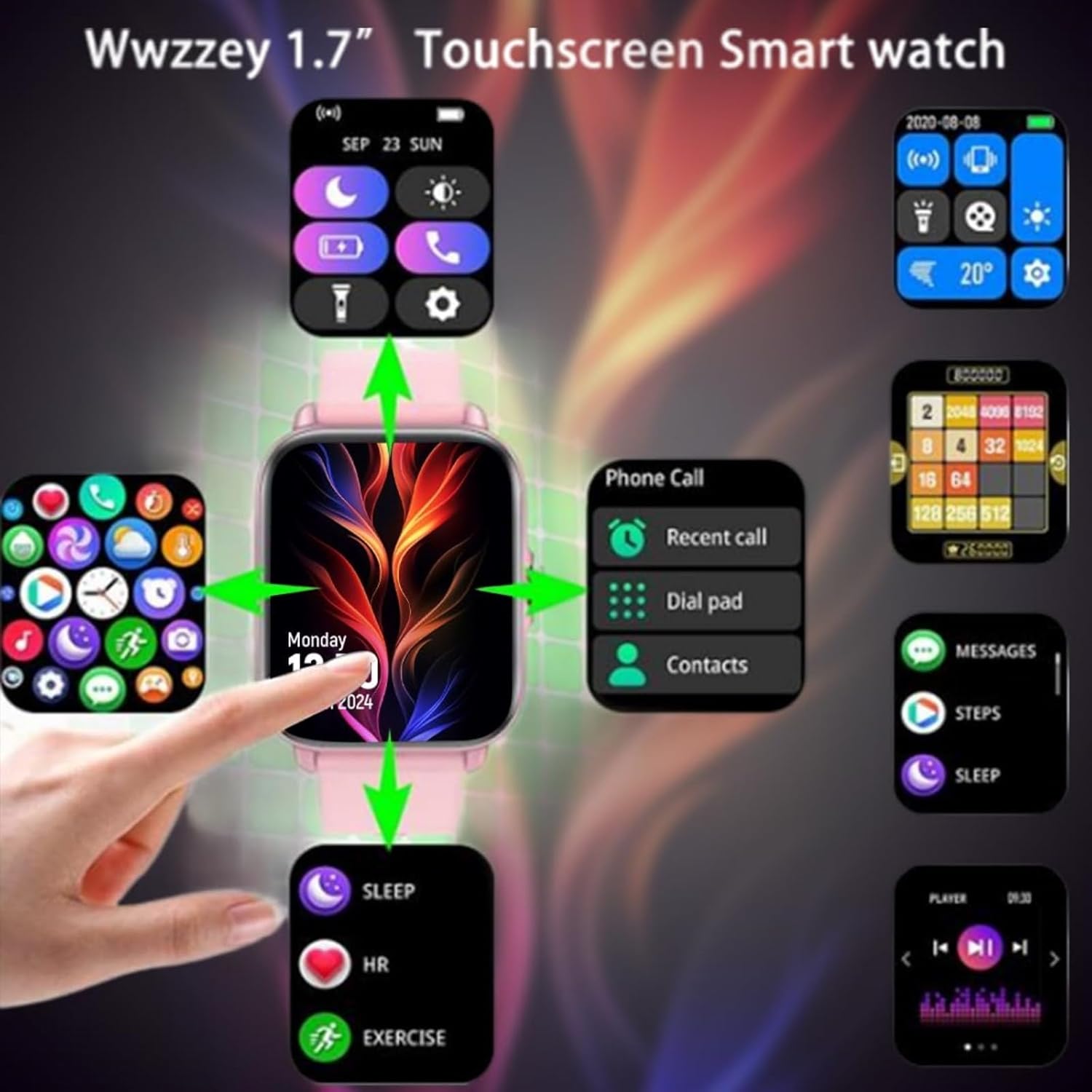
Image: The smart watch showing an instant message reminder, mirroring a notification on a smartphone.
8.2. Remote Camera Control
Use your watch as a remote shutter button for your smartphone's camera, making it easier to capture photos from a distance.
8.3. Music Control
Control music playback on your paired smartphone directly from your watch. Play, pause, skip tracks, and adjust volume without taking out your phone.
8.4. Find My Device
If you misplace your paired smartphone, use the 'Find My Device' feature on your watch to make your phone ring, helping you locate it quickly.
8.5. Other Tools
The watch includes practical tools such as a calculator, alarm clock, and calendar for daily convenience.
9. Maintenance
9.1. Cleaning
Regularly clean your watch and strap with a soft, dry cloth. For stubborn dirt, use a slightly damp cloth and mild soap, then wipe dry. Avoid harsh chemicals or abrasive materials.
9.2. Battery Care
To prolong battery life, avoid exposing the watch to extreme temperatures. Charge the watch regularly and avoid fully discharging it frequently. Store the watch with a partial charge if not used for extended periods.
10. Troubleshooting
If you encounter any issues with your CreaTeck K10 Smart Watch, refer to the following common problems and solutions:
- Watch not powering on: Ensure the watch is fully charged. Press and hold the power button for at least 10 seconds.
- Bluetooth not connecting: Make sure Bluetooth is enabled on both the watch and your smartphone. Ensure the watch is within range and not paired with another device. Try restarting both devices.
- SIM card not detected: Verify that the SIM card is correctly inserted and is a non-4G LTE type. Restart the watch after inserting the SIM card.
- Inaccurate health data: Ensure the watch is worn snugly on your wrist. Clean the sensor on the back of the watch. Avoid excessive movement during measurements.
- Short battery life: Reduce screen brightness, disable unnecessary notifications, and close background applications. Ensure the watch is fully charged before use.
11. Specifications
| Feature | Specification |
|---|---|
| Model | K10 |
| Display | 1.69 Inches LCD IPS Touchscreen |
| Resolution | 240 x 240 pixels |
| CPU | MTK2502 |
| Battery Capacity | 200 mAh Lithium Polymer |
| Connectivity | Bluetooth |
| SIM Card Support | Non-4G LTE Nano SIM |
| Special Features | GPS, Sedentary Reminder, Sleep Monitor, Heart Rate Monitor |
| Compatible Devices | Smartphone (Android, iOS) |
| Item Weight | 38 g |
12. Warranty and Support
The CreaTeck K10 Smart Watch comes with a standard manufacturer's warranty. For detailed warranty information, please refer to the warranty card included in your product packaging or contact CreaTeck customer support. If you require further assistance or have questions not covered in this manual, please reach out to our support team through the contact information provided on our official website or your purchase platform.