
CAMECHO 2G+64G Carplay
CAMECHO 2G+64G Android Car Radio
User Manual
1. Introduction
This manual provides detailed instructions for the installation, operation, and maintenance of your CAMECHO 2G+64G Android Car Radio. This single DIN unit features a 7-inch retractable touchscreen display, offering advanced connectivity and entertainment options for your vehicle. Please read this manual thoroughly before use to ensure proper functionality and safety.
2. Setup and Installation
Proper installation is crucial for the optimal performance of your car radio. It is recommended that installation be performed by a qualified professional.
2.1. Package Contents
Before beginning, verify that all components are present:
- CAMECHO 7-inch Single DIN Android Car Radio
- Remote Control
- External Microphone
- User Manual
- GPS Antenna
- Radio Antenna
- Power Cable
- AHD Camera

Figure 2.1: Packing List and Dimensions
2.2. Physical Installation
The unit is designed for a standard single DIN slot. Ensure sufficient space for the retractable display. The display extends manually.

Figure 2.2: CAMECHO Car Radio Unit
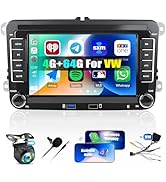
Figure 2.3: Before and After Installation Example
2.3. Wiring Connections
Connect the power cable, speaker wires, GPS antenna, radio antenna, external microphone, and AHD camera according to the wiring diagram provided with the power cable. Ensure all connections are secure to prevent malfunctions.
2.4. Initial Power-On
After installation, turn on your vehicle's ignition. The car radio should power on. Follow the on-screen prompts for initial setup, including language selection and time zone settings.
3. Operating Instructions
This section details the various functions and features of your CAMECHO Android Car Radio.
3.1. Display and Interface
The 7-inch HD touchscreen display is manually retractable. Gently pull or push the screen to adjust its position. The unit runs on Android 13, providing a familiar and intuitive user interface. You can customize desktop themes and backgrounds.
3.2. Split Screen Function
The device supports split-screen functionality, allowing two applications to be operated simultaneously on the display.
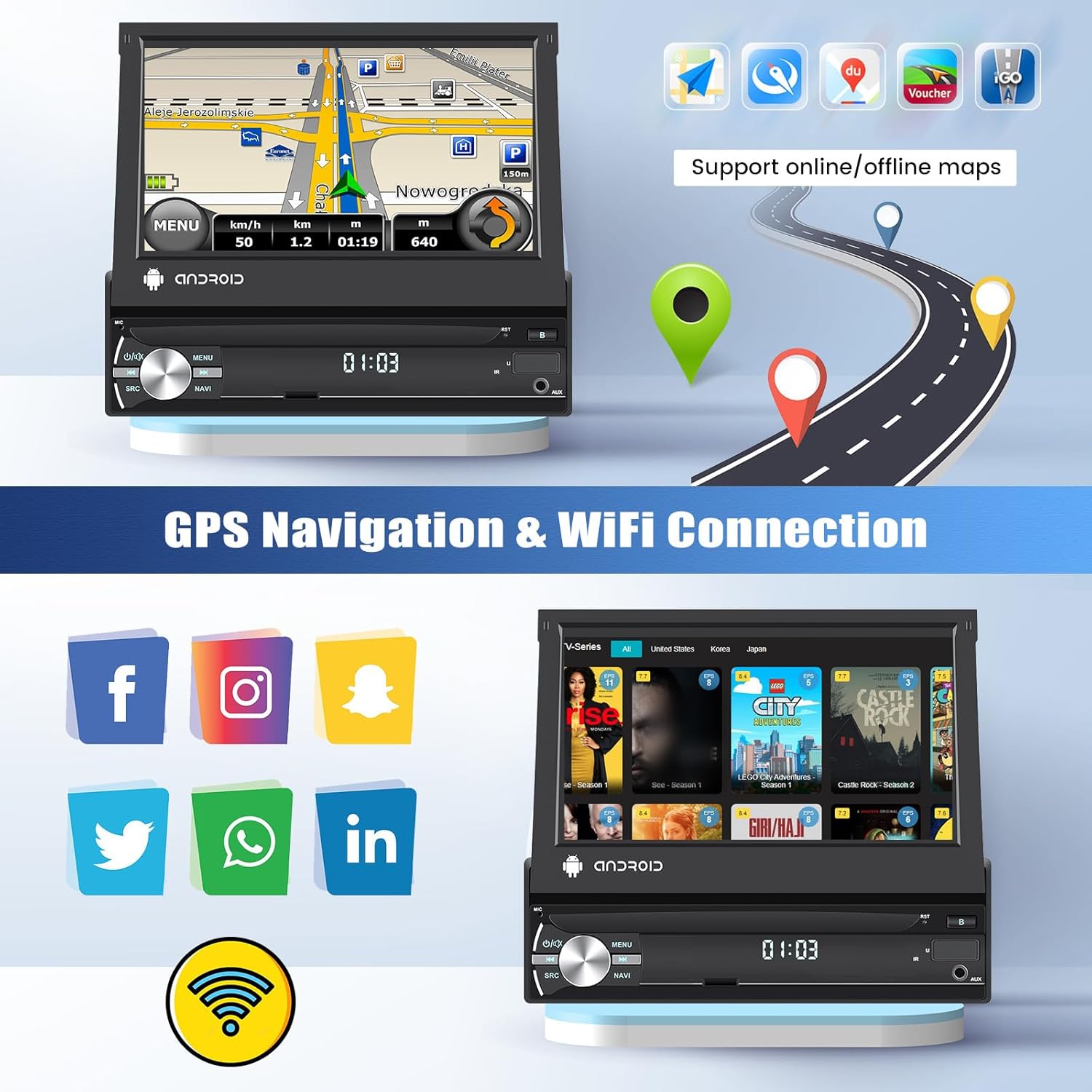
Figure 3.1: Split Screen Functionality
3.3. Connectivity Features
The car radio offers multiple connectivity options:
- Bluetooth: Supports hands-free calling, music playback (A2DP), and automatic phonebook loading.
- Wi-Fi: Connect to a Wi-Fi network or mobile hotspot for online maps, video streaming, and app downloads.
- Mirror Link: Project your smartphone screen (iOS/Android) to the car radio display via USB cable or Wi-Fi.
- Apple CarPlay & Android Auto: Connect your smartphone via wired or wireless connection to access navigation, music, messages, and more.

Figure 3.2: Wireless CarPlay, Android Auto, and Mirror Link
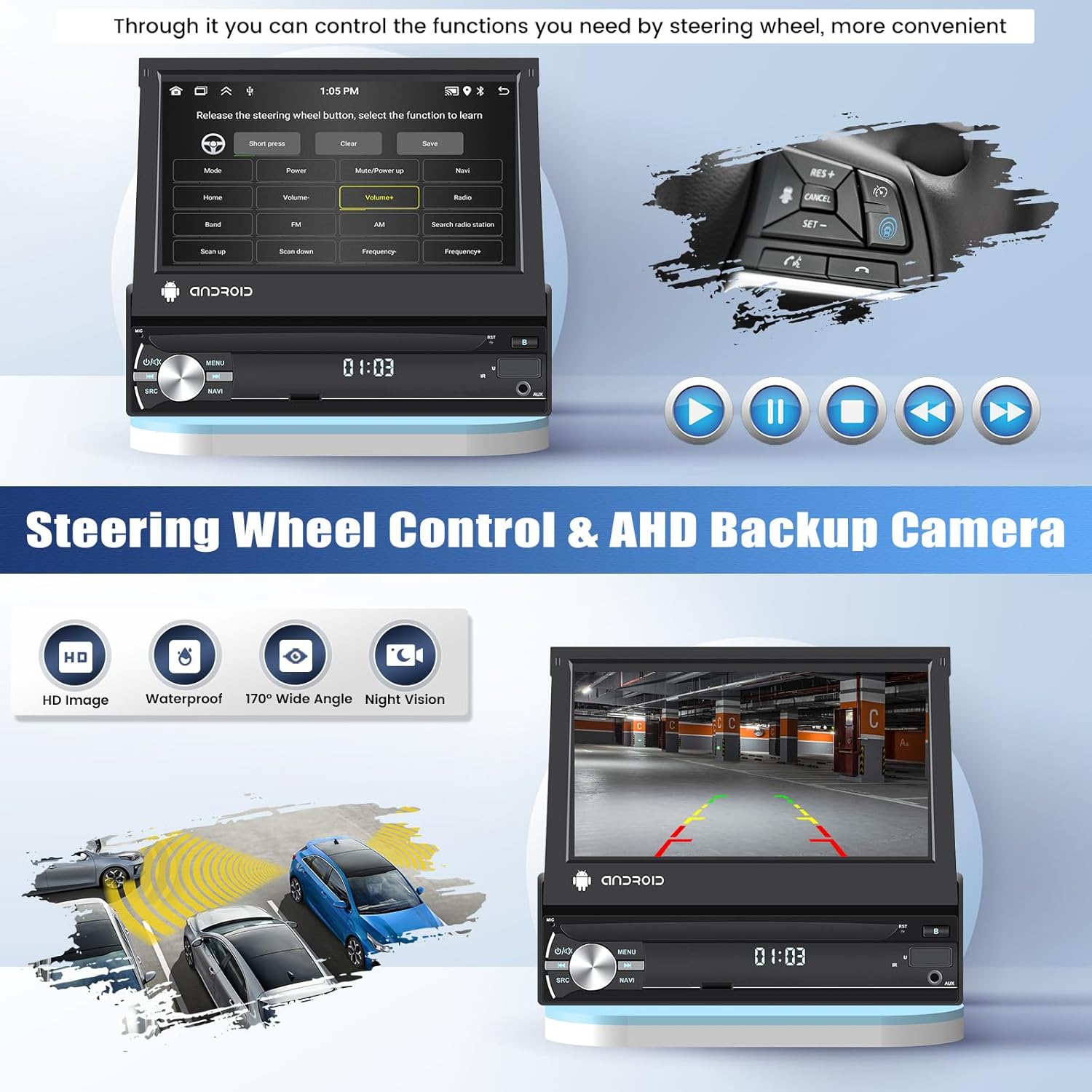
Figure 3.3: Bluetooth and FM/RDS Radio Functions
3.4. GPS Navigation
The unit has built-in GPS navigation. You can use pre-installed offline maps (e.g., "Here We Go") or download online maps after connecting to Wi-Fi.

Figure 3.4: GPS Navigation and Wi-Fi Connection
3.5. FM/RDS Radio
Tune into FM radio stations. The RDS (Radio Data System) feature displays station names, program content, and other relevant information where available. You can save up to 18 preset radio stations.
3.6. Steering Wheel Control (SWC)
The unit supports learning functions for your original steering wheel controls, allowing you to manage various functions conveniently without taking your hands off the wheel.

Figure 3.5: Steering Wheel Control and AHD Backup Camera
3.7. AHD Backup Camera
When connected, the included AHD backup camera automatically displays the rear view on the screen when the vehicle is put into reverse, assisting with parking and maneuvering.
3.8. Other Functions
The car radio includes additional features such as 7-color button lighting, subwoofer support, USB/AUX music playback, voice control, and time adjustment.
4. Maintenance
To ensure the longevity and optimal performance of your CAMECHO car radio, follow these maintenance guidelines:
- Cleaning: Use a soft, dry cloth to clean the screen and unit. For stubborn smudges, a slightly damp cloth with a mild, non-abrasive cleaner can be used, ensuring no liquid enters the unit.
- Software Updates: Periodically check for available software updates to ensure your system has the latest features and bug fixes. Refer to the manufacturer's website or contact support for update procedures.
- Environmental Conditions: Avoid exposing the unit to extreme temperatures, direct sunlight for prolonged periods, or excessive moisture.
5. Troubleshooting
If you encounter issues with your CAMECHO car radio, refer to the following common problems and their solutions:
| Problem | Possible Cause | Solution |
|---|---|---|
| No Power | Incorrect wiring; Blown fuse; Vehicle ignition off. | Check power connections; Inspect vehicle fuses; Ensure ignition is on. |
| No Sound | Speaker wires disconnected; Volume too low; Mute function active. | Verify speaker connections; Increase volume; Deactivate mute. |
| GPS Signal Lost/Weak | GPS antenna obstructed or disconnected; Poor satellite coverage. | Ensure GPS antenna has clear sky view and is connected; Move to an open area. |
| Bluetooth Connection Issues | Device not in pairing mode; Incorrect pairing code; Bluetooth off on phone/radio. | Enable pairing mode; Re-enter code; Ensure Bluetooth is active on both devices. |
| Touchscreen Unresponsive | System freeze; Dirt on screen. | Perform a system reset (refer to manual for reset button location); Clean the screen. |
If the problem persists after attempting these solutions, please contact customer support.
6. Specifications
Key technical specifications for the CAMECHO 2G+64G Car Radio:
| Feature | Specification |
|---|---|
| Model Number | 2G+64G Carplay |
| Operating System | Android 13 |
| RAM | 2GB |
| ROM | 64GB |
| Display Size | 7 inches |
| Display Type | Retractable Touchscreen |
| Connectivity | Bluetooth, Wi-Fi, USB, AUX |
| Special Features | Apple CarPlay, Android Auto, Mirror Link, GPS Navigation, FM/RDS Radio, Steering Wheel Control, AHD Backup Camera Support, Split Screen Function |
| Audio Output Mode | Mono, Stereo |
| Surround Sound Configuration | 5.1 |
| Dimensions (Packaging) | 31.4 x 24 x 9.6 cm |
| Weight | 1.74 Kilograms |
7. Warranty and Support
CAMECHO is committed to providing quality products and customer satisfaction.
7.1. Warranty Information
Your CAMECHO car radio comes with a 24-month warranty. Additionally, a 30-day money-back guarantee is offered from the date of purchase. Please retain your proof of purchase for warranty claims.
7.2. Customer Support
For technical assistance, troubleshooting, or warranty inquiries, please contact CAMECHO customer support:
- Email: icamecho@hotmail.com
- Online: Visit the CAMECHO store on Amazon and click 'Ask a question' to contact the seller directly.


Figure 7.1: Customer Support Information
Related Documents - 2G+64G Carplay
 |
Single Din Android 13 Car Stereo 9.5" Touchscreen Receiver - User Manual Comprehensive user manual for the Single Din Android 13 car stereo receiver (Model 9510A) featuring a 9.5" touchscreen, wireless CarPlay, Android Auto, GPS navigation, Bluetooth, WiFi, and mirror link functionality. Includes installation, operation, and troubleshooting guides. |
 |
CAMECHO Android Car Stereo User Manual and Installation Guide Comprehensive user manual and installation guide for the CAMECHO Android Car Stereo Double Din, covering setup, features like GPS, Bluetooth, backup camera, and troubleshooting. |
 |
Ford Focus 2012-2017 Android Car Stereo User Manual Comprehensive user manual for the Android 10.1 car stereo designed for Ford Focus models 2012-2017, covering installation, features, settings, and troubleshooting. |
 |
CAMECHO Universal Double Din Android Car Stereo User Manual & Installation Guide This user manual provides comprehensive instructions for installing and operating the CAMECHO Universal Double Din Android Car Stereo. It covers safety guidelines, wiring diagrams, connectivity features like Carplay and Android Auto, basic functions, and troubleshooting tips. |
 |
Android 7 Inch Flip Out Touch Screen Radio User Manual and Wiring Guide This document provides a comprehensive user manual and wiring diagram instructions for the Android 7 Inch Flip Out Touch Screen Radio. It covers basic operation, settings, application usage for navigation, radio, video, music, and Bluetooth, along with camera wiring and troubleshooting. |
 |
Ford F150 2009-2012 CAMECHO Android Car Stereo User Manual | Installation & Features Guide Comprehensive user manual for the CAMECHO Android car stereo system designed for Ford F150 (2009-2012). Covers installation, wiring, safety, basic functions, Carplay, Android Auto, and troubleshooting. |
Ask a question about this manual
Ask about setup, troubleshooting, compatibility, parts, safety, or missing instructions. Manuals+ will review the question and use this page’s manual context to help answer it.