
1. Introduction
Thank you for choosing the Xijia 2000W Pure Sine Wave Inverter. This device converts 72V DC battery power into 120V AC household power, enabling you to operate various electronic devices and appliances from your vehicle, RV, boat, or off-grid solar system. This manual provides essential information for safe installation, operation, and maintenance of your inverter.
A pure sine wave inverter produces AC power that is identical to, or even better than, the power supplied by your utility company. This makes it suitable for sensitive electronics, medical equipment (like CPAP machines), and appliances with motors, ensuring their longevity and efficient operation.
2. Important Safety Instructions
Please read and understand all safety instructions before installing or operating the inverter. Failure to follow these instructions may result in electric shock, fire, serious injury, or property damage.
General Safety Precautions:
- Keep Dry: Do not expose the inverter to rain, water, or excessive moisture.
- Proper Ventilation: Ensure adequate airflow around the inverter. Do not block ventilation openings.
- Avoid Flammable Materials: Do not install the inverter near flammable materials, gases, or liquids.
- Correct Voltage: Connect the inverter only to a 72V DC power source. Connecting to other voltages may damage the inverter and connected devices.
- Grounding: The inverter must be properly grounded. Consult a qualified electrician if unsure.
- Children and Pets: Keep the inverter out of reach of children and pets.
- Qualified Personnel: Installation and servicing should only be performed by qualified personnel.
- Disconnect Power: Always disconnect the DC power source before performing any maintenance or troubleshooting.
- Overload Protection: Do not exceed the inverter's rated continuous power output (2000W) or surge power (4000W).
3. Product Overview
3.1 Components and Features
The Xijia 2000W Pure Sine Wave Inverter is designed for reliability and ease of use. Key components and features include:
- Pure Sine Wave Output: Provides clean, stable power suitable for all types of electronics.
- High Power Output: 2000W continuous power, 4000W peak surge power.
- Multiple AC Outlets: Equipped with two 120V AC outlets for connecting multiple devices.
- Intelligent Cooling Fan: Automatically activates to dissipate heat when the inverter reaches a certain temperature or power load, ensuring optimal performance and longevity.
- Comprehensive Protection System: Includes safeguards against short circuit, overheating, over voltage, overload, under voltage, and over current.
- Digital LCD Display: Provides real-time monitoring of input voltage, output power, and protection modes.
- Remote Control: Allows convenient power ON/OFF control from a distance with a 5-meter cable.
3.2 Inverter Layout and Connections

Image: Inverter Front and Rear Panels. This image displays the front panel with two US AC sockets, a power switch, and an indicator light. The rear panel shows the DC input terminals and intelligent cooling fans.

Image: Remote Control. The remote control unit features an ON/OFF switch, an 'Inverter ON' indicator, and an 'Alarm' indicator, connected via an RJ45 cable.
3.3 Digital LCD Display

Image: LCD Display. The LCD screen shows real-time input voltage (e.g., 25.1V), output frequency (e.g., 50Hz), output voltage (e.g., 225V), and output power (e.g., 0W), along with a battery level indicator.
4. Setup and Installation
4.1 Choosing a Location
- Install the inverter in a cool, dry, and well-ventilated area.
- Avoid direct sunlight, heat sources, and moisture.
- Mount the inverter securely on a stable surface.
- Ensure there is at least 6 inches (15 cm) of clear space around the inverter for proper airflow.
4.2 Connecting to the DC Power Source (Battery)
Important: Ensure the inverter's power switch is in the OFF position before making any connections.

Image: Inverter Dimensions and Battery Cables. This image illustrates the physical dimensions of the inverter and the recommended battery cable connections, showing red for positive and black for negative terminals.
- Identify the positive (+) and negative (-) terminals on your 72V DC battery bank.
- Connect the red battery cable to the positive (+) terminal of the inverter and then to the positive (+) terminal of the battery.
- Connect the black battery cable to the negative (-) terminal of the inverter and then to the negative (-) terminal of the battery.
- Ensure all connections are tight and secure to prevent loose connections, which can cause overheating and damage.
- Use appropriate gauge cables for your power requirements. The provided cables are 4AWG for 12V/24V and 7AWG for 48V, but for 72V, ensure your cables are rated for the current.
4.3 Connecting the Remote Control
Plug the remote control cable into the designated RJ45 port on the inverter. The remote control allows you to turn the inverter ON/OFF from a convenient location.
5. Operating Instructions
5.1 Turning the Inverter ON/OFF
- To Turn ON: Ensure all DC connections are secure. Flip the main power switch on the inverter (or the remote control switch) to the 'ON' position. The 'Inverter ON' indicator light will illuminate, and the LCD display will show operational parameters.
- To Turn OFF: Disconnect all AC loads from the inverter. Flip the main power switch on the inverter (or the remote control switch) to the 'OFF' position.
5.2 Connecting AC Loads
- Plug your 120V AC appliances directly into the AC outlets on the inverter's front panel.
- Ensure the total continuous wattage of all connected appliances does not exceed 2000W. For appliances with high startup (surge) power, ensure the combined surge power does not exceed 4000W.
- The pure sine wave output is suitable for sensitive electronics such as laptops, TVs, CPAP machines, and power tools.
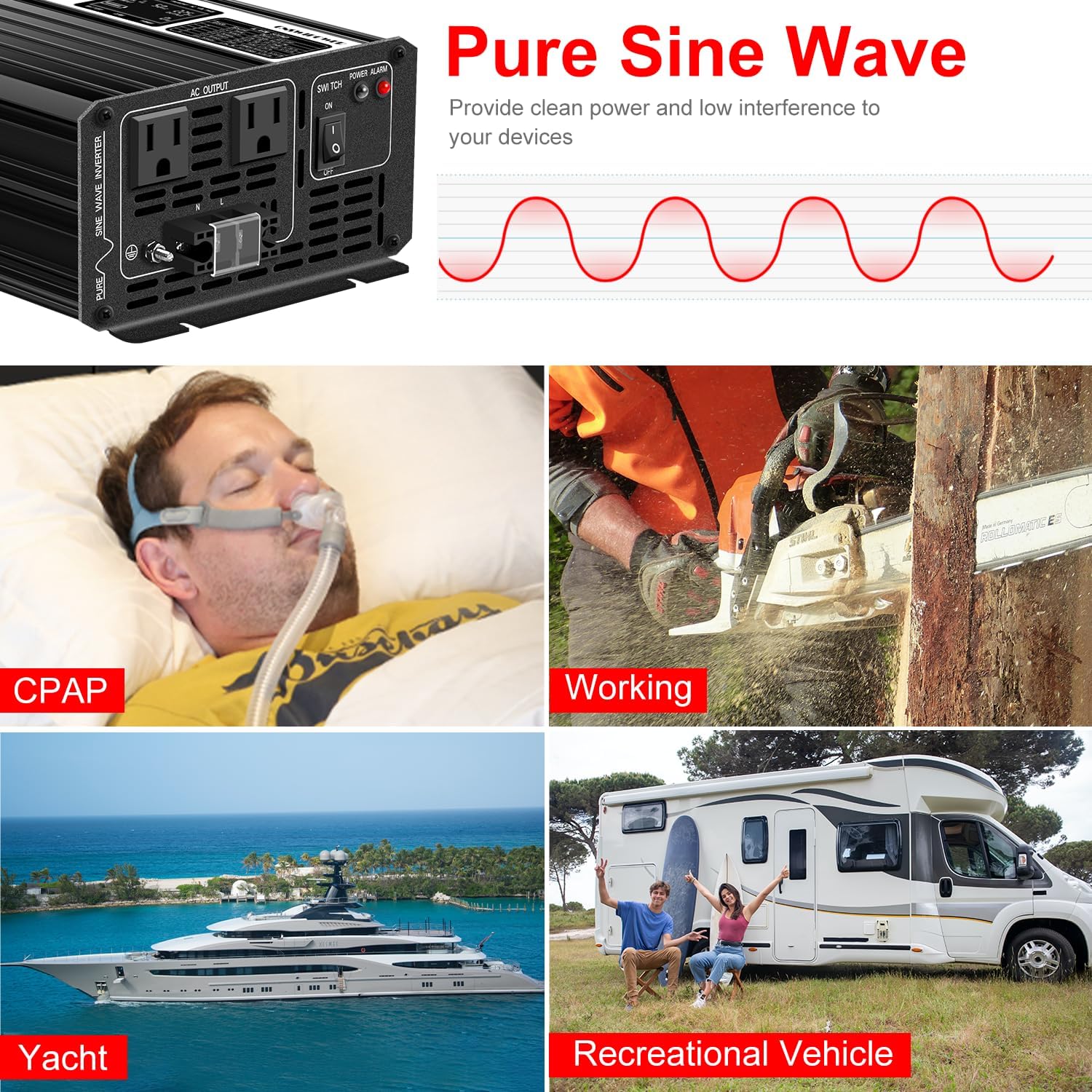
Image: Pure Sine Wave Applications. This image demonstrates various applications for the pure sine wave inverter, including powering CPAP machines, power tools, and providing electricity for yachts and recreational vehicles.
5.3 Understanding the LCD Display
The LCD display provides critical information about the inverter's status:
- Input Voltage (V): Shows the current DC voltage from your battery bank.
- Output Voltage (V): Displays the AC output voltage (nominally 120V).
- Output Power (W): Indicates the real-time power consumption of connected AC loads.
- Frequency (Hz): Shows the AC output frequency (nominally 50Hz as per specifications, though 60Hz is standard in North America).
- Battery Level Indicator: Provides a visual representation of the battery charge status.
- Protection Mode Indicators: Alerts you to any active protection features (e.g., low voltage, overload).
6. Maintenance
Regular maintenance ensures the longevity and reliable operation of your inverter.
- Cleaning: Periodically clean the exterior of the inverter with a dry, soft cloth. Ensure ventilation openings are free from dust and debris. Do not use liquid cleaners.
- Connection Check: Regularly inspect all DC and AC connections to ensure they are tight and free from corrosion. Loose connections can cause voltage drops and overheating.
- Battery Health: Monitor your battery bank's health and charge level. A well-maintained battery ensures optimal inverter performance.
- Ventilation: Ensure the area around the inverter remains clear for proper airflow, especially around the cooling fans.

Image: Intelligent Temperature Control Fan. This image illustrates the airflow generated by the intelligent cooling fans, which automatically activate to maintain optimal operating temperature.
7. Troubleshooting
If you encounter issues with your inverter, refer to the following common problems and solutions:

Image: Advanced Protection System. Icons representing various protection features: Short circuit, Overheating, Over voltage shut down, Overload, Under voltage warning, Over current shut down.
| Problem | Possible Cause | Solution |
|---|---|---|
| No AC Output / Inverter Not Turning On |
|
|
| Overload Alarm / Shutdown |
|
|
| Overheating Alarm / Shutdown |
|
|
| High/Low Voltage Alarm |
|
|
8. Specifications
| Feature | Specification |
|---|---|
| Brand | Xijia |
| Model Name | SP-3000L (Note: This model provides 2000W continuous output) |
| Manufacturer Part Number | SP12/120-1500L |
| Continuous Output Power | 2000 Watts |
| Peak Output Power | 4000 Watts |
| DC Input Voltage | 72 Volts |
| AC Output Voltage | 120 Volts |
| Output Waveform | Pure Sine Wave |
| Output Frequency | 50 Hz (Note: 60Hz is standard in North America) |
| Number of AC Outlets | 2 |
| Standby Power Shutoff | 92% |
| Color | Black |
| Protections | Under voltage, Over voltage, Overload, Over current, Short circuit, Overheating, Reverse fuse |
9. Warranty and Customer Support
Xijia products are manufactured to high-quality standards. For warranty information, technical support, or service inquiries, please refer to the contact information provided with your purchase or visit the official Xijia website. Please have your model number (SP12/120-1500L) and purchase date available when contacting support.