
Product Overview
The Miuzei MC72 is a metal case designed for the Raspberry Pi 5, offering robust protection and enhanced thermal management. It supports various NVMe SSD PCIe M.2 HATs and includes an active cooler and a dedicated power adapter for optimal performance. The case features a transparent acrylic top to prevent WiFi signal interference and allows visibility of the Raspberry Pi's operational status. Side openings further aid in heat dissipation.

Package Contents
Verify that all items listed below are included in your package:
- 1x Miuzei MC72 Black Metal Case for Raspberry Pi 5
- 1x USB-C Power Adapter (5.1V 5A 27W)
- 1x Raspberry Pi 5 Active Cooler
- 1x User Manual
- 4x Rubber Pads
- 1x Screw Set
Note: The Raspberry Pi 5 board, M.2 NVMe SSD Shield, and M.2 NVMe SSD are not included.

Setup Instructions
Follow these steps to assemble your Miuzei MC72 case with the Raspberry Pi 5 and active cooler.
1. Installing the Raspberry Pi 5
Carefully place your Raspberry Pi 5 board into the bottom section of the metal case. Ensure that the mounting holes align.

2. Installing the Active Cooler
The active cooler attaches to the circuit board via two mounting holes and connects to the 4-pin JST connector on the Raspberry Pi 5. The cooler comes with pre-applied thermal pads.

3. Assembling the Case
After installing the Raspberry Pi 5 and active cooler, place the transparent acrylic top cover onto the metal base. Secure the case components using the provided screws.
The case is designed to support various M.2 NVMe SSD PCIe HATs such as X1001, X1003, and X1000. Ensure proper alignment and secure any M.2 SSDs with the included screws (M.2 SSD expansion board and SSD are not included).

4. Connecting the Power Adapter
Connect the provided USB-C power adapter to the Type-C power port on the Raspberry Pi 5. Ensure the adapter is plugged into a compatible power outlet.

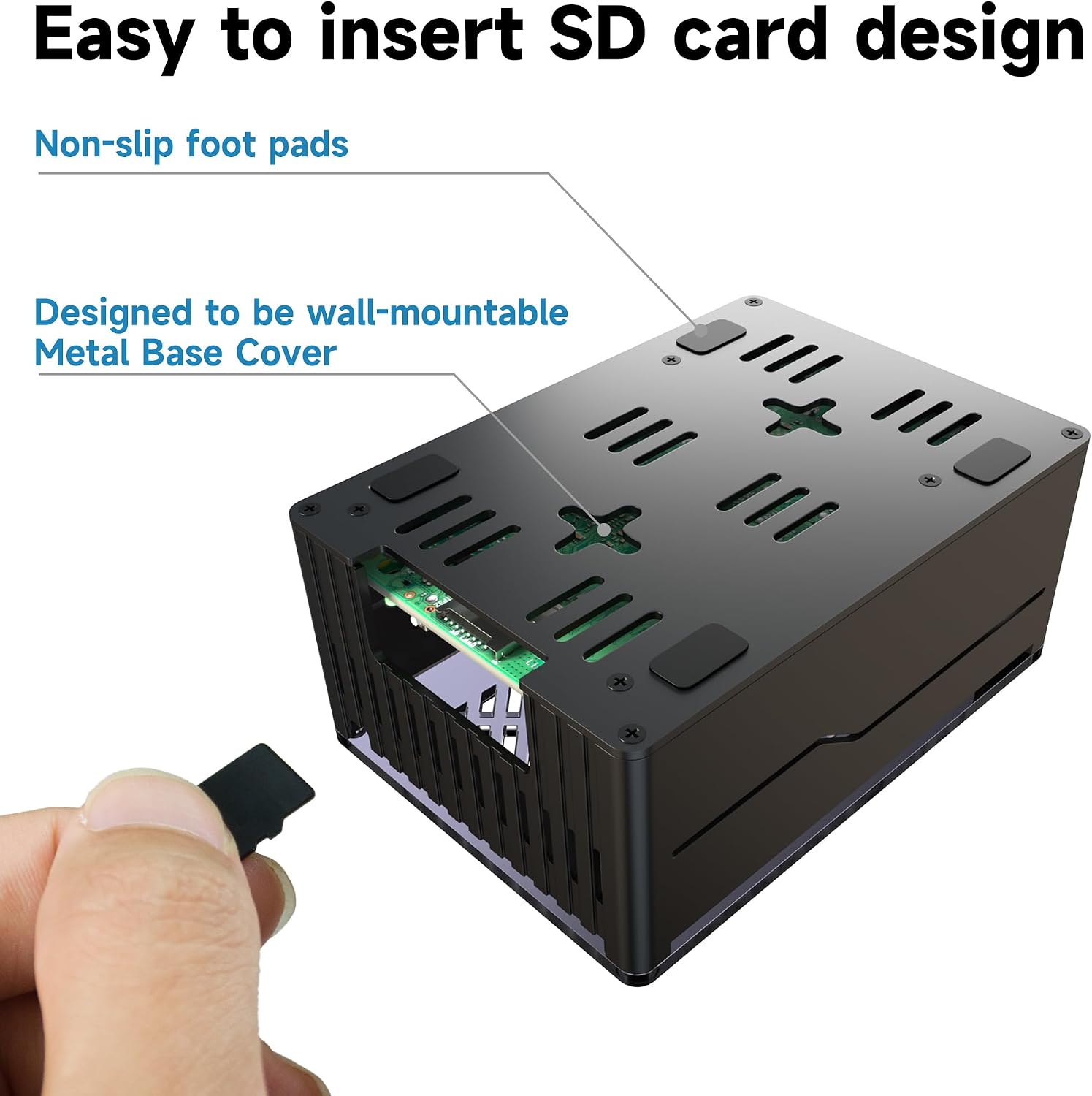
5. Inserting the SD Card
Insert your prepared SD card into the dedicated SD card slot on the Raspberry Pi 5. The case design allows for easy access to the SD card slot.
Operating Instructions
Powering On/Off
To power on your Raspberry Pi 5, ensure the power adapter is connected and plugged in. The Raspberry Pi 5 will typically boot automatically. To power off, use the operating system's shutdown function or press the dedicated on/off button on the case.
Port Usage
The case provides precise cutouts for all Raspberry Pi 5 ports:
- USB 2.0 Ports (x2): For connecting low-power peripherals.
- USB 3.0 Ports (x2): For connecting high-speed peripherals like external hard drives.
- Micro-HDMI Ports (x2): For video output to displays.
- Ethernet Jack: For wired network connectivity.
- GPIO Pins: For connecting to external hardware and sensors.
- PCI Express Interface: For M.2 NVMe SSD HATs.
- RTC Battery/UART: For real-time clock battery and serial communication.
Maintenance
Cleaning
To clean the case, gently wipe it with a soft, dry cloth. Avoid using abrasive cleaners or solvents, as these may damage the finish or acrylic top.
Thermal Management
The active cooler and aluminum case are designed for efficient heat dissipation. Ensure that the ventilation slots on the case are not obstructed to maintain optimal airflow.

Troubleshooting
Raspberry Pi Not Powering On
- Ensure the USB-C power adapter is securely connected to both the Raspberry Pi 5 and a working power outlet.
- Verify that the power adapter is the correct 5.1V 5A 27W model provided.
- Check if the SD card is properly inserted and contains a bootable operating system.
Overheating Issues
- Confirm that the active cooler is correctly installed and its fan is spinning.
- Ensure all ventilation slots on the case are clear and not obstructed.
- Verify that the thermal pads are correctly placed between the active cooler and the Raspberry Pi's CPU.
WiFi/Bluetooth Signal Interference
- The transparent acrylic top is designed to minimize interference. If issues persist, ensure no other metallic objects are directly covering the acrylic top.
Specifications
| Feature | Detail |
|---|---|
| Model Name | MC72 |
| Compatibility | Raspberry Pi 5 (4GB/8GB), NVMe SSD PCIe M.2 HATs (X1001, X1003, X1000, X1004) |
| Material | Aluminum alloy (case), Acrylic (top cover) |
| Cooling Method | Air (with Active Cooler) |
| Power Adapter | USB-C, 27W, 5.1V 5A |
| Power Adapter Input | AC110-240V 50/60Hz 0.6A |
| Power Adapter Output | DC5.1V=5A, 9V=3A, 12V=2.25A, 15V=1.8A |
| Power Adapter Cable Length | 1.3m / 51 inches |
| USB 2.0 Ports | 2 |
| USB 3.0 Ports | 2 |
| Micro-HDMI Ports | 2 |
| Ethernet Port | 1 |
| SD Card Slot | 1 |

Warranty and Support
For warranty information and technical support, please refer to the manufacturer's official website or contact their customer service. Keep your purchase receipt for warranty claims.