
UFDIPLMY UFDIPLMY
UFDIPLMY LED Backlight Strip User Manual
Model: UFDIPLMY (KJ315D10-ZC14F-03, D304PHHB01F5B, 303KJ315031)
Introduction
This manual provides essential information for the installation, operation, and maintenance of your UFDIPLMY LED Backlight Strip. This product is designed as a replacement part for various LCD TV models, including AIWA CH3237, Sanyo E32D1900, JAV LED32HD330, and Supra STV-LC32370WL. It offers a long service life, high energy efficiency, and is environmentally friendly.
Product Overview
The UFDIPLMY LED Backlight Strip is a crucial component for illuminating LCD TV panels. Each strip consists of multiple individual LED modules designed for uniform light distribution.

Figure 1: Complete UFDIPLMY LED Backlight Strip. This image displays the full length of the LED backlight strip, showing the arrangement of individual LED modules along its length.

Figure 2: Detailed view of LED modules. This image provides a close-up of the individual LED modules, highlighting the part numbers KJ315D-ZC14F-03 and 303KJ15034 printed on the strip, along with the date 2022-10-1.
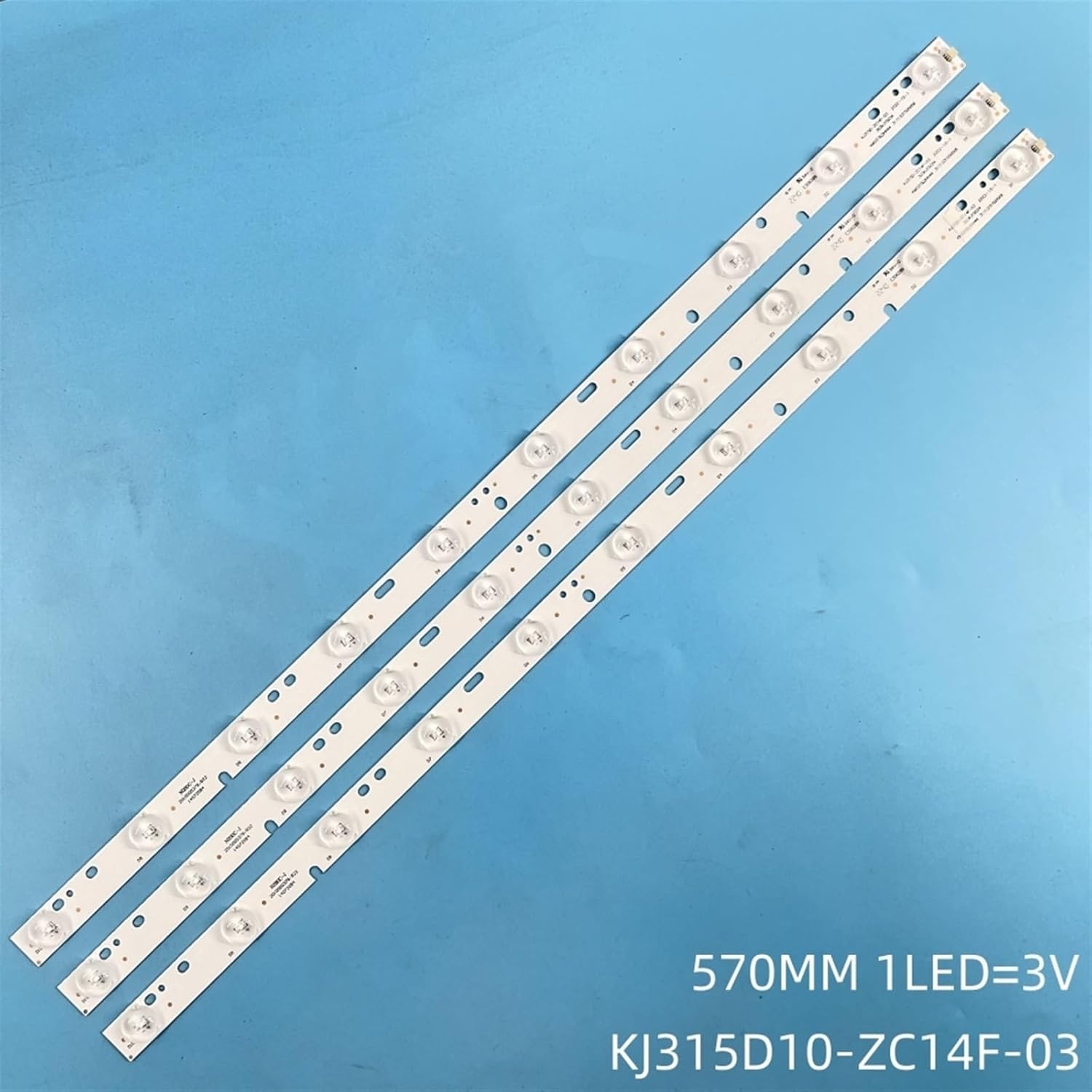
Figure 3: Multiple LED backlight strips. This image shows three LED backlight strips side-by-side, with text indicating "570MM 1LED=3V KJ315D10-ZC14F-03", providing key electrical and dimensional specifications.
Setup and Installation
Installation of LED backlight strips requires technical knowledge and should ideally be performed by a qualified technician. Incorrect installation can damage the TV or the backlight strips.
Safety Precautions:
- Always disconnect the TV from the power source before beginning any installation or repair work.
- Wear anti-static gloves to prevent damage to sensitive electronic components.
- Handle the LCD panel with extreme care to avoid breakage or damage.
- Note the position and orientation of all screws and components during disassembly.
Installation Steps:
- Disassemble the TV: Carefully remove the back cover, stand, and any internal components necessary to access the LCD panel and existing backlight system.
- Remove the LCD Panel: With extreme caution, detach and safely store the LCD panel. It is highly fragile.
- Access Old Backlights: Remove the diffuser sheets and any other layers to expose the old LED backlight strips.
- Replace Strips: Disconnect the old backlight strips from their power connectors. Install the new UFDIPLMY LED backlight strips, ensuring they are correctly aligned and secured in their designated slots. Verify that the connectors are firmly attached.
- Test Functionality: Before reassembling the TV, temporarily connect the power and test the new backlight strips to ensure they illuminate correctly and uniformly.
- Reassemble TV: Carefully reassemble the TV in reverse order of disassembly, ensuring all components are correctly placed and all screws are tightened.
Operating Considerations
Once installed, the LED backlight strips operate automatically as part of the TV's display system. No direct user operation is required for the backlight strips themselves.
- Ensure proper ventilation around the TV to prevent overheating, which can affect the lifespan of LED components.
- Avoid exposing the TV to extreme temperatures or humidity.
Maintenance
The UFDIPLMY LED Backlight Strips are designed for long-term, maintenance-free operation. No routine maintenance is required for the strips themselves once installed.
- Keep the TV's ventilation openings clear of dust and debris to ensure proper airflow.
- Clean the TV screen and exterior casing regularly with a soft, dry cloth. Avoid using harsh chemicals or abrasive materials.
Troubleshooting
If you experience issues after installing the new backlight strips, consider the following common problems and solutions:
| Problem | Possible Cause | Solution |
|---|---|---|
| No backlight / Dark screen |
|
|
| Uneven brightness / Dark spots |
|
|
| TV not turning on |
|
|
If problems persist, it is recommended to consult a professional TV repair technician.
Specifications
| Feature | Detail |
|---|---|
| Product Type | LED Backlight Strip for LCD TV |
| Brand | UFDIPLMY |
| Model Numbers (Compatible) | KJ315D10-ZC14F-03, D304PHHB01F5B, 303KJ315031 |
| Compatible TV Models | AIWA CH3237, Sanyo E32D1900, JAV LED32HD330, Supra STV-LC32370WL |
| LED Voltage | 3V per LED (as indicated on image) |
| Strip Length | 570mm (as indicated on image) |
| Estimated Lifespan | > 100,000 hours |
| Package Dimensions | 1.18 x 0.79 x 0.39 inches |
| Item Weight | 1.76 ounces (50 Grams) |
Warranty and Support
Warranty Information:
Specific warranty details for this product are typically provided by the seller at the time of purchase. Please refer to your purchase documentation or contact the seller directly for information regarding warranty coverage and terms.
Customer Support:
For technical assistance, installation queries, or troubleshooting beyond the scope of this manual, please contact the seller or manufacturer directly through the platform where the product was purchased. Provide your order number and a detailed description of the issue for prompt assistance.
Manufacturer: UFDIPLMY
Ask a question about this manual
Ask about setup, troubleshooting, compatibility, parts, safety, or missing instructions. Manuals+ will review the question and use this page’s manual context to help answer it.