
1. Introduction
This manual provides detailed instructions for the installation, operation, and troubleshooting of your VIKNAN 14 Inch Android Car Radio Head Unit. This unit is specifically designed for Land Rover Range Rover Vogue L405 Sport L494 models manufactured between 2013 and 2017, and is compatible with vehicles equipped with the Bosch System. It is not compatible with OEM Harman systems.
The head unit integrates an Android operating system with a 14-inch high-definition touch screen, offering features such as built-in Bluetooth, Wi-Fi, GPS navigation, Play Store access, CarPlay, Android Auto, and support for original vehicle functions.
2. Setup and Installation
The VIKNAN 14 Inch Android Car Radio Head Unit is designed for plug-and-play installation. However, professional installation is recommended. Please follow the steps carefully to ensure proper functionality.
2.1. Compatibility Check
Before installation, verify your vehicle's original system. This unit supports Land Rover Range Rover Vogue L405 Sport L494 (2013-2017) with the Bosch System. It is not compatible with the OEM Harman system.

2.2. Installation Steps
The installation process involves carefully removing existing components, modifying the original head unit, and connecting the new display. A detailed installation video is provided to guide you through each step.
Key steps demonstrated in the installation video include:
- Removal of Original Trim: Carefully detach the dashboard trim surrounding the original screen and climate controls.
- Disconnecting Original Unit: Unplug all cables connected to the original screen and CD player unit.
- Disassembly of Original Unit: Remove screws to open the original head unit and access its internal circuit board.
- Main Board Integration: Connect the provided ribbon cable from the new display to the designated port on the original main circuit board.
- Reassembly: Secure the modified original unit and connect the new wiring harness, ensuring all connections are firm.
- New Screen Mounting: Install the new 14-inch display into the dashboard opening, securing it with screws.
For detailed visual guidance, please refer to the embedded installation video.
3. Operating Instructions
Your new VIKNAN Android Car Radio Head Unit offers a range of features and functionalities. Here's how to operate some of the key aspects:
3.1. System Switching
The unit allows seamless switching between the Android system and your original OEM Bosch system. This ensures that all original car functions are retained and accessible.

3.2. CarPlay and Android Auto
The head unit supports both wired and wireless Apple CarPlay and wired Android Auto. To use these features, connect your smartphone via Wi-Fi/Bluetooth or USB.
Steps for connecting CarPlay/Android Auto:
- Ensure Bluetooth and Wi-Fi are enabled on your smartphone.
- On the head unit, navigate to the CarPlay/Android Auto application.
- Follow the on-screen prompts to pair your device via Bluetooth or connect via USB.
- Once connected, your phone's compatible apps will appear on the head unit display.
3.3. Navigation
The unit features built-in GPS navigation and supports online maps with real-time traffic updates. You can access navigation applications directly from the Android interface.

3.4. Media Playback
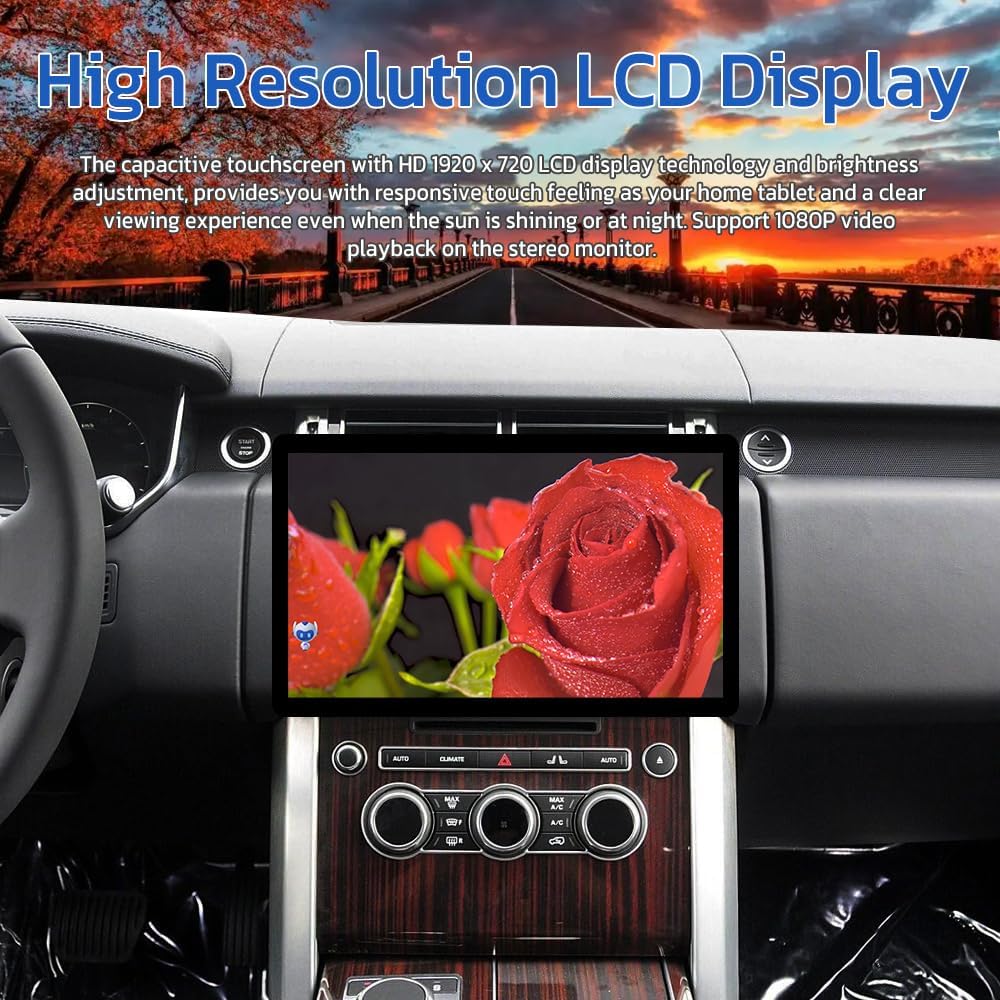
Enjoy music and video playback through various sources, including local storage, streaming apps, and Bluetooth audio. The high-resolution LCD display supports 1080P video playback.
3.5. Rear View Camera Support
The system automatically displays the rearview camera feed when shifting into reverse gear, providing parking assistance with reversing tracks and radar display.

3.6. Steering Wheel Control
The unit retains full functionality of your original steering wheel controls, allowing you to manage media, calls, and navigation without taking your hands off the wheel.

4. Troubleshooting
If you encounter any issues with your VIKNAN head unit, please refer to the following common solutions or contact technical support.
4.1. No Sound After Installation
If there is no sound after installation, ensure that the AUX input is correctly selected on your original car system. The new head unit routes audio through the vehicle's AUX input.
4.2. Resolution Settings
If the display resolution appears incorrect or distorted, you may need to adjust the resolution settings within the unit's system menu.
5. Specifications
- Screen Size: 14 Inches
- Resolution: 1920 x 1080
- Internal Storage (ROM): 128GB
- Operating System: Android
- Special Features: Bluetooth, Touchscreen, Waterproof
- Connectivity Technology: Bluetooth, Wi-Fi
- Map Type: Worldwide
- Included Components: Screen with cable accessories
- Vehicle Service Type: Car
- Mounting Type: Dashboard Mount
6. Warranty and Support
VIKNAN is committed to providing excellent customer service and support for your product.
6.1. Customer Service
For any inquiries or technical assistance, please contact us:
- Email: viknav007@outlook.com
6.2. Warranty Information
- Return Policy: 30 days no-reason refund.
- Technical Support: Lifetime technical support.
- Response Time: 24-hour quick response for support inquiries.
