
Hikity Android 15 Car Stereo User Manual
For Jeep Cherokee 2013-2018 (Model: 2+64G)
1. Product Overview
The Hikity Android 15 Car Stereo is designed to enhance your driving experience with advanced features and seamless integration. This manual provides essential information for installation, operation, and maintenance.
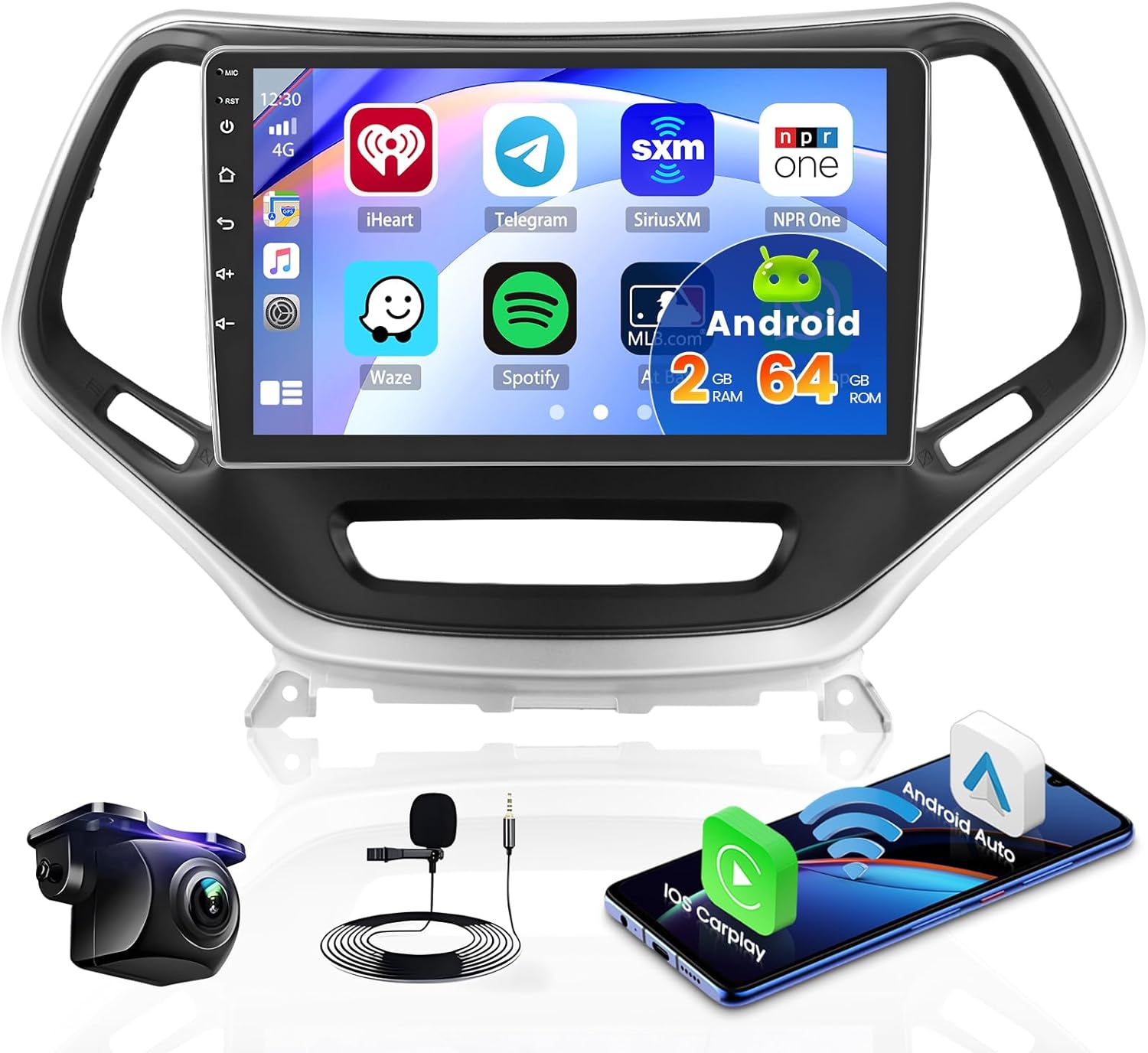
Figure 1: Hikity Android 15 Car Stereo and included components.
2. Package Contents and Setup
Before beginning installation, please verify all components are present in the package.
2.1. What's in the Box
- Android Car Radio (Head Unit)
- AHD Backup Camera & Camera Input Cable
- Microphone
- Power Cable & GPS Antenna
- RCA Cable & USB Cable (Dual USB Input)
- Wiring Harness Cables
- Canbus Decoder
- Frame Panel
- Installation Tools

Figure 2: Detailed view of the package contents.
Video 1: Unboxing and overview of included accessories.
2.2. Vehicle Compatibility
This car stereo is compatible with Jeep Cherokee models from 2013 to 2018. The stereo includes an in-dash head unit, wiring harness cables, a CANbus decoder, and a frame panel designed for these vehicles. It supports most stock features, including air conditioning information display, backup camera, and heated seats.
Please ensure the power cable port on the detail page matches your original car's port before installation.

Figure 3: Car stereo installed in a Jeep Cherokee dashboard.

Figure 4: Visual guide for dashboard fitment in Jeep Cherokee 2013-2018.
2.3. Wiring and Installation
The stereo comes with a CANbus system that supports most original vehicle functions, such as steering wheel control (SWC), door information, and radar. No additional learning is required for basic steering wheel button functions.

Figure 5: CANbus and Steering Wheel Control wiring diagram.
For backup camera installation, connect the red cable to the positive terminal of the car's reverse light cable and the black cable to the negative terminal. Other red extension cables are typically not needed.

Figure 6: Backup camera wiring instructions.
3. Operating Instructions
3.1. System and Display
The car stereo operates on an Android system with a Quad Core 2G RAM and 64G ROM, ensuring a responsive user experience. The 10.1-inch ultra HD touch screen features a 1024x600 resolution for clear visuals.

Figure 7: Display features and UI themes.
Video 2: Demonstration of the Android car radio's user interface and functions.
3.2. Wireless/Wired CarPlay & Android Auto and Mirror Link
Connect your smartphone via Bluetooth or USB to project its content onto the head unit's large screen. This allows access to phone functions like calls, navigation, music, and apps. Mirror Link supports 1080P videos and HD images.

Figure 8: Wireless CarPlay and Android Auto interface.
Video 3: Overview of CarPlay and Android Auto features on the car stereo.
Video 4: Instructions on how to connect Bluetooth, Android Auto, and Wi-Fi.
3.3. Navigation (GPS & WiFi)
The head unit has a built-in GPS receiver supporting online and offline map navigation. Free worldwide offline maps are available via the Herewego app. The built-in WiFi module allows for online music/videos, web browsing, and app installation (e.g., YouTube, TikTok, Spotify).

Figure 9: GPS Navigation and WiFi connectivity features.

Figure 10: Online and offline navigation capabilities.
3.4. Bluetooth
Pair your phone via Bluetooth for hands-free calls and wireless music streaming. An external microphone is included for clear voice transmission.

Figure 11: Bluetooth and dual microphone features.
3.5. FM/RDS Radio and Audio
Enjoy personalized audio with the integrated EQ and FM/RDS Radio system. Fine-tune your sound with the intuitive Equalizer to match your musical preferences. The unit also features subwoofer output.
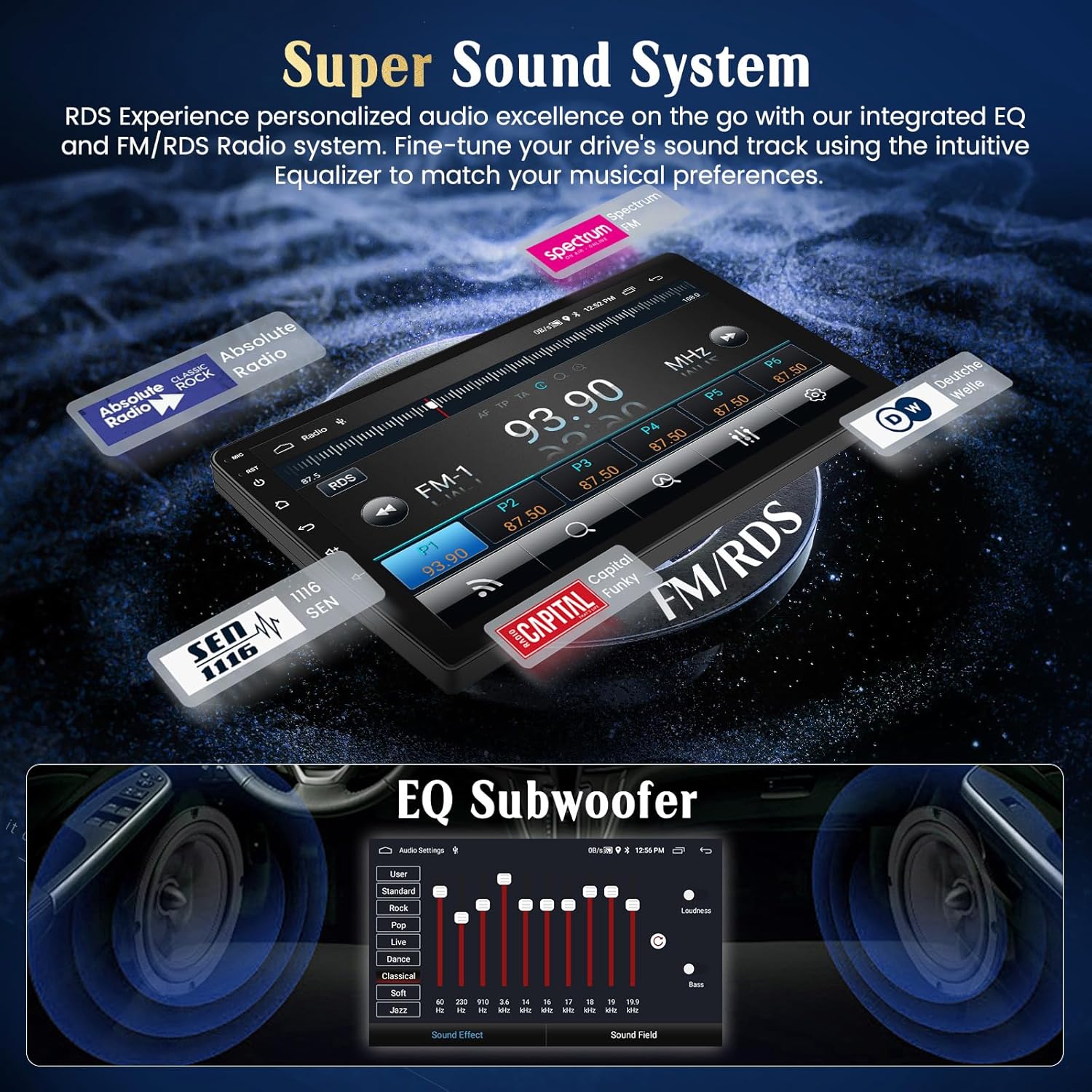
Figure 12: Super Sound System with EQ and RDS radio.
Video 5: Demonstration of radio functions and audio settings.
3.6. Backup Camera
The AHD backup camera input automatically switches to the reverse image when the car is in reverse gear, providing an easier and safer parking experience. The camera features night vision, waterproofing, guidelines, and a wide-angle view.

Figure 13: AHD Reversing Input features.
3.7. Other Functions
The unit supports split-screen functionality, allowing you to view multiple applications simultaneously. It also includes dual USB inputs for flash drives and phone charging.

Figure 14: Split screen and dual USB features.
4. Maintenance
To ensure the longevity and optimal performance of your Hikity car stereo, follow these general maintenance guidelines:
- Cleaning: Use a soft, dry cloth to clean the screen and exterior. Avoid abrasive cleaners or solvents.
- Software Updates: Periodically check for system updates to ensure you have the latest features and security patches. Updates can typically be found in the device's settings menu under 'System' or 'About Device'.
- Temperature: Avoid exposing the device to extreme temperatures.
- Power Management: Ensure proper vehicle battery maintenance to prevent power fluctuations that could affect the stereo.
5. Troubleshooting
If you encounter issues with your car stereo, please refer to the following common troubleshooting steps:
- No Power: Check all power connections and fuses. Ensure the vehicle's ignition is on.
- No Sound: Verify speaker connections, volume levels, and EQ settings. Check if the mute function is active.
- Bluetooth Connectivity Issues: Ensure Bluetooth is enabled on both the stereo and your phone. Delete previous pairings and re-pair. Clear Bluetooth cache on your phone if necessary.
- GPS Signal Loss: Ensure the GPS antenna is properly installed and has a clear view of the sky.
- Touch Screen Unresponsive: Try restarting the device. If the issue persists, a factory reset might be necessary (note: this will erase all user data).
For persistent issues, please contact customer support.
6. Specifications
| Feature | Specification |
|---|---|
| Item Weight | 4.17 pounds |
| Product Dimensions | 10.24 x 7.87 x 2.76 inches |
| Display Size | 10.1 Inches |
| Display Resolution | 1024x600 |
| Operating System | Android |
| RAM | 2GB |
| ROM | 64GB |
| Connectivity Technology | Bluetooth, WiFi |
| Special Features | Wireless Android Auto, Wireless CarPlay, GPS Navigation, FM RDS, EQ Audio, Subwoofer Output, AHD Backup Camera |
| Mounting Type | Dashboard Mount |
| Voice Command | Buttons, Microphone, Touchscreen |
7. Warranty and Support
Your Hikity car stereo comes with a 1-year warranty from the date of purchase. Hikity Tech provides comprehensive customer support to ensure your satisfaction.
- Quality Assurance: 12 Months Quality Guarantee.
- Returns: 30 Days Free Return.
- Replacements: 2 Years Replacement for eligible issues.
- Technical Support: Life Time Technical Support.
- Response Time: Online Reply Within 24 Hours.
If you have any questions regarding installation or operation, please contact Hikity Tech directly. You can reach them via email at techservice@163.com. Please include your Amazon order number for quicker assistance.