
1. Introduction
The H HOLDPEAK HP-8000B is a high-precision, non-contact LED handheld stroboscope designed for measuring the rotational speed or vibration frequency of various equipment. It utilizes 16 adjustable LED lamp beads to provide bright, clear illumination, allowing for accurate observation of moving objects without physical contact. This manual provides detailed instructions for the safe and effective use of your stroboscope.
2. Safety Information
- Eye Protection: Avoid direct exposure to the stroboscope's LED light, as it can be very bright. Do not stare into the light source.
- Operating Environment: Use the device in a clean, dry environment. Avoid extreme temperatures, humidity, or corrosive gases.
- Charging: Use only the provided USB-C cable for charging. Do not attempt to charge with damaged cables or non-compatible chargers.
- Maintenance: Do not attempt to disassemble or modify the stroboscope. Refer all servicing to qualified personnel.
- Children: Keep the device out of reach of children.
3. Package Contents
Please check the package contents upon receipt to ensure all items are present and undamaged:
- 1 x H HOLDPEAK HP-8000B LED Handheld Stroboscope
- 1 x USB-C Charging Cable
- 1 x User Manual

Image: The stroboscope, its retail box, a user manual, and a USB charging cable are included in the package.
4. Product Features
- High Brightness Flash LED: Equipped with 16 LED beads providing 1500 lux illumination for clear imaging and accurate positioning.
- Non-Contact Measurement: Measures rotation speed or vibration frequency without physical contact, with a wide range of 60-100000 RPM and 0.001% accuracy.
- Rechargeable Design: Built-in battery with USB-C charging interface and LCD battery level display.
- No Reflective Tape Required: Can measure rotational speed using existing markings on equipment, with a special phase function to adjust mark position.
- Wide Application: Suitable for industrial use, gear meshing, spinning, CNC machine tools, paper making, printing, turbines, drive motors, and fans.
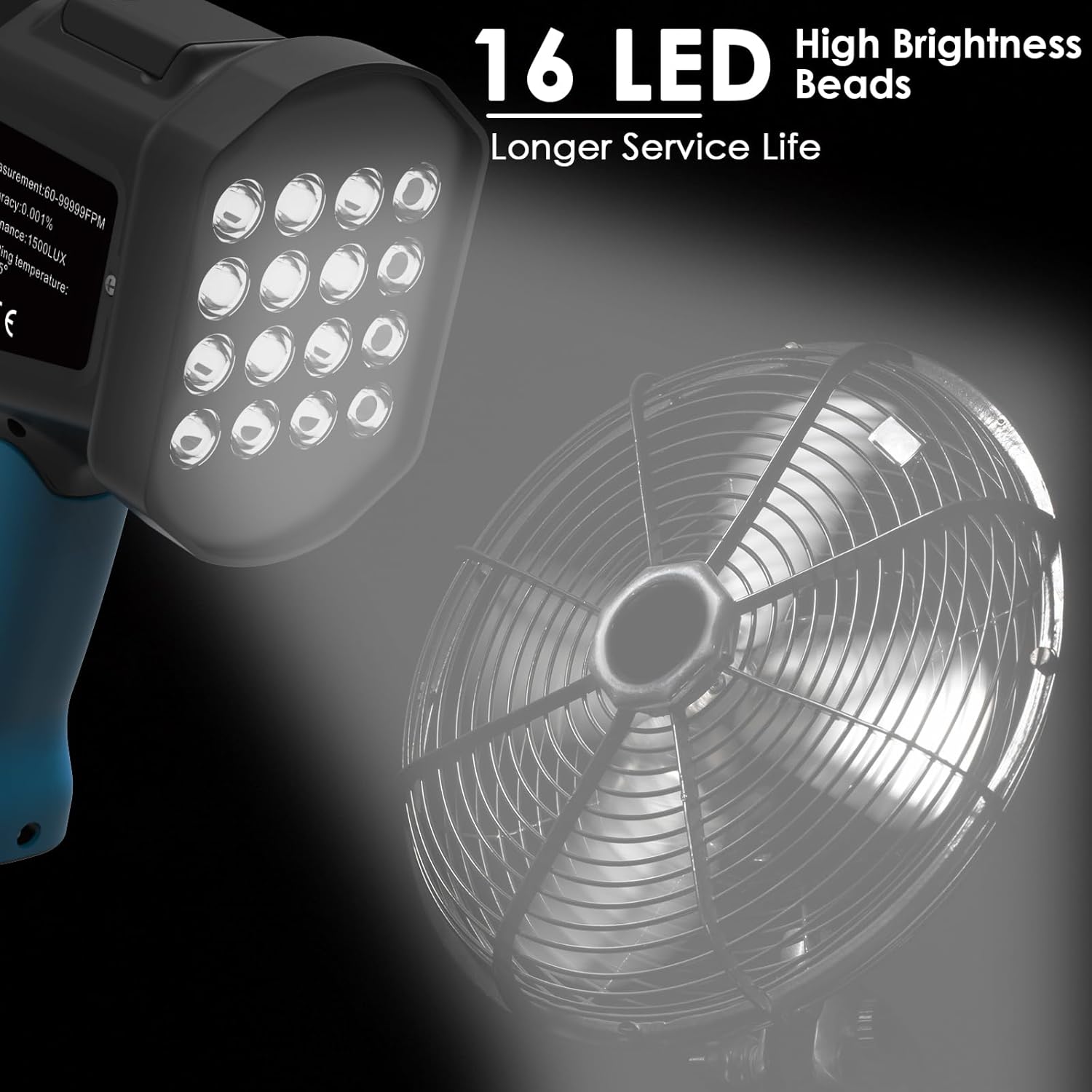
Image: The stroboscope's 16 LED lamp beads provide high brightness for clear observation of rotating objects like a fan.

Image: The stroboscope is shown performing non-contact measurement on a small fan, displaying 'FPM' and '46.80' on its LCD screen.
5. Setup
5.1 Charging the Device
- Connect the provided USB-C charging cable to the stroboscope's charging port.
- Plug the other end of the USB-C cable into a compatible USB power adapter (not included) or a computer's USB port.
- The LCD display will show a battery level indicator. Charge the device when the battery level is low to ensure optimal performance and extend battery life.
5.2 Initial Power On
Press and hold the Power Switch Button (⏻) to turn on the stroboscope. The LCD display will illuminate, showing the current measurement mode and battery status.
6. Operating Instructions
6.1 Controls and Display

Image: A close-up of the stroboscope's control panel, showing the LCD display and buttons for Power, Mode, Increase, Decrease, Strobe Rate Adjustment, and Phase Adjustment.
- Power Switch Button (⏻): Press and hold to turn the device ON/OFF.
- Mode Switch Button (M): Cycles through different measurement modes (e.g., FPM, Hz).
- Increase Button (+): Increases the flash frequency or value.
- Decrease Button (-): Decreases the flash frequency or value.
- Strobe Rate Increase/Decrease Digital Multiple/Clear Button (X): Adjusts the strobe rate in multiples or clears settings.
- Phase Adjustment Button (⊓): Adjusts the phase of the flash to fine-tune the observed position of the object.
6.2 Performing a Measurement
- Turn on the stroboscope by pressing and holding the Power button.
- Select the desired measurement unit (FPM or Hz) using the Mode button.
- Point the stroboscope's LED light towards the rotating or vibrating object.
- Adjust the flash frequency using the '+' and '-' buttons until the object appears to be stationary or moving slowly. The displayed value will indicate the rotational speed or frequency.
- For precise observation, use the Phase Adjustment button to shift the apparent position of the object's marking.

Image: The stroboscope is used to measure the speed of a high-speed rotating object, such as a CPU fan. By adjusting the LED flashing frequency to match the object's rotation speed, the object appears stationary or slow-moving, allowing for speed detection and surface quality inspection.
7. Maintenance
- Cleaning: Use a soft, dry cloth to clean the device's exterior. Do not use abrasive cleaners or solvents.
- Storage: Store the stroboscope in a cool, dry place away from direct sunlight and extreme temperatures.
- Battery Care: To prolong battery life, avoid fully discharging the battery frequently. Charge the device regularly, even if not in use for extended periods.
8. Troubleshooting
- Device does not turn on: Ensure the battery is charged. Connect to a USB-C charger and check the battery indicator.
- Inaccurate readings: Ensure the stroboscope is held steady and pointed directly at the object. Verify that the object has a clear, distinct marking for observation. Adjust the flash frequency carefully.
- LEDs not flashing: Check if the device is in the correct operating mode. If the issue persists after charging, contact customer support.
- Display is dim or blank: The battery might be low. Recharge the device.
9. Specifications
| Specification | Value |
|---|---|
| Model Number | 8000B |
| Measurement Range | 60-100000 RPM |
| Accuracy | 0.001% |
| Illumination | 1500 LUX (16 LED beads) |
| Power Source | Rechargeable via USB-C |
| Material | Metal, Plastic |
| Item Weight | 0.64 Kilograms (1.41 Pounds) |
| Package Dimensions | 11.69 x 6.93 x 4.02 inches |
| Manufacturer | H HOLDPEAK |

Image: Dimensions of the portable handheld stroboscope, indicating its compact size for ease of use.
10. Warranty and Support
H HOLDPEAK provides a 12-month product guarantee and lifelong technical support for the HP-8000B LED Handheld Stroboscope. For warranty claims, technical assistance, or any inquiries, please contact H HOLDPEAK customer service through your purchase platform or the official H HOLDPEAK website.
For more information, visit the H HOLDPEAK Store on Amazon.