
EasyCom 151-CFJ
EasyCom Kitchen Baker's Rack Instruction Manual
Model: 151-CFJ | Brand: EasyCom
1. Introduction
Thank you for choosing the EasyCom Kitchen Baker's Rack. This manual provides essential information for the safe assembly, operation, and maintenance of your new kitchen storage unit. Please read it thoroughly before use and retain it for future reference.

Image 1.1: Fully assembled EasyCom Kitchen Baker's Rack.
Key Features:
- Optimal Size and Convenient Use: Designed for space efficiency and ease of access. Its dimensions accommodate common kitchen appliances like coffee makers, microwaves, and air fryers, fitting up to 90% of large items without occupying excessive kitchen space.
- Space-Saving Design: This unit utilizes vertical kitchen space, providing ample storage while minimizing floor footprint, making it suitable for kitchens of various sizes.
- Durable Construction: The microwave stand supports up to 160 pounds, featuring thickened boards and X-shaped metal tubing for enhanced stability and durability.
- Integrated Power Outlet: Equipped with 3 AC outlets and a safety switch, allowing convenient and safe power access for kitchen appliances. The safety switch enables power cut-off when not in use.
- Easy Assembly and Maintenance: Constructed from oil-resistant boards for simple cleaning with water and cloth. Assembly is straightforward, with all parts labeled and clear instructions provided.
2. Safety Instructions
Please observe the following safety precautions to prevent injury or damage to the product:
- Always assemble the unit on a soft, clean surface to prevent scratches.
- Ensure all screws and fasteners are securely tightened before use.
- Do not exceed the maximum weight capacity of 160 lbs for the microwave shelf and 150 lbs for the bottom cabinet.
- Keep small parts away from children during assembly.
- Use the integrated power outlets responsibly. Do not overload the circuit.
- Always use the safety switch to cut power to the outlets when not in use or when cleaning.
- Place the rack on a level surface to ensure stability.
- Avoid placing hot items directly on the wooden surfaces without protection.
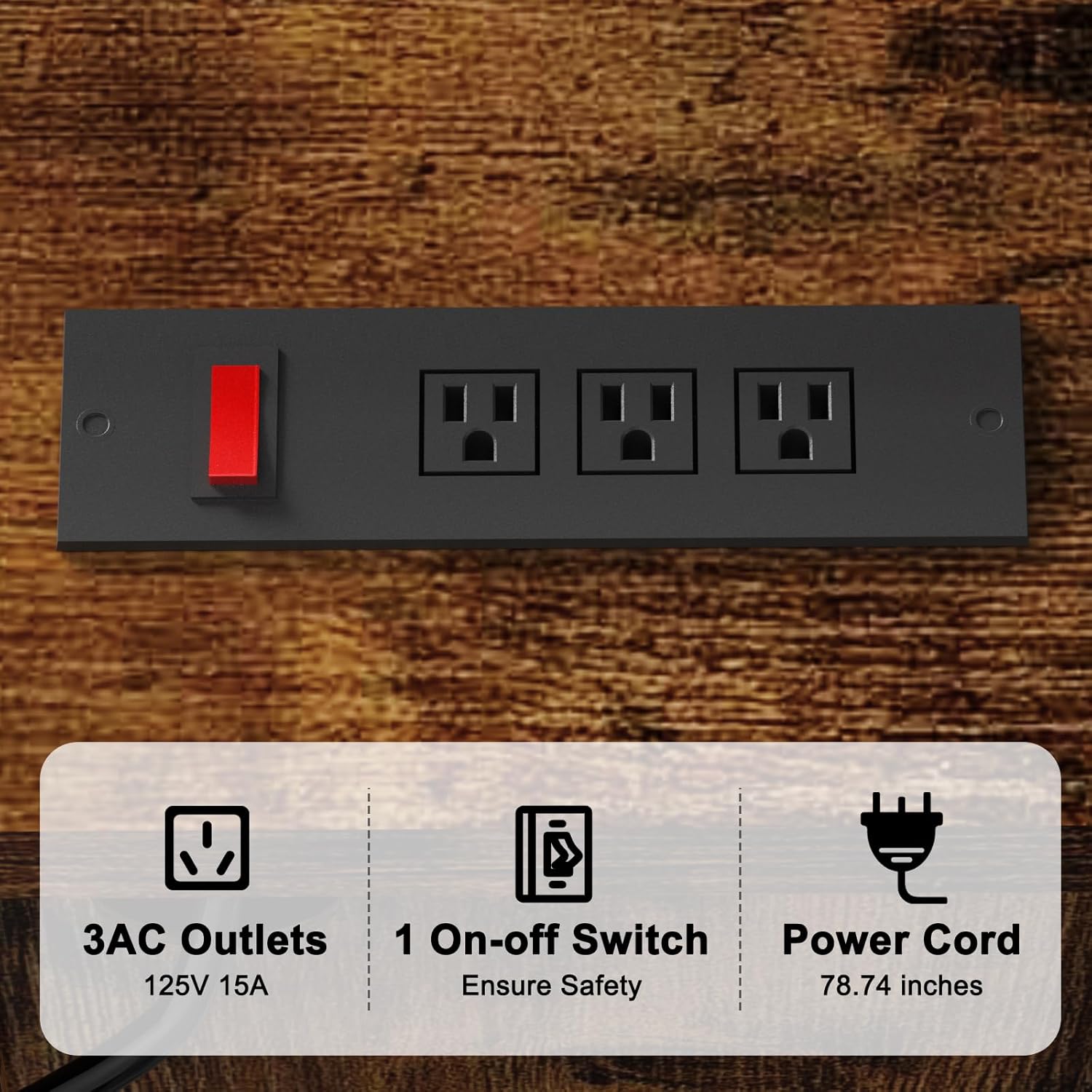
Image 2.1: Integrated power outlet with safety switch.
3. Package Contents
Before assembly, verify that all components are present and undamaged. Refer to the included assembly diagram for part identification.
Typical Components Include:
- Wooden shelves (various sizes)
- Metal frame components (legs, crossbars)
- Cabinet doors and hinges
- Power outlet strip
- Side hooks (4 pieces)
- Assembly hardware (screws, bolts, Allen wrench)
- Instruction manual
If any parts are missing or damaged, please contact EasyCom customer support for assistance.
4. Setup and Assembly
Assembly typically requires two people and takes approximately 1-2 hours. Follow the step-by-step instructions provided in the separate assembly guide included in your package. Ensure all parts are correctly oriented before tightening screws.
General Assembly Steps:
- Unpack all components and lay them out on a clean, soft surface.
- Identify each part using the provided labels and diagrams.
- Assemble the main metal frame structure.
- Attach the wooden shelves to the frame.
- Install the cabinet doors and hinges.
- Secure the integrated power outlet strip to the designated area.
- Attach the side hooks as desired.
- Ensure all connections are tight and the rack is stable.
Note: Pay close attention to screw sizes and orientations to avoid redoing steps.
5. Operating Instructions (Usage)
The EasyCom Kitchen Baker's Rack is designed to organize your kitchen space efficiently.
Storage and Organization:
- Utilize the multiple open shelves for storing spices, cookbooks, dishes, or decorative items.
- The main countertop is ideal for larger appliances such as microwaves, coffee makers, or air fryers.
- The enclosed cabinet provides discreet storage for pots, pans, or other kitchen essentials.
- Use the side hooks for hanging utensils, oven mitts, or small towels.

Image 5.1: Rack accommodating various kitchen appliances.
Using the Power Outlet:
- Plug the rack's power cord into a standard wall outlet.
- Flip the red safety switch on the power strip to the "ON" position to activate the outlets.
- Plug your kitchen appliances into the 3 AC outlets as needed.
- When finished, flip the safety switch to the "OFF" position to cut power to all connected devices, ensuring safety and saving energy.

Image 5.2: Bottom cabinet storage.
6. Maintenance
Proper maintenance will extend the life of your baker's rack.
- Cleaning: Wipe surfaces with a dry cloth. For stubborn stains, use a slightly damp cloth with mild soap, then dry immediately. The oil-resistant boards are easy to clean.
- Avoid Harsh Chemicals: Do not use abrasive cleaners or harsh chemicals, as they may damage the finish.
- Regular Checks: Periodically check all screws and fasteners to ensure they remain tight. Retighten if necessary.
- Spill Management: Clean up spills immediately to prevent water damage or staining to the wooden surfaces.
7. Troubleshooting
| Problem | Solution | |
|---|---|---|
| Rack is wobbly/unstable. | Screws are loose; uneven floor. | Ensure all screws are tightened. Adjust leveling feet if present, or place shims under legs on uneven surfaces. |
| Power outlets not working. | Safety switch is OFF; power cord unplugged; circuit overload. | Flip the safety switch to ON. Check if the power cord is securely plugged into a wall outlet. Reduce the number of appliances plugged in. |
| Difficulty during assembly. | Incorrect part orientation; wrong screws used. | Refer to the assembly manual diagrams carefully. Ensure correct screws are used for each step. Do not force parts. |
8. Specifications

Image 8.1: Product dimensions and weight capacities.
| Product Details | |
|---|---|
| Model Number | 151-CFJ |
| Brand | EasyCom |
| Color | Brown |
| Overall Dimensions (D x W x H) | 39.6 cm x 80.01 cm x 170 cm (approximately 15.6 in x 31.5 in x 66.9 in) |
| Product Weight | 25.55 kg (approximately 56.3 lbs) |
| Main Material | Metal and Wood (Particle Board) |
| Finish Type | Painted |
| Number of Shelves | 6 |
| Mounting Type | Freestanding |
| Power Outlet | 3 AC Outlets, 125V 15A, with Safety Switch |
| Care Instructions | Wipe with a dry cloth |
9. Warranty and Support
EasyCom is committed to providing quality products and customer satisfaction. While specific warranty details are not provided in this manual, please refer to your purchase documentation or contact EasyCom customer service for warranty information.
Customer Support:
For any questions, missing parts, or assistance with assembly or operation, please contact our customer support team. Contact information can typically be found on the EasyCom website or your purchase receipt.
Please have your model number (151-CFJ) and purchase date ready when contacting support.
Ask a question about this manual
Ask about setup, troubleshooting, compatibility, parts, safety, or missing instructions. Manuals+ will review the question and use this page’s manual context to help answer it.