
Product Overview
The Osoeri Smart Bird Feeder with Camera offers an advanced way to observe and interact with backyard birds. This manual provides detailed instructions for setting up, operating, and maintaining your device to ensure an optimal bird-watching experience.

Osoeri Smart Bird Feeder with Camera, showing its solar panel, seed compartment, and feeding tray with fruit and suet.
Package Contents
Verify that all the following items are included in your package:
- Osoeri Smart Bird Feeder with Camera
- Solar Panel
- Mounting Bracket
- Velcro Strap
- Metal Fruit Fork
- Suet Cage
- USB-C Charging Cable
- Installation Screws/Anchors
- User Manual (this document)
Setup Guide
1. Charging the Camera
Before initial use, fully charge the camera's 5200mAh rechargeable battery using the provided USB-C cable. The solar panel will maintain the charge during daylight hours, but an initial full charge is recommended.

Close-up of the bird feeder showing the USB-C charging port and the solar panel.
2. App Installation and Pairing
Download the companion app to your smartphone. Search for "VicoHome" in your device's app store (App Store for iOS or Google Play for Android).
Follow the in-app instructions to create an account and pair your Osoeri Smart Bird Feeder with the app. Ensure your phone is connected to a 2.4G Wi-Fi network (5Ghz is not supported) during the pairing process.

A person checking their smartphone for real-time bird detection notifications from the Osoeri feeder.
3. Mounting the Bird Feeder
The Osoeri Bird Feeder offers multiple mounting options to suit your outdoor space:
Tree/Pole Mounting
Use the included Velcro strap to securely attach the feeder to a tree trunk or a pole. Ensure the strap is tight to prevent movement.
Wall/Deck Mounting
Utilize the mounting bracket and screws to fix the feeder to a wall, fence, or deck railing. Select a location with good sunlight exposure for the solar panel.
Tripod Mounting
The feeder is compatible with standard tripod mounts for flexible placement.
Choose a location that provides a clear view of the feeding area and optimal sunlight for the solar panel.

Three different mounting configurations for the Osoeri bird feeder: on a wall, on a tree, and on a pole.
Operating Instructions
1. Filling the Feeder
The feeder features a 1.6L large-capacity container. To refill, simply lift the roof and pour bird seed into the main compartment. The design ensures seed is dispensed as needed.
For additional bird appeal, attach fruit to the metal fruit fork and suet cakes to the suet cage provided.

Close-up of the bird feeder's seed compartment filled with bird seed, with an extended roof and drainage holes.
2. AI Bird Identification
The camera's advanced AI can identify over 11,000 bird species. When a bird is detected, the app will provide detailed information about the species.

Smartphone screen displaying AI bird identification results for an Eastern Bluebird detected by the feeder camera.
3. Real-time Notifications & Monitoring
Receive instant notifications on your phone when birds visit the feeder. The 135° wide-angle 1080p camera allows for clear day and night observation.
The integrated microphone lets you listen to the birds, and the speaker allows for two-way audio communication.
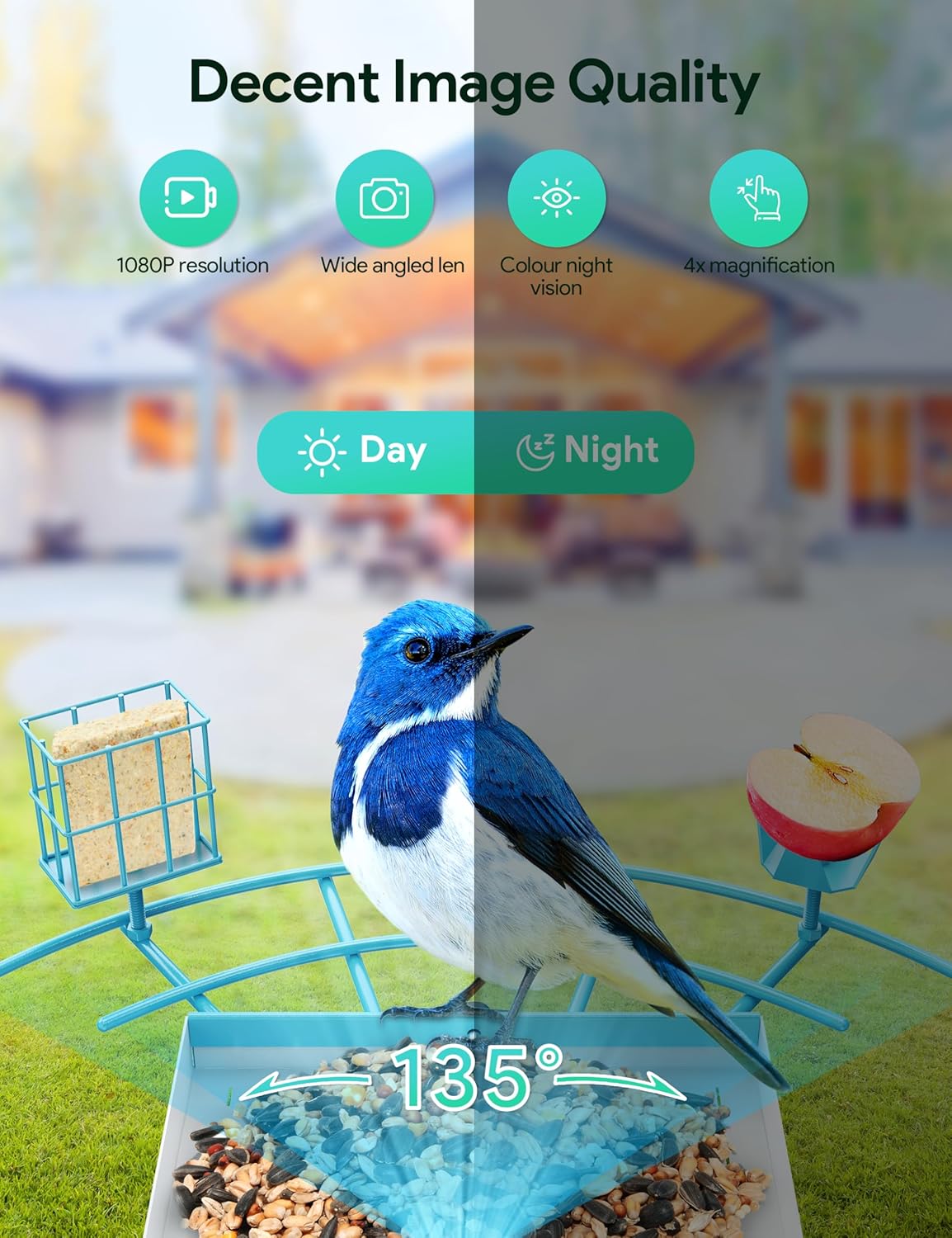
Split image showing the bird feeder camera's 1080p resolution, wide-angled lens, and color night vision capabilities.
4. Squirrel Detection & Prevention
The feeder's motion detection system can identify unwelcome visitors like squirrels or raccoons. You can use the two-way audio feature to deter them or activate an alarm/light from the app.

A squirrel near the bird feeder with icons for alarm, speaker, and flashlight, indicating deterrence features.
5. Video & Photo Management
The camera automatically captures and records videos of visiting birds. These can be stored in the cloud for up to 30 days for free, or on a local TF card (not included).
Easily share photos and videos with friends and family or on social media directly from the app.

A collage of people viewing bird feeder content on their phones, highlighting cloud storage and sharing features.
Maintenance
1. Cleaning
Regularly clean the bird feeder to ensure a healthy environment for birds. The durable metal and IP65 waterproof design make cleaning straightforward.
Ensure the drainage tray holes are clear to prevent seed from getting wet.
2. Battery & Solar Panel
The solar panel is designed to keep the 5200mAh battery charged. Periodically check the solar panel for any obstructions (e.g., leaves, dirt) that might reduce its efficiency.
If the battery level is consistently low due to prolonged cloudy weather, you can manually recharge it using the USB-C port.
Troubleshooting
Wi-Fi Connection Issues
Ensure your Wi-Fi network is 2.4Ghz. The feeder does not support 5Ghz networks.
Check the signal strength at the feeder's location. Relocate the feeder or Wi-Fi router if the signal is weak.
Poor Camera Angle
The camera's angle can be adjusted within the feeder housing. Gently push the camera module to achieve the desired viewing angle of the feeding tray.
No Notifications
Verify that notifications are enabled in the app settings and on your smartphone's operating system.
Check the motion detection sensitivity settings in the app.
Specifications
| Feature | Detail |
|---|---|
| Brand | Osoeri |
| Model | OS-BC02 |
| Material | Metal |
| Camera Resolution | 1080p |
| Camera View Angle | 135° Wide-angle |
| Power Source | Solar Powered / USB Powered |
| Battery Capacity | 5200mAh |
| Wi-Fi Support | 2.4Ghz (5Ghz not supported) |
| Storage | Cloud (30-day free) / TF Card (not included) |
| Seed Capacity | 1.6 Liters |
| Product Dimensions | 8.07"L x 7.68"W x 10.43"H |
| Item Weight | 3.45 Kilograms (7.59 pounds) |
Warranty and Support
For warranty information or technical support, please refer to the product packaging or contact Osoeri customer service directly.