
Introduction
This manual provides essential information for the safe and efficient operation of your Mellif 20PSI High Pressure Paddle Board Pump. Please read these instructions thoroughly before use and retain for future reference. This pump is designed for inflating and deflating various inflatables, including stand-up paddle boards, kayaks, air beds, boats, swimming pools, and tents.
Safety Instructions
- Do not operate the pump in wet conditions or immerse it in water.
- Keep children and pets away from the pump during operation.
- Ensure the correct nozzle is used for the inflatable item to prevent damage or injury.
- Do not exceed the recommended pressure for your inflatable item. The pump features an auto-off function, but always monitor the process.
- Disconnect the power source when the pump is not in use or during maintenance.
- Allow the pump to cool down if it becomes hot during prolonged use. The pump has a built-in cooling system to prevent overheating.
- Use only compatible Makita 18V batteries or the provided 12V DC car connector.
Package Contents
Verify that all items are present in your package:
- 1 x Mellif Paddle Board Pump
- 1 x User Manual
- 7 x Nozzles
- 1 x 12V Car Charger

Image: Mellif Paddle Board Pump and included accessories.
Product Overview
The Mellif 20PSI High Pressure Paddle Board Pump features a compact design with an integrated handle for portability. It includes an LCD digital display for pressure monitoring and control buttons for setting desired pressure and operating the pump. The unit has both inflation and deflation ports.

Image: Front view of the Mellif 20PSI High Pressure Paddle Board Pump.
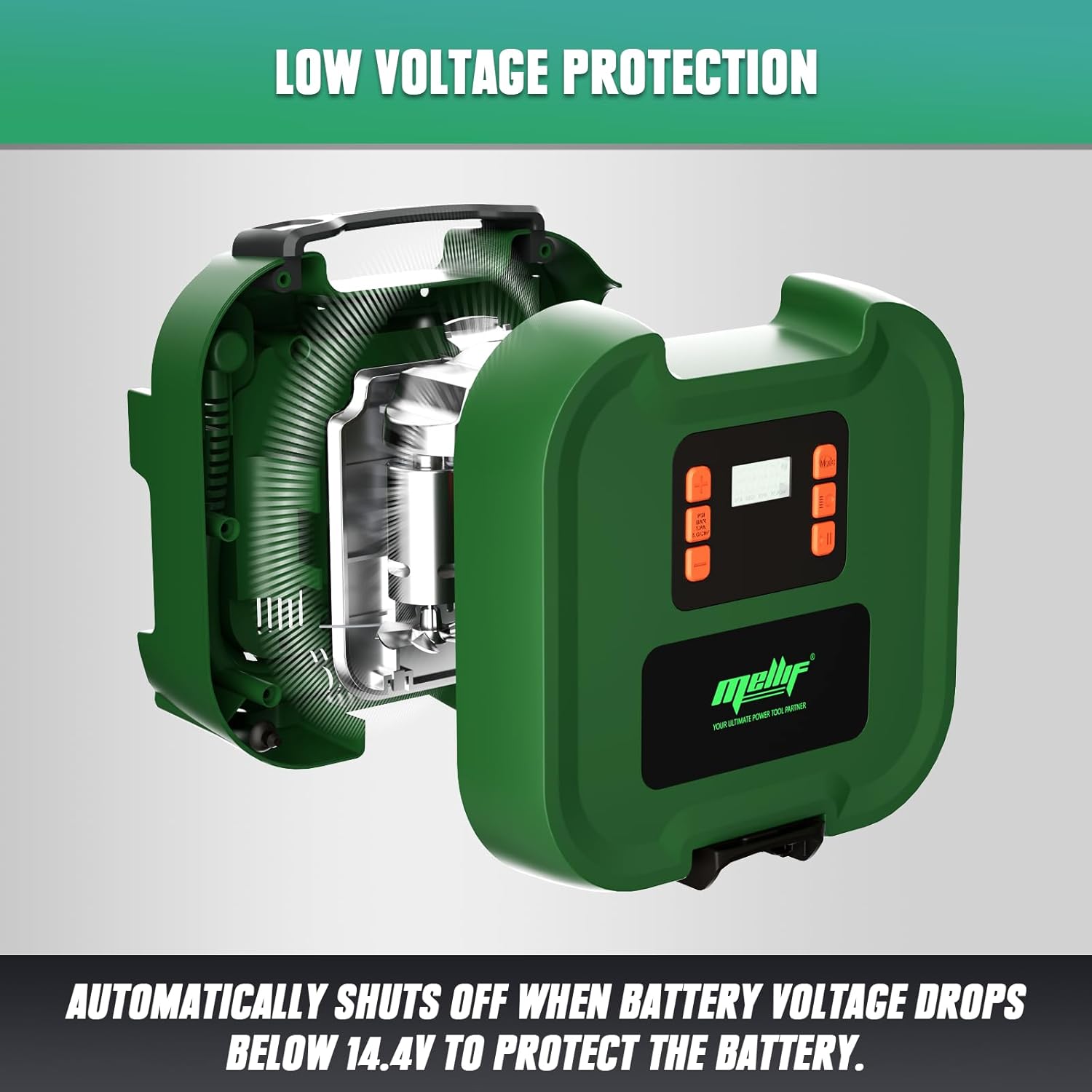
Image: Close-up of the LCD digital display and control buttons.
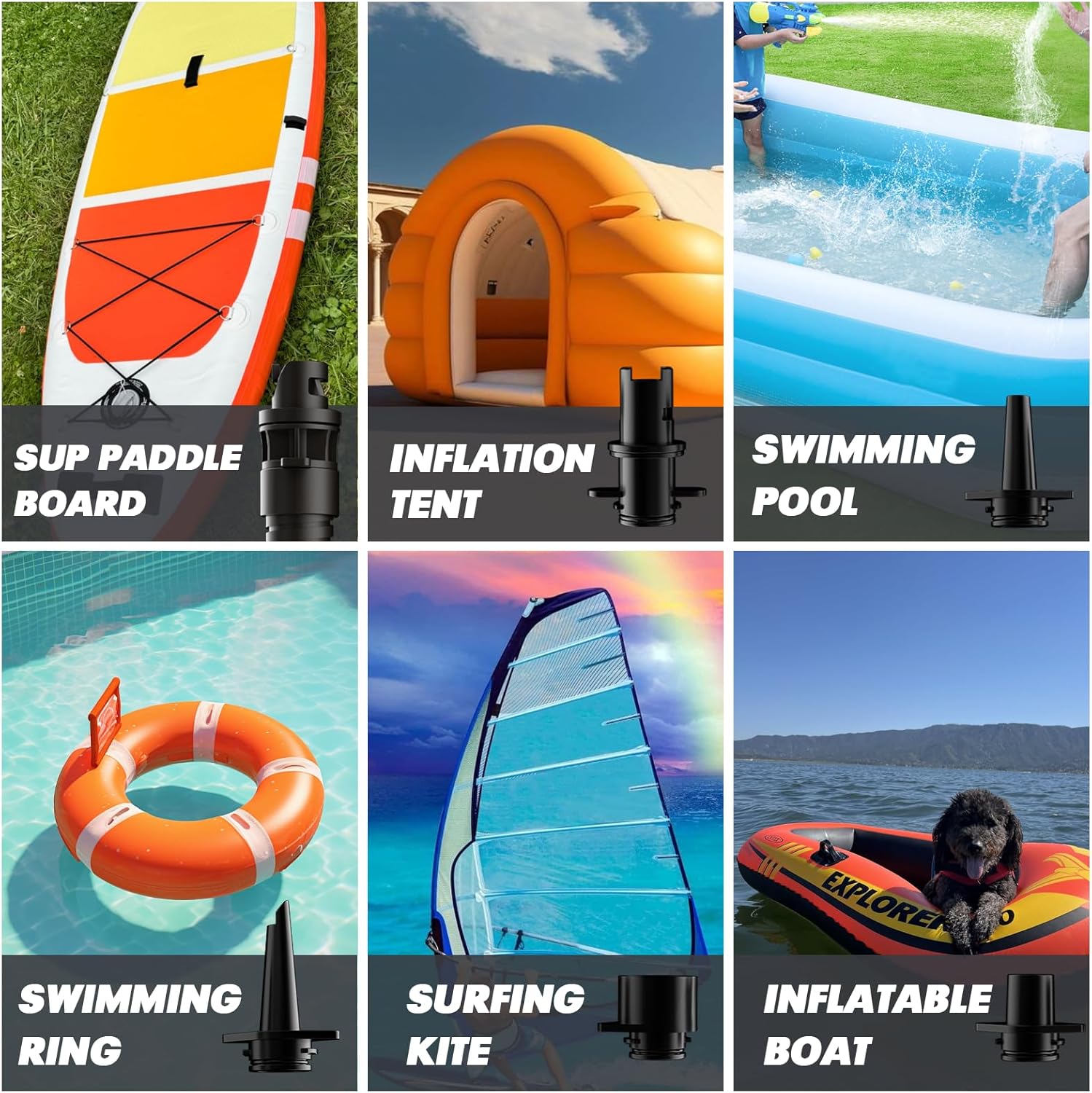
Image: Included nozzle attachments for different inflatables.
Setup
Power Supply Connection
The pump offers two power options:
- Makita 18V Battery (Not Included): Insert a compatible Makita 18V battery into the designated slot on the pump. Ensure it clicks securely into place.
- 12V DC Car Connector: Connect the provided 12V DC car charger cable to the pump's 12V input port, then plug the other end into your vehicle's cigarette lighter socket.

Image: Mellif pump with a Makita 18V battery connected.

Image: Mellif pump connected via the 12V DC car connector.
Hose and Nozzle Attachment
- Select the appropriate nozzle for your inflatable item.
- Attach the selected nozzle to the end of the flexible hose.
- For inflation, connect the other end of the hose to the pump's Inflation Port. For deflation, connect it to the Deflation Port.
- Securely attach the nozzle to the valve of your inflatable item.

Image: Illustration of connecting various nozzles to the pump hose.
Operating Instructions
Inflation
- Ensure the pump is powered and the hose with the correct nozzle is connected to the Inflation Port and the inflatable item.
- Turn on the pump. The LCD display will illuminate.
- Use the '+' and '-' buttons to set your desired pressure (PSI, KPa, BAR, KG/CM²). Refer to your inflatable item's manufacturer recommendations for the correct pressure.
- Press the 'Start' button to begin inflation. The pump will automatically stop once the set pressure is reached.
- Disconnect the hose from the inflatable item and the pump.

Image: The Mellif pump actively inflating a paddle board.
Deflation
- Ensure the pump is powered and the hose with the correct nozzle is connected to the Deflation Port and the inflatable item.
- Turn on the pump.
- Press the 'Deflate' button to begin deflation. The pump will extract air from the item.
- Once deflation is complete, disconnect the hose from the inflatable item and the pump.

Image: The Mellif pump actively deflating a paddle board.
Official Product Video
Video: An official demonstration of the Mellif 20PSI Paddle Board Pump, showcasing its features and operation.
Maintenance
Cleaning
Wipe the exterior of the pump with a soft, dry cloth. Do not use abrasive cleaners or solvents. Ensure all ports are free from sand or debris.
Storage
Store the pump in a cool, dry place away from direct sunlight and extreme temperatures. Keep the hose and nozzles neatly stored to prevent damage. The pump features an internal storage compartment for nozzles and the car charger cable.

Image: Internal view highlighting the cooling system for efficient heat dissipation.
Troubleshooting
- Pump does not turn on: Check the power connection. If using a Makita battery, ensure it is charged and properly inserted. If using the car connector, ensure it is securely plugged into a working 12V outlet.
- Pump inflates slowly or not at all: Verify that the hose and nozzle are securely attached and there are no leaks. Ensure the correct pressure setting is selected. Check for any obstructions in the hose or nozzle.
- Pump stops unexpectedly: The pump has an auto-off function that activates when the target pressure is reached or if the battery voltage drops below 14.4V. It also has a cooling system to prevent overheating; if the pump becomes too hot, it may temporarily shut off. Allow it to cool before resuming operation.
- Inaccurate pressure reading: Ensure the nozzle is fully seated on the inflatable's valve to prevent air leakage during measurement.
Specifications
| Feature | Specification |
|---|---|
| Brand | WITLIGHT (Mellif) |
| Power Source | Makita 18V Battery (not included) / 12V DC Car Connector |
| Maximum Pressure | 20 PSI |
| Air Flow Capacity | 380 Liters Per Minute (13 CFM) |
| Operation Mode | Automatic |
| Item Weight | 4.2 Pounds (Tool bare) |
| Product Dimensions | 9"L x 5"W x 9"H |
| Material | Plastic |
| Included Components | 1 x Paddle Board Pump, 1 x User Manual, 7 x Nozzles, 1 x 12V Car Charger |
Warranty and Support
This Mellif High Pressure Paddle Board Pump comes with a 5-year warranty. For any issues or support inquiries, please contact the manufacturer or your retailer. Ensure you retain your proof of purchase for warranty claims.