
GSJING RAK668
RAK668 Blood Glucose Monitor Kit User Manual
Brand: GSJING | Model: RAK668
1. Introduction
This user manual provides detailed instructions for the safe and effective use of the GSJING RAK668 Blood Glucose Monitor Kit. Please read this manual thoroughly before using the device for the first time and keep it for future reference.
The RAK668 Blood Glucose Monitor Kit is designed to help individuals monitor their blood sugar levels conveniently and accurately. It provides fast results and is suitable for home use.

Image: Complete RAK668 Blood Glucose Monitor Kit showing the meter, test strips, lancets, lancing device, and travel case.
2. Kit Contents
The RAK668 Blood Glucose Monitor Kit includes the following components:
- 1 x Blood Glucose Meter (RAK668)
- 50 x Blood Sugar Test Strips
- 1 x Lancing Device
- 50 x Lancets
- 1 x Control Solution (if included in specific package)
- 1 x Travel Case
- 1 x User Manual (this document)

Image: Close-up of the blood glucose meter display showing test value and unit, along with a lancet and a diagram indicating where to insert the strip.
3. Device Overview and Buttons
Familiarize yourself with the main components and buttons of the blood glucose meter:

Image: Diagram highlighting the "M" (Memory) and "S" (Set) buttons on the blood glucose meter, and the correct end for inserting the test strip into the machine.
- Button "M" (Memory): Used to access stored test results.
- Button "S" (Set): Used to set date, time, and other device settings.
- Test Strip Port: Where the test strip is inserted.
The lancing device features a five-level adjustment for puncture depth, allowing manual adjustment to reduce discomfort during blood collection.
4. Operating Instructions: Performing a Blood Glucose Test
Follow these steps to perform a blood glucose test:
Prepare the Meter and Strip: Insert a new test strip into the blood glucose meter. The meter will automatically turn on.
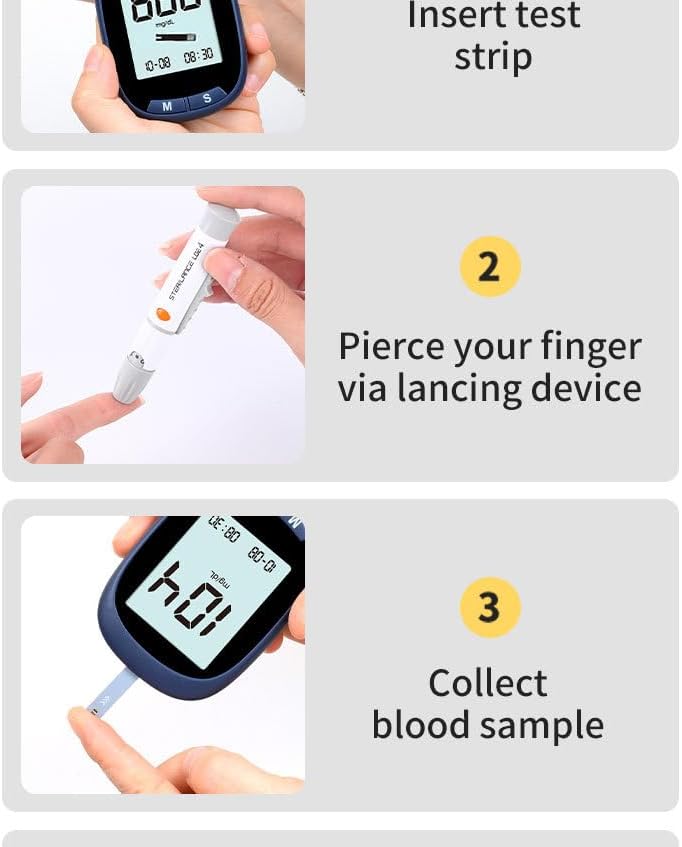
Image: Step 1 of the testing process, showing a hand inserting a test strip into the blood glucose meter.
Prepare the Lancing Device: Load a new lancet into the lancing device. Adjust the depth setting to a comfortable level. Pierce your finger using the lancing device to obtain a blood sample.
Image: Step 2 of the testing process, showing a hand using the lancing device to pierce a finger.
Collect Blood Sample: Gently touch the tip of the test strip to the blood sample. The strip will draw the blood in automatically. Only a small sample size of 0.5 µL is required.
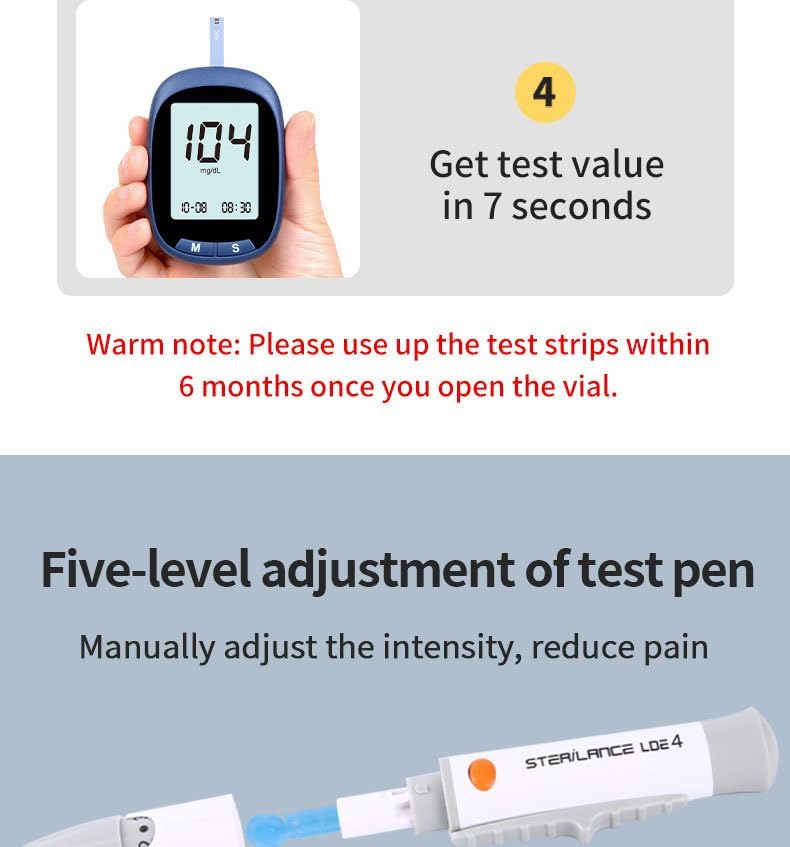
Image: Step 3 of the testing process, showing a hand holding the blood glucose meter with a test strip collecting a blood sample.
Read Results: The blood glucose meter will display the test result in approximately 7 seconds.
Image: Step 4 of the testing process, showing the blood glucose meter displaying the test result.
5. Maintenance and Storage
- Test Strips: Store test strips in their original vial in a cool, dry place. Important: Use up the test strips within 6 months once you open the vial.
- Meter and Lancing Device: Keep the meter and lancing device clean and dry. Wipe with a soft, damp cloth if necessary. Do not immerse in water.
- Storage: Store the entire kit in the provided travel case to protect it from dust and damage.
6. Troubleshooting
If you encounter issues with your RAK668 Blood Glucose Monitor Kit, please refer to the following general advice. For specific error codes or persistent problems, consult the full user manual that came with your kit or contact customer service.
- Meter not turning on: Check if batteries are correctly inserted or need replacement.
- Inaccurate readings: Ensure test strips are not expired and the vial has been used within 6 months of opening. Check if the meter and strips are stored correctly. Perform a control solution test if available.
- No blood sample collected: Adjust the lancing device depth setting. Ensure proper technique for finger pricking.
7. Specifications
| Feature | Detail |
|---|---|
| Product Number | RAK668 |
| Material | ABS |
| Sample Size | 0.5 µL |
| Test Time | 7 seconds |
| Memory | 180 sets with date and time |
| Manufacturer | GSJING |
| Date First Available | May 14, 2024 |
8. Important Information and Legal Disclaimer
Statements regarding dietary supplements have not been evaluated by the FDA and are not intended to diagnose, treat, cure, or prevent any disease or health condition.
Always consult with a healthcare professional for diagnosis and treatment of any medical condition.
9. Customer Service and Support
GSJING has a dedicated customer service team committed to providing the best service for any issues or problems you may encounter. Your satisfaction is our number one priority.
If you have any questions or concerns about your glucometer with strips and lancets, please contact us at any time. Refer to the product packaging or official GSJING website for contact details.
10. Warranty Information
Specific warranty details for the RAK668 Blood Glucose Monitor Kit are not provided in this document. Please refer to the warranty card included with your product or visit the official GSJING website for comprehensive warranty information.
no relevant documents