
Introduction
The Spigen Ultra Hybrid MagFit case is designed to provide robust protection and enhanced functionality for your iPhone 16 Pro Max. Crafted from a premium blend of polycarbonate (PC) and thermoplastic polyurethane (TPU), this case features stronger magnets for improved MagSafe compatibility and military-grade drop protection. Its clear design is infused with blue resin to resist yellowing, maintaining its aesthetic appeal over time.
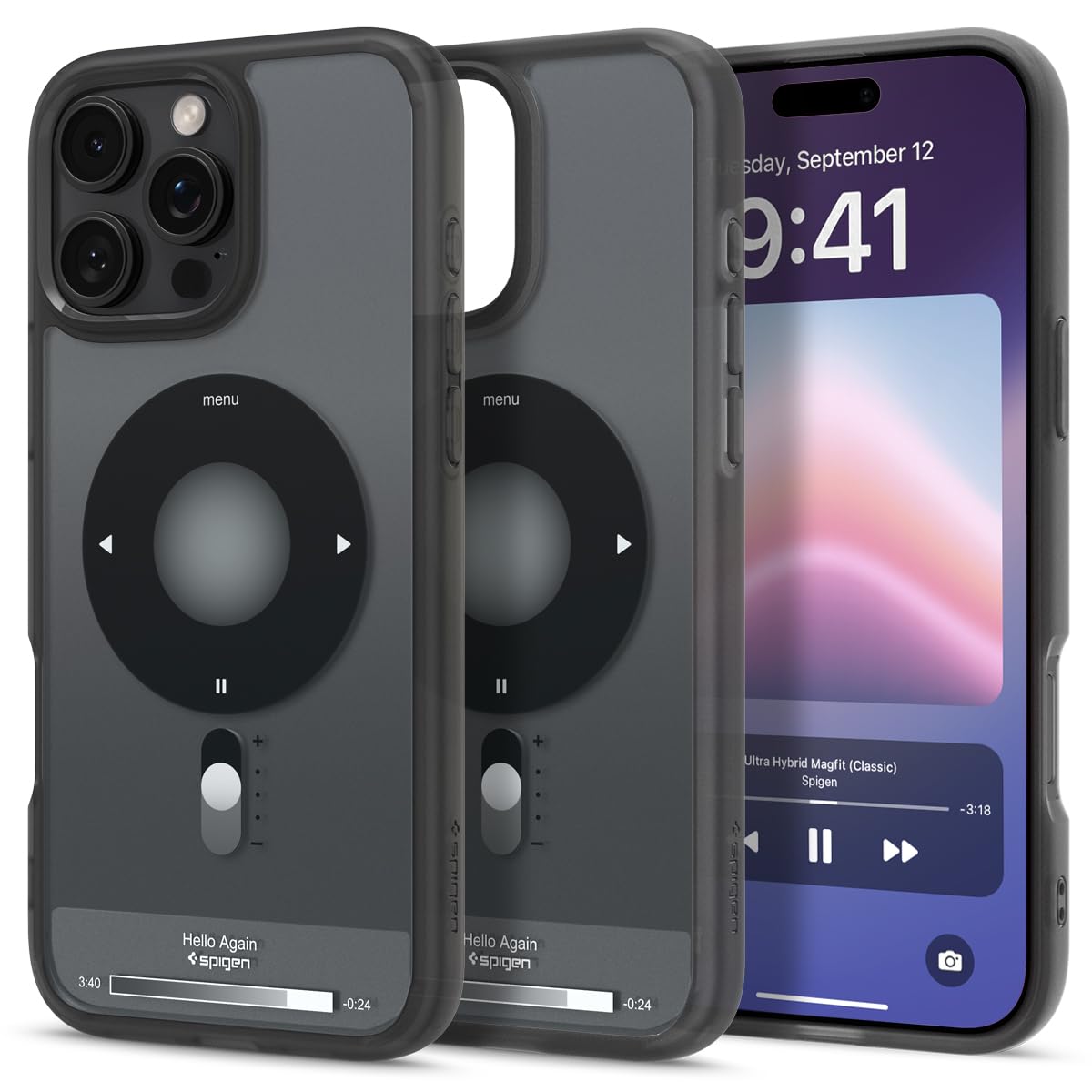
Image: Spigen Ultra Hybrid MagFit Case in Classic Black, showcasing its clear design and MagSafe ring.
Setup: Case Installation
- Clean Your Device: Ensure your iPhone 16 Pro Max is clean and free of dust or debris before installation.
- Insert Top Edge: Gently align the top edge of your iPhone with the top edge of the case, ensuring the camera module fits correctly into the case's cutout.
- Snap into Place: Press the remaining edges of your iPhone into the case until all corners are securely seated. The flexible TPU bumper allows for easy yet snug fit.
- Verify Fit: Check that all buttons (power, volume) and ports are accessible and that the case fits snugly around your device.
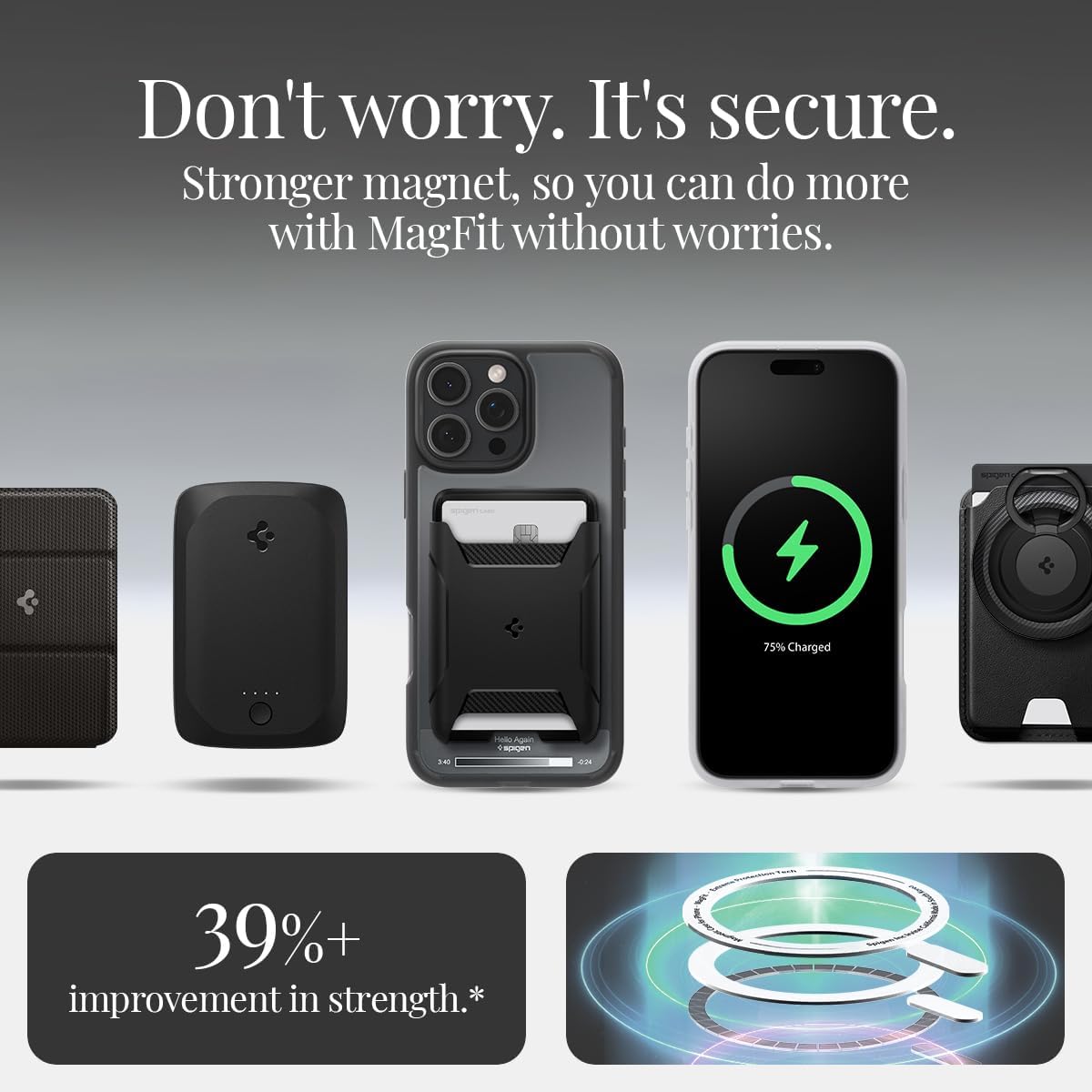
Image: A hand demonstrating the installation of the clear Spigen Ultra Hybrid MagFit case onto an iPhone 16 Pro Max.
Operating Instructions
MagSafe Compatibility
The Spigen Ultra Hybrid MagFit case features enhanced magnetic strength, ensuring secure attachment and efficient charging with all MagSafe-compatible accessories. Simply align your MagSafe charger or accessory with the magnetic ring on the back of the case for a firm connection.

Image: An iPhone 16 Pro Max with the Spigen Ultra Hybrid MagFit case, demonstrating compatibility with various MagSafe accessories like wallets and chargers.
Wireless Charging
This case fully supports wireless charging without the need for removal. Place your iPhone (with the case on) onto any compatible wireless charging pad.
Button and Port Access
The case is designed with precise cutouts and responsive button covers to ensure full access to all iPhone functions, including volume buttons, power button, charging port, and speakers.
Maintenance and Care
- Cleaning: To clean your case, gently wipe it with a soft, damp cloth. Avoid using harsh chemicals or abrasive materials, as these may damage the case's finish or anti-yellowing properties.
- Anti-Yellowing: The case is infused with blue resin to resist yellowing over time. However, prolonged exposure to direct sunlight or extreme temperatures may affect its clarity.
- Storage: When not in use, store the case in a cool, dry place away from direct sunlight.
Troubleshooting
Case Not Fitting Properly
If the case does not seem to fit your iPhone 16 Pro Max correctly, ensure you have the correct model case. Verify that no foreign objects are lodged between the phone and the case during installation.
MagSafe Accessories Not Attaching Securely
Ensure that the MagSafe accessory is genuinely MagSafe compatible. Clean the back of the case and the accessory to remove any dust or debris that might interfere with the magnetic connection. If the issue persists, try another MagSafe accessory to rule out a faulty accessory.
Video: An official Spigen video demonstrating the features and installation of the Ultra Hybrid MagFit case, including MagSafe compatibility and protection.
Specifications
| Brand | Spigen |
| Model Name | Ultra Hybrid MagFit |
| Model Number | ACS08383 |
| Compatible Phone Models | iPhone 16 Pro Max |
| Color | Classic Black |
| Material | Polycarbonate, Thermoplastic Polyurethane |
| Form Factor | Basic Case |
| Additional Features | Slim Fit, MagSafe Compatible, Military-Grade Drop Protection, Anti-Yellowing |
| Item Weight | 39.61 Grams |
| Item Dimensions | 3 x 0.4 x 6 inches |
Warranty and Support
Spigen products are designed for durability and performance. For specific warranty information and customer support, please visit the official Spigen website or contact their customer service directly. Keep your purchase receipt as proof of purchase.
For further assistance, you may also refer to the Spigen Store on Amazon.
