Introduction
The Mersoco BR638B is a versatile portable cassette player recorder designed to bring back the classic audio experience while offering modern functionalities. This device allows you to play your cherished cassette tapes, listen to AM/FM radio, record audio using its built-in microphone, and convert your tapes to MP3 format for digital preservation. Its compact design and multiple power options make it ideal for use at home or on the go.
What's in the Box
- Cassette player recorder x1
- USB cable x1
- Earphone x1
- Mini CD software x1
- User Manual x1
Product Overview
Familiarize yourself with the components of your Mersoco BR638B cassette player recorder.
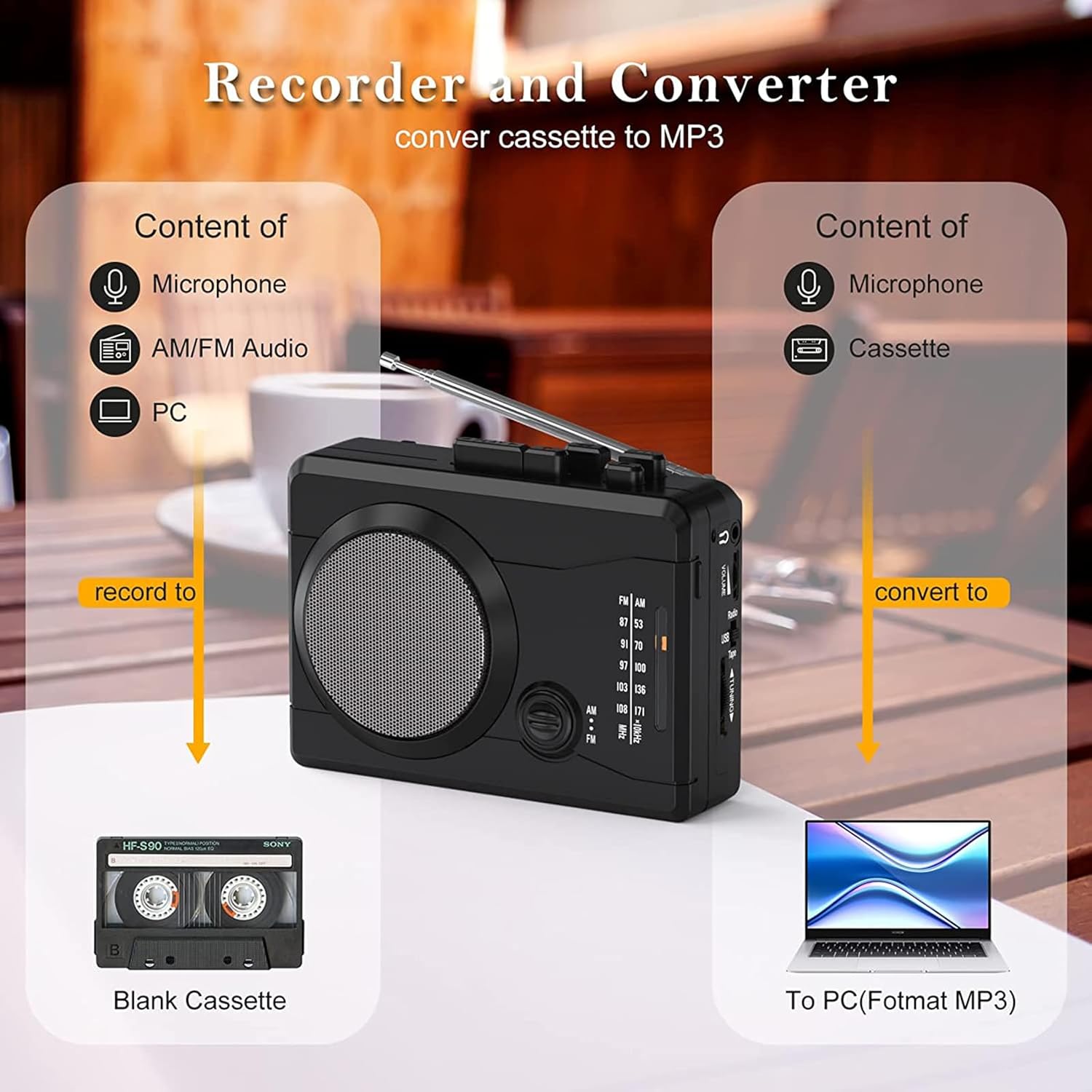
Image: Front view of the Mersoco BR638B cassette player, showing the speaker grille and main controls.
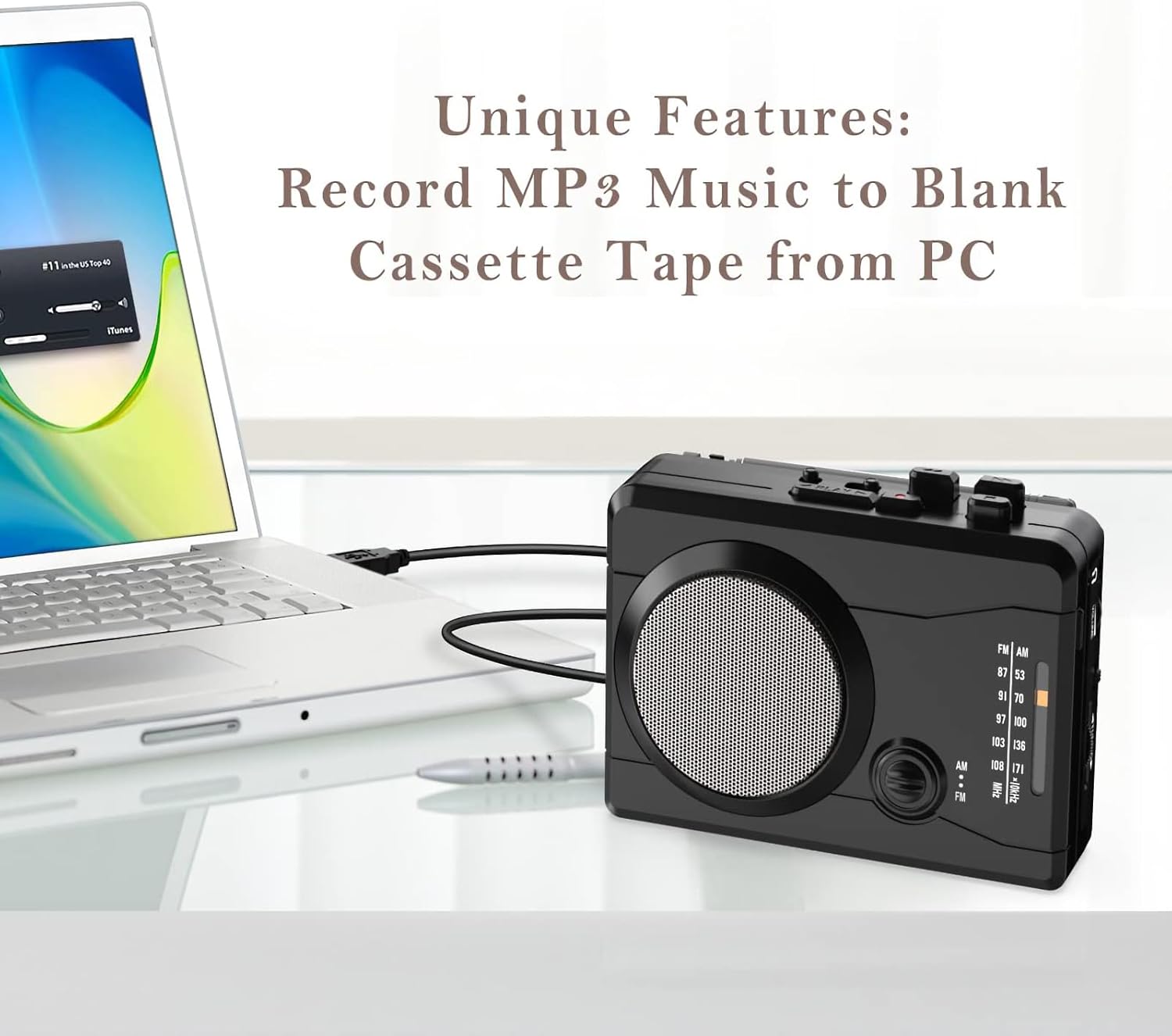
Image: Side view of the device, highlighting the volume control, USB port, and radio tuning dial.

Image: Top view of the cassette player, showing the play, fast forward, rewind, stop, and record buttons, along with the extendable antenna.

Image: Back view of the device, featuring the detachable belt clip and the battery compartment.
Setup
Power Supply
The Mersoco BR638B offers two power options:
- Batteries: Insert two AA batteries (not included) into the battery compartment located on the back of the device. Ensure correct polarity.
- DC Power Adapter: For indoor use, connect a DC 4.5V power adapter (not included) to the DC IN 4.5V port on the side of the player.

Image: A hand inserting AA batteries into the battery compartment of the cassette player.
Loading a Cassette Tape
- Press the OPEN button to open the cassette compartment door.
- Insert a cassette tape with the exposed tape facing upwards.
- Gently close the cassette compartment door until it clicks into place.

Image: A hand inserting a cassette tape into the open compartment of the player.
Operating Instructions
Playing a Cassette Tape
- Ensure a cassette tape is loaded and the device is powered.
- Slide the function switch to TAPE mode.
- Press the PLAY button to start playback.
- Adjust the volume using the VOLUME dial.
- Use FFWD (Fast Forward) and REW (Rewind) buttons to navigate the tape.
- Press the STOP button to end playback.
- The device features auto-reverse. Use the DIR button to change tape direction and REVMODE for single or continuous reverse.
Video: Demonstrates loading batteries, connecting power, loading a tape, and playing audio on the Mersoco cassette player. This video also shows the volume control and headphone jack usage.
Using the AM/FM Radio
- Extend the antenna for better reception.
- Slide the function switch to RADIO mode.
- Select either AM or FM using the band switch.
- Rotate the TUNING dial to find your desired station.
- Adjust the volume using the VOLUME dial.

Image: The cassette player with its antenna extended, illustrating its portable AM/FM radio functionality.
Recording Audio
The device allows recording from its built-in microphone or from the radio onto a blank cassette tape.
- Insert a blank cassette tape into the player.
- Slide the function switch to TAPE mode.
- Press the REC (Record) button. The device will start recording.
- To record from the built-in microphone, ensure the microphone is unobstructed.
- To record from the radio, switch to RADIO mode, tune to your desired station, then press REC.
- Press STOP to end recording.

Image: A diagram illustrating the recording capabilities from a microphone, AM/FM radio, or PC to a blank cassette tape.
Converting Tape to MP3
The Mersoco BR638B can convert your cassette tapes to MP3 files on your computer.
- Install the provided Mini CD software on your PC/MAC.
- Connect the cassette player to your computer using the supplied USB cable.
- Follow the software instructions to convert your cassette audio to MP3 format.

Image: The cassette player connected to a laptop via USB, demonstrating the tape to MP3 conversion process.
Video: A demonstration of the cassette to MP3/WAV conversion process using the device and computer software.
Maintenance
Cleaning
- Regularly clean the tape head and pinch rollers with a cotton swab lightly dampened with isopropyl alcohol to ensure optimal sound quality and prevent tape damage.
- Wipe the exterior of the device with a soft, dry cloth. Avoid using abrasive cleaners or solvents.
Battery Care
- Remove batteries if the device will not be used for an extended period to prevent leakage.
- Replace all batteries at the same time with new ones of the same type.
Troubleshooting
| Problem | Possible Cause | Solution |
|---|---|---|
| No power | Dead batteries or loose power connection. | Replace batteries or ensure DC adapter/USB cable is securely connected. |
| Poor sound quality from tape | Dirty tape head/rollers or worn-out tape. | Clean tape head and rollers. Try a different tape. |
| Radio static/poor reception | Antenna not extended or weak signal. | Fully extend the antenna. Try repositioning the device. |
| Recording not working | No blank tape, tape protection tab broken, or REC button not fully pressed. | Insert a blank tape. Ensure tape protection tab is intact. Press REC firmly. |
Specifications
- Model Number: BR638B
- Brand: Mersoco
- Package Dimensions: 6.18 x 4.37 x 2.32 inches
- Item Weight: 13.4 ounces
- Power: 2 x AA batteries (not included) or DC 4.5V adapter (not included)
- Radio Frequencies: AM: 520-1710 KHz, FM: 87-108 MHz
- Headphones Jack: 3.5mm
- Microphone: Built-in
- Hardware Interface: USB
- Compatible Devices: Headphone, Speaker
Warranty and Support
Mersoco is committed to providing quality products and customer satisfaction. For any product-related inquiries, technical support, or warranty claims, please refer to the contact information provided in your product packaging or visit the official Mersoco website. We offer 24-hour professional customer service to assist you.