
Introduction
Thank you for choosing the Kibiy Electric Shaver. This manual provides detailed instructions for the safe and efficient use, maintenance, and care of your new shaver. Featuring 6 magnetic shaving heads, IPX7 waterproofing, an LED indicator, and convenient Type-C charging, this shaver is designed for a comfortable and precise shaving experience.
Important Safety Warnings
To ensure safe operation and prevent injury or damage to the device, please read and adhere to the following safety guidelines:
- Handle with Care: Always handle the shaver carefully to avoid cuts and skin irritation.
- Wet Shaving: For a smoother shave, use water or shaving foam.
- Blade Replacement: Replace the magnetic shaving head when necessary to maintain optimal performance and hygiene. Replacement heads are available (e.g., B0D4TBW5FY).
- Cleaning and Maintenance: Clean and maintain the shaver according to the instructions provided in this manual to prevent bacterial growth.
- Charging: Charge the shaver carefully, observing all charging precautions. Do not use the shaver while it is charging.
- Water Exposure: While the shaver is IPX7 waterproof, ensure the charging port is dry before connecting the charging cable.
- Children: Keep the shaver out of reach of children.
Setup
Charging the Shaver
Before first use, fully charge the shaver. The device is equipped with a Type-C charging port for convenience.
- Locate the Type-C charging port on the shaver.
- Connect the provided Type-C cable to the shaver and a compatible USB power source (e.g., PC, power bank, car charger, or USB wall adapter).
- The LED indicator will display the charging status. A full charge typically takes approximately 2.5 hours.
- Once fully charged, the shaver provides up to 150 minutes of continuous shaving time.

Operating Instructions
General Shaving Guidelines
- Power On/Off: Press the power button to turn the shaver on or off.
- Wet or Dry Shave: The shaver supports both wet and dry shaving. For a more comfortable and smoother experience, especially for sensitive skin or longer stubble, it is recommended to use shaving foam or gel. The IPX7 waterproof design allows for use in the shower.
- Shaving Technique: Gently press the shaver against your skin and move it in circular motions. The 6D flexible floating heads are designed to adapt to the contours of your head and face, ensuring maximum precision and flexibility.
- LED Display: The integrated LED display shows the remaining battery percentage and provides a charge reminder. It also features a smart travel lock indicator.


Handling and Grip
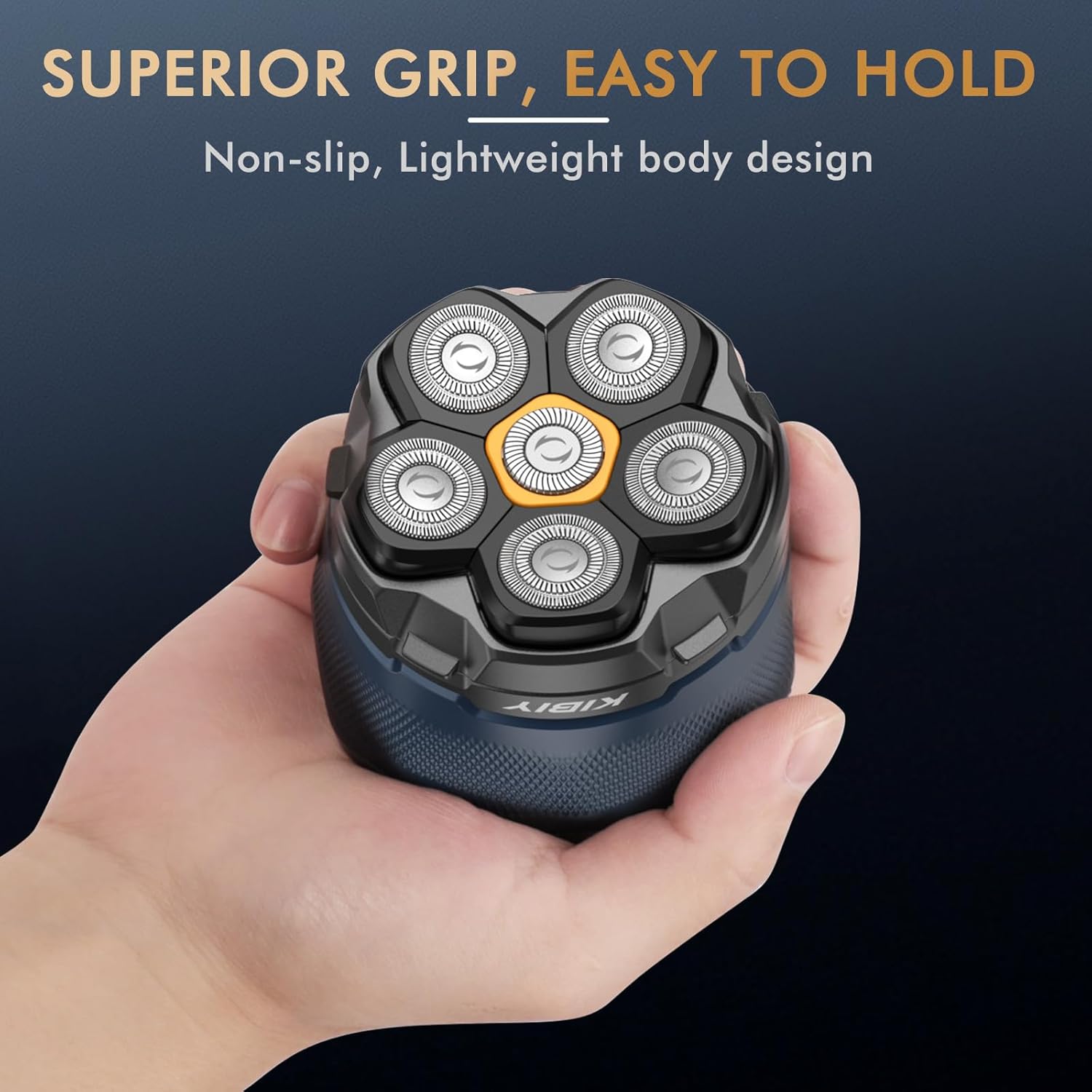
The shaver features a compact and non-slip design for comfortable and secure handling, even during wet use.
Activating/Deactivating Travel Lock
To prevent accidental activation during travel, the shaver features a smart travel lock. Refer to the LED display for the travel lock indicator.
- To Activate: Press and hold the power button for approximately 3 seconds until the travel lock icon appears on the LED display.
- To Deactivate: Press and hold the power button again for approximately 3 seconds until the travel lock icon disappears.
Maintenance and Cleaning
Regular cleaning ensures optimal performance and hygiene of your shaver.
Cleaning the Shaving Heads
The Kibiy shaver features a magnetic, removable shaving head design for easy cleaning.
- Ensure the shaver is turned off before cleaning.
- Gently pull the entire shaving head assembly away from the shaver body. The magnetic design allows for easy detachment.
- Rinse the shaving head directly under running water to remove hair clippings and debris. The IPX7 waterproof rating allows for thorough rinsing.
- You may also rinse the main body of the shaver under water, ensuring the charging port is closed and dry before any subsequent charging.
- Allow all parts to air dry completely before reattaching the shaving head.
- Align the magnetic shaving head with the shaver body and gently push it back into place until it clicks securely.

Blade Care and Replacement
The shaver features double-ring, self-sharpening blades made of stainless steel for a smooth and wear-resistant performance.

Over time, blades may dull. For optimal shaving results and to prevent skin irritation, replace the shaving head when necessary. Replacement heads can be identified by model number B0D4TBW5FY.
Troubleshooting
If you encounter issues with your Kibiy Electric Shaver, please refer to the following common solutions:
| Problem | Possible Cause | Solution |
|---|---|---|
| Shaver does not turn on. | Low battery or travel lock is active. | Charge the shaver fully. Deactivate the travel lock by pressing and holding the power button for 3 seconds. |
| Poor shaving performance or pulling hair. | Blades are dull or shaving heads are clogged with hair. | Clean the shaving heads thoroughly. Consider replacing the shaving head (Model B0D4TBW5FY). |
| Shaver stops during use. | Battery is depleted. | Recharge the shaver. |
| Skin irritation after shaving. | Incorrect shaving technique, dry shaving, or dull blades. | Ensure gentle pressure. Use shaving foam or gel. Clean or replace shaving heads. |
If the problem persists after attempting these solutions, please contact customer support.
Specifications
| Brand | Kibiy |
| Model Name | Kibiy 7D |
| Model Number (Manufacturer Reference) | FK-8750 |
| ASIN | B0D41NYVPS |
| Power Source | Battery Powered |
| Special Feature | Waterproof (IPX7) |
| Recommended Uses | Scalp |
| Battery Life | Up to 150 minutes |
| Battery Type | 1 Lithium-ion (included), Rechargeable |
| Blade Material | Stainless Steel |
| Head Type | Rotary (6D Floating Heads) |
| Color | Blue |
| Package Dimensions | 16.5 x 13.4 x 8.7 cm |
| Package Weight | 350 grams |
Warranty and Support
Specific warranty information is not provided in this manual. For details regarding warranty coverage, returns, or technical support, please refer to the product packaging, the retailer's website where the product was purchased, or contact Kibiy customer service directly.
When contacting support, please have your product model number (FK-8750) and ASIN (B0D41NYVPS) available.