
1. Introduction
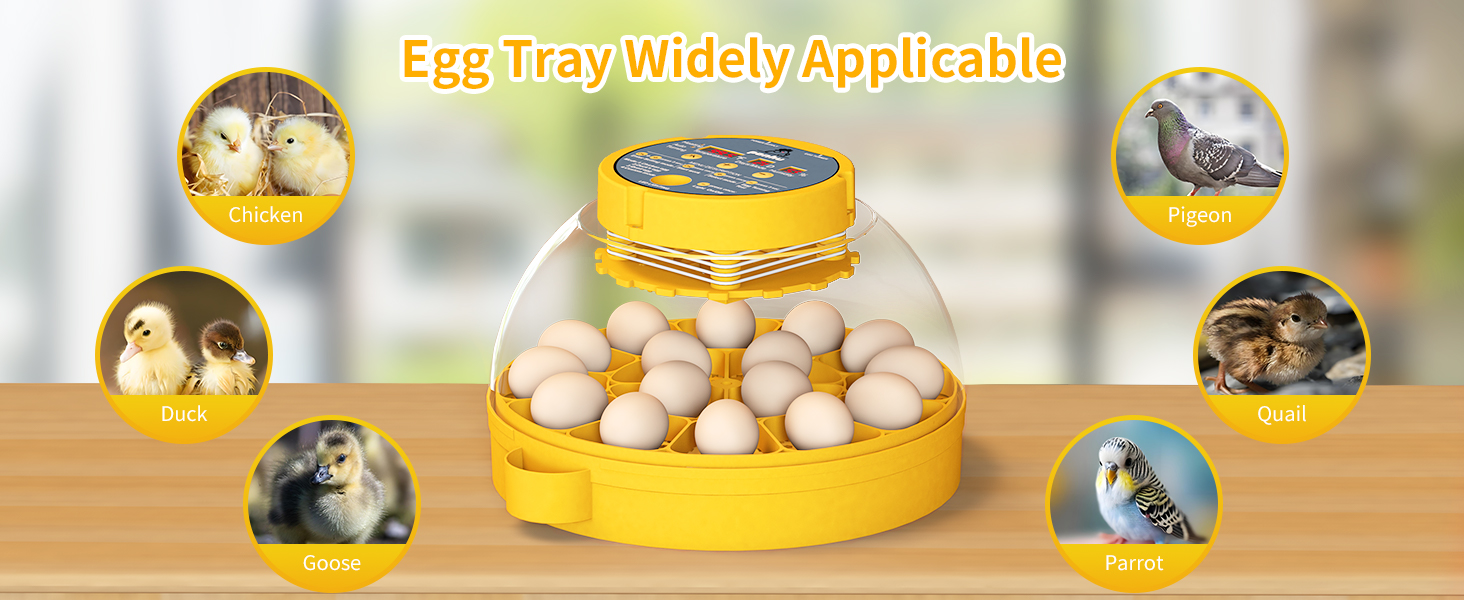
This manual provides comprehensive instructions for the safe and efficient operation of your ponhu 16-Egg Automatic Incubator. This intelligent incubator is designed for hatching various poultry eggs, including chicken, duck, quail, and pigeon, with features such as automatic egg turning, precise temperature and humidity control, and mobile application connectivity.
2. Product Features
- Mobile App Connectivity: Monitor and control temperature and humidity remotely via a dedicated mobile application.
- Automatic Egg Turning: Eggs are automatically turned every 4 hours to ensure even heating. The turning mechanism stops 3 days before hatching to prevent disturbance.
- Stable Temperature & Humidity Control: Maintains target temperature with less than 1°F fluctuation. Humidity is adjustable via a water port.
- 360-Degree View & Built-in Egg Candler: A clear lid provides a full view of the incubation process. A strong LED light allows for easy observation of egg development.
- Anti-Slip Mat & Protective Wall: Designed with an anti-slip mat and protective wall to ensure chick safety post-hatch.
- Multi-functional: Suitable for hatching 16 chicken or duck eggs, or 32 quail, parrot, or bird eggs. Features custom incubation settings for various species.
3. Package Contents
The ponhu 16-Egg Automatic Incubator package includes the following components:
- Incubator Unit (Control Panel, Clear Lid, LED Egg Candler, Incubator Base)
- 16-Egg Tray
- Egg Tray (for smaller eggs, e.g., quail)
- Power Supply
- User Manual
4. Setup Instructions
- Unpacking: Carefully remove all components from the packaging. Inspect for any damage.
- Assembly:
- Place the incubator base on a stable, flat surface, away from direct sunlight or drafts.
- Insert the appropriate egg tray (16-egg or smaller egg tray) into the base.
- Place the clear lid onto the base, ensuring it fits securely.
- Connect the power supply cable to the designated port on the lid and then plug it into a power outlet.
- Initial Test Run: It is recommended to run the incubator for 24-48 hours without eggs to stabilize temperature and humidity settings and ensure proper function. Use an external thermometer/hygrometer to verify accuracy.
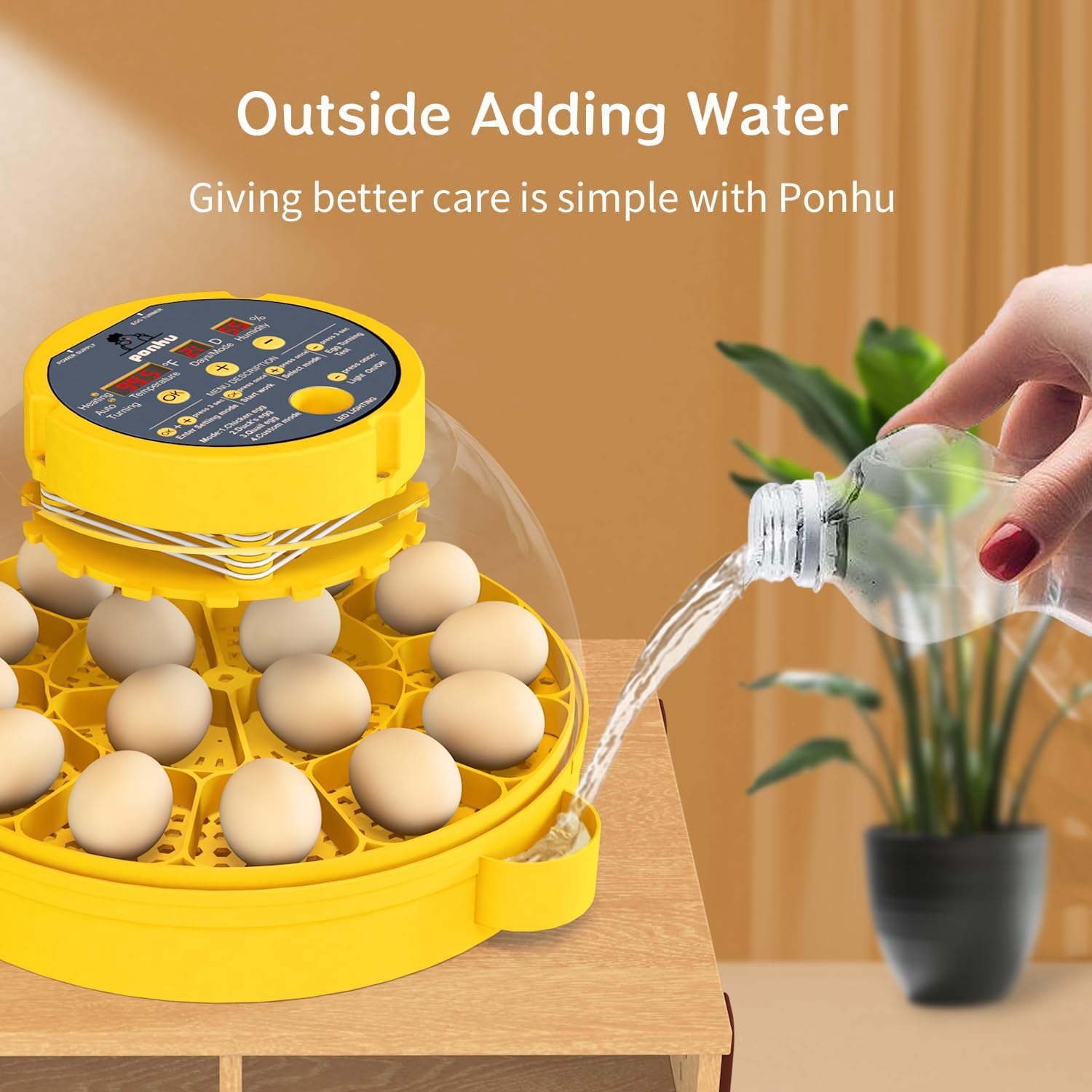
- Water Filling: Fill the water port on the side of the base with distilled water. The water level should be adjusted according to the required humidity for the incubation stage. Refer to the "Humidity Adjustment" section for details.

5. Operating Instructions
5.1 Control Panel Overview
The control panel on the lid displays temperature, days remaining, and humidity. It also features buttons for setting modes, starting work, selecting modes, and testing egg turning.

5.2 Setting Incubation Parameters
- Select Mode: Press the "Select Mode" button to choose between pre-set modes for Chicken, Duck, Quail eggs, or a Custom mode. Each mode automatically adjusts temperature and humidity settings.
- Temperature Adjustment: In Custom mode, use the '+' and '-' buttons to set the desired temperature. The incubator maintains a stable temperature with minimal fluctuation.
- Humidity Adjustment: Humidity is controlled by adding water to the external water port. The incubator has internal lines to guide water levels for different humidity requirements.
- For the first 18 days, maintain lower humidity by filling to the lower line.
- For the last 3 days (lockdown period), increase humidity by filling to the higher line.
- Automatic Egg Turning: The incubator automatically turns eggs every 4 hours. This feature will automatically stop 3 days before the expected hatch date.
- Egg Candling: Use the built-in LED light to observe the development of the embryo inside the eggs. Place an egg over the light to view.


6. Mobile App Control
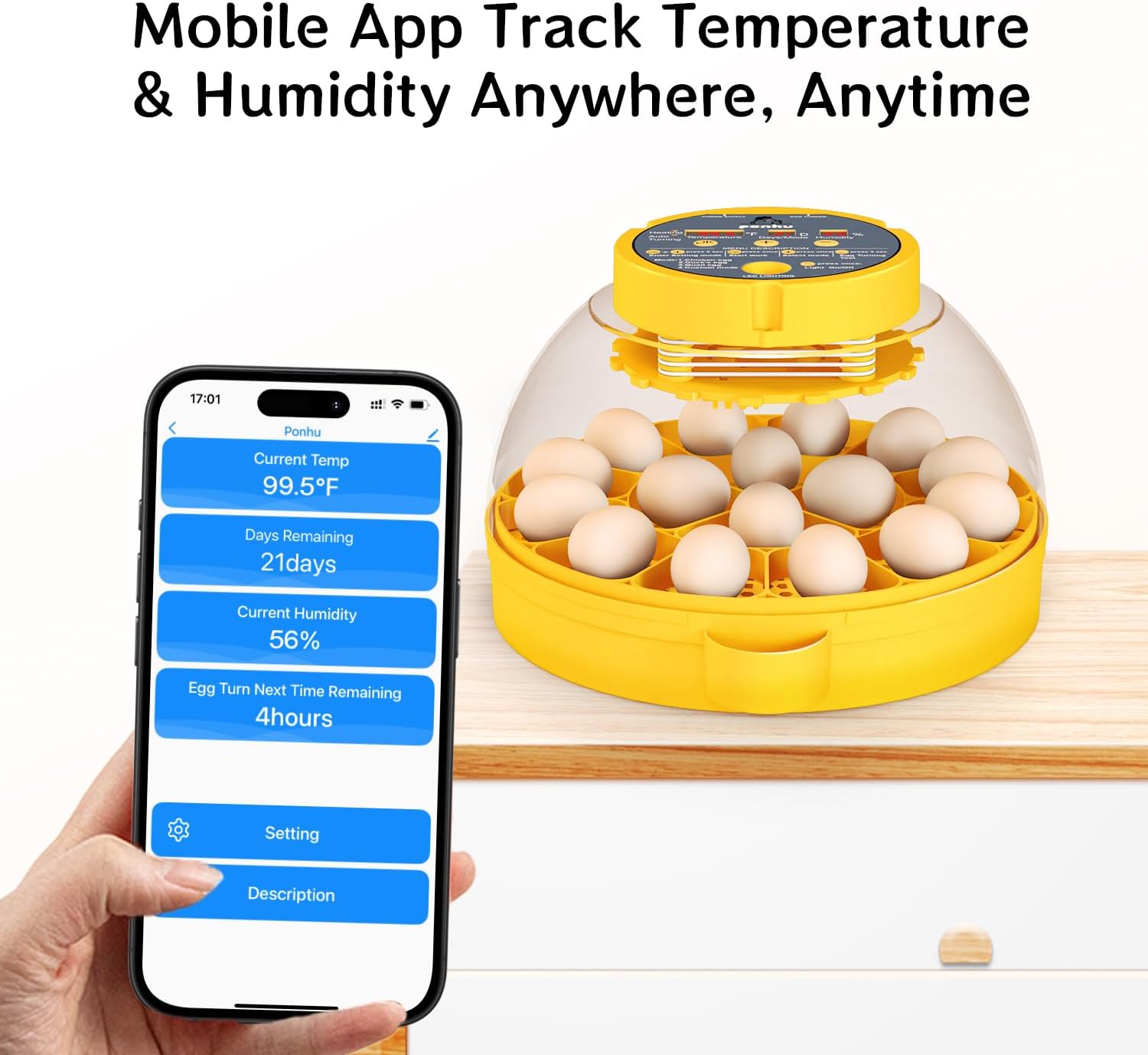
The ponhu incubator can be controlled and monitored via a mobile application. This allows you to track temperature, humidity, and remaining incubation days from anywhere.
- Download App: Download the "Smart Life" app from your device's app store (iOS or Android).
- Pairing:
- Ensure Bluetooth is enabled on your phone.
- Open the Smart Life app, tap '+' at the top right corner, and select "ponhu" from the device list.
- Connect to a 2.4G WiFi network on your phone.
- Follow the in-app instructions to complete the pairing process.
- Monitoring & Control: Once paired, you can view current temperature, humidity, days remaining, and egg turn time. You can also adjust settings and receive alerts for low humidity or temperature fluctuations.
Video 6.1: A detailed overview of the 16-egg incubator, highlighting its automatic egg turning and humidity control features. This video demonstrates the physical aspects and basic operation of the device.
7. Maintenance
Proper maintenance ensures the longevity and optimal performance of your incubator.
- Cleaning:
- Always disconnect the incubator from the main power supply before cleaning.
- Wipe down all surfaces with a damp cloth and mild disinfectant.
- Do not immerse the incubator top (electrical parts) in water.
- The egg trays can be removed and washed with warm soapy water. Ensure they are completely dry before reassembly.
- Storage: When not in use, clean the incubator thoroughly, allow it to dry completely, and store it in a cool, dry place away from direct sunlight.
8. Troubleshooting
This section addresses common issues you might encounter with your incubator.
| Problem | Possible Cause | Solution |
|---|---|---|
| Temperature fluctuation | Unstable room temperature, incubator lid not sealed properly. | Ensure the incubator is in a room with stable temperature (74-88°F). Check that the lid is securely closed. |
| Humidity too low/high | Insufficient/excessive water in the water port, vent open/closed incorrectly. | Adjust water level in the water port. Open or close the air vent as needed. Refer to humidity guidelines in the manual. |
| Eggs not turning | Egg turning function disabled, power issue, or mechanical fault. | Verify the automatic egg turning function is enabled (unless in lockdown). Check power connections. If issue persists, contact support. |
| App connectivity issues | Incorrect WiFi password, 5G WiFi network, Bluetooth off, app not updated. | Ensure connection to a 2.4G WiFi network. Verify Bluetooth is on. Re-pair the device if necessary. Update the app to the latest version. |
9. Specifications
| Feature | Detail |
|---|---|
| Model | YUE-1 |
| Brand | ponhu |
| Egg Capacity | 16 Chicken/Duck Eggs, 32 Quail/Bird Eggs |
| Material | Acrylonitrile Butadiene Styrene (ABS) |
| Product Dimensions | 12"L x 11"W x 8.5"H |
| Item Weight | 3.99 pounds (1.81 Kilograms) |
| Power | Electric |
| UPC | 787353956030 |
10. Warranty and Support
Your ponhu incubator comes with a 24-month after-sales service warranty. If you encounter any questions or issues with your product, please do not hesitate to contact us. We are committed to resolving all problems within 12 hours.
For support, please refer to the contact information provided with your purchase or visit the official ponhu store online.