
1. Introduction
Thank you for choosing the FAMIDUO Panda Night Light. This LED night light is designed to provide a soft, comforting glow for children's rooms, nurseries, or any space requiring gentle illumination. Made from soft, food-grade silicone, it features adjustable brightness levels and a convenient timer function. Please read this manual carefully before use to ensure proper operation and maintenance.

Image: The FAMIDUO Panda Night Light, a soft silicone lamp in the shape of a sleeping panda, emitting a warm glow.
2. Safety Instructions
- Keep the night light away from water and excessive moisture.
- Do not attempt to disassemble or repair the device yourself. Contact customer support if issues arise.
- Use only the provided charging cable or a certified 5V USB charger.
- This product contains a built-in lithium-ion battery. Do not expose to high temperatures or dispose of in fire.
- Ensure the night light is placed on a stable surface to prevent falling.
- This product is not a toy. Adult supervision is recommended for young children.
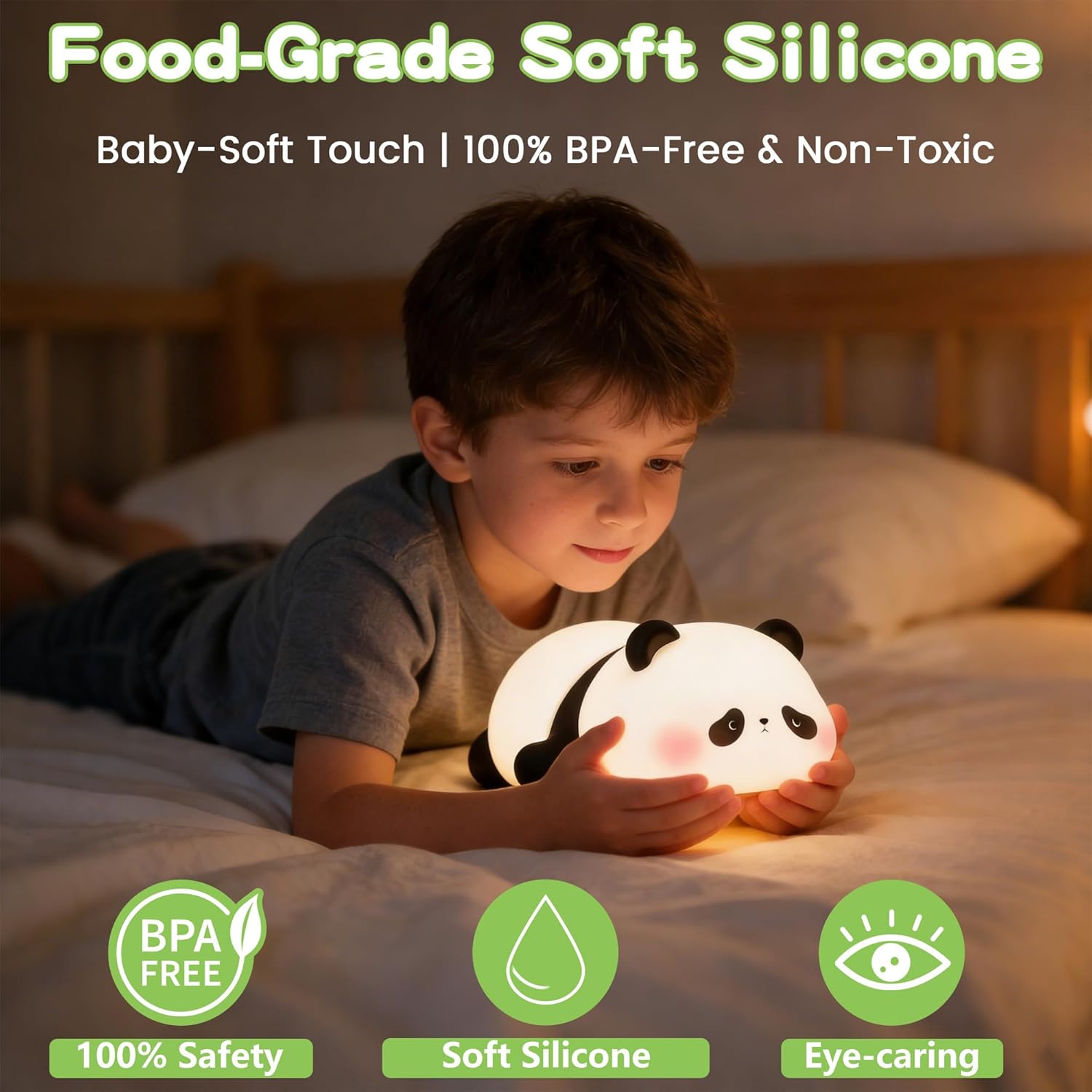
Image: Visual representation highlighting the night light's food-grade soft silicone material, confirming it is 100% BPA-free, non-toxic, and designed to be eye-caring.
3. Package Contents
- 1 x FAMIDUO Panda Night Light
- 1 x USB Charging Cable
- 1 x User Manual
4. Product Features
- Soft Silicone Material: Made from food-grade, BPA-free silicone, safe for children.
- Dimmable LED Light: Features 3 adjustable brightness levels for various needs.
- 30-Minute Timer: Automatic shut-off function for sleep training or energy saving.
- Rechargeable Battery: Built-in 1200mAh lithium-ion battery for wireless use.
- Touch Control: Easy operation by tapping or squeezing the silicone body.
- Eye-Caring Illumination: Provides a soft, non-flickering light suitable for reading or as a sleep aid.
5. Setup
5.1 Initial Charging
- Before first use, fully charge the night light.
- Locate the charging port on the bottom of the panda night light.
- Connect the provided USB charging cable to the port and plug the other end into a 5V USB power adapter (not included) or a computer USB port.
- The indicator light will show charging status (e.g., red for charging, green for fully charged). Charging typically takes 2-3 hours.
5.2 Placement
Place the night light on a flat, stable surface such as a bedside table, desk, or shelf. Ensure it is out of reach of very young children if they might attempt to put it in their mouth.
6. Operating Instructions
6.1 Power On/Off
- Locate the power switch on the bottom of the night light.
- Slide the switch to the 'ON' position to turn on the light.
- Slide the switch to the 'OFF' position to turn off the light completely.
6.2 Adjusting Brightness (3 Levels)
- Once the light is on, gently tap or squeeze the silicone body of the panda.
- Each tap or squeeze will cycle through the 3 brightness levels: Low (Sleep Aid), Medium (Ambient Light), and High (Illumination).
- Continue tapping until you reach your desired brightness.

Image: The three dimmable light levels of the panda night light are displayed: Low for sleep aid, Medium for ambient light, and High for general illumination.
6.3 30-Minute Timer Function
- To activate the 30-minute timer, slide the power switch on the bottom to the '30' position.
- The light will turn on and automatically shut off after 30 minutes.
- To deactivate the timer and keep the light on continuously, slide the switch to the 'ON' position.

Image: A close-up of the night light's base, showing the switch with 'ON', 'OFF', and '30' minute timer options, illustrating the automatic shut-off feature.
7. Maintenance
7.1 Cleaning
- Ensure the night light is turned off and unplugged before cleaning.
- Wipe the silicone surface with a soft, damp cloth. Do not use abrasive cleaners or harsh chemicals.
- Do not immerse the product in water.
7.2 Battery Care
- To prolong battery life, avoid completely draining the battery frequently.
- If storing for an extended period, charge the battery to about 50% and recharge every 3-6 months.
8. Troubleshooting
| Problem | Possible Cause | Solution |
|---|---|---|
| Light does not turn on. | Battery is depleted. Power switch is in 'OFF' position. | Charge the night light. Slide the power switch to 'ON' or '30'. |
| Light does not change brightness. | Insufficient tapping/squeezing force. Internal sensor issue. | Ensure a firm but gentle tap/squeeze. Try restarting the device. If issue persists, contact support. |
| Light turns off unexpectedly (not on timer). | Battery is low. Power switch accidentally moved to 'OFF'. | Recharge the night light. Check the position of the power switch. |
| Charging indicator not working. | Faulty cable or adapter. Charging port issue. | Try a different USB cable and power adapter. Contact customer support. |
9. Specifications
| Feature | Detail |
|---|---|
| Model Number | K-1115 |
| Material | Food-grade Silicone |
| Dimensions (L x W x H) | 6.48 x 11.48 x 13.49 cm (approx. 2.55 x 4.52 x 5.31 inches) |
| Weight | 155 grams (approx. 5.47 oz) |
| Battery Type | 1 x Lithium-ion (included) |
| Battery Capacity | 1200mAh |
| Input Voltage | 5 Volts |
| Power | 1 Watt |
| Light Source | LED |
| Brightness Levels | 3 (Low, Medium, High) |
| Timer Function | 30 minutes auto-off |
| Control Method | Touch/Squeeze, Physical Switch |

Image: This image highlights the battery life, indicating 240 minutes of operation at the brightest setting, 360 minutes at the dimmest setting, and the availability of a 30-minute timer function.
10. Warranty Information
FAMIDUO products are manufactured to high-quality standards. This product is covered by a standard manufacturer's warranty against defects in materials and workmanship from the date of purchase. Please retain your proof of purchase for warranty claims. The warranty does not cover damage caused by misuse, accident, unauthorized modification, or normal wear and tear.
11. Customer Support
If you have any questions, concerns, or require assistance with your FAMIDUO Panda Night Light, please contact our customer support team. For the quickest service, please have your model number (K-1115) and purchase details ready.
Email: support@famiduo.com (Example email, please refer to product packaging for actual contact information)
Website: www.famiduo.com (Example website, please refer to product packaging for actual contact information)