
Introduction
This manual provides comprehensive instructions for operating your RUIZU 64GB MP3 Player. Designed for portability and versatility, this device offers high-fidelity lossless audio playback, Bluetooth 5.3 connectivity, an integrated speaker, FM radio, voice recording, and support for various media formats. Please read this manual thoroughly to ensure proper usage and maintenance of your device.
What's in the Box
- 1 x Portable MP3 Player with Bluetooth
- 1 x 3.5mm Wired Stereo Headphones
- 1 x Type-C USB Cable for Transferring Files & Charging
- 1 x User Manual
Product Overview

Figure 1: Front view of the RUIZU D18 MP3 Player, showcasing its 2.4-inch screen and circular navigation controls.

Figure 2: Detailed diagram of the RUIZU D18 MP3 Player's controls and ports, including the 2.4" glossy screen, touch buttons, Micro SD slot, 3.5mm stereo port, USB port, volume controls, and power button.
The RUIZU D18 MP3 Player features a compact design with a 2.4-inch HD curved color screen. Navigation is primarily done through the touch-sensitive buttons located below the screen. Key physical features include:
- 2.4-inch HD Curved Screen: Provides clear visual feedback for menus, music information, photos, and videos.
- Touch Buttons: Intuitive controls for navigation, playback, and menu selection.
- Micro SD Slot: Located on the side, supports up to 128GB external memory for expanded storage.
- 3.5mm Stereo Port: For connecting wired headphones.
- Type-C USB Port: Used for charging the device and transferring files to and from a computer.
- Volume Controls: Dedicated buttons for adjusting audio output.
- Power On/Off Button: Controls device power and screen wake/sleep.
- Built-in Speaker: Allows for audio playback without headphones.
Setup
1. Initial Charging
Before first use, fully charge your MP3 player. Connect the provided Type-C USB cable to the device's USB port and the other end to a USB power adapter (not included) or a computer's USB port. The battery indicator on the screen will show charging progress. A full charge typically takes approximately 2 hours.

Figure 3: The MP3 player connected via its Type-C USB cable for charging.
2. Transferring Files (Music, Videos, Photos, E-books)
To transfer files, connect the MP3 player to your computer using the Type-C USB cable. The device will appear as a removable disk drive. You can then drag and drop your desired files (MP3, WMA, WAV, M4A, APE, FLAC, AAC-LC, OGG for audio; AMV, AVI for video; JPEG, BMP, GIF for photos; TXT for e-books) into the appropriate folders on the player's internal 64GB memory or an inserted Micro SD card (up to 128GB, sold separately).
3. Setting Language
The device supports 28 languages. To change the language:
- From the main menu, navigate to "Settings".
- Select "Language" or "Language/Language" (the first option).
- Choose your preferred language from the list.
Video 1: This video demonstrates the initial setup of the RUIZU MP3 Player, including inserting a Micro SD card, setting the language, and basic music playback functions. It highlights the device's 64GB internal storage, support for up to 128GB Micro SD cards, and multi-language support.
Operating Instructions
1. Music Playback
The RUIZU D18 supports HiFi lossless audio formats including MP3, WMA, WAV, M4A, APE, FLAC, AAC-LC, and OGG.
- Accessing Music: From the main menu, select the "Music" icon. You can browse by All Songs, Artists, Albums, Genres, or Playlists.
- Playback Controls: Use the central navigation buttons for Play/Pause, Next/Previous Track, and Volume Up/Down.
- Shuffle Playback: The device supports shuffle playback for a randomized listening experience.
- Lyrics Display: If supported by the audio file, lyrics can be displayed on the screen during playback.
- Bookmarks: Add bookmarks to your audio files to easily return to a specific point.
- Equalizer: Customize your audio experience with the built-in equalizer. Access it from the music playback screen's context menu. It offers various presets and a custom 7-band setting.

Figure 4: Highlighting the HiFi Lossless Sound capabilities, DAC Audio Decoder, and Noise Reduction Chip, along with supported audio formats.

Figure 5: The custom equalizer interface, allowing adjustment of various frequency bands for personalized sound.
2. Bluetooth Connectivity
The device features Bluetooth 5.3 for wireless audio streaming to compatible Bluetooth headphones or speakers.
- From the main menu, select the "Bluetooth" icon.
- Turn on Bluetooth and search for available devices.
- Select your desired Bluetooth device from the list to pair.
Note: This MP3 player acts as a Bluetooth transmitter and cannot be paired with cellphones or computers via Bluetooth.
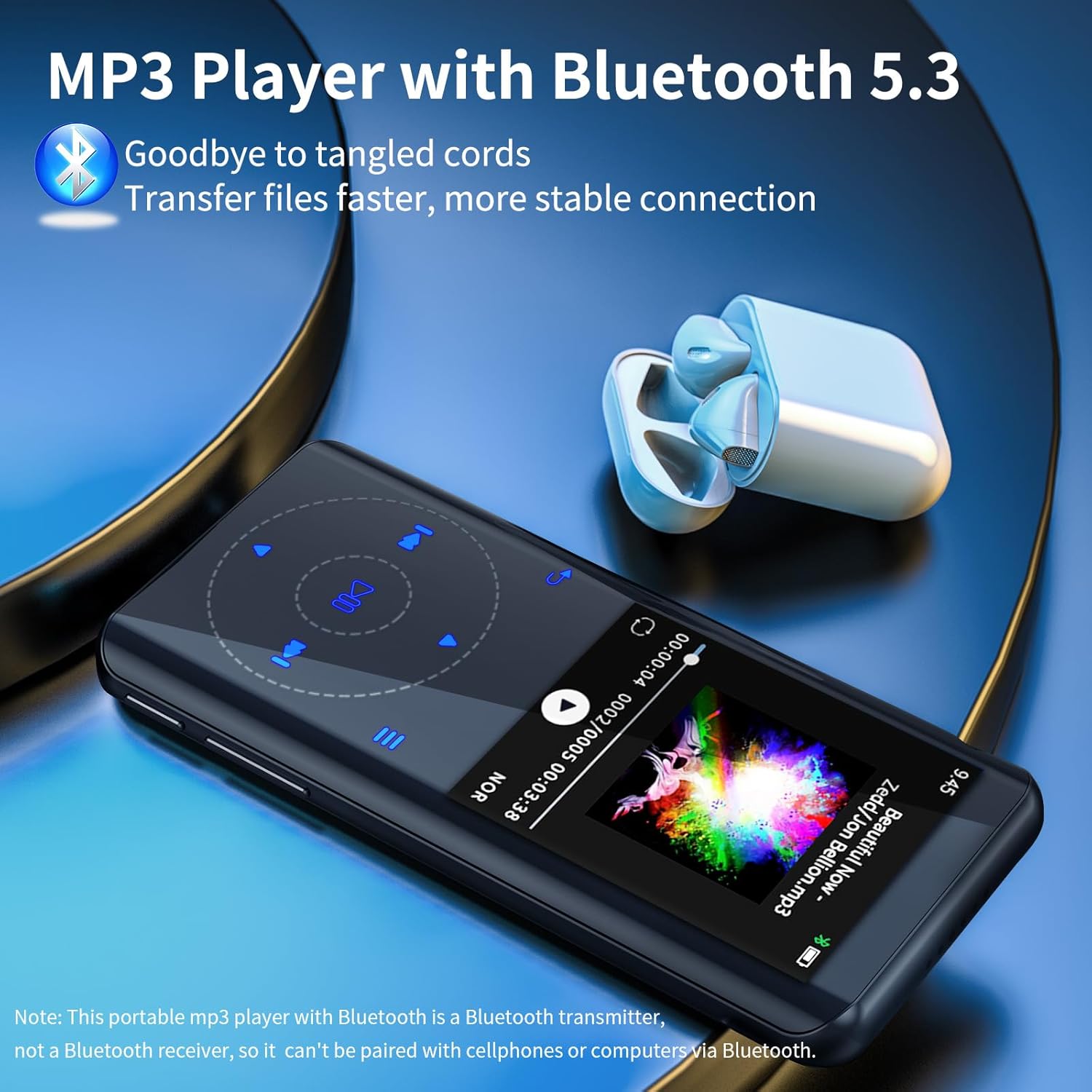
Figure 6: The MP3 player connected wirelessly to Bluetooth earbuds, emphasizing stable and fast file transfer.
3. FM Radio
Enjoy local radio stations with the built-in FM radio.
- Antenna Requirement: Wired headphones must be plugged into the 3.5mm port to act as an antenna for the FM radio to function.
- Scanning: Auto-scan for available stations or manually tune to a frequency.
- Playback: Listen through connected headphones or the built-in speaker.

Figure 7: The FM Radio interface showing frequency tuning, alongside the Voice Recorder function.
4. Voice Recorder
Record audio notes, lectures, or interviews using the integrated voice recorder.
- From the main menu, select the "Voice Recorder" icon.
- Press the record button to start and stop recording.
- Recordings are saved to the device's memory.
5. Photo and Video Playback
View your photos and videos directly on the 2.4-inch screen. Supported video formats include AMV and AVI.

Figure 8: The MP3 player displaying video content on its 2.4" HD curved color screen, supporting AMV and AVI formats.
6. E-book Reader
Read TXT format e-books on the device. Access the E-book reader from the main menu.
7. Additional Features
The RUIZU D18 also includes:
- Pedometer: Track your steps during physical activity.
- Alarm Clock: Set alarms for reminders or wake-up calls.
- Stopwatch: A basic stopwatch function.
- Calendar: View the current date.
- Screensaver: Customize the display when idle.
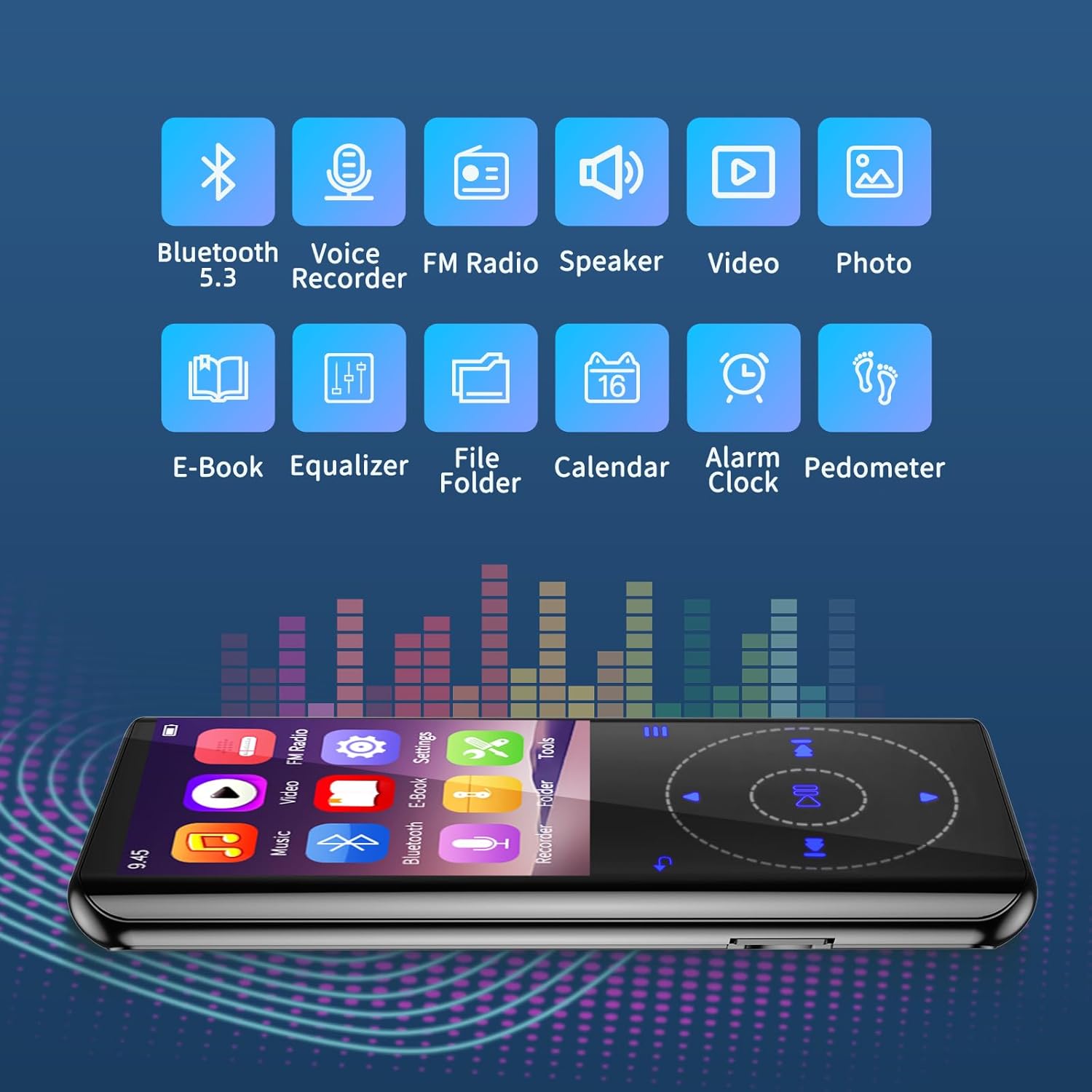
Figure 9: Icons representing the various functions of the MP3 player, including Bluetooth, Voice Recorder, FM Radio, Speaker, Video, Photo, E-Book, Equalizer, File Folder, Calendar, Alarm Clock, and Pedometer.
Maintenance
- Keep the device dry and away from moisture.
- Avoid extreme temperatures.
- Clean the screen and body with a soft, dry cloth.
- Do not drop or subject the device to strong impacts.
- Regularly back up important files to prevent data loss.
Troubleshooting
| Problem | Possible Solution |
|---|---|
| Device does not turn on. | Ensure the battery is charged. Connect to a power source and try again. If unresponsive, press and hold the power button for 10-15 seconds to force a restart. |
| Cannot transfer files. | Check USB cable connection. Ensure the device is recognized by your computer as a removable disk. Try a different USB port or cable. |
| Poor sound quality / No sound. | Check headphone connection. Adjust volume. Ensure the equalizer settings are not distorting the sound. If using Bluetooth, ensure proper pairing and sufficient battery on both devices. |
| FM Radio not working. | Ensure wired headphones are plugged in, as they act as the antenna. Try re-scanning for stations. |
| Slow navigation / Unresponsive buttons. | Ensure the screen is awake. Some operations may take a moment to process. Avoid rapid button presses. |
Specifications
- Brand: RUIZU
- Model: D18
- Memory Storage Capacity: 64 GB (internal), supports up to 128 GB Micro SD card
- Screen Size: 2.4 Inches
- Display Technology: LCD
- Connectivity Technology: Bluetooth 5.3, USB, Aux (3.5mm)
- Special Features: Built-In Speaker, Video Playback, Voice Recorder, Equalizer, FM Radio, Pedometer, Alarm Clock, Stopwatch, E-book Reader
- Battery: 1 Lithium Polymer battery (included)
- Item Weight: 5.9 ounces
- Color: Black
- Dimensions: 4.33 x 1.97 x 0.39 inches (approximate, inferred from images)
- Music Playback Time: Up to 45 hours (with wired headphones)

Figure 10: Detailed dimensions of the RUIZU D18 MP3 Player.
Warranty and Support
For any product inquiries, technical support, or warranty claims, please refer to the contact information provided on the product packaging or visit the official RUIZU website.