
1. Introduction
Thank you for choosing the heetipuk C20 Plus Mini Karaoke Machine. This portable Bluetooth speaker, accompanied by two wireless microphones, is designed to provide an enjoyable audio experience for various ages and occasions. Its compact size, versatile connectivity, and engaging features make it suitable for home entertainment, outdoor activities, and educational settings.
2. Package Contents
Please verify that all items listed below are included in your package:
- 1x heetipuk C20 Plus Mini Karaoke Machine (Speaker)
- 2x Wireless Microphones
- 1x USB Type-C Charging Cable
- 1x User Manual (this document)

Image: The heetipuk C20 Plus Mini Karaoke Machine speaker and two wireless microphones.
3. Product Overview
Speaker Features
- Compact Design: Portable and easy to carry with a convenient handle.
- HiFi 3D Stereo Sound: Equipped with a powerful 5W speaker and advanced DSP technology for clear audio.
- Dynamic LED Lights: Features 7 different lighting effects that synchronize with music rhythm.
- Multiple Connectivity: Supports Bluetooth 5.3, TF card, AUX input, and USB drives.
- Controls: Intuitive buttons for power, mode, volume, and track control.
Microphone Features
- Wireless Operation: Two wireless microphones for duet performances.
- Voice Changing Modes: Includes 5 voice effects (male, female, baby, monster, KTV mode).
- Independent Controls: Each microphone has controls for power, volume, and voice effects.
- Type-C Charging: Rechargeable via the included USB Type-C cable.
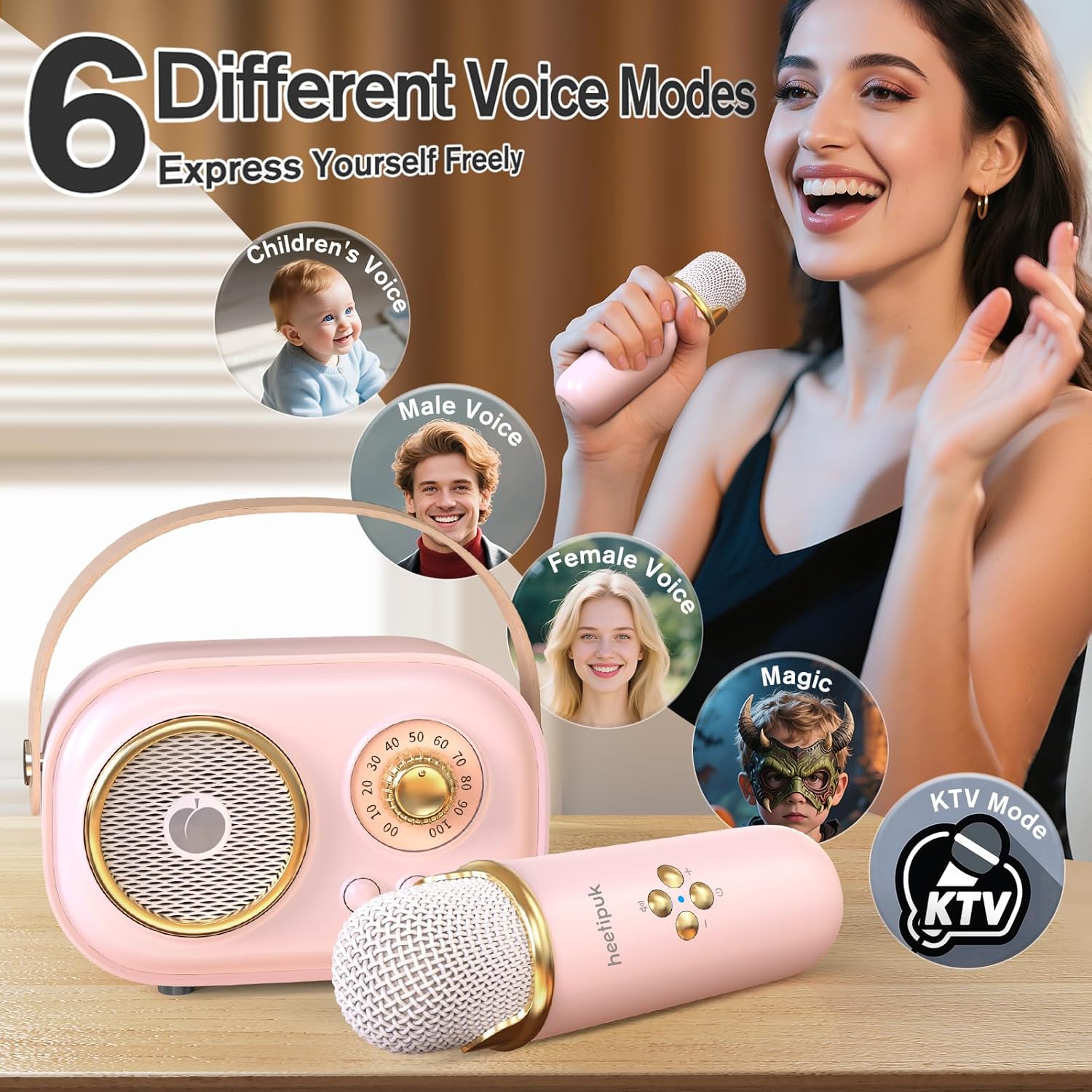
Image: The speaker and microphone showcasing various voice modes.

Image: Multiple connection methods for the karaoke machine.
4. Setup
4.1 Charging the Devices
Before first use, fully charge the speaker and both microphones.
- Connect the provided USB Type-C charging cable to the charging port on the speaker and microphones.
- Plug the other end of the cable into a standard USB power adapter (DC 5V/1A, not included).
- The charging indicator light will illuminate during charging and turn off when fully charged.
- Charging time is approximately 2 hours for the speaker and microphones.
4.2 Power On/Off
- Speaker: Long press the power button on the speaker to turn it on or off. The LED lights will activate upon powering on.
- Microphones: Long press the power button on each microphone to turn it on or off. A light indicator will confirm power status.
4.3 Bluetooth Pairing
To connect the karaoke machine to your audio source (e.g., smartphone, tablet):
- Ensure the speaker is powered on and in Bluetooth mode (indicated by a voice prompt or light).
- On your device, enable Bluetooth and search for available devices.
- Select "C20 Plus" from the list of devices to pair. A confirmation sound will indicate successful pairing.
4.4 Microphone Pairing
The wireless microphones are designed to automatically pair with the speaker when both are powered on. No manual pairing is typically required.
Video: Heetipuk Mini Karaoke Machine overview, demonstrating power on, microphone pairing, and basic functions.
5. Operating Instructions
5.1 Music Playback
- Bluetooth: Once paired, play music from your connected device. Use the speaker's control buttons (play/pause, next/previous track) or your device's controls.
- TF Card/USB Drive: Insert a TF card or USB drive with MP3 files into the designated slot. The speaker will automatically switch to the corresponding mode and begin playback.
- AUX Input: Connect an audio device using a 3.5mm AUX cable (not included) to the AUX port.
5.2 Microphone Usage
- Ensure microphones are powered on and paired with the speaker.
- Speak or sing into the microphone. Adjust the microphone volume using the +/- buttons on the microphone itself.
5.3 Voice Effects
Each microphone features a button to cycle through 5 different voice-changing modes: male, female, baby, monster, and KTV mode. Press the dedicated voice effect button on the microphone to change the effect.
5.4 LED Light Control
The speaker's dynamic LED lights can be controlled via a dedicated button on the speaker. Press the button to cycle through 7 different lighting effects or to turn them off.
Video: Demonstration of the Mini Karaoke Machine with 2 Wireless Microphones, highlighting features and ease of use.
6. Maintenance
- Cleaning: Use a soft, dry cloth to clean the surface of the speaker and microphones. Do not use liquid cleaners or abrasive materials.
- Battery Care: To prolong battery life, avoid fully discharging the devices frequently. Recharge them regularly, even if not in use for extended periods.
- Storage: Store the karaoke machine in a cool, dry place away from direct sunlight and extreme temperatures.
7. Troubleshooting
| Problem | Possible Cause | Solution |
|---|---|---|
| No sound from speaker | Speaker off, low volume, not paired, incorrect mode. | Ensure speaker is on, increase volume, re-pair Bluetooth, check input mode. |
| Microphone not working | Microphone off, low battery, out of range. | Ensure microphone is on, charge microphone, move closer to speaker. |
| Bluetooth connection unstable | Interference, too far from device. | Move closer to the paired device, avoid obstacles, restart both devices. |
| LED lights not working | Lights turned off. | Press the LED light control button on the speaker to activate. |
8. Specifications
- Model: C20 Plus
- Brand: heetipuk
- Product Dimensions: 2 x 2.8 x 4.1 inches
- Item Weight: 15.9 ounces
- Speaker Output: 5W
- Battery Capacity: 1200mAh (Speaker), 4 hours continuous playback
- Bluetooth Version: 5.3
- Connectivity: Bluetooth, TF Card, AUX, USB
- Special Feature: Dynamic LED Lights, Voice Changing Modes
- Color: Pink
- Included Components: Speaker, 2 Microphones, USB Charging Cable
- Recommended Uses: Home entertainment, parties, travel
9. Warranty and Support
The heetipuk C20 Plus Mini Karaoke Machine comes with a standard manufacturer's warranty. For detailed warranty information, product support, or any inquiries, please refer to the contact information provided on the product packaging or visit the official heetipuk website.