
1. Introduction
Thank you for purchasing the AEK CYBER BS-08 Portable Bluetooth Soundbar Speaker. This device is designed to enhance your audio experience, offering versatile connectivity options and a compact design. Please read this manual carefully before using the product to ensure proper operation and to maximize its lifespan.
2. Product Features
- Portable Design: Compact and lightweight for easy transport.
- Bluetooth 5.0 Connectivity: Seamless wireless audio streaming.
- Multiple Playback Modes: Supports FM Radio, USB drive, Micro SD card, and AUX input.
- Integrated RGB LED Lighting: Adds a dynamic visual element to your audio experience.
- Dual 5W Speakers: Delivers a total of 10W audio output.
- Rechargeable Battery: Provides 2 to 4 hours of playback on a single charge.
3. Package Contents
Please check the package for the following items:
- AEK CYBER BS-08 Portable Bluetooth Soundbar Speaker
- USB Type-C Charging Cable
- User Manual (this document)
4. Controls and Ports
Familiarize yourself with the speaker's controls and connection ports:
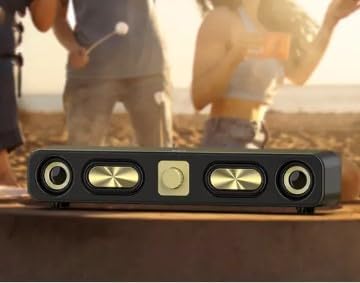
Image: Rear view of the BS-08 speaker, highlighting the input/output panel. From left to right, you can see the ON/OFF switch, AUX input, TF/USB card slot, and DC/5V USB-C charging port with an LED indicator.
| Control/Port | Function |
|---|---|
| ON/OFF Switch | Powers the speaker on or off. |
| AUX Input | Connect external audio devices via a 3.5mm audio cable. |
| TF/USB Slot | Insert a Micro SD card (TF card) or USB flash drive for direct audio playback. |
| DC/5V (USB-C) | Charging port for the speaker using the provided USB Type-C cable. |
| LED Indicator | Indicates charging status and operating mode. |
| Volume Knob | Adjusts the master volume. |
| Playback Controls (Front Panel) | Typically include Play/Pause, Next Track, Previous Track, and Mode selection. |
5. Setup
5.1 Initial Charging
- Before first use, fully charge the speaker. Connect the supplied USB Type-C cable to the DC/5V port on the speaker and the other end to a USB power adapter (not included) or a computer's USB port.
- The LED indicator will illuminate during charging and turn off or change color when fully charged.
- A full charge typically takes approximately 2 hours.
5.2 Placement
The BS-08 speaker can be placed on a table, shelf, or mounted. Ensure it is on a stable surface and not obstructing any vents or ports. For optimal sound, place it in an open area.
6. Operating Instructions
6.1 Power On/Off
Slide the ON/OFF Switch on the rear panel to the 'ON' position to power on the speaker. Slide it to 'OFF' to power off.
6.2 Bluetooth Mode
- Turn on the speaker. It will automatically enter Bluetooth pairing mode, indicated by a flashing LED.
- On your device (smartphone, tablet, computer), enable Bluetooth and search for available devices.
- Select "BS-08" from the list of devices. Once paired, the speaker will emit a confirmation sound, and the LED indicator will stop flashing.
- You can now play audio from your device through the speaker.
6.3 FM Radio Mode
- Press the Mode button (usually on the front panel) to switch to FM Radio mode.
- Press and hold the Play/Pause button to automatically scan and save available FM stations.
- Use the Next Track and Previous Track buttons to navigate between saved stations.
6.4 USB/Micro SD Card Playback
- Insert a USB flash drive or a Micro SD card (TF card) into the respective TF/USB Slot on the rear panel.
- The speaker will automatically detect the storage device and begin playing audio files.
- Use the playback control buttons (Play/Pause, Next Track, Previous Track) on the front panel to manage your music.
6.5 AUX Input Mode
- Connect one end of a 3.5mm audio cable (not included) to the AUX Input port on the speaker.
- Connect the other end of the cable to the audio output jack of your external device (e.g., MP3 player, laptop).
- Press the Mode button to switch to AUX mode. Audio will now play from your connected device.
6.6 RGB LED Lighting
The speaker features integrated RGB LED lighting. Specific controls for changing light modes or turning them off are typically integrated with the front panel buttons. Refer to the quick start guide or experiment with the 'Mode' button or a dedicated light button if available.
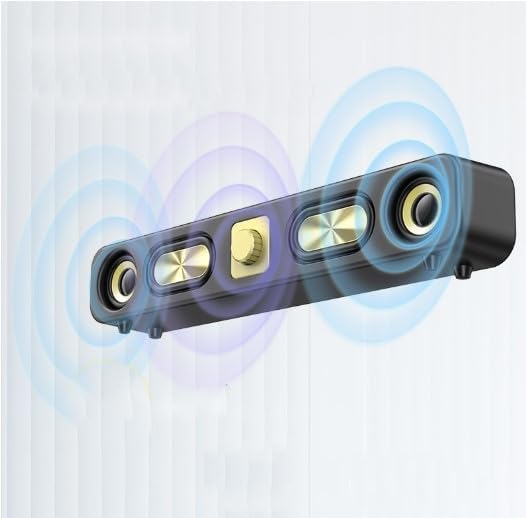
Image: The BS-08 speaker with visual representations of sound waves emanating from it, symbolizing its audio output.
7. Charging
When the battery is low, the speaker may emit an audible alert or the LED indicator may change. Connect the USB Type-C charging cable to the DC/5V port and a 5V USB power source. The LED indicator will show charging status. Disconnect the charger once fully charged to preserve battery life.
8. Maintenance
- Cleaning: Use a soft, dry cloth to clean the speaker's surface. Do not use abrasive cleaners or solvents.
- Storage: Store the speaker in a cool, dry place away from direct sunlight and extreme temperatures when not in use for extended periods.
- Battery Care: To maintain battery health, avoid fully discharging the battery frequently. Charge it regularly, even if not in use.
- Water Exposure: This speaker is not waterproof. Avoid exposure to water or high humidity.
9. Troubleshooting
If you encounter issues with your BS-08 speaker, refer to the following common problems and solutions:
| Problem | Possible Solution |
|---|---|
| Speaker does not power on. | Ensure the battery is charged. Connect the speaker to a power source using the USB-C cable. Check the ON/OFF switch is in the 'ON' position. |
| No sound. | Increase the speaker's volume and the volume on your connected device. Ensure the correct input mode (Bluetooth, AUX, USB, SD) is selected. Check cable connections for AUX mode. |
| Bluetooth pairing fails. | Ensure the speaker is in Bluetooth mode and discoverable. Turn off Bluetooth on your device and turn it back on. Move the speaker closer to your device. Disconnect other Bluetooth devices from your source device. |
| FM Radio not working or poor reception. | Ensure you are in FM mode. Perform an auto-scan for stations again. Try repositioning the speaker to improve signal reception. |
| USB/SD card not playing. | Ensure the card/drive is inserted correctly. Check that the audio files are in a compatible format (e.g., MP3). Try a different USB drive or SD card. |
10. Specifications
| Feature | Detail |
|---|---|
| Model Name | BS-08 |
| Brand | AEK CYBER |
| Speaker Output Power | 10 Watts (5W x 2) |
| Connectivity Technology | Bluetooth 5.0, USB, AUX |
| Audio Output Mode | Stereo |
| Other Features | FM Radio, Micro SD Card Slot, RGB LED Lighting |
| Battery Capacity | 2400 mAh |
| Average Battery Life | 2-4 Hours |
| Battery Charge Time | Approx. 2 Hours |
| Control Method | Tactile Buttons |
| Item Dimensions (LxWxH) | 36 x 6 x 5.5 cm (14.2 x 2.4 x 2.2 inches) |
| Weight | 0.7 kg (1.54 lbs) |
| Waterproof | No |
11. Warranty and Support
The AEK CYBER BS-08 speaker comes with a limited warranty. For specific warranty terms and conditions, please refer to the documentation provided at the time of purchase or contact your retailer. For technical support or further assistance, please reach out to the seller or AEK CYBER customer service through the contact information provided with your purchase.